This feature ensures that only users who have explicitly given GDPR consent and experienced the chatbot conversation are eligible to participate in Customer Satisfaction (CSAT) voting. By filtering out non-consenting users, CSAT results become more accurate, reliable, and compliant with regulations.
This feature applies to all channels where CSAT voting is supported, including:
Any future channels that support voting
Prerequisites
To activate GDPR-based CSAT logic, GDPR consent must be collected at the beginning of the chatbot flow. You can obtain consent using one of the following methods:
Button Action: Set the button’s action value to “1” or “true” when clicked.
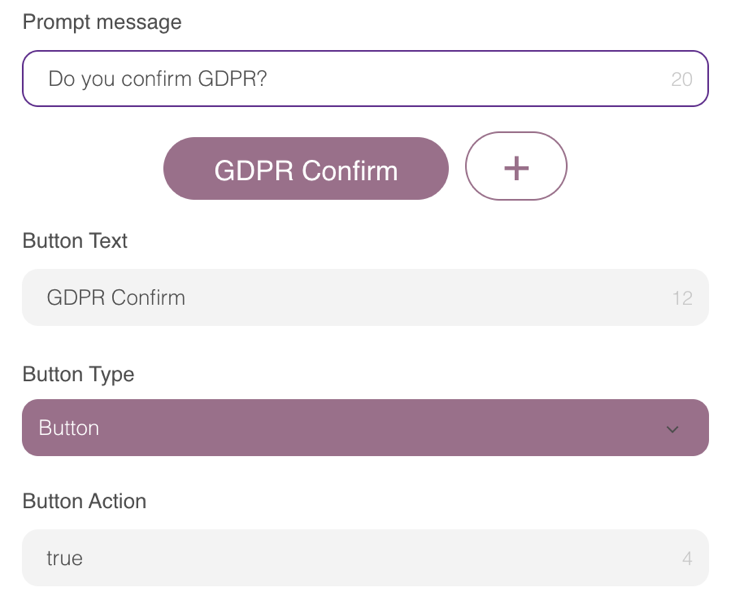
Selection/Input Module: Set the Input Action Placeholder to “gdpr”.
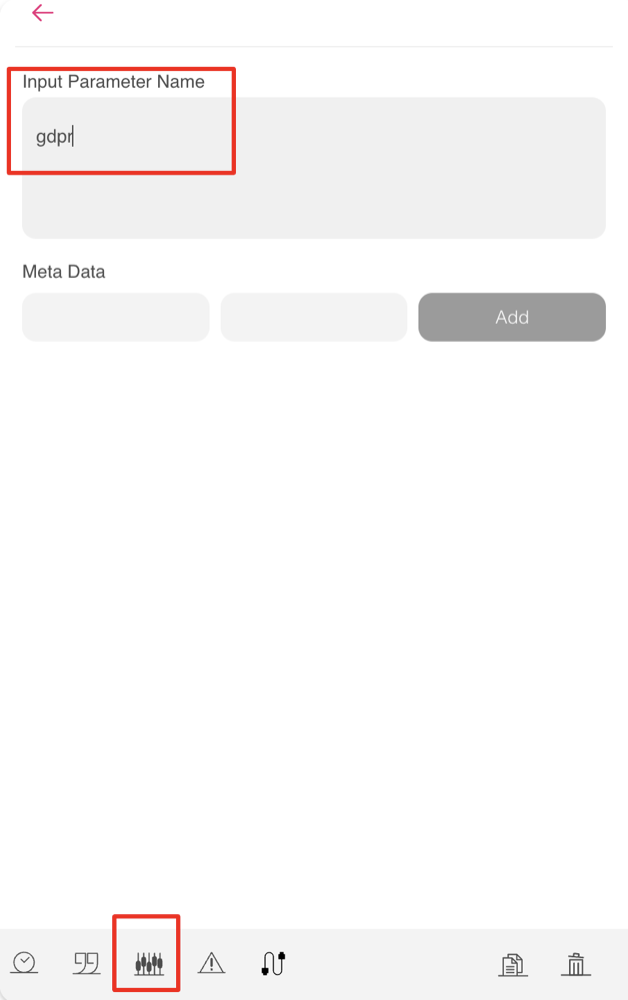
When the user clicks the Consent button, the gdpr parameter is populated with “1” or “true”.
To enable this feature, check the box labeled “Exclude the users without GDPR consent from rating conversation satisfaction” when launching an assistant. This allows the restriction that filters CSAT voting based on GDPR consent.
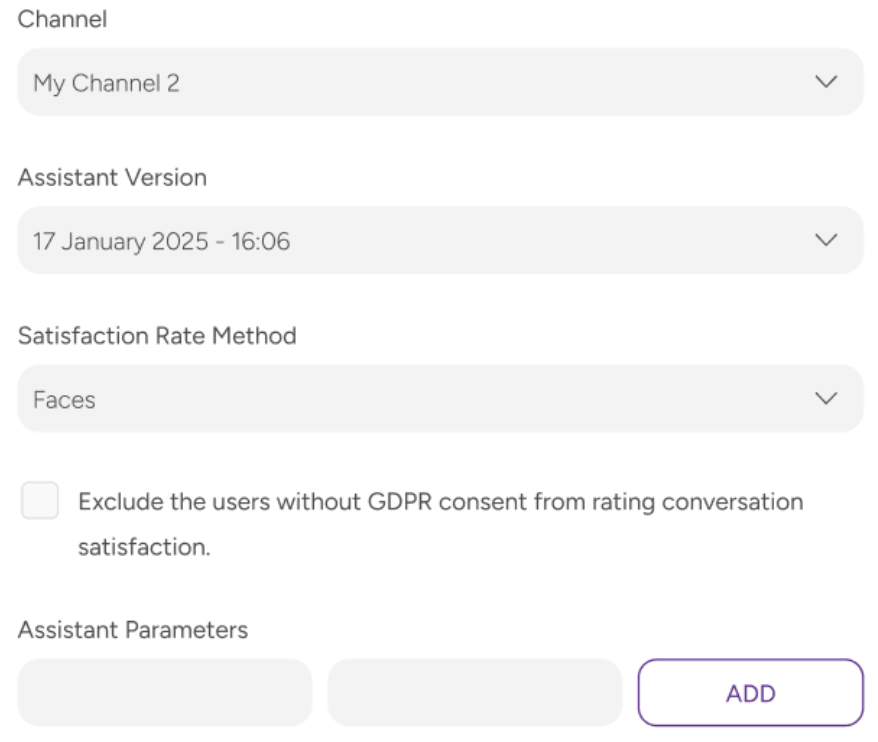
Behaviour and Conditions
The table below explains how the CSAT voting behavior changes based on the feature status and the user's GDPR consent.
Feature Status | gdpr Parameter Value | Will the CSAT vote be shown? |
|---|---|---|
Enabled | 1 or true | Yes |
Enabled | Not set for value | No |
Disabled | Any value | Yes (default behaviour) |
Enabling this feature ensures that CSAT scores reflect feedback only from users who:
Have provided GDPR consent
Have completed a chatbot conversation
This results in more meaningful, compliant, and actionable CSAT analytics.