Heatmap shows how recipients click within a sent email, using color to represent click intensity relative to each link's position in the email layout. It helps email marketers judge whether a campaign's calls to action land where recipients actually engage, without leaving Campaign Analytics.
This feature:
Renders a heatmap overlay directly on the email preview, with click-intensity blobs positioned over each link's location.
Switches between desktop and mobile renderings of the same campaign.
Switches between variants and locales when the campaign has more than one (A/B tests, localized sends).
Shows traffic level, click share, unique clicks, and the destination URL on hover.
Opens a Link Activity drawer with a full link-by-link breakdown: click count and click share per link.
Groups multi-link blocks, such as a product recommendation block or an items block with an image and a button pointing to the same product, into a single card in the drawer, instead of listing each underlying link separately.
Includes a click-intensity legend (fewer → more clicks) at the bottom of the drawer.
Covers up to 300 links per campaign in the Link Click Activity table.
Heatmap generation is available for promotional standalone email campaigns sent from 13 August 2026 onwards.
Enable and configure heatmap
To see the heatmap in your campaign analytics:
1. Go to Campaign Analytics of a sent email campaign.
2. In the Link Click Activity card, click the Generate Heatmap button.
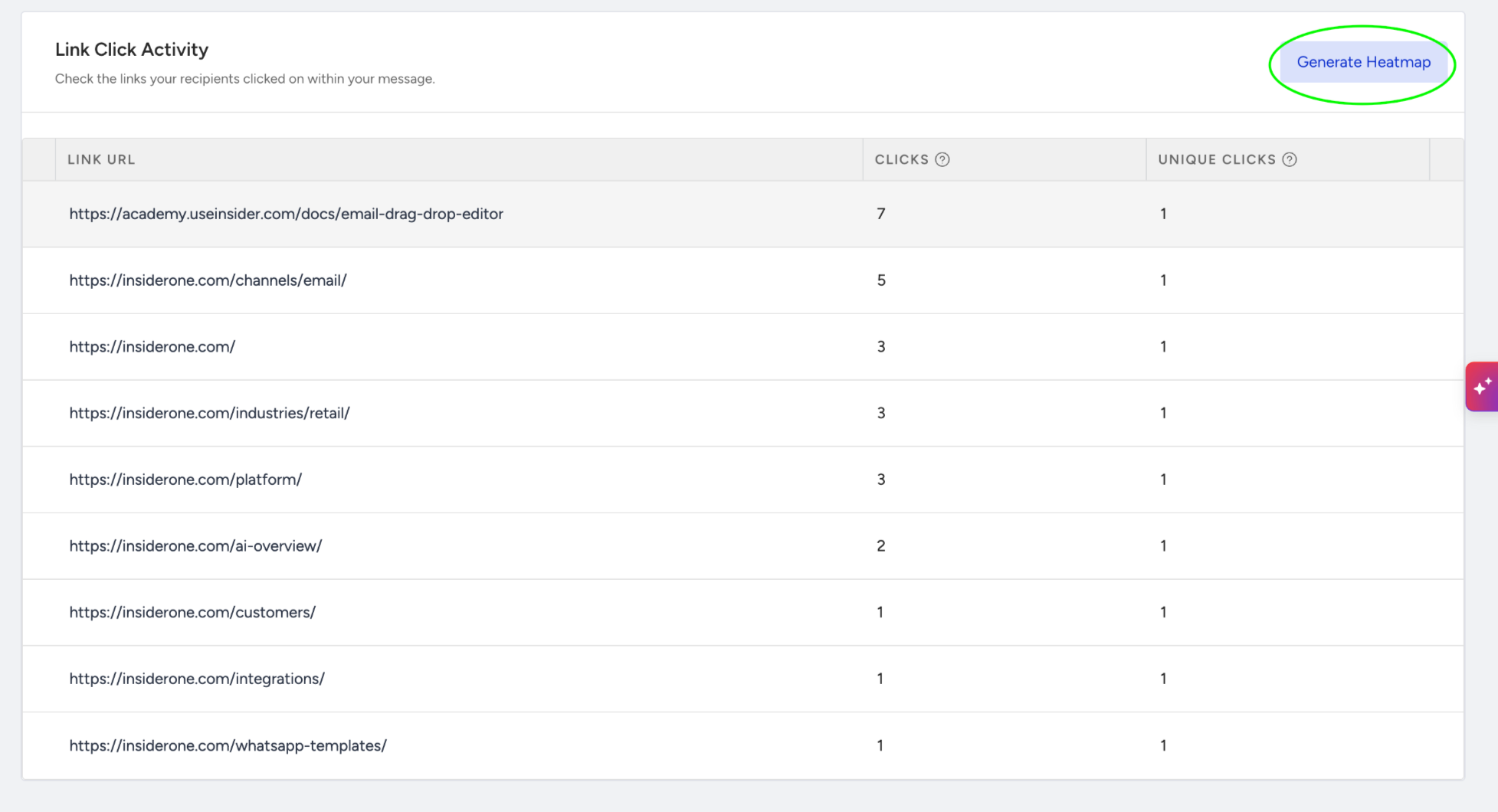
3. Wait for the heatmap to render. While it loads, the button label reads "Generating…".
4. Review the heatmap panel that opens. Use the device toggle to switch between desktop and mobile, and the variant/locale selectors (when available) to switch between the campaign's variants or locales.
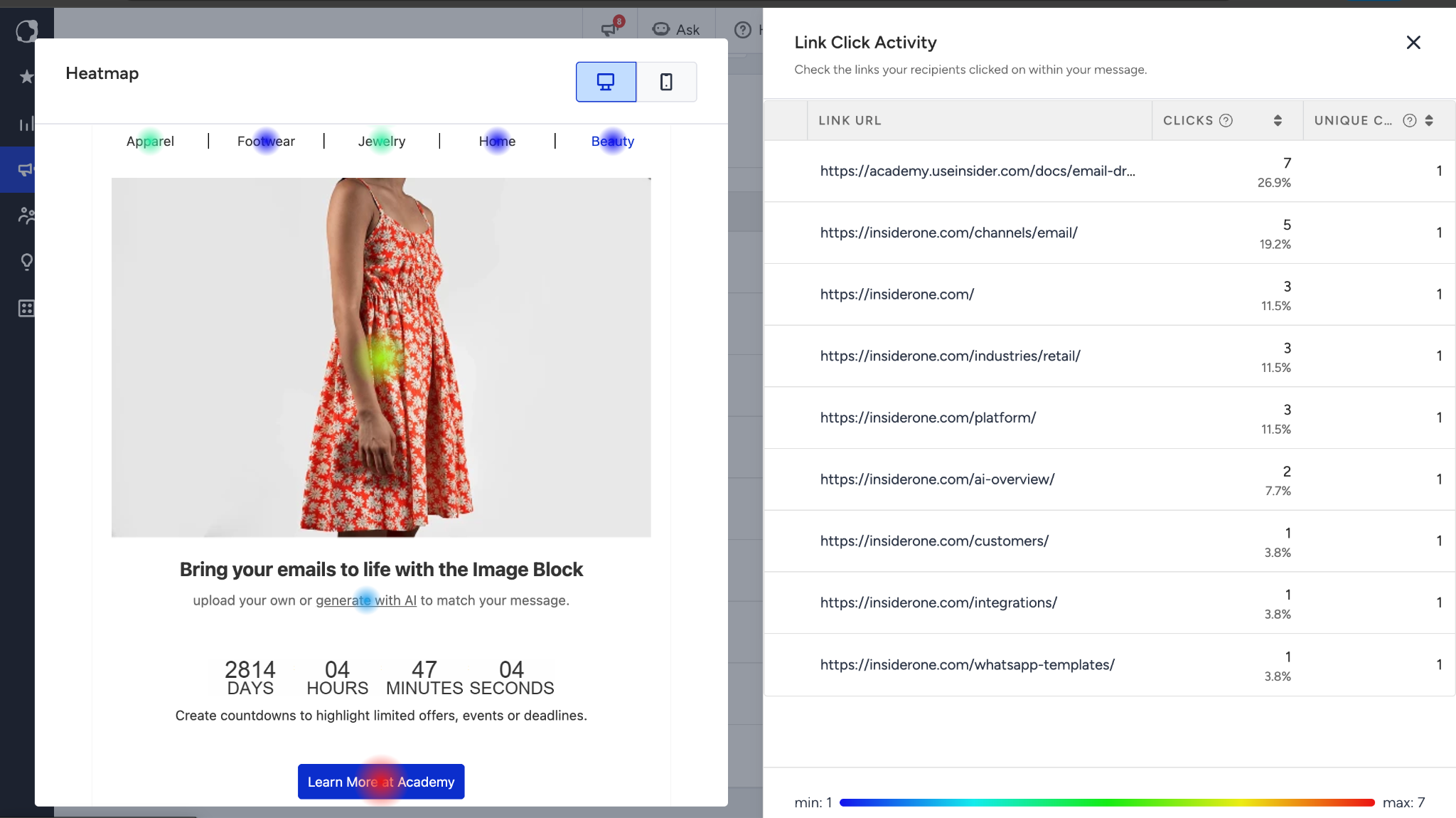
5. Hover any blob to see its traffic level, click share, unique clicks, and destination URL.
6. Select a blob, or open the Link Activity drawer directly, to see the full link-by-link breakdown, including grouped multi-link blocks and the click-intensity legend.
Keep in mind
The heatmap is currently available only for Promotional Standalone Email campaigns.
Heatmaps are generated only for campaigns sent after the feature rollout (i.e., campaigns sent from 13 August 2026 onwards). Campaigns sent before the rollout do not have heatmap data.
Links that use the Insider Link Shortener cannot currently be displayed in the heatmap.
A campaign must have click activity before its heatmap can be rendered.