This guide explains how to integrate your customized SMS provider with Web Messenger. To integrate, follow the steps below:
To customize the SMS provider, set the "Authentication" field to a one-time password.
Any company can use its SMS provider if it prefers. For the customization process, we should request their third-party tool. MindBehind allows users to define the request using endpoint fields in the Web Messenger integration pop-up.
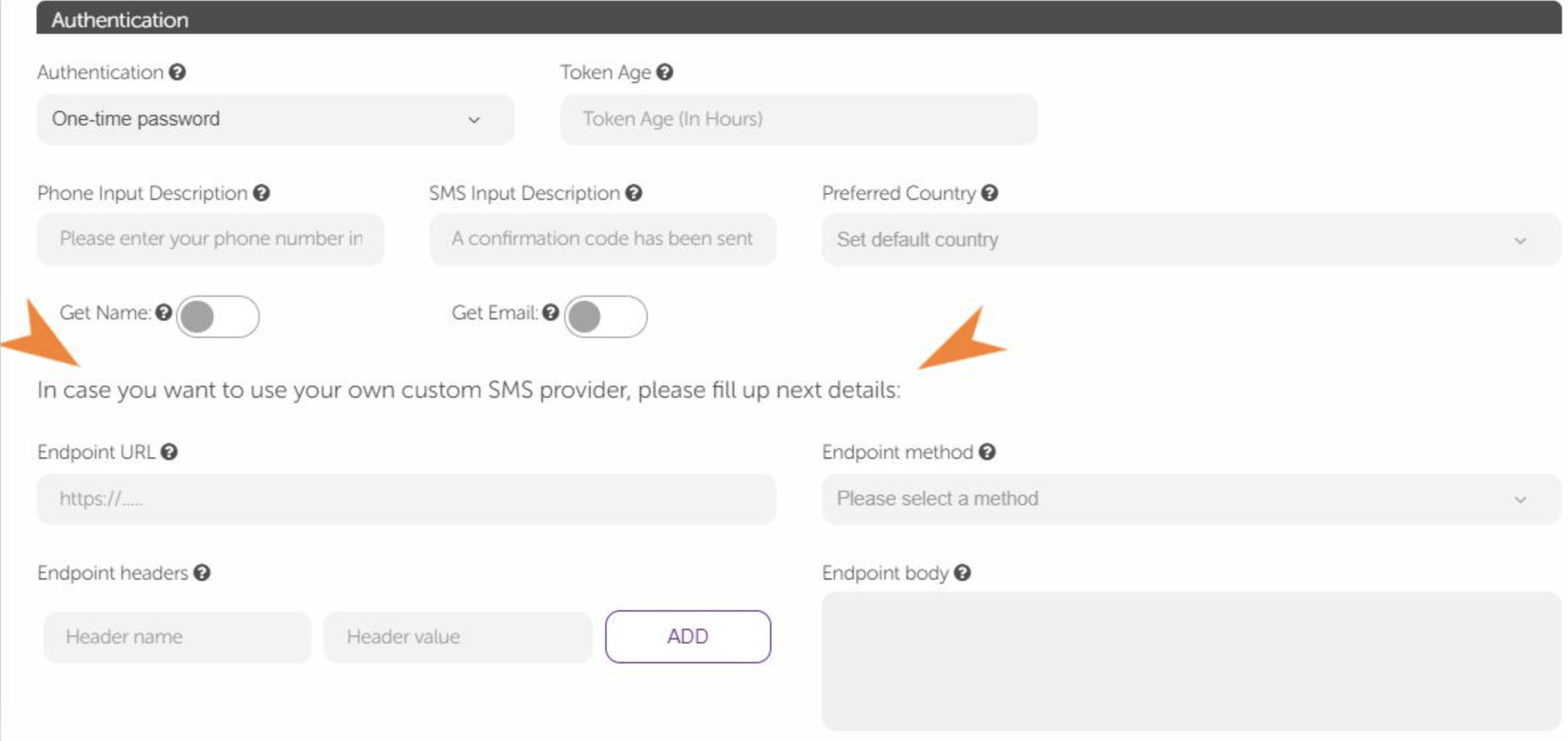
This definition requires a URL and HTTP method. The endpoint URL can be your service, or you can use a third-party tool for that (the HTTP method is set as POST by default). If you prefer to use your company name as an SMS label, you should create an account on one of your chosen providers. After that, you can use the provider endpoint according to the provider's documentation.
You can use the header and the body fields according to the service you will call. However, the "Endpoint body" field should contain these two parameters:
Content: The SMS content message.
Phone: The user's phone number.
After filling in the related fields, click the Save button to save your changes.