You cannot make any changes to External Platform Integrations without having either an Administrator or an Editor with PII access in InOne. Refer to User Roles for further information.
Insider One’s Shopify App Block enables you to display OnSite campaigns in specific sections of your Shopify store. This feature is supported on Shopify themes version 2.0 and above.
In this guide, you will find answers to these questions:
Prerequisites
Before using the app block, ensure the following requirements are met:
Your Shopify store uses Theme v2.0 or higher.
Insider One’s Shopify App is installed.
ins.js and IO are enabled in your theme.
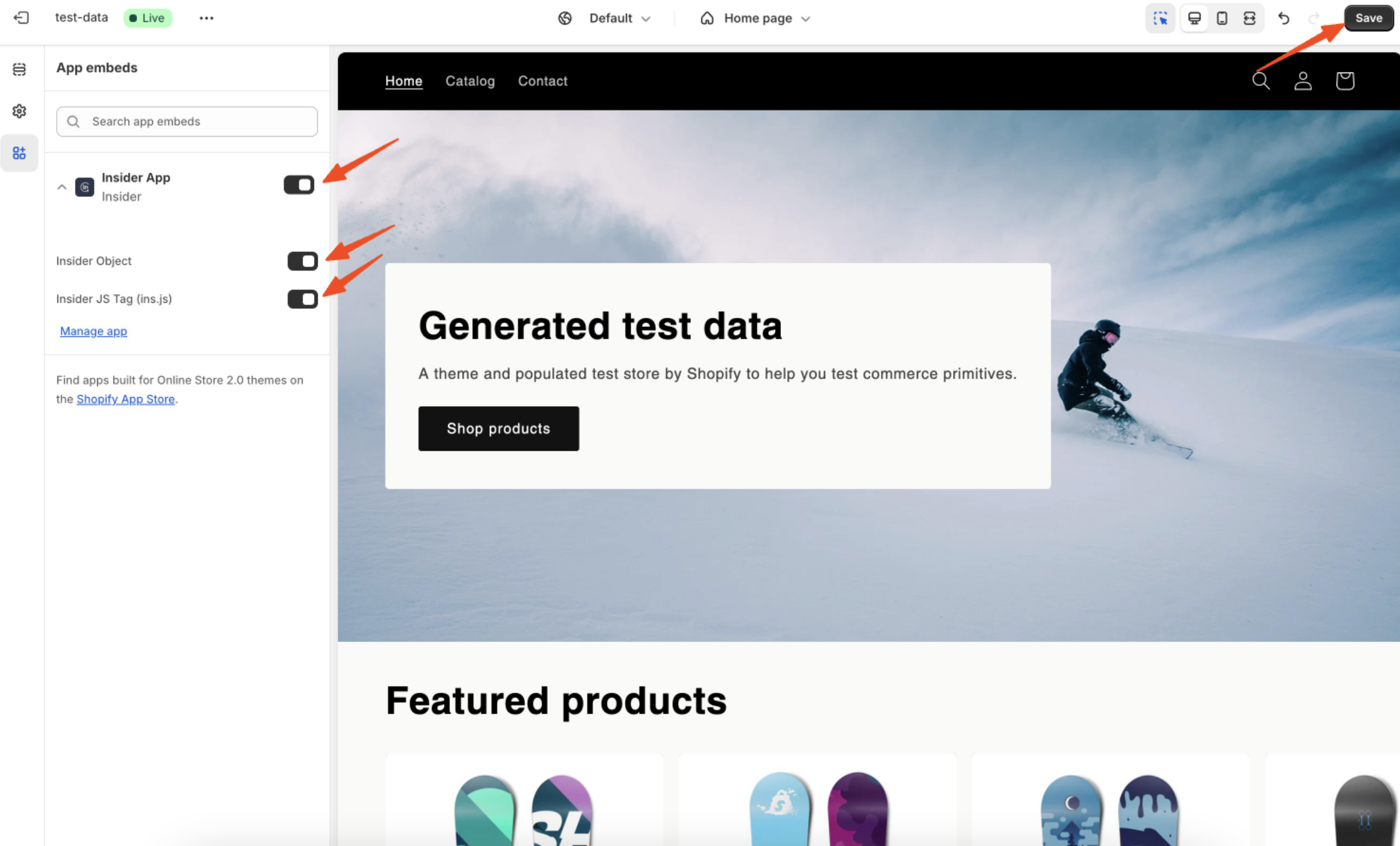
Add and target the App Block
Go to your Shopify Admin Panel > Online Store > Themes, and then click Customize on your active theme.
In the Body section of the page, click Add App Block, then select Insider App Block.
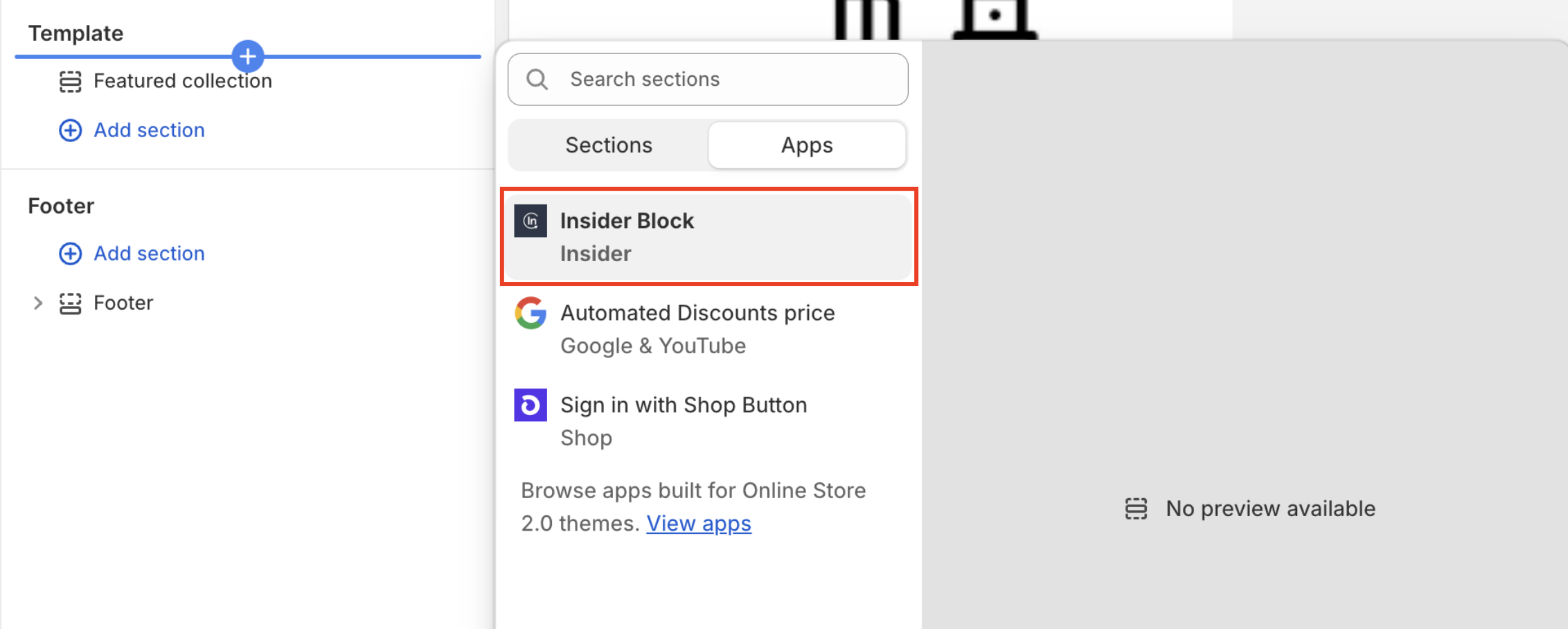
Shopify only allows app blocks to be added within the body section. They cannot be placed in the header or footer.
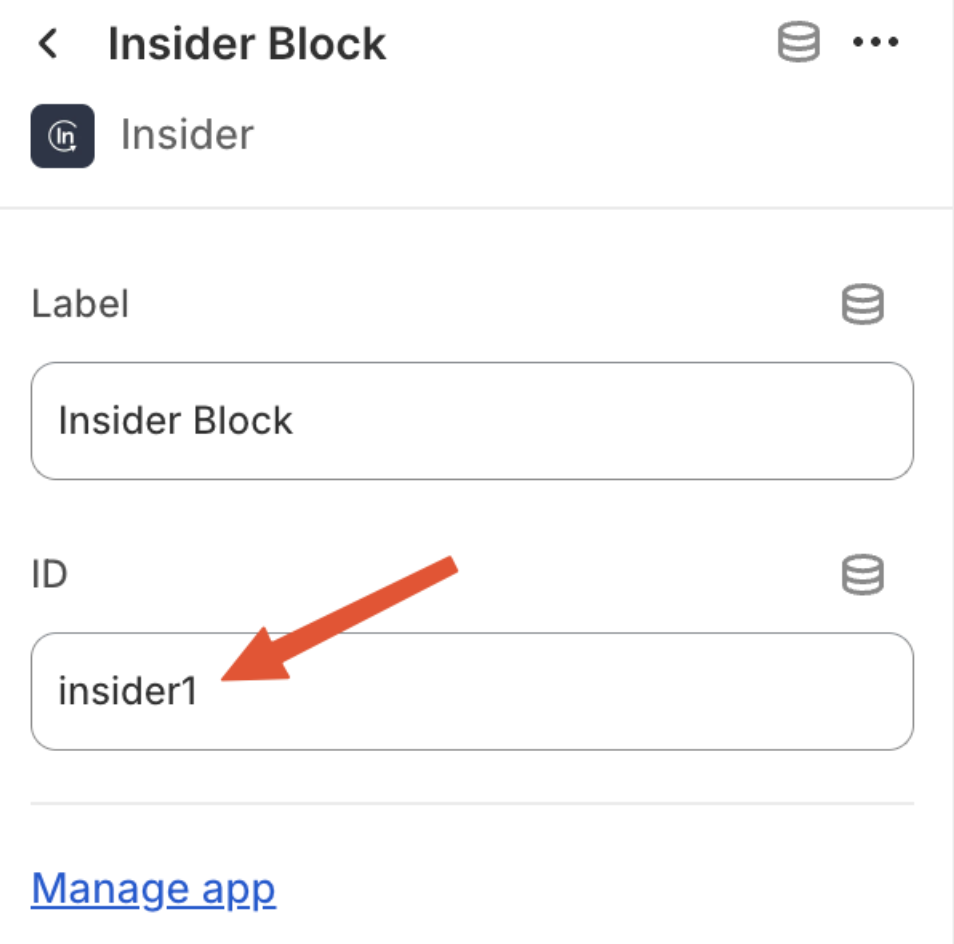
Open the added app block and assign a unique ID, such as insider1. This ID will be used to target your OnSite campaign.
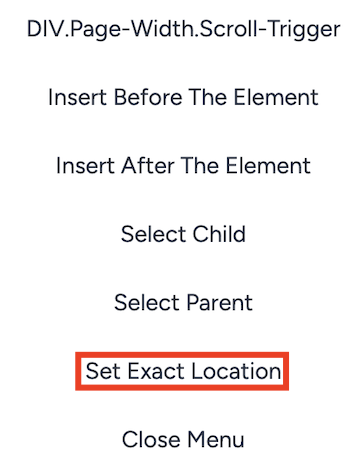
In the Insider One panel, open your OnSite campaign and select the Set Exact Location option from the menu.
Enter the block ID you assigned, prefixed with a hash (e.g., #insider1), and set the position to “Insert Before”. Click the Set Location button.
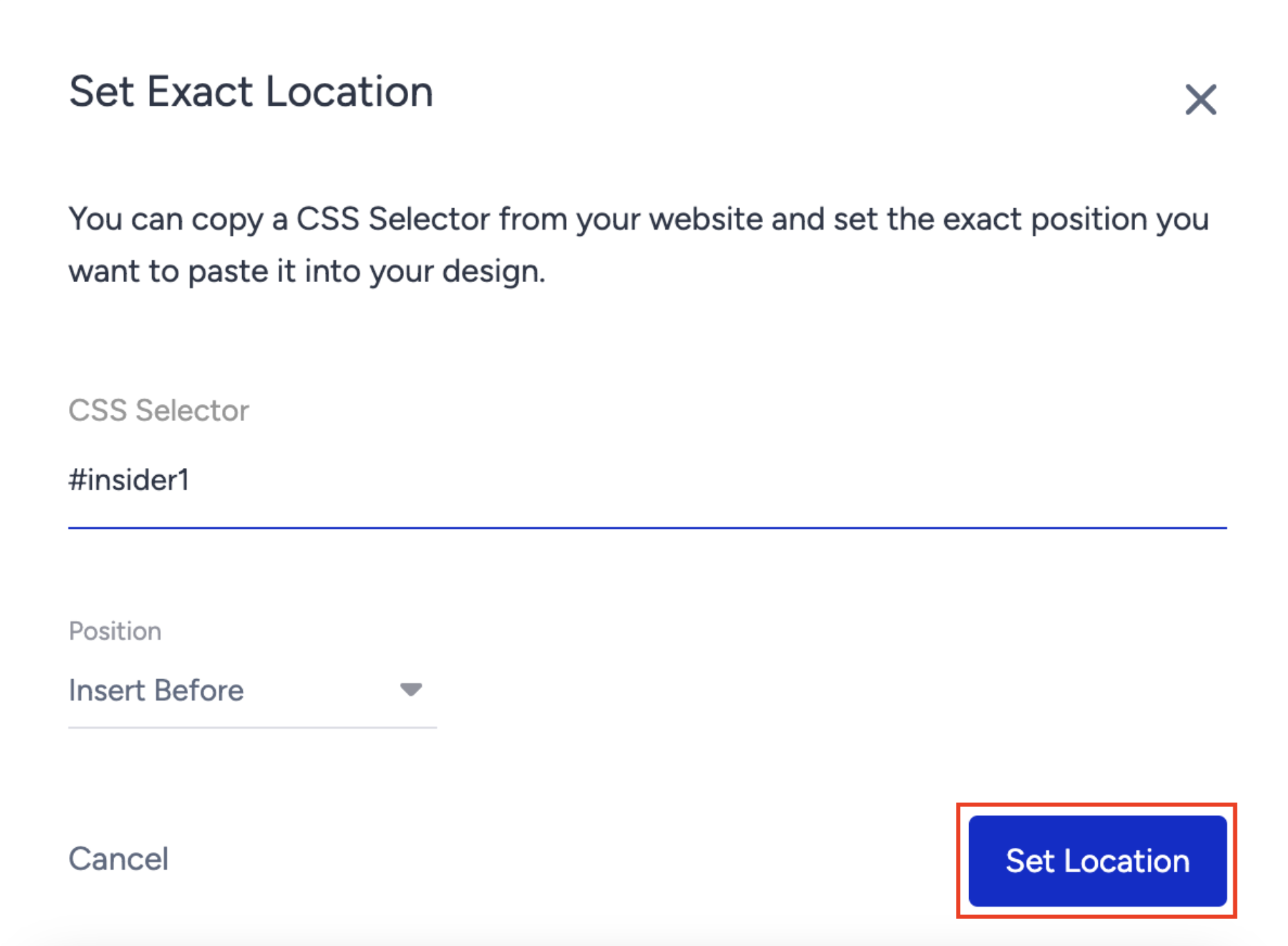
Activate your campaign and click the Generate button.
Reconfigure after a theme change
If you update or switch your Shopify theme:
Re-add the Insider App Block to the desired location in the new theme.
Use the same block ID (e.g., insider1) to maintain consistent campaign placement without modifying the campaign in Insider One.
Ensure that ins.js and IO are enabled in the new theme as well.
Using the same ID for multiple app blocks on one page will result in the campaign being duplicated.
If your campaign uses a system rule (e.g., AddToCart), verify that it continues to function as expected after the theme change. Changes in theme structure can impact event tracking.
Refer to the video below for a step-by-step walkthrough of displaying OnSite campaigns in specific sections of your Shopify store using Insider One’s Shopify App Block.