You cannot make any changes to External Platform Integrations without having either an Administrator or an Editor with PII access in InOne. Refer to User Roles for further information.
Mixpanel Integration helps you easily pass your Insider One events to Mixpanel. When you complete this integration, you can use these events on Mixpanel without any additional implementation.
To configure this process, you need to:
Get project token from Mixpanel
Log in to your Mixpanel account that you want to connect to Insider One.
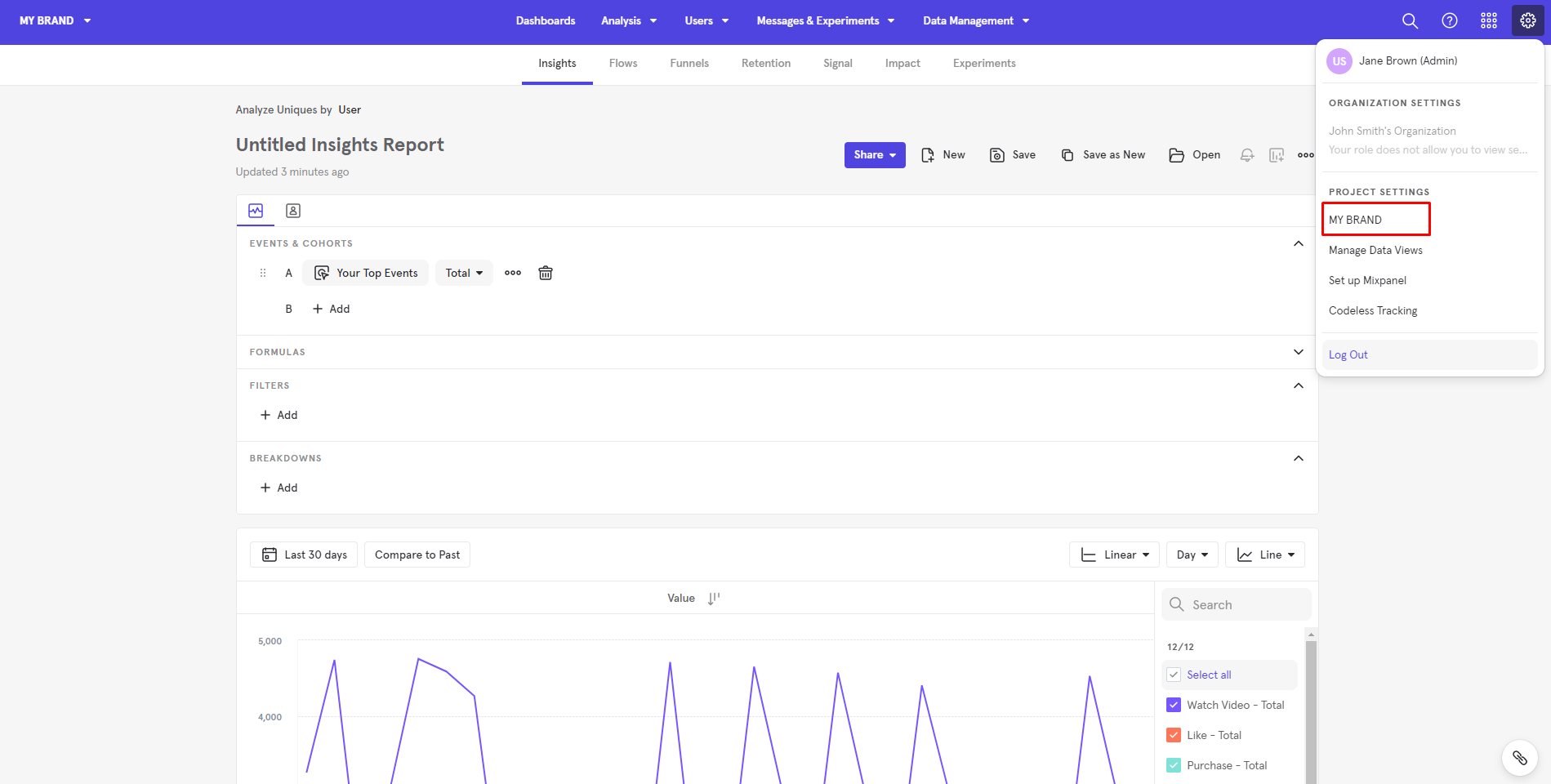
Go to Settings > Project Settings > Your Account.
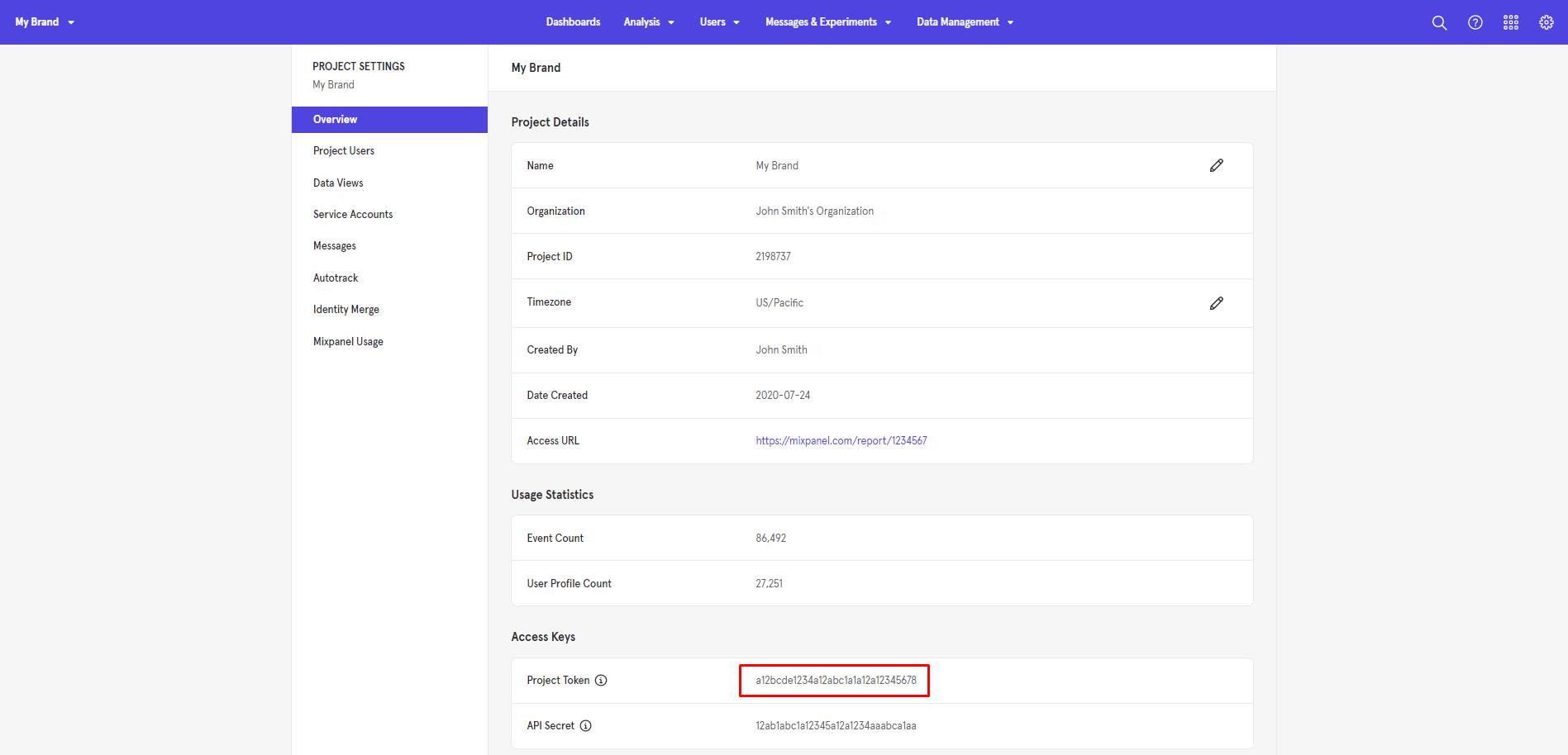
Navigate to Overview > Access Keys > Project Token and save your project token to use on Insider One's InOne panel later.
Add Mixpanel project token to Insider One
Log in to your Insider One account.
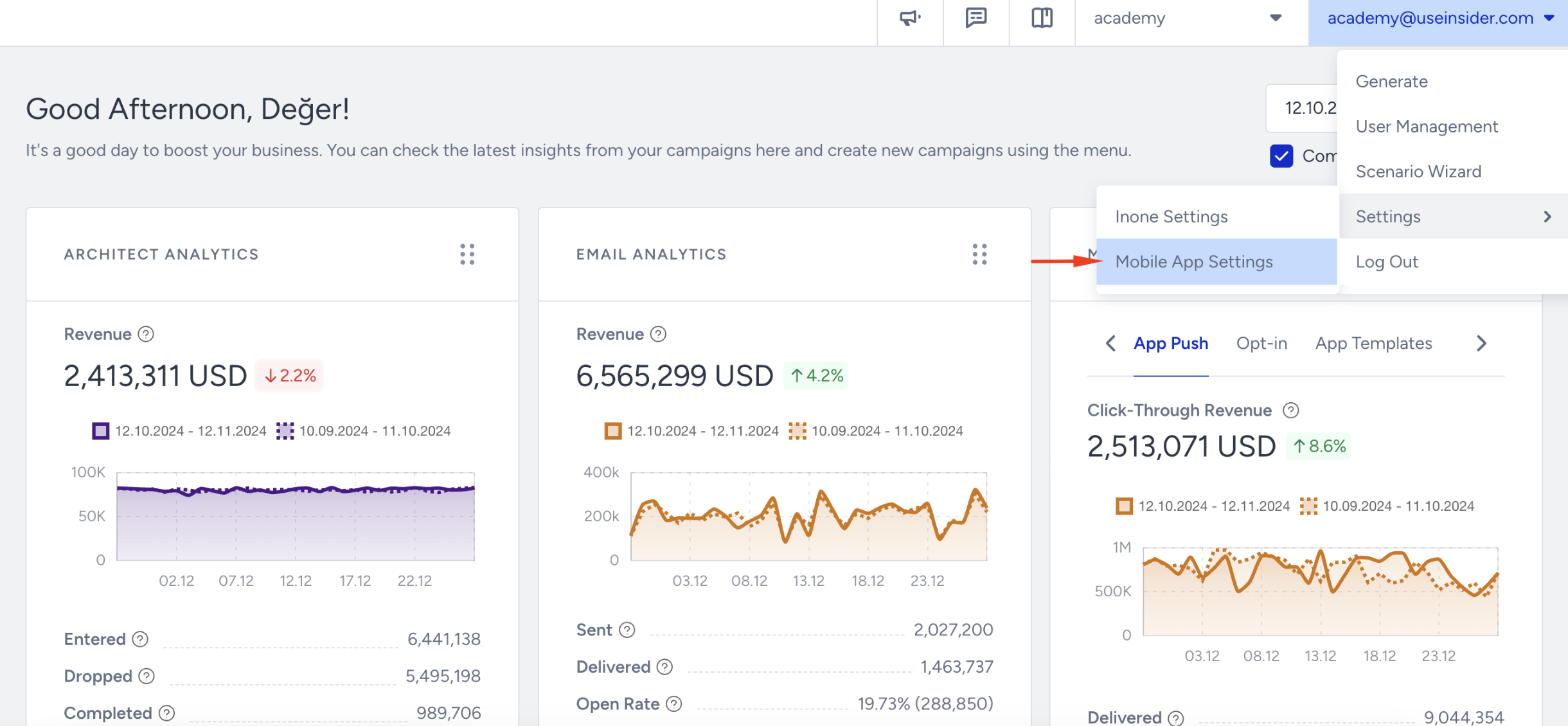
Navigate to Settings > MobileAppSettings > General through your username in the top right corner.
Go to Integrations > Mixpanel Integration and select Email or Phone Number as an identifier to match your users with those on Mixpanel.
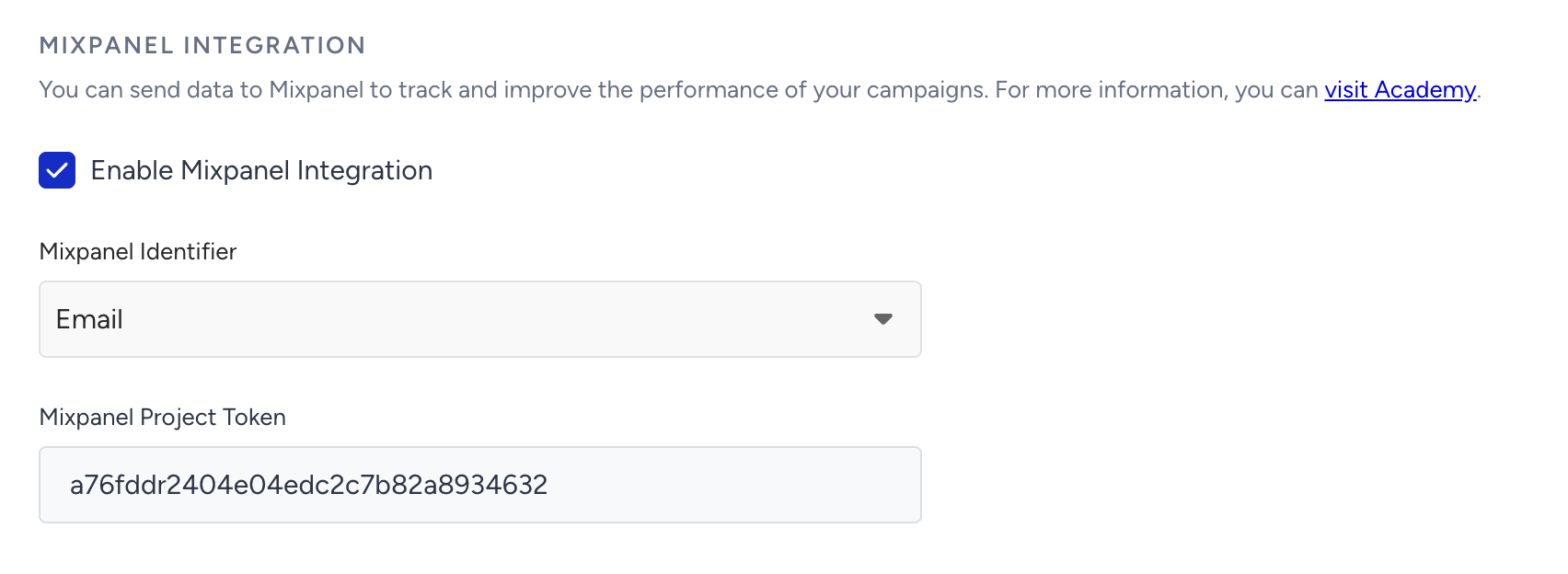
Select your identifier, and add your Mixpanel Project Token.
Now that you have completed your integration to send Insider One Events to Mixpanel, you can track your events on Mixpanel.
Track events on Mixpanel
Insider One sends the following events and parameters to Mixpanel.
InApp event
Parameter | Type | Description |
|---|---|---|
distinct_id | String | User identifier |
token | String | Mixpanel project token |
time | Int64 | Unix timestamp of the event |
camp_id | Int | InApp camp ID |
variant_label | String | Campaign variant label |
dismiss_type | String | How the in-app was dismissed |
App push event
Parameter | Type | Description |
|---|---|---|
distinct_id | String | User identifier |
token | String | Mixpanel project token |
time | Int64 | Unix timestamp of the event |
camp_id | Int | App push camp ID |
variant_label | String | Variant label or Journey ID (for Architect campaigns) |
camp_type | String | App push campaign type |
To track these events and parameters:
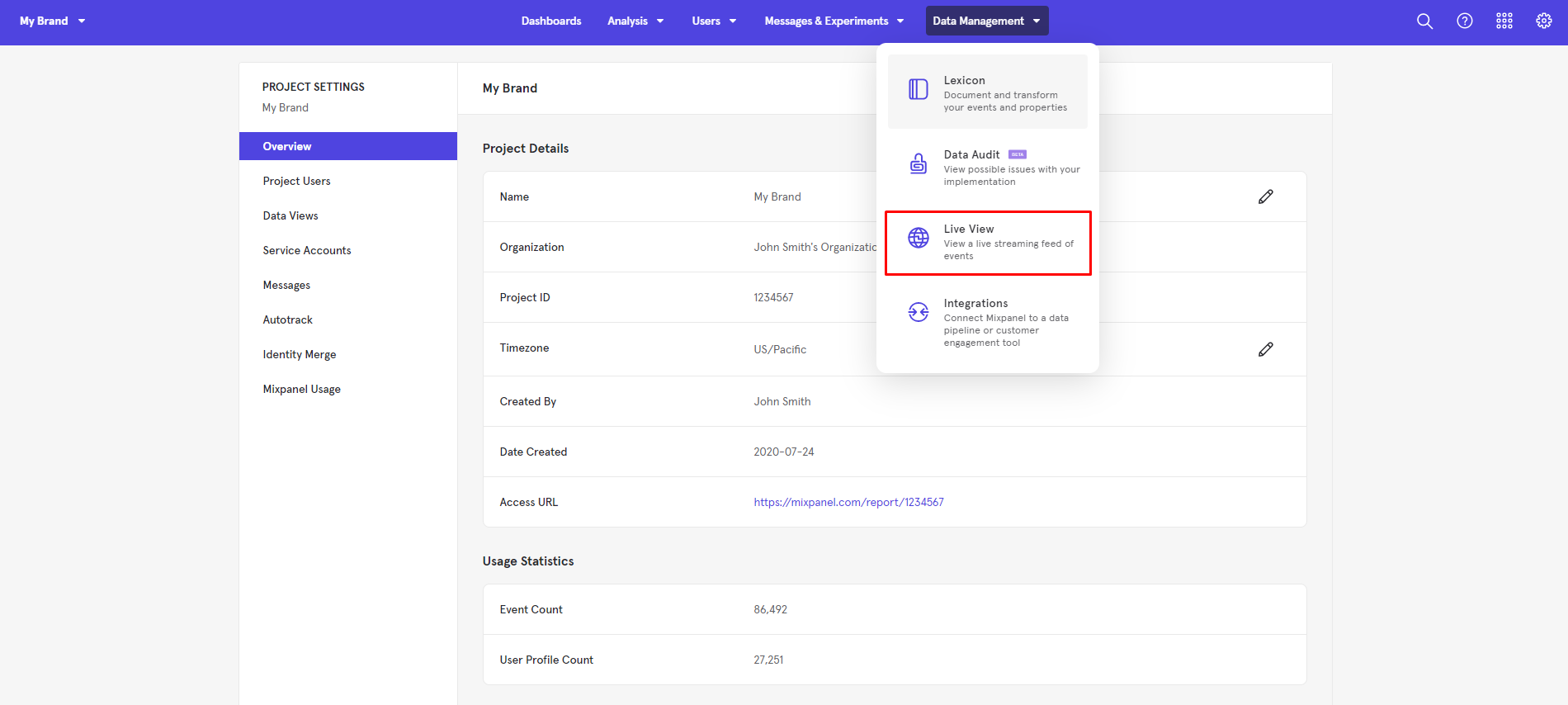
Navigate to Data Management > Live View.
You can track your InApp and push events on the Live View page, as well as additional data such as browser, city, and country information.
You can also send Mixpanel Cohorts to Insider One. For further information, you can refer to Mixpanel's article.