The My Learning page is your personal learning dashboard in Insider One Campus. It helps you track your progress, continue unfinished content, review completed learning, and manage the badges and skills you’ve earned.
Instead of searching for content you’ve already started, My Learning keeps everything organized in one place so you always know what to do next.
What can you do in My Learning?
Use My Learning when you want to:
Continue the learning content you started earlier
See which content you’ve completed
Review your earned badges
Access saved or favorited content
Track the skills you’ve developed
To access this page, click My Learning in the top navigation bar.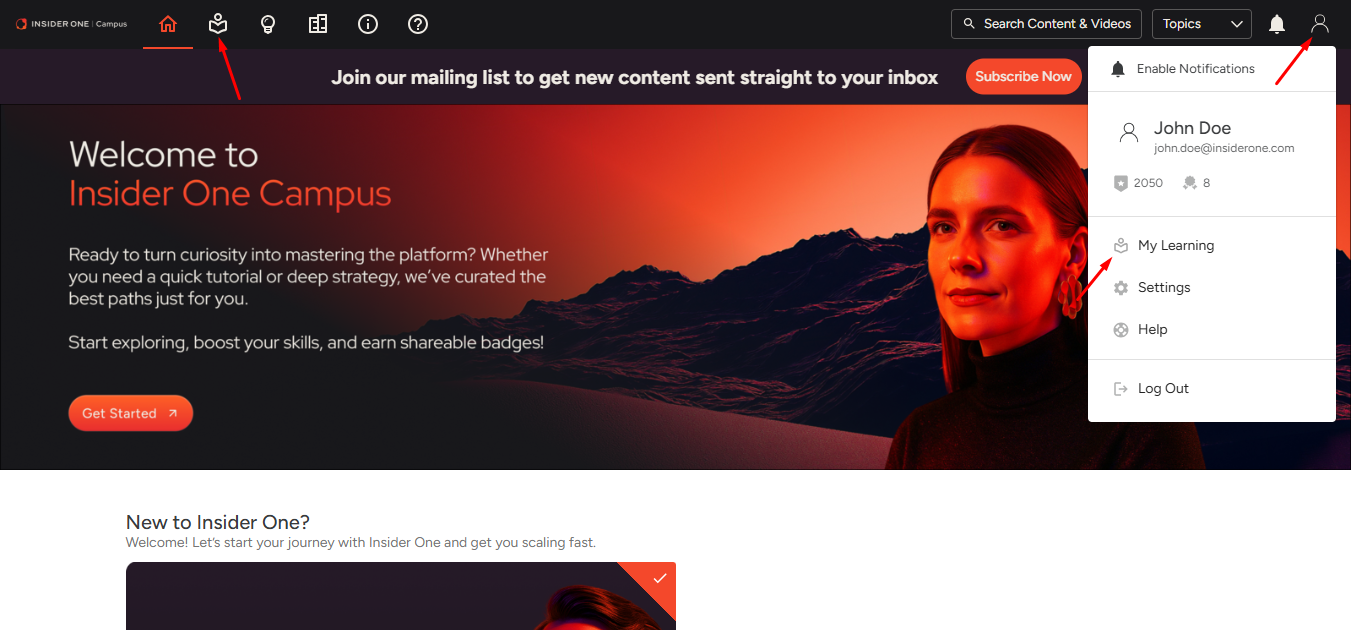
The My Learning page organizes your learning activity into several sections so you can easily manage your progress. This guide covers each section in detail:
Up Next: Continue where you left off
Favorites: Access saved content
History: Review completed learning
Skills: Track your expertise growth
Credentials: View and share your badges
Up Next
Up Next shows the learning content you have started but not yet completed, including content you began yourself and content assigned to you. You can use this section when you want to pick up where you left off.
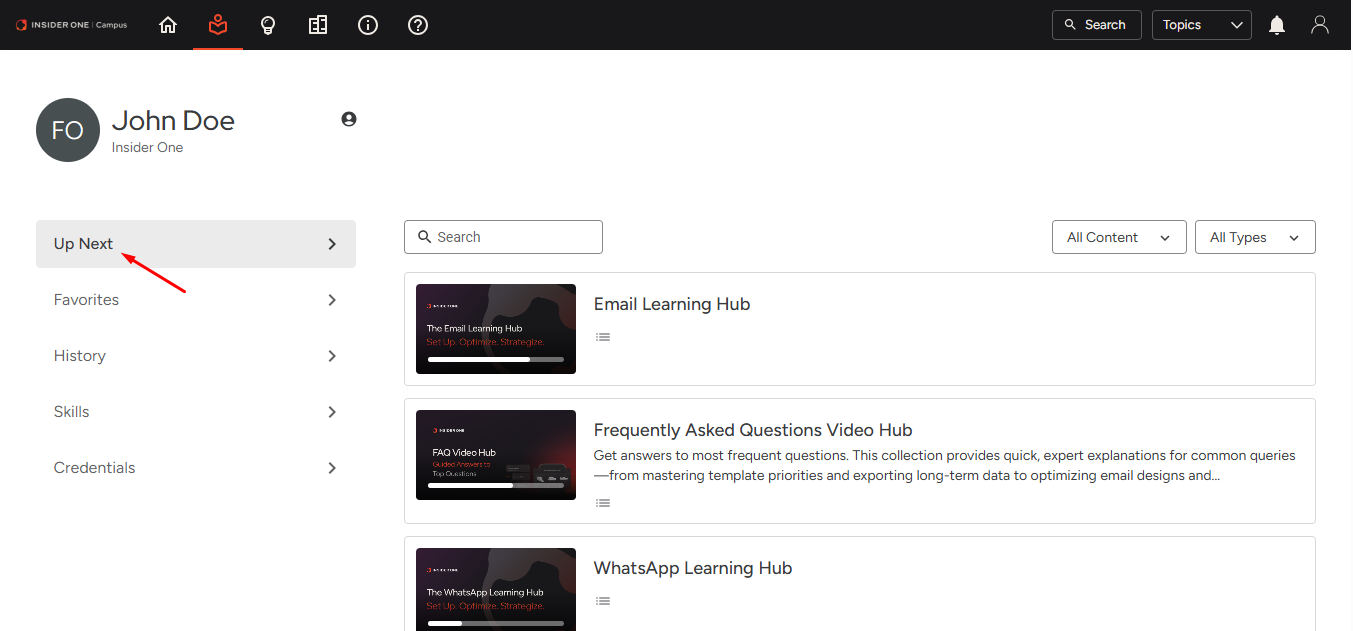
In this section, you can:
Quickly find content using the search bar
Filter by how the content was added:
Added by You: Content you enrolled in yourself
Recommended or Required: Content assigned to you
Filter by content type (e.g., assessment, video)
Favorites
If you mark any learning content as a favorite, it appears in this section. Favorites allow you to quickly return to:
Content you plan to take later
Content you want to revisit
Helpful reference materials
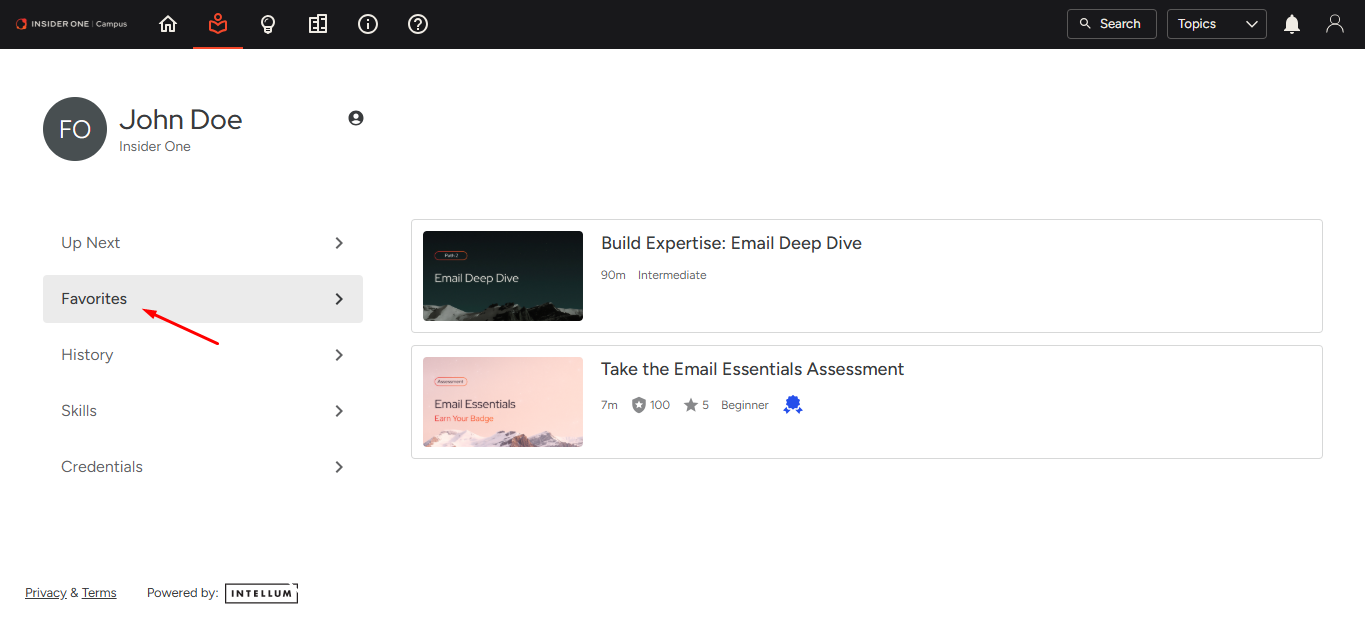
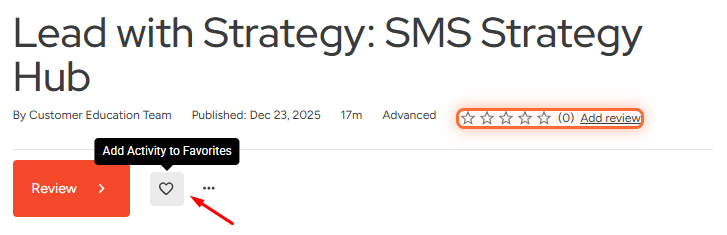
To favorite an activity, navigate to the top of the content and click the Favorites heart icon.
History
The History section shows learning content you have completed. You can use it to review past learning, revisit key content, and confirm completion, especially when preparing for an assessment.
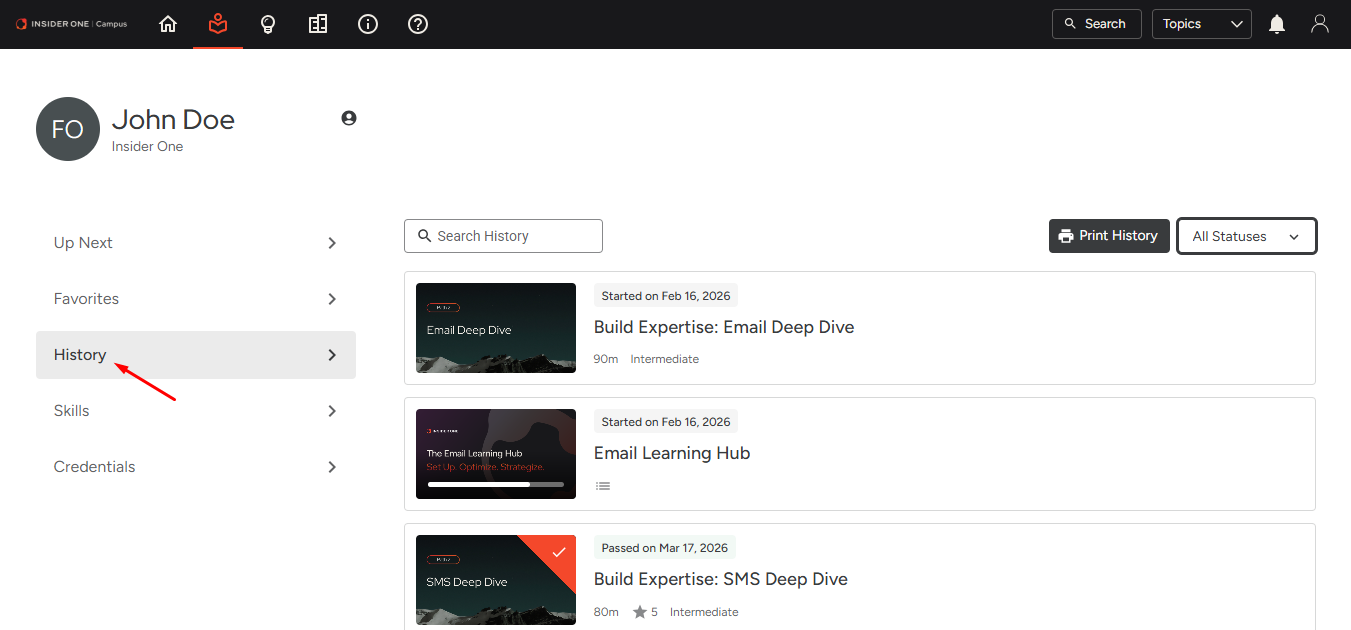
In this section, you can:
Search using keywords to quickly find completed content
Filter by completion status (e.g., viewed or passed)
Print the list of completed content for your records
Skills
The Skills section highlights the capabilities you’ve gained through completed assessments. Each time you pass an assessment, you earn skill points that reflect your progress and expertise level:
100 points for completing the Essentials assessment
250 points for completing the Deep Dive assessment
500 points for completing the Strategy Hub assessment
These points accumulate in your Skills profile and help visualize your overall learning progress across Insider One products.
As you complete more assessments, your Skills section grows, providing a clear view of the knowledge and expertise you’ve developed in Insider One Campus.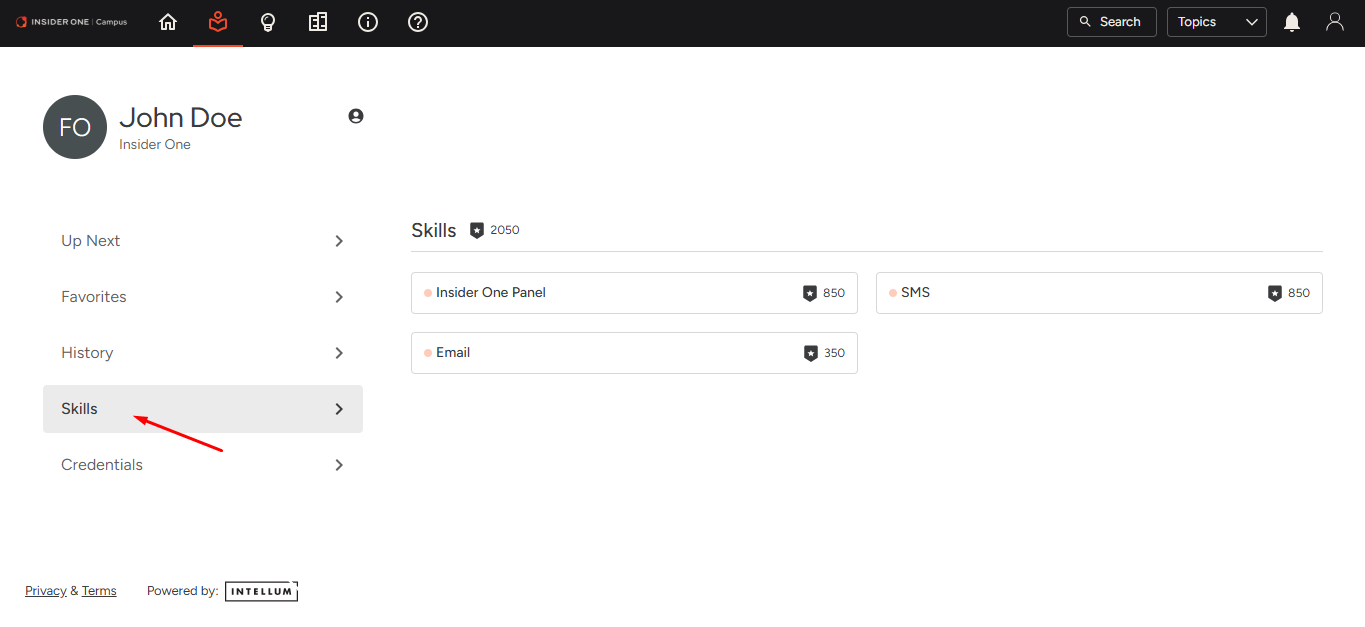
Credentials (Badges)
The Credentials section displays the badges you have earned after passing assessments.
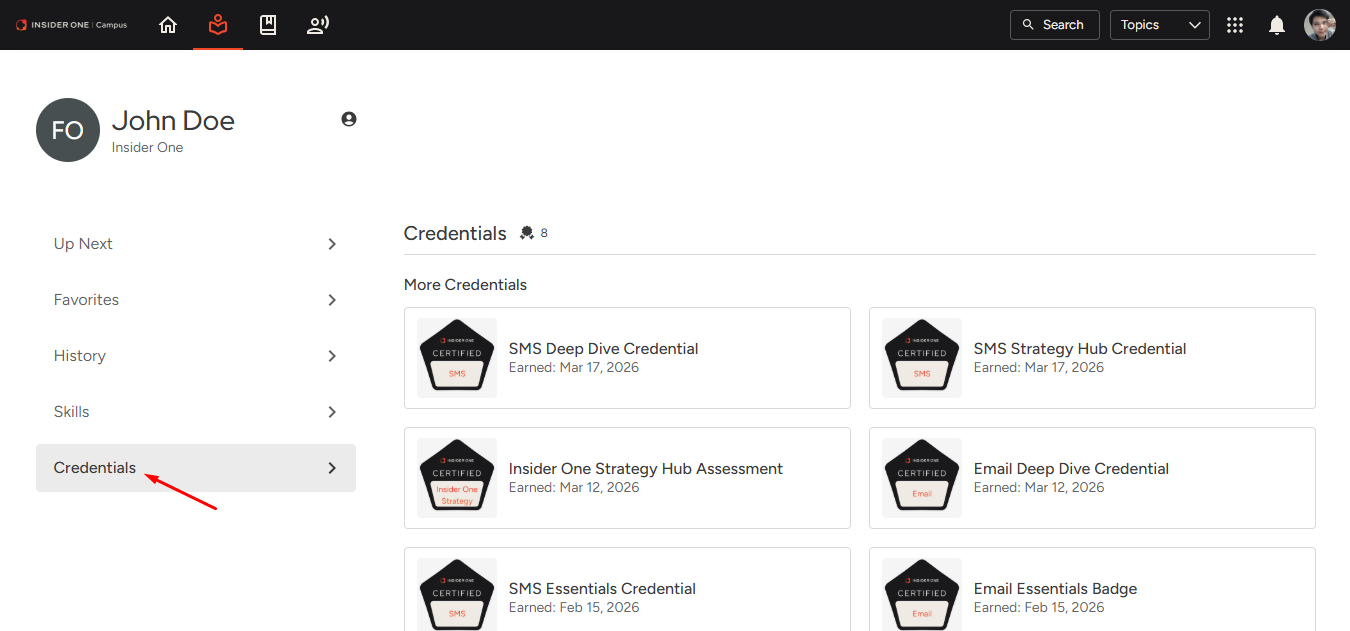
You can view your badges and share them in different ways.
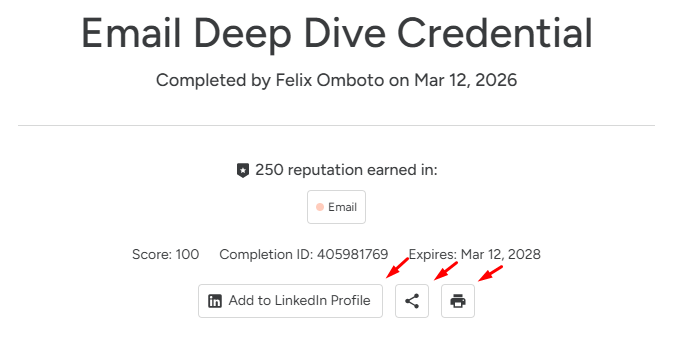
Share on LinkedIn: Click Add to LinkedIn Profile to add the credential directly to your LinkedIn profile.
Share via link: Click the share icon to generate a link that you can send to others.
Download or print your badge: Click the Print icon to save your badge as a PDF or print it.
Sharing your badges helps demonstrate verified product expertise and highlights your professional development with Insider One.
By using My Learning regularly, you can stay organized, maintain momentum in your learning journey, and track your progress across Insider One learning content, skills, and earned badges.