Insider One Campus is a structured, interactive learning platform that helps you use Insider One products effectively. It offers a complete learning experience from onboarding to advanced training, covering both technical and strategic guidance.
This guide aims to answer these questions:
Refer to the video below for an overview of Insider One Campus and learn how structured learning paths, product hubs, badges, personalized progress tracking, and expert-led guidance help you build practical Insider One expertise and achieve better results.
Campus vs. Academy
If you are new to Insider One learning resources, it is helpful to understand the difference between Academy and Campus. While both platforms support your success, they serve distinct learning purposes.
Academy helps you quickly find product documentation, configuration guides, and troubleshooting resources.
Campus helps you build deeper expertise through structured learning paths, courses, and assessments.
Why use Insider One Campus?
Insider One Campus is designed to help individuals and teams continuously develop their Insider One expertise. Through guided learning paths, certifications, and live training opportunities, Campus supports both onboarding and long-term skill development.
Campus helps you:
Onboard faster with guided learning paths
Learn at your own pace with saved progress
Develop consistent product knowledge across teams
Earn badges that validate your expertise
Attend live or recorded expert-led webinars
Track personal progress via the My Learning page
Monitor team development through the Manager Dashboard
Who is Insider One Campus designed for?
Insider One Campus is designed for a wide range of users across the Insider One ecosystem. Whether you are just starting your journey or looking to deepen your expertise, Campus offers learning resources tailored to different roles and experience levels.
New Insider One users and new hires
Marketing, Growth, CRM, Technical, and Support teams
Team managers
Executives seeking a strategic overview
If you work with Insider One in any capacity, Campus is designed to support your learning journey.
Get started with Insider One Campus
Follow the steps below to access Insider One Campus, set up your profile, and begin your first learning path.
Step 1: Access Campus
Navigate to Insider One Campus.
Your account is automatically created during onboarding. You will receive an email titled “Welcome to Insider One Campus” containing your login instructions. During your first login, you will set your password.
If you do not receive the email or cannot access your account, contact the Insider One team at cedx@insiderone.com for assistance.
Step 2: Complete Your Profile and Subscribe to Newsletters
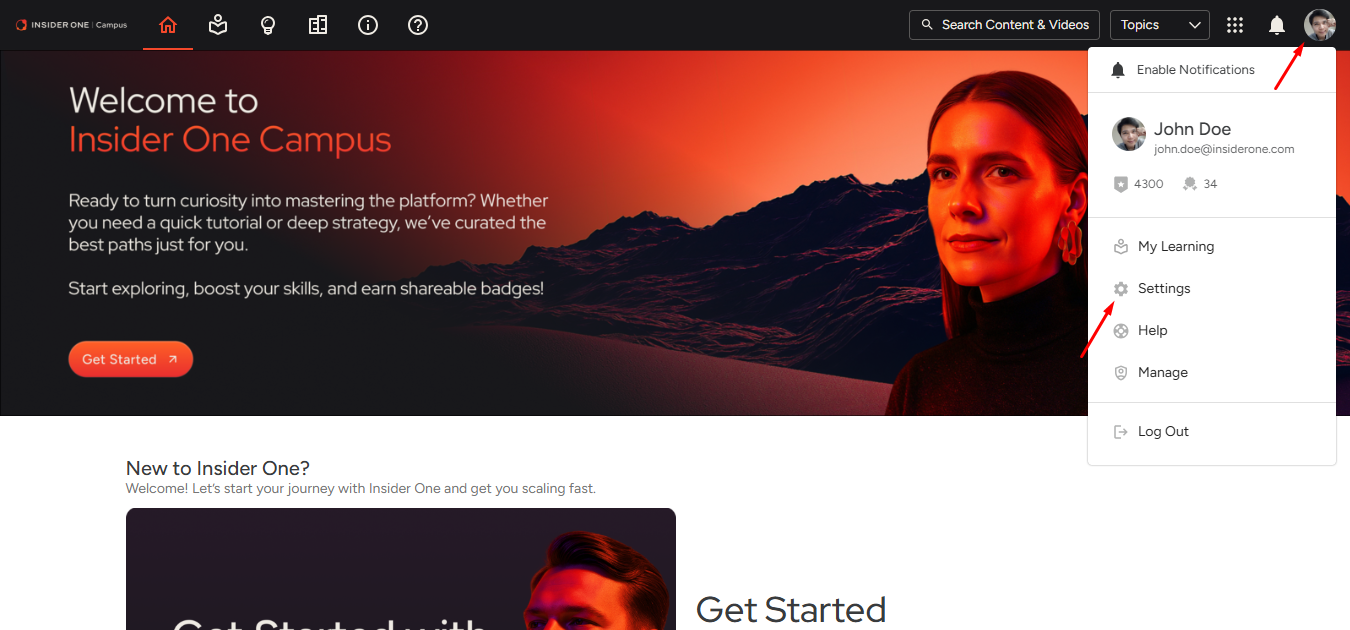
Once logged in, click the profile icon in the top-right corner and select Settings to update your profile.
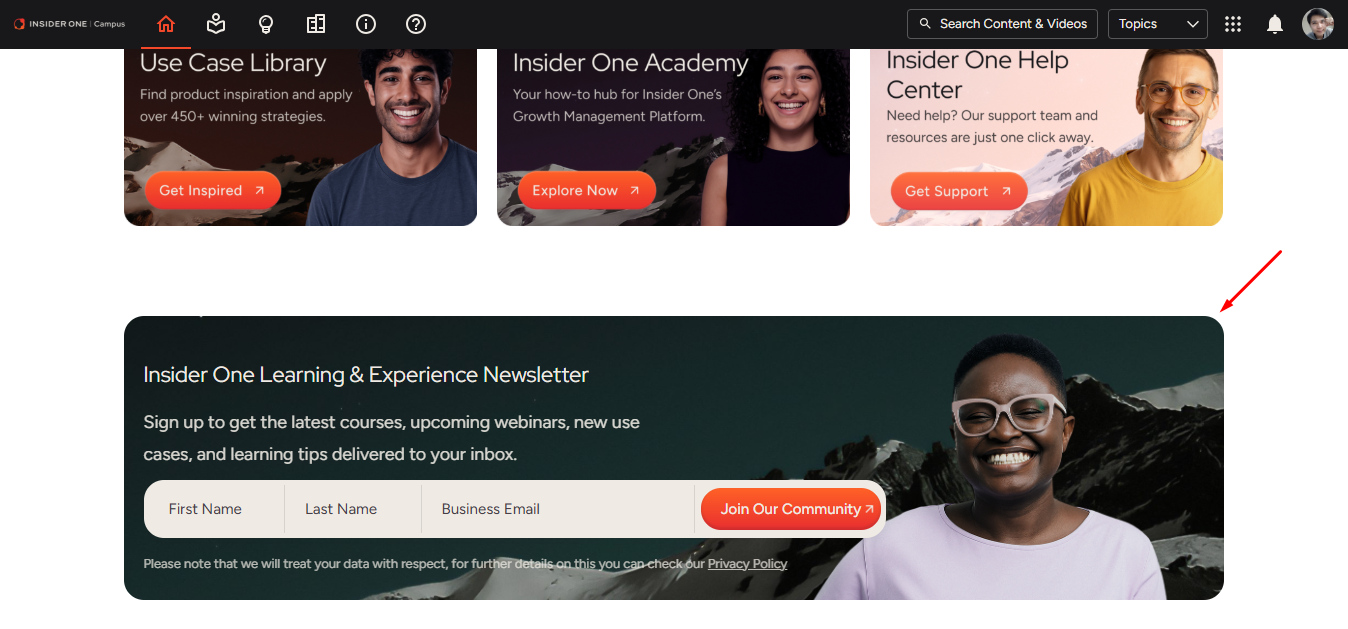
To stay informed about new courses and learning opportunities, click the Join Our Community button to receive Campus newsletters.
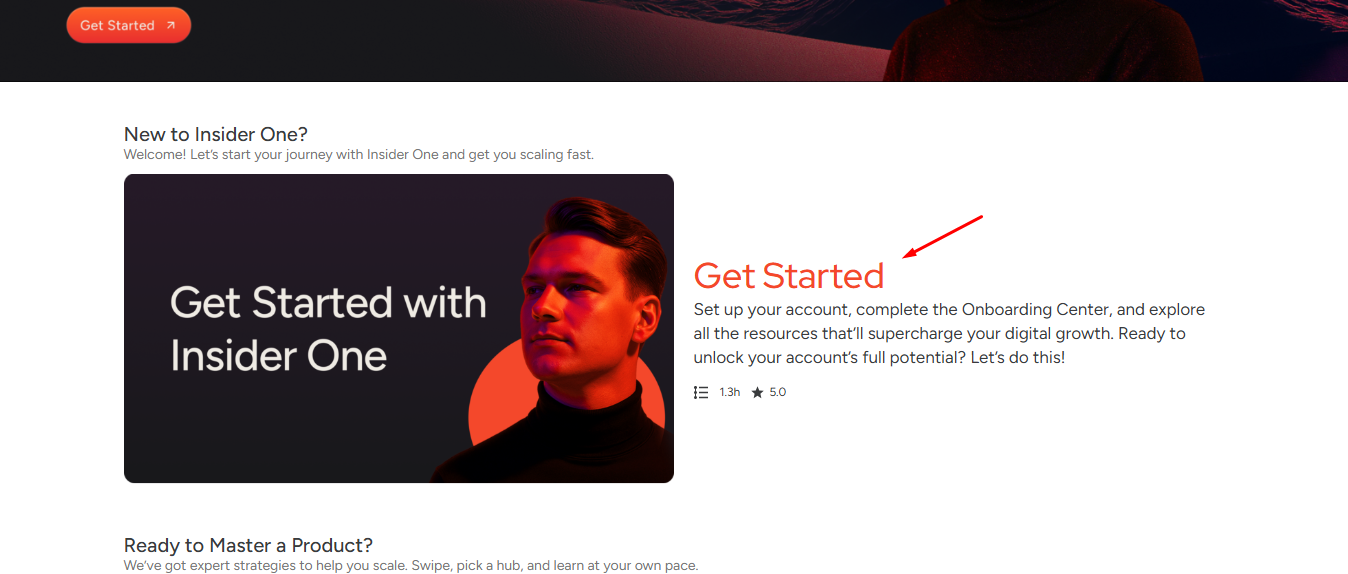
Step 3: Start with “Get Started with Insider One”
Start with this foundational hub to understand the Insider One platform, navigate the ecosystem, and correctly configure your Insider One account and environment through the Insider Onboarding Center.
Complete each learning path’s assessment to earn your badge and begin building your certification profile.
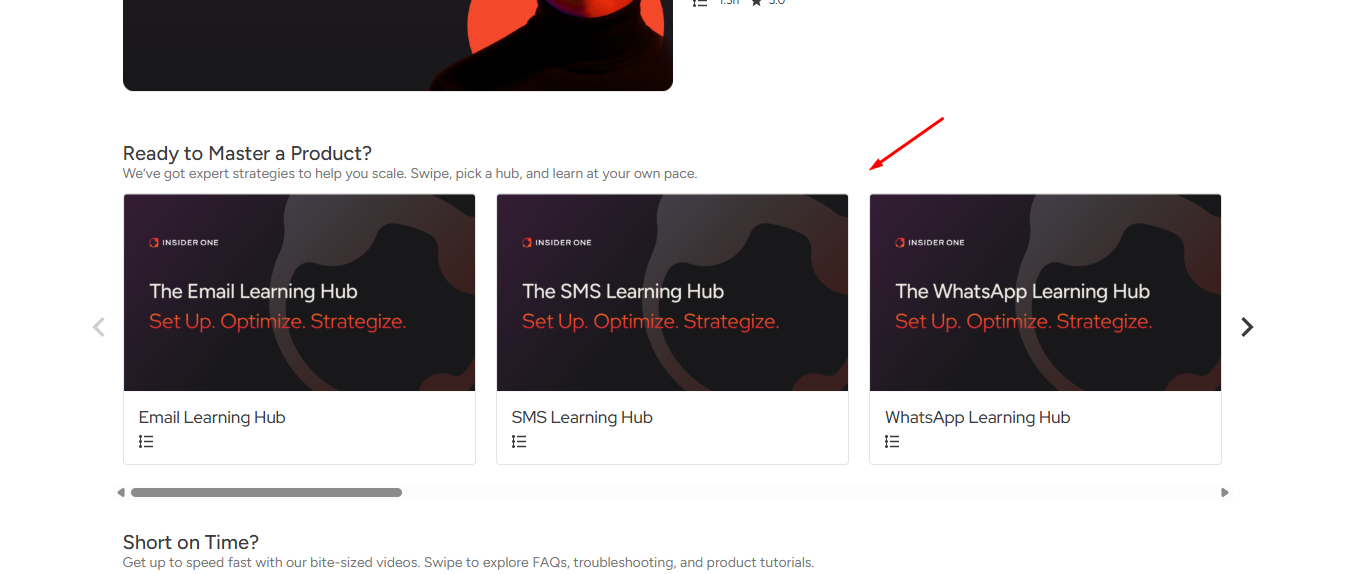
Step 4: Explore Product Learning Hubs
Move on to the products most relevant to your role. Each hub offers structured learning paths and assessments that lead to badges. You can self-enroll in any course directly from the catalog at any time.
Available learning hubs, paths, webinars, and badges might vary by product and release stage. Campus continues to evolve as Insider One expands.
Now that you are familiar with Insider One Campus, continue with the Insider One Campus Homepage guide to learn how the homepage is structured and how to quickly find the learning content you need.