Rules help you decide when your campaign should be displayed to your users.
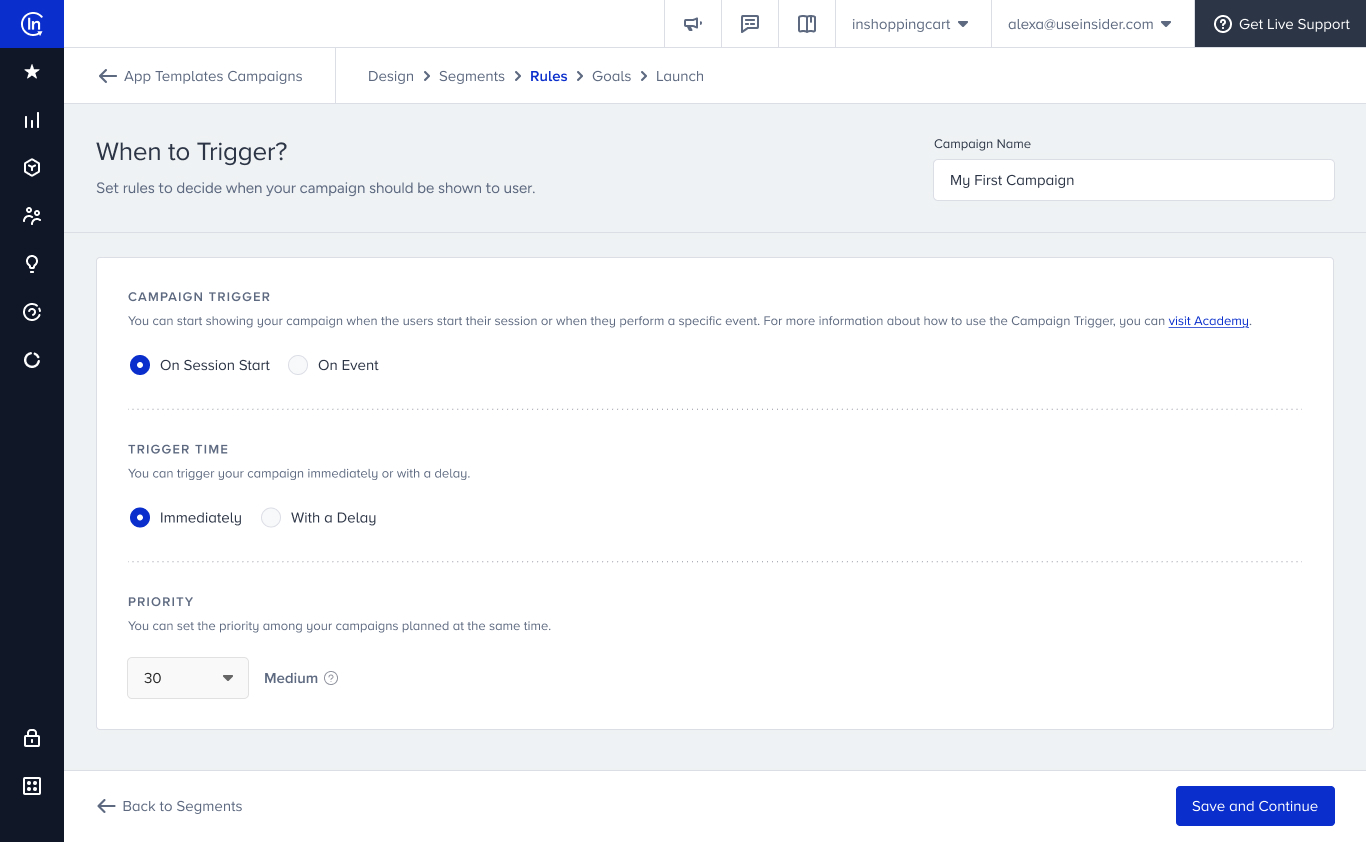
Campaign Trigger
Campaign Trigger allows you to show your campaign when a user starts their session or when they perform a specific event.
Unsupported events and event parameters in app rules and goals
What are app-related events and parameters?
App-related events and parameters are the events sent by Insider One’s Mobile SDK from within the app. These include both custom events implemented by your developers during the SDK integration and the SDK's built-in events. Since the list displayed in the panel is generated across all apps in your account, it may also include events and parameters that your application does not actually send.
Why might a campaign not work?
App Templates and Conversion Push triggers are evaluated on the device using the events collected by Insider One’s Mobile SDK during the current app session. If your application never sends the selected event, the trigger condition can never be met. Likewise, if you create a filter using a parameter that your application does not send, the condition will never be satisfied.
What happens if you select an unavailable event or parameter?
The panel does not validate these selections or display a warning. The campaign can still be saved, but it will never be triggered, and any campaign goal based on unavailable events or parameters will not collect data. For this reason, we recommend confirming that the selected events and parameters are implemented before using them in your campaign.
On Session Start
This option displays your campaign when the app is launched and Insider SDK is initialized without waiting for the user to perform any event.
On Single Event
This option displays your campaign when a user triggers the event(s) you select. You can also set the number of event triggers to wait for to display your campaign to the user.
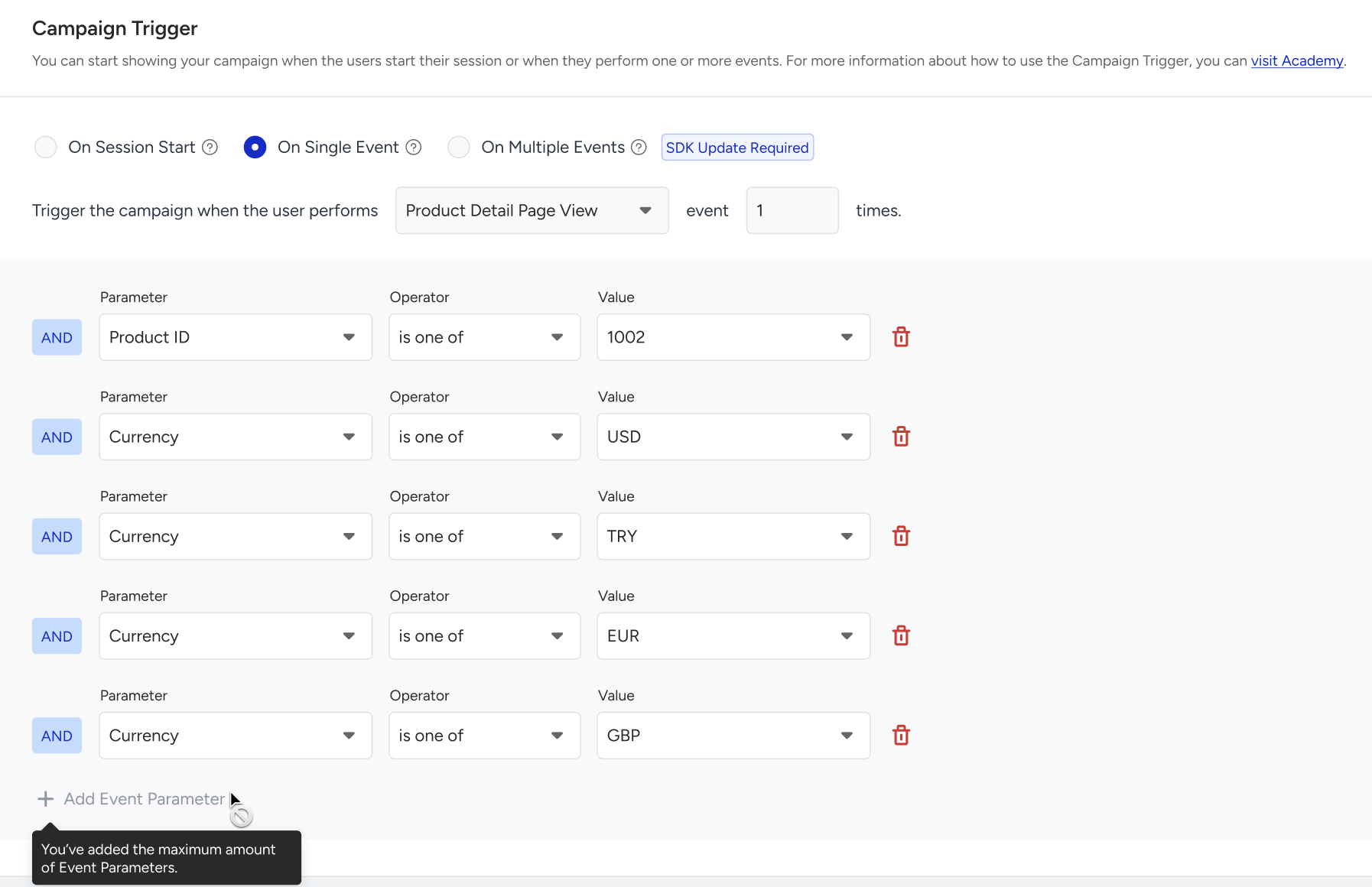
Once you select an event, you can also specify it with its event parameters.
The Show the campaign only once per session option allows you to decide if the campaign will be displayed only once per session.
On Multiple Events
The On Multiple Events option lets you show your campaign when the users perform one or more events with one or more event parameter values.
This option will be available depending on your SDK version. The minimum required SDK versions are:
- iOS (14.0.0)
- Android (15.0.0)
- React Native: 7.0.0
- Flutter: 4.0.0
- Cordova: 3.0.0
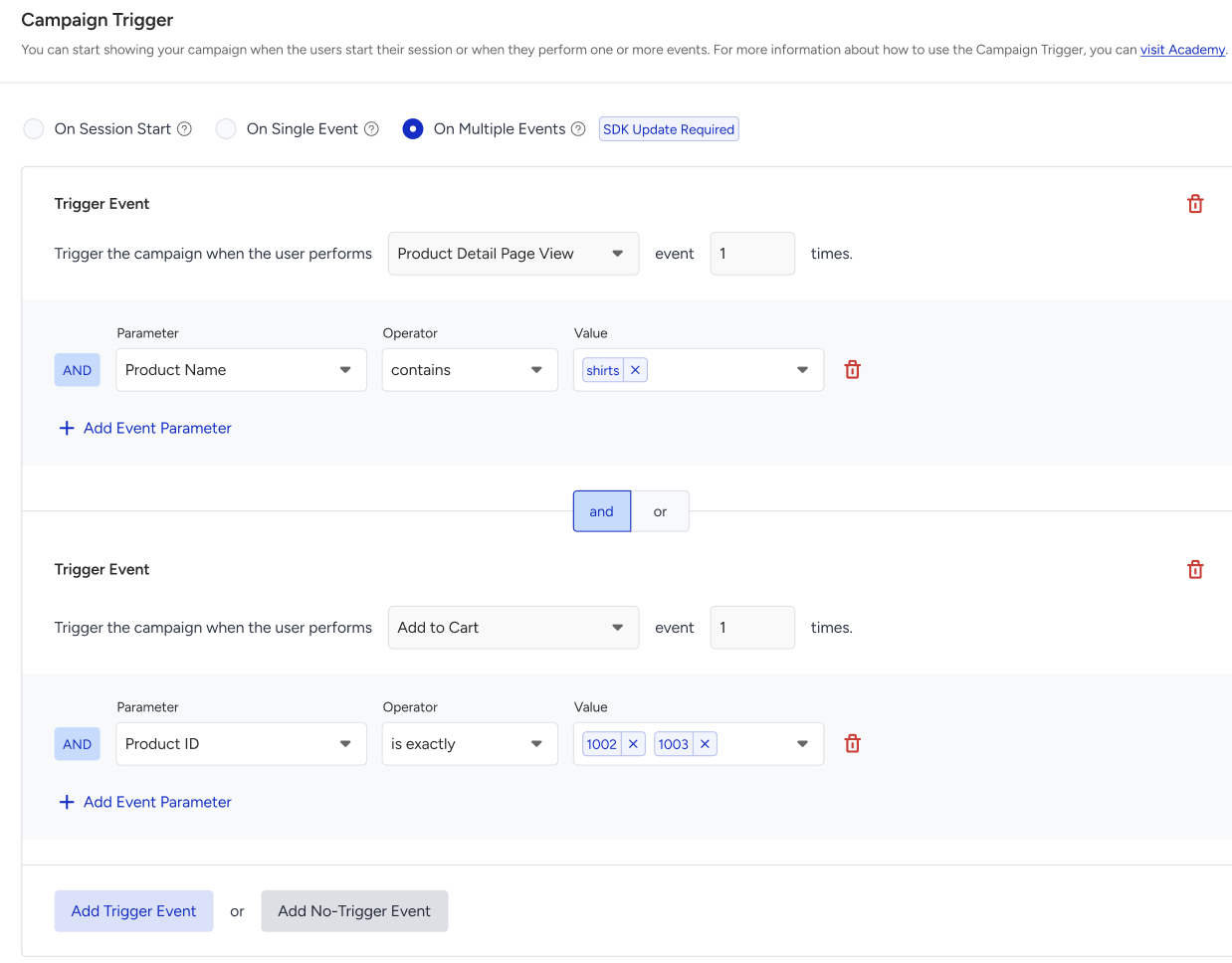
You can use the “AND” or “OR” operators for multiple events.
The No-Trigger Event lets you prevent the campaign from being triggered for the users who perform the selected event in the set period of time.
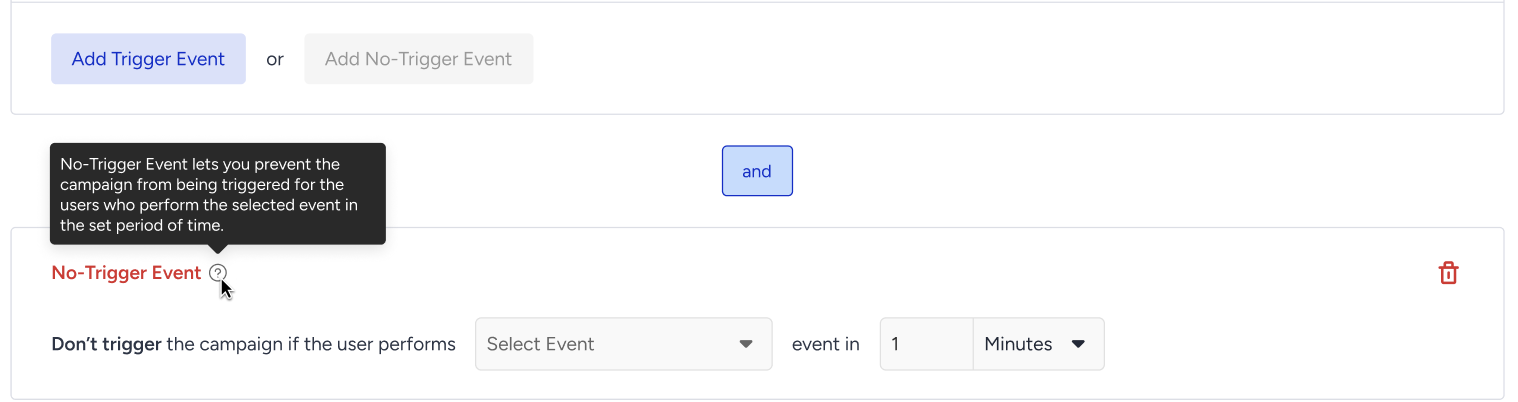 The no-trigger event has a time limit, and the countdown starts after all the trigger events completed.
With the Multiple Events option, you can:
- Combine multiple user actions to trigger app templates, such as adding a product to the cart and viewing it in the wishlist.
- Use multiple values for each parameter, allowing more nuanced targeting.
- Define advanced logic with AND/OR conditions, offering greater control over when app templates are shown.
- Set the no-trigger event to encourage action when the desired behaviour is not taken by the user within a specified timeframe.
For example, when a user adds a product to their wishlist and then to their cart but does not purchase it within 10 minutes, you can trigger your app template.
Display Preferences
Trigger Time
You can trigger your campaign Immediately or With a Delay after a user performs the selected event.

If you want to trigger it with a delay, you should also specify how many seconds you want to wait for to display the campaign.
Priority
See example cases of priority settings for InApps.
You can prioritize the campaigns that are planned at the same time to display them in an order.
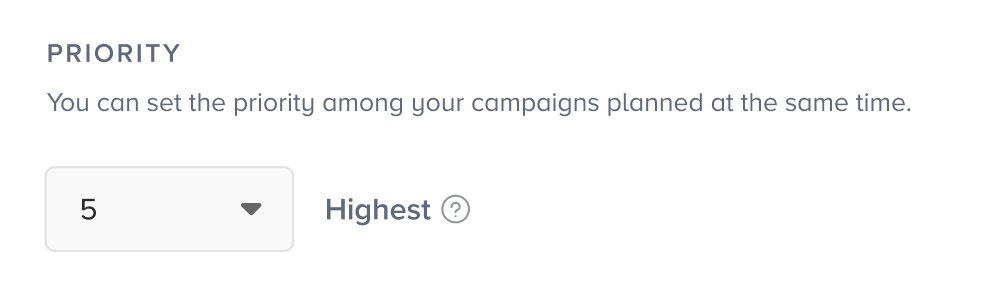
You can assign priority to your campaign based on the following ranking:
| 1-10 | Highest |
| 11-20 | High |
| 21-30 | Medium |
| 31-40 | Low |
| 41-50 | Lowest |
See how you can set Goals for your Enhanced App Template campaign.