Once you complete designing your email, you can save it to use in your other email campaigns.
Save your template
To save your email design:
1. Click the Save as Template button in the top right.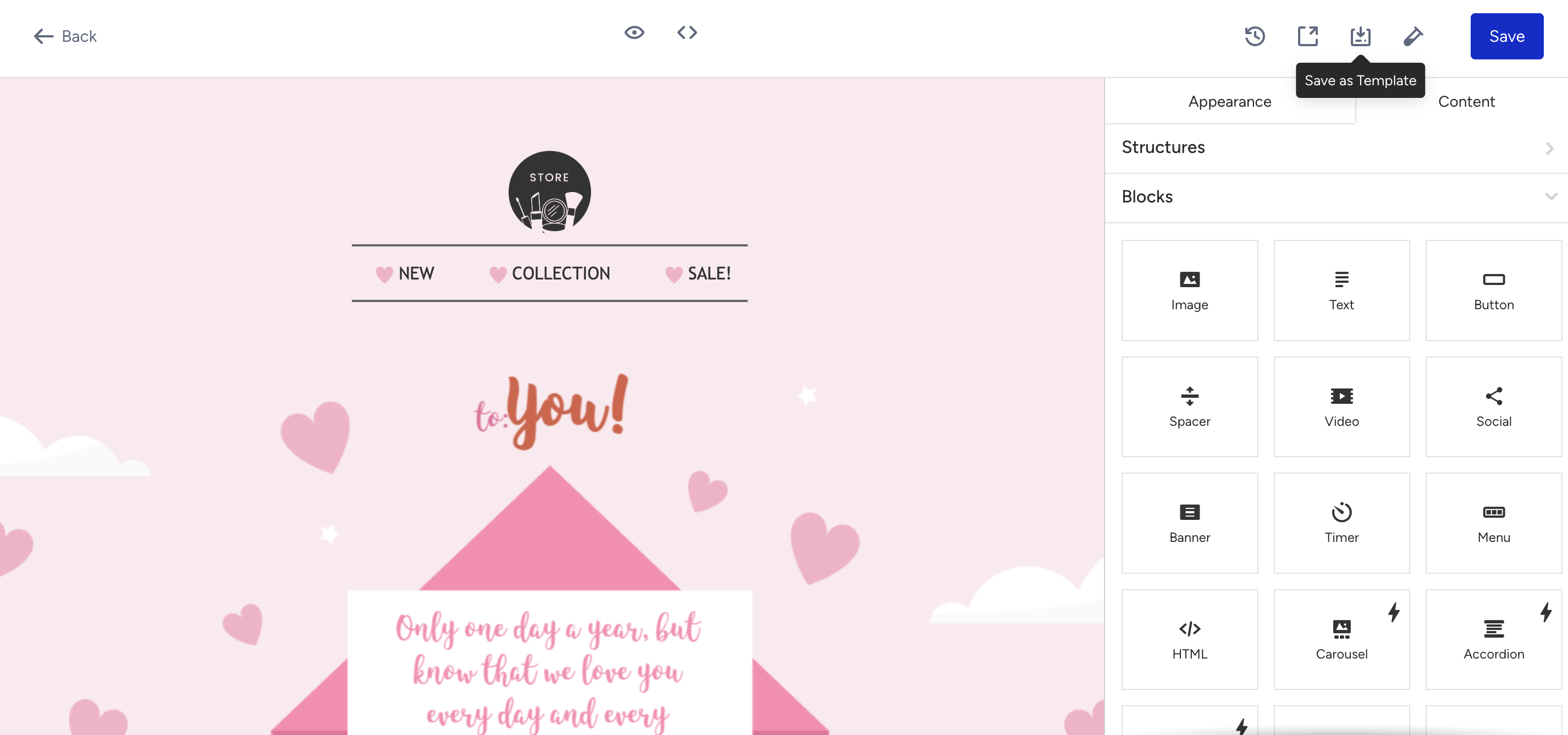 2. Enter a template name and click the Save button.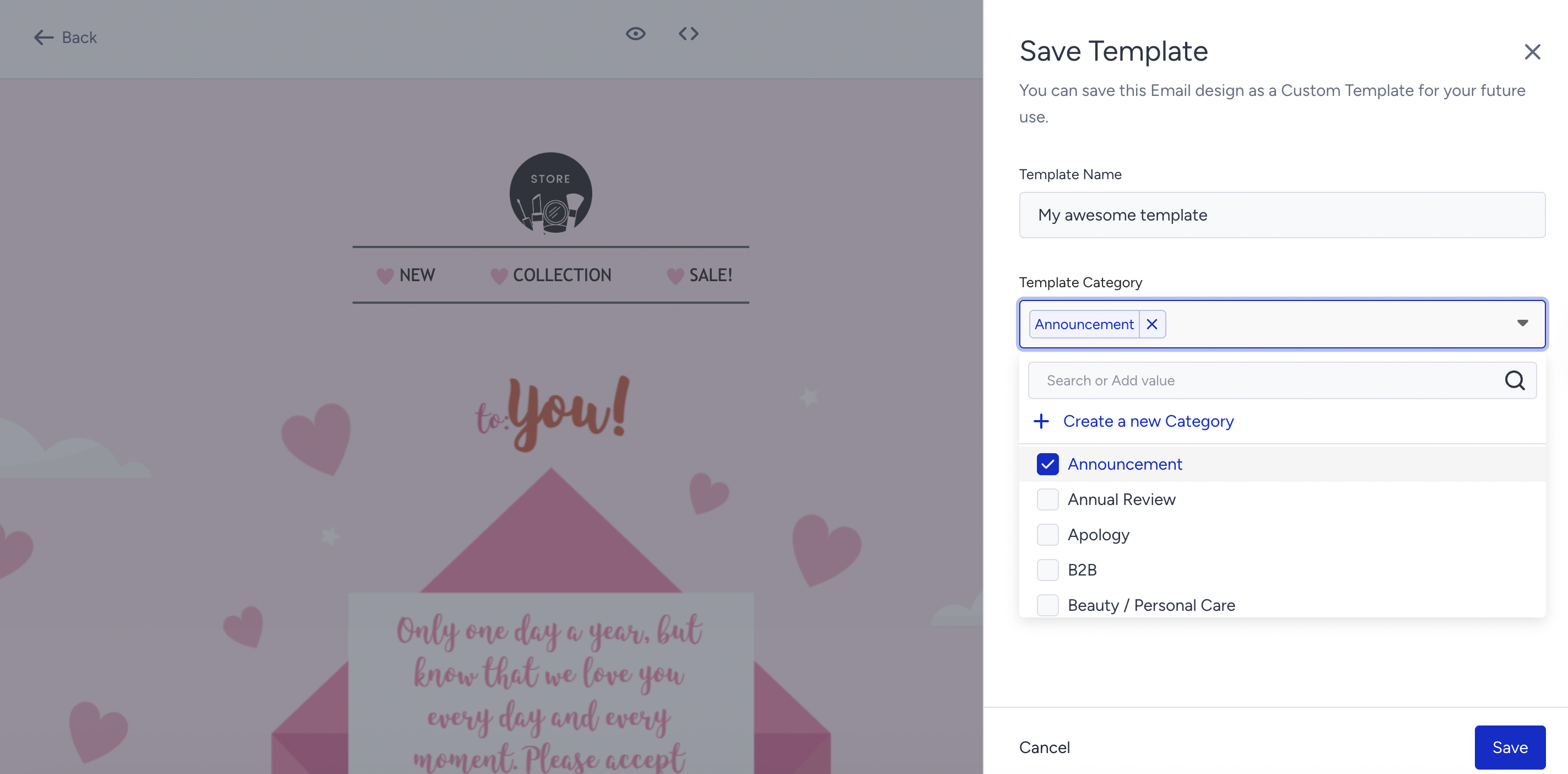
Use and edit your template
To use the template you saved before:
1. Go to the Design step.
2. Select the Select Template option for your email design..png) 3. Go to the Custom Templates tab to select your saved template.
3. Go to the Custom Templates tab to select your saved template.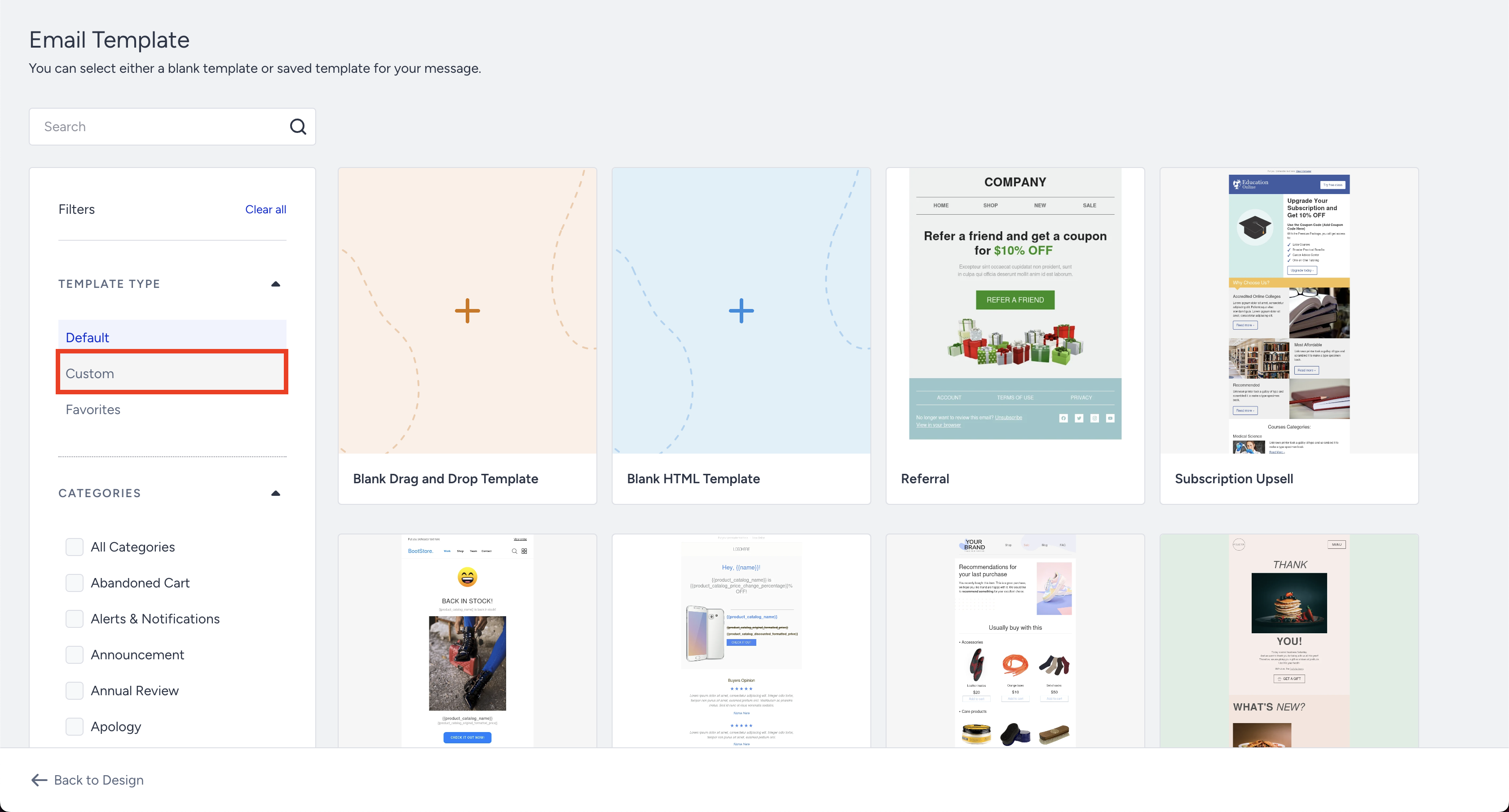
Now that you have selected your template, you can customize it as usual for your campaign.