Many of your users have your app installed on more than one device, e.g., a phone and a tablet.
With Delivery Devices, you choose for each App Push campaign whether the message goes only to each user's last active device or to all of their devices.
This guide explains the following concepts:
On the Launch step, the Delivery Devices card sits directly under Activation Status. It is available for Single, Recurring, Conversion, Cart Reminder, and Geofence App Push campaigns, for every account.
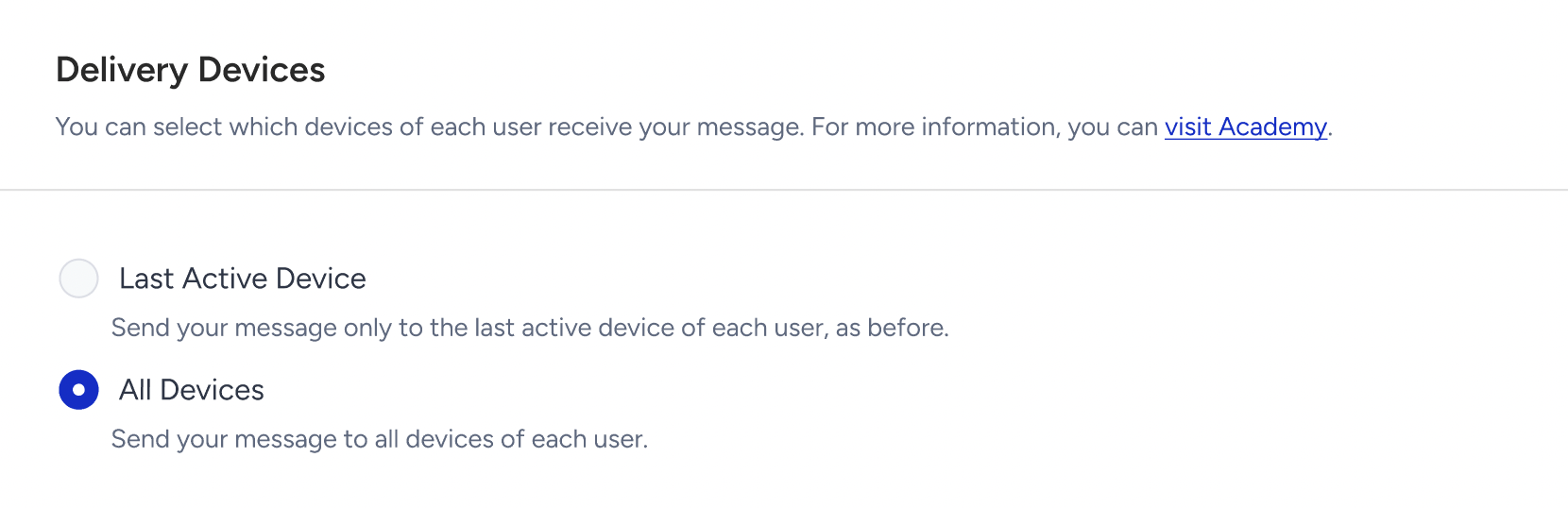
Option | Description | When to use |
|---|---|---|
Last Active Device (default) | Send your message only to the last active device of each user, as before. | Keep today's behavior, one notification per user. |
All Devices | Send your message to all devices of each user. | Reach users on every device they use. |
Before You Launch shows if your message will be sent to all devices of each user or only to the last active device of each user.
Campaign details show your selection in the Delivery Devices row, under Campaign Operating System.
Edit and duplicate
You can change the selection while the Launch step is editable: a scheduled Single push before it is sent, a Recurring push while it is waiting for its next run or running. Pause a running Conversion push before changing it. Completed and stopped campaigns are locked.
Duplicating a campaign keeps its selection.
Campaigns created before Delivery Devices was available use Last Active Device.
How All Devices delivery works
One notification goes to each of the user's devices that has push permission. Devices with notifications turned off are skipped, and the user still receives it on their other devices.
For Conversion, Cart Reminder, and Geofence pushes, one trigger sends the notification once to each device.
Frequency capping counts once per user per campaign, regardless of how many devices receive it.
In A/B tests, all devices of a user receive the same variant.
A user in the control group receives the push on none of their devices.
If the app is uninstalled from one device, or the user logs out on one device, only that device stops receiving pushes.
Delivery devices and campaign operating system
You can choose All, iOS, or Android as the campaign operating system for every app push type.
Delivery Devices | Operating system: iOS or Android |
|---|---|
All Devices | Only the user's devices on the selected platform receive the push. |
Last Active Device | The user receives the push only if their last active device is on the selected platform. |
Analytics
App Push metrics count messages, not unique users, so with All Devices a user with several devices can be counted more than once.
Metric | Counted per | With All Devices |
|---|---|---|
Targeted, Sent, Dropped | Message (device) | A user with two devices can count as two. |
Delivered, Undelivered | Device | One per device the push reached or failed on. |
Opens | Device | Opening on two devices counts as two opens. |
Conversions | User | Counted once per campaign, even if the user received the push on several devices. A purchase on another device of the same user can be credited to the campaign. |
Revenue | Purchase | Not duplicated by multiple devices. |
Delivery Rate and Open Rate stay comparable, because both sides of the ratio count devices.
Conversion Rate can look lower for All Devices campaigns, because conversions are counted per user while deliveries and opens are counted per device.
The audience count on the Segment step counts users, so Targeted can be higher than that number on All Devices campaigns.
With Last Active Device, each user has one device, so numbers are calculated exactly as before.