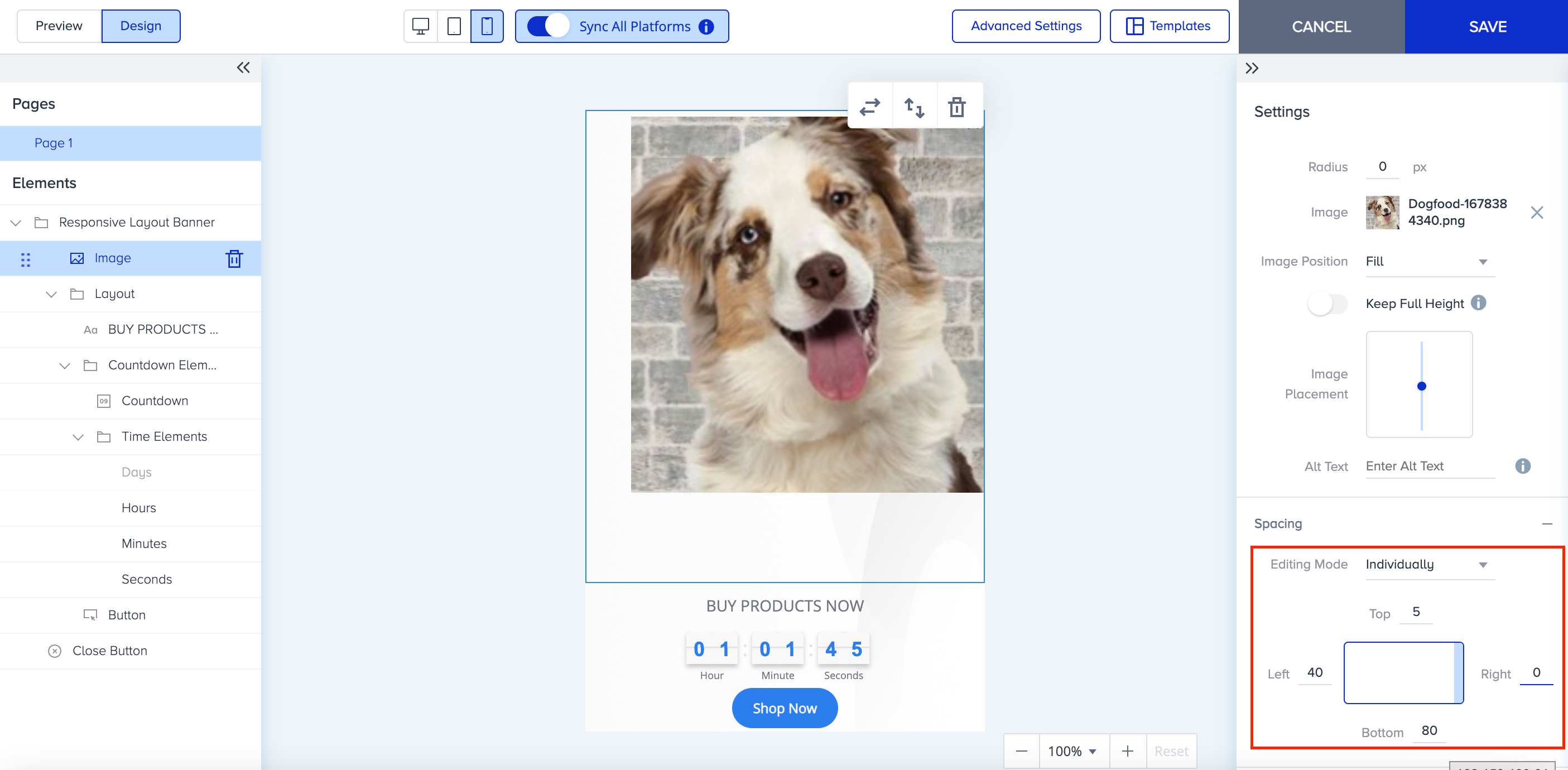
To enhance your experience and flexibility for all on-page and inline cross-platform templates, you can customize the Spacing settings for elements within your campaign while designing it.
You can add spacing to the campaign elements by defining the margins in pixels for all sides simultaneously, in pairs, or individually for each side.
The Spacing feature does not work in sync, even with the “Sync All Platforms” toggle on. Therefore, you need to change the spacing for each platform separately.
”All Sides” editing mode
Under Spacing, choose All Sides from the dropdown, and you give the same spacing for each side of the element in your design. 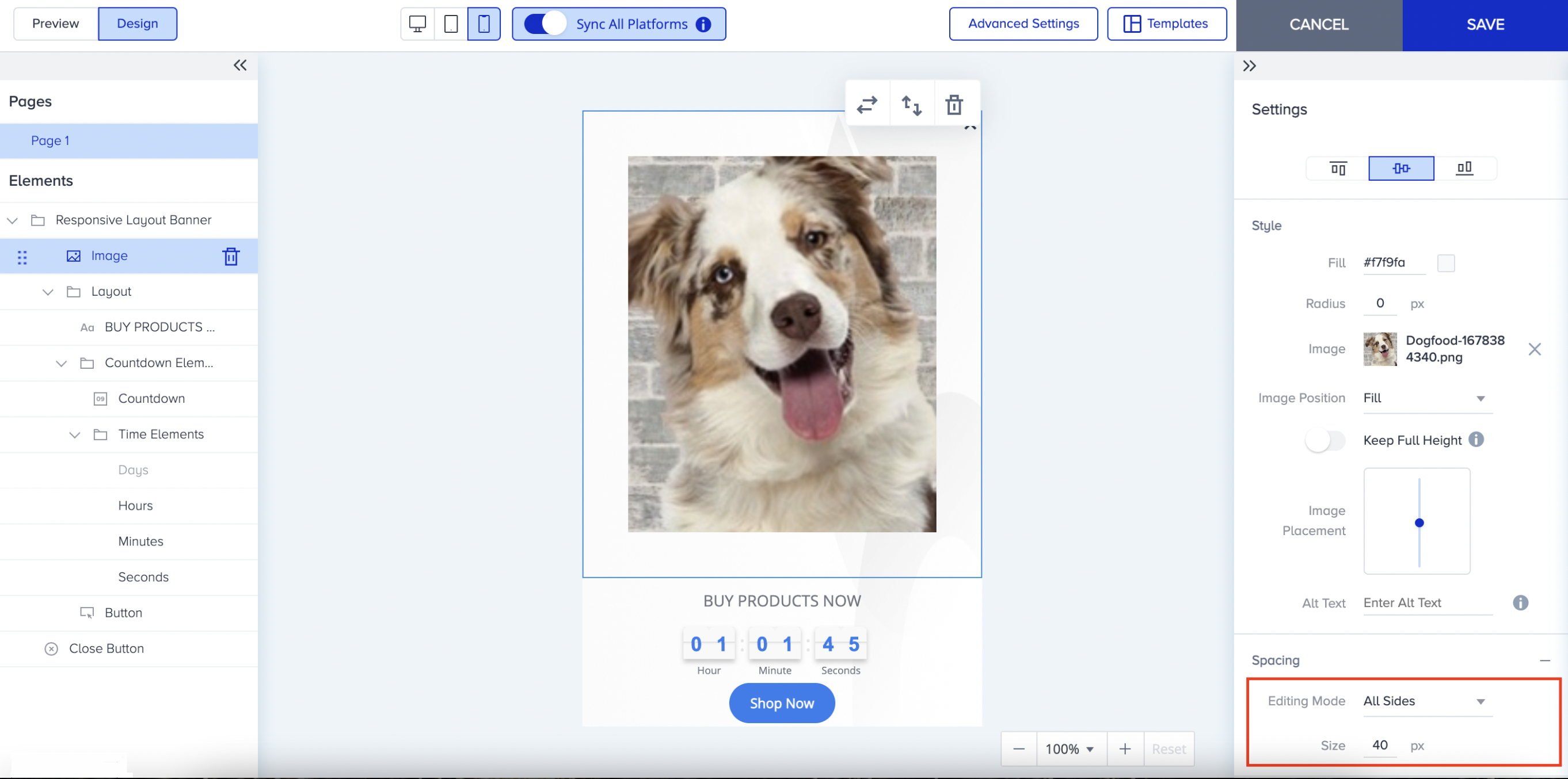
”In Pairs” editing mode
Under Spacing, choose In Pairs from the dropdown, and you give the same spacing for opposite sides of the element on your design. 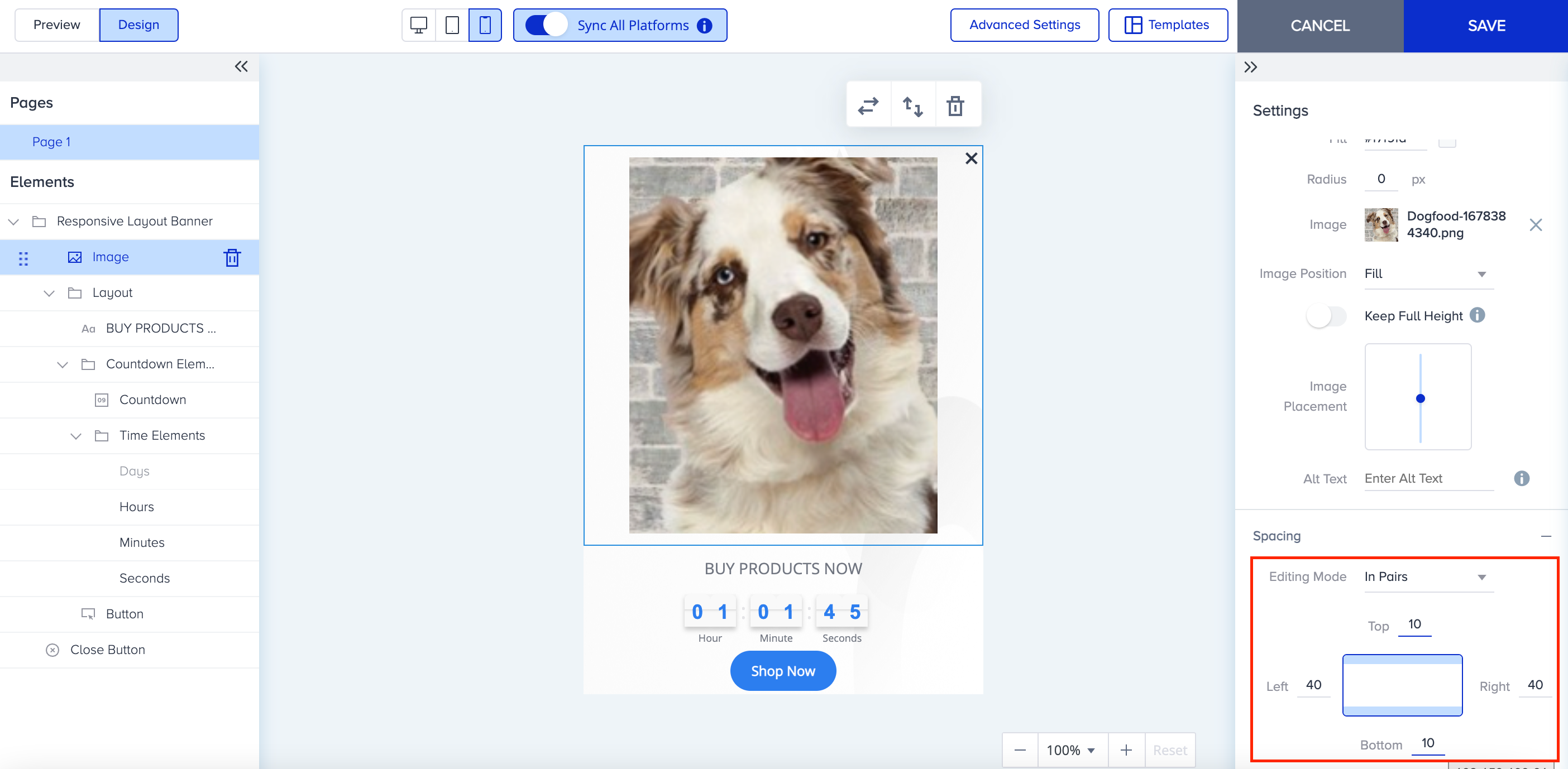
”Individually” editing mode
Under Spacing, choose Individually from the dropdown, and you can assign different spacing values for each side of the element in your design.