To enhance your experience and flexibility for all on-page and inline cross-platform templates, you can customize the Sizing settings for elements within your campaign while designing it.
Using the Size settings in the right panel, you can easily change the button element's size. You have three options for width type: "full," "fluid," or "manual." Then, you set the height to finalize the settings.
The Sizing feature does not work in sync even though the “Sync All Platforms” toggle is on. Therefore, you need to change the spacing for each platform separately.
”Fluid” width type
Under Size, choosing Fluid from the dropdown makes the button the same width as the text inside. The height option doesn't exist for this type, as it is determined by the size of the text written inside the element.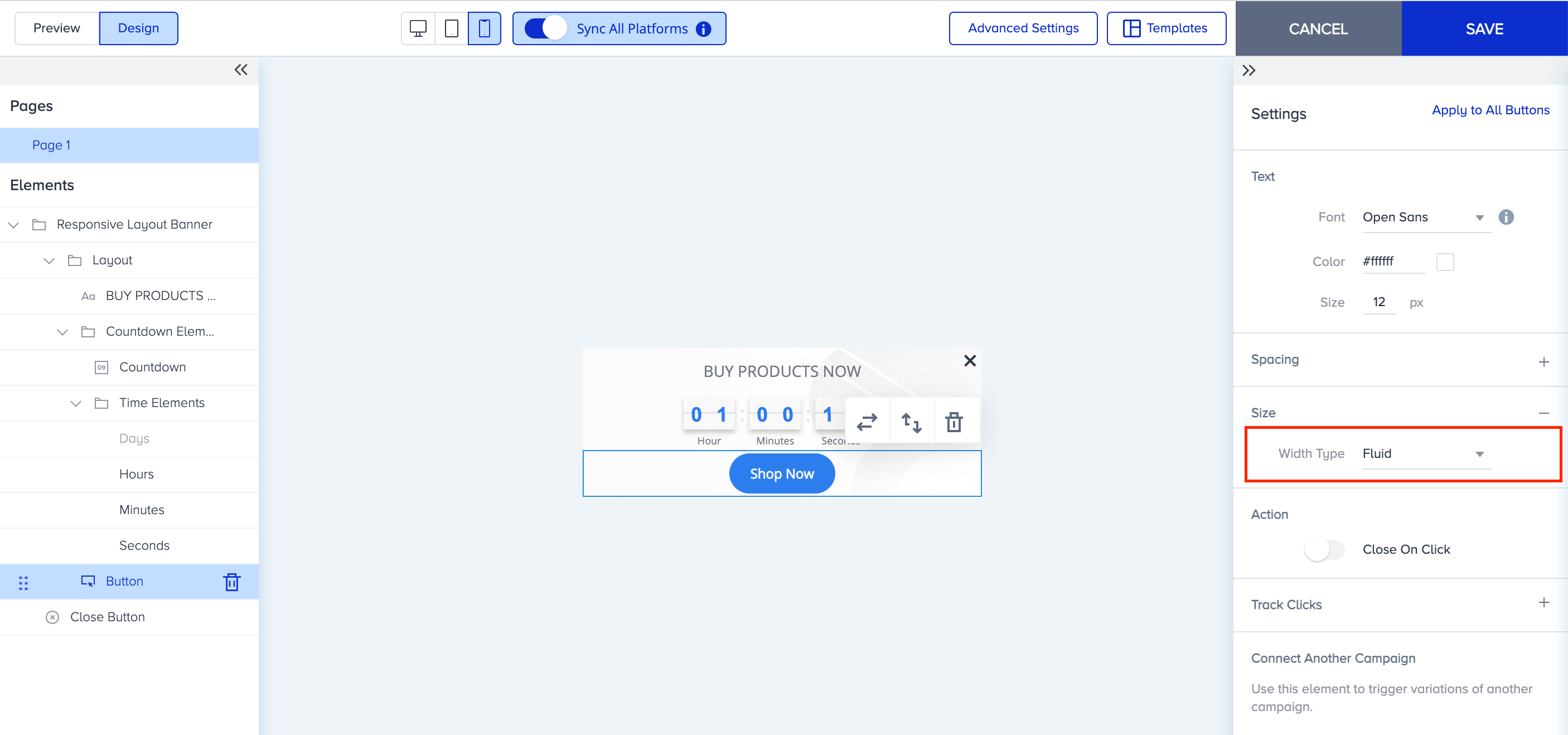
"Full" width type
Under Size, selecting Fluid from the dropdown makes the button's width match the canvas's layout width. You can then set the height of your button element using px values.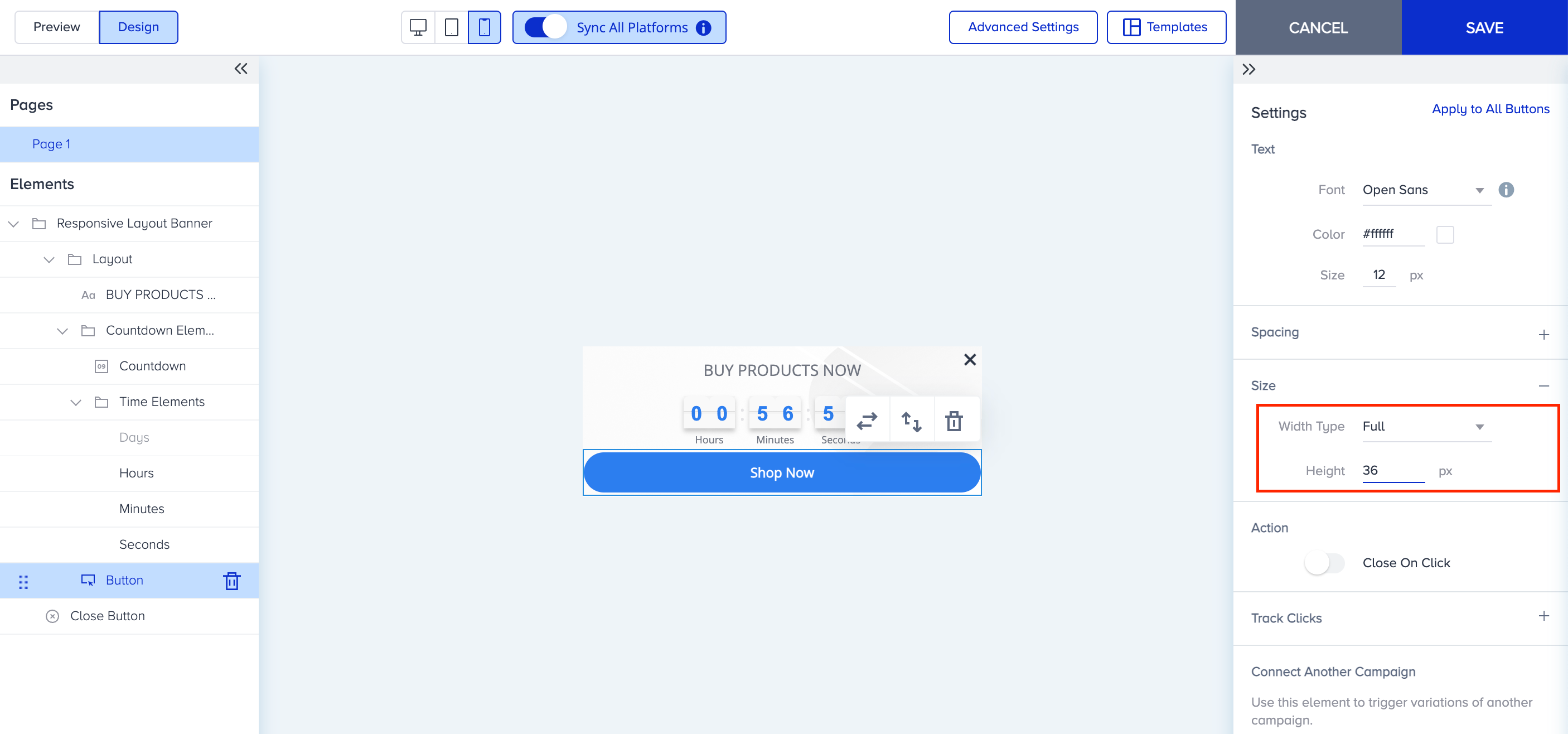
”Manual” width type
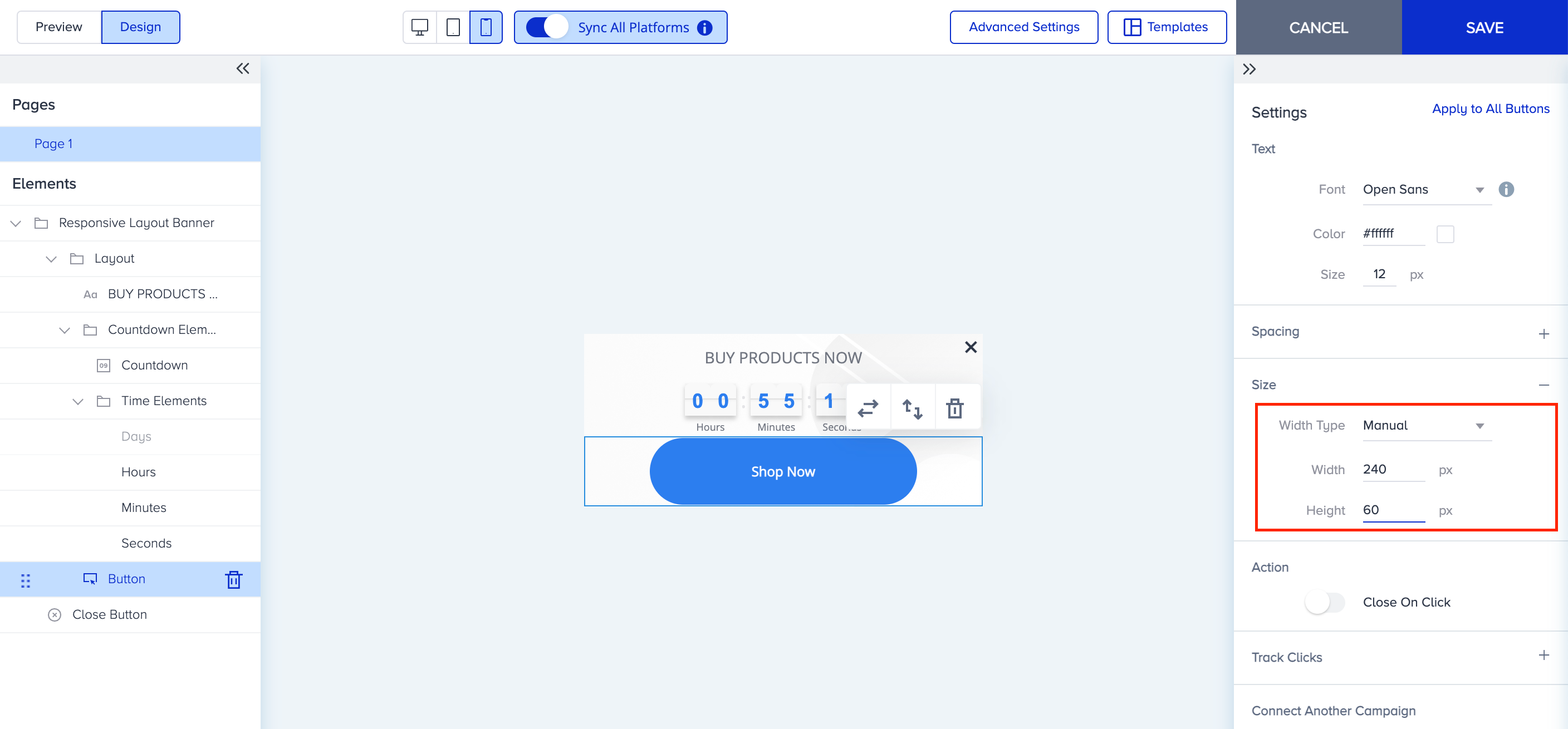
Under Size, choose Fluid from the dropdown to set the height and width of the button element with px values as needed.