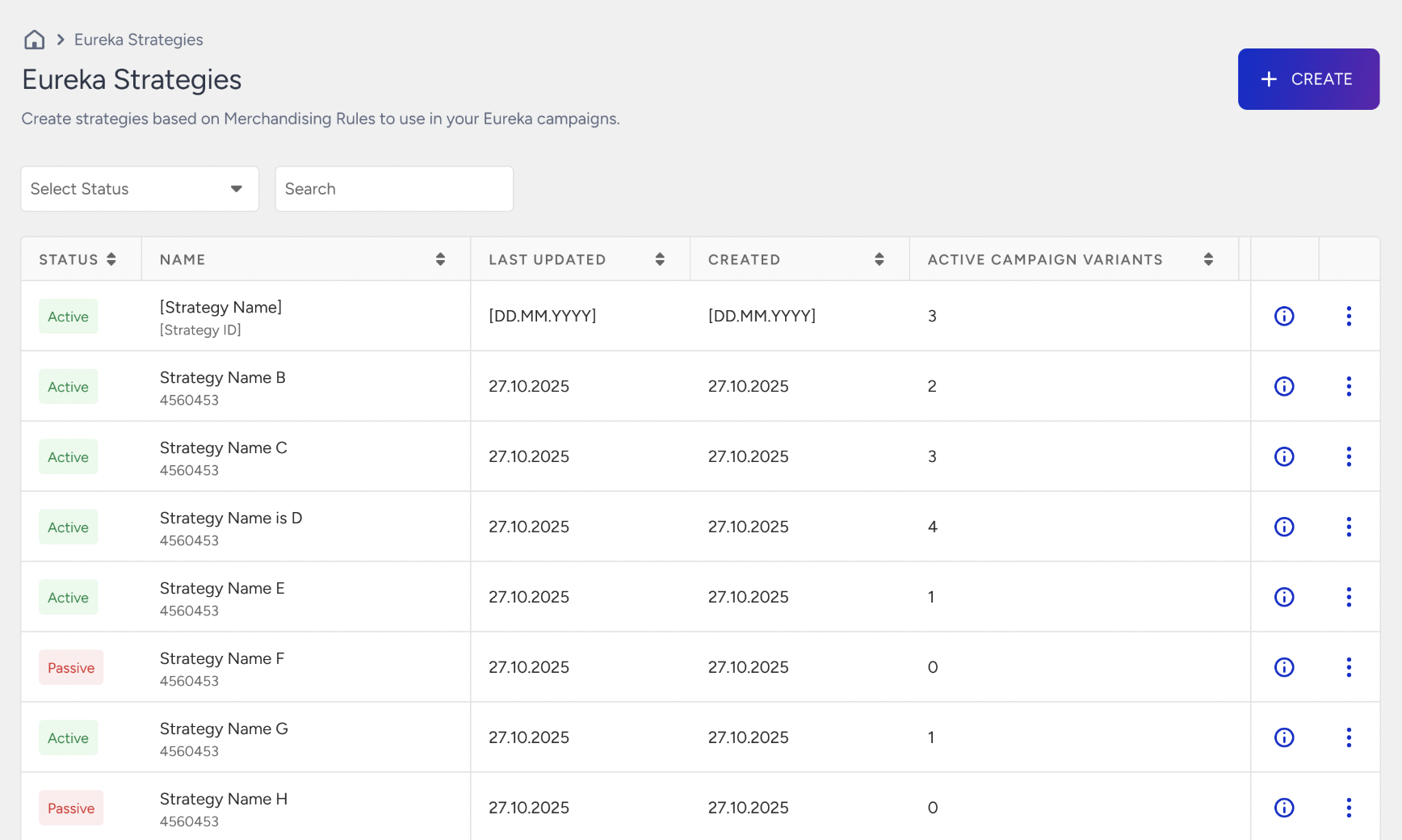
The Eureka Strategy statuses are:
Passive: New strategies are created with "Passive" status and do not affect search results until assigned to a variant.
Active: Once a strategy is assigned to a variant in the Design step and the campaign is live, the status becomes "Active".
Strategy statuses (Active / Passive) apply to Eureka Campaign assignments. If you are not using an Instant Preview Popup or JavaScript SDK campaign, you can ignore these statuses. Passive strategies are fully usable for you. Simply pass the Strategy ID (sid) in your Search API or Category Merchandising API requests to apply the strategy directly.
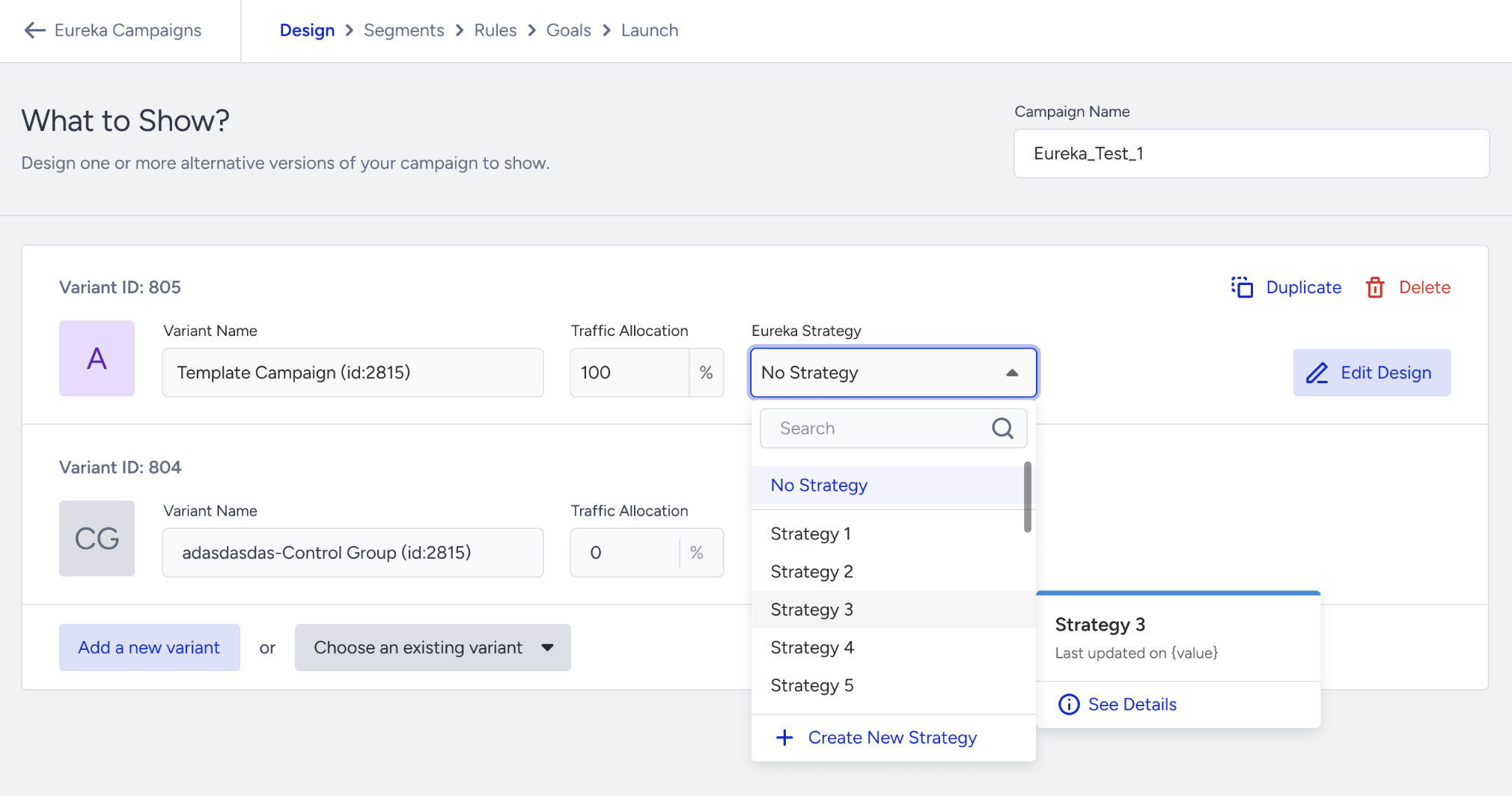
In the Design step of your Eureka campaign, use the dropdown menu for each Variant to select the desired Strategy. Assigning different strategies to different variants allows you to perform head-to-head performance comparisons.
Check the Performance of Variants
After your campaign has run for a reasonable time, evaluate the performance in the Campaign and Variant Metrics table. Identify the best-performing variant and optimize your campaign by removing underperforming variants. For further information on assigning the strategy to a variant, refer to Interpret Campaign and Variant Engagement Performance