Suggested readings: App Smart Recommender, Use Cases for App Smart Recommender
After creating your Smart Recommender campaign, you can keep track of its performance using the Results option.
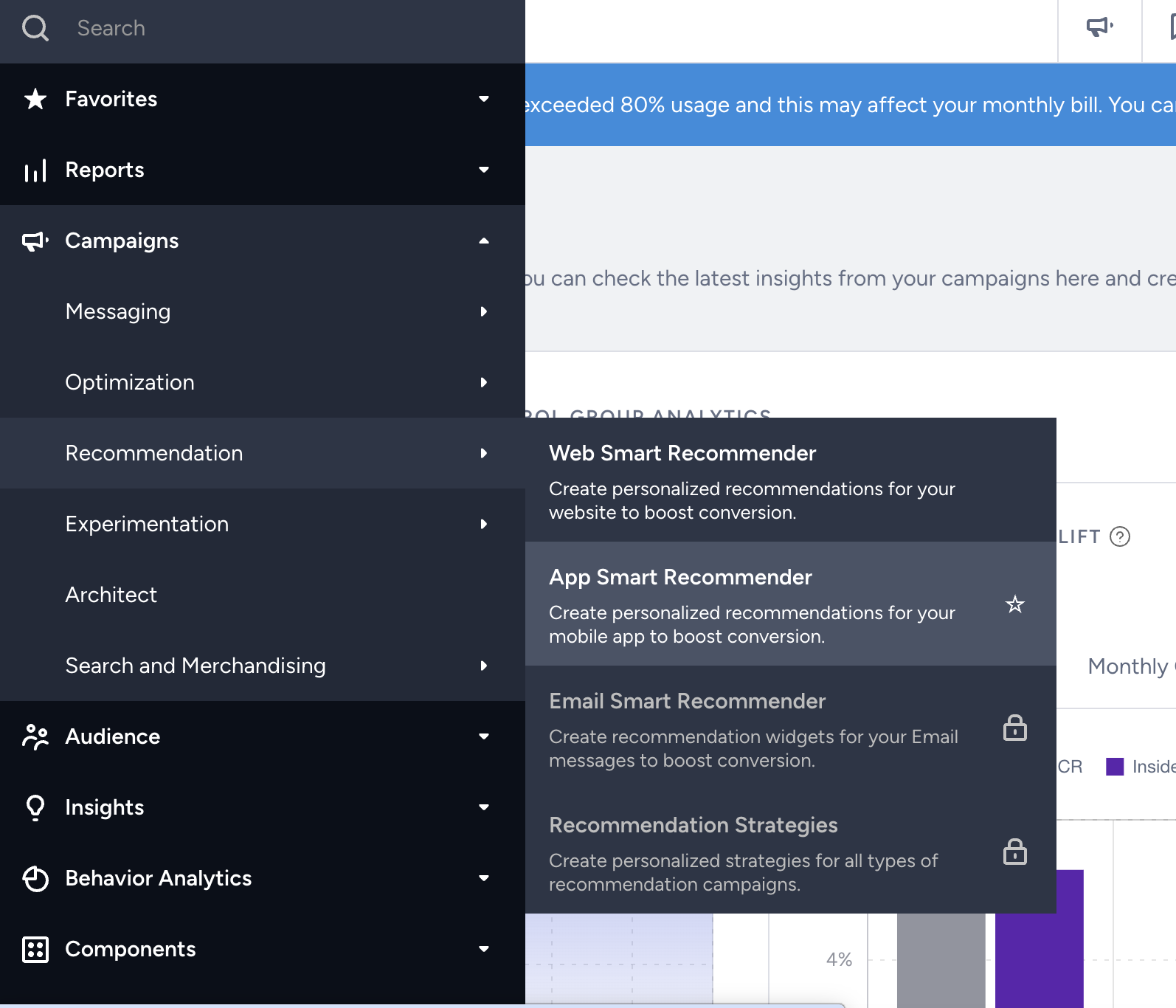
1. Navigate Campaigns > Recommendation > App Smart Recommender.
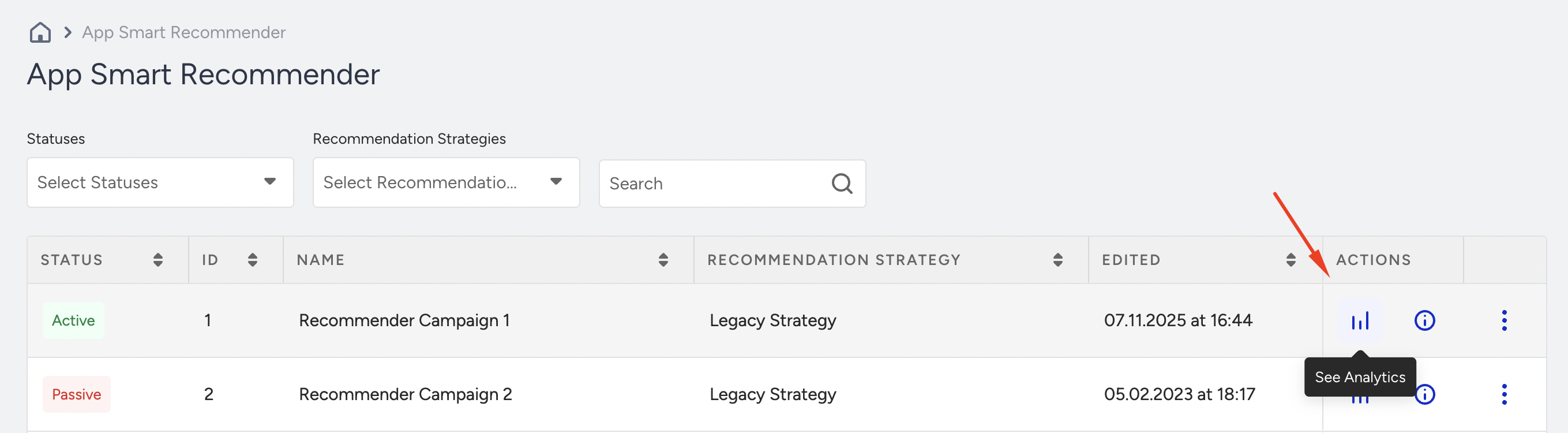
2. Click the See Analytics button on the campaign you want to analyze.
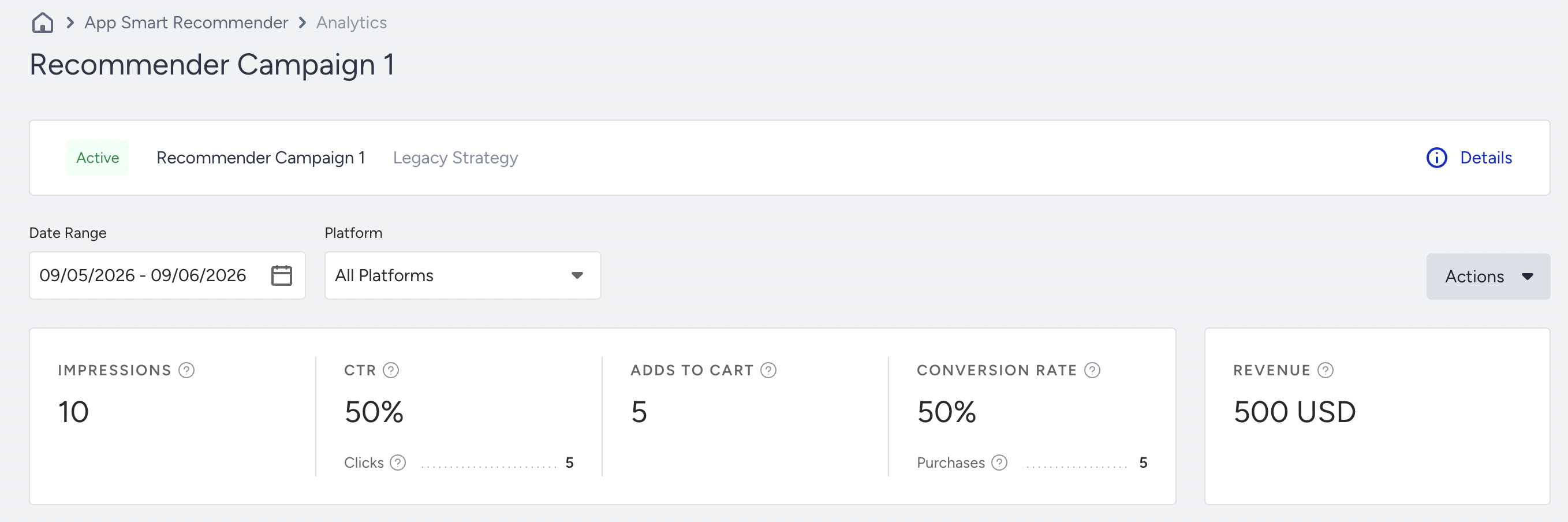
3. The results will display the following metrics:
- Impressions: Total number of times that the users viewed your campaign.
- Clicks and clickthrough rate: The number of times that users interacted with your campaign.
- Add-to-carts: The number of times that the users added items to their carts via your campaign.
- Conversions and conversion rate: The number of times that the users bought items via your campaign.
- Revenue: The revenue generated in the campaign.
Below this summary section, you can also see performance metrics for Clicks, Adds to Cart, and Purchases.