Suggested reading: Migrate CocoaPods to Swift Package Manager (SPM)
You should update your project if you are currently using a version older than InsiderMobile 13.5.0 and InsiderMobileAdvancedNotification 2.0.0 to ensure you receive the improvements in our SDK and maximize compatibility.
The following changes are optional but strongly recommended.
InsiderMobile SDK (Swift)
This change applies only to Swift projects. If you use Objective-C and do not use Bridging Header, you can skip this step.
The Bridging Header is not required for version 13.5.0. Once you update your project to 13.5.X, you can remove it from your code. To remove the Bridging Header from your project, follow these steps:
1. Delete the
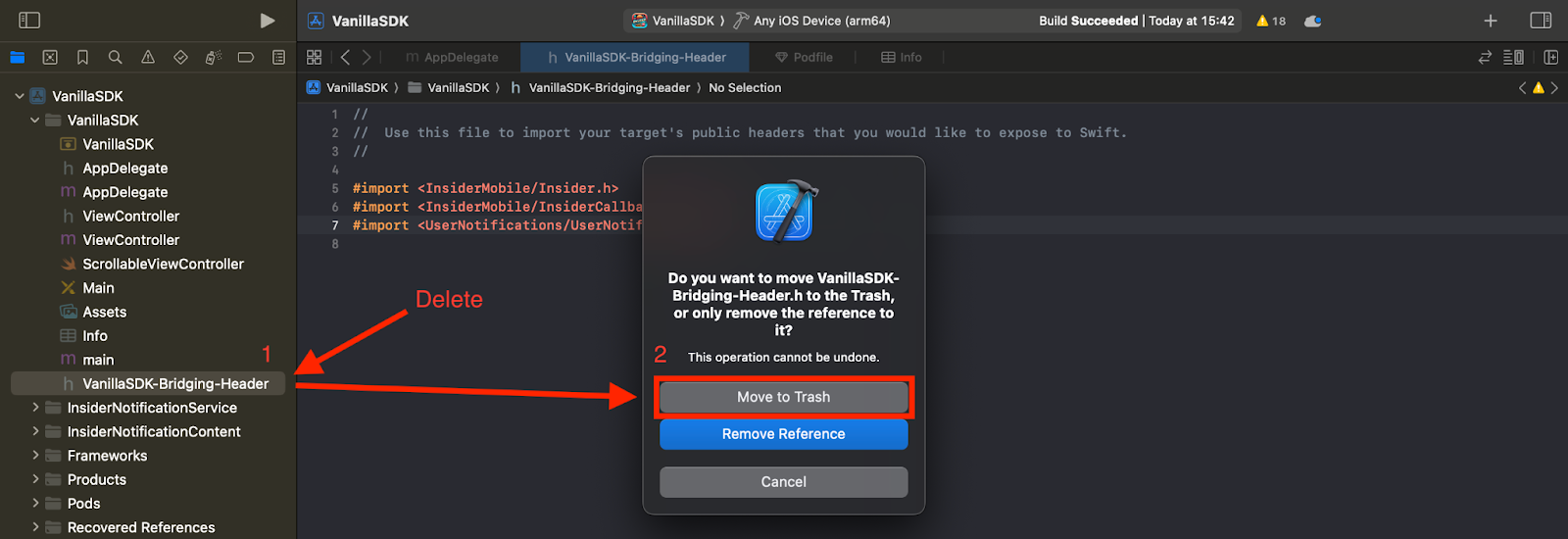
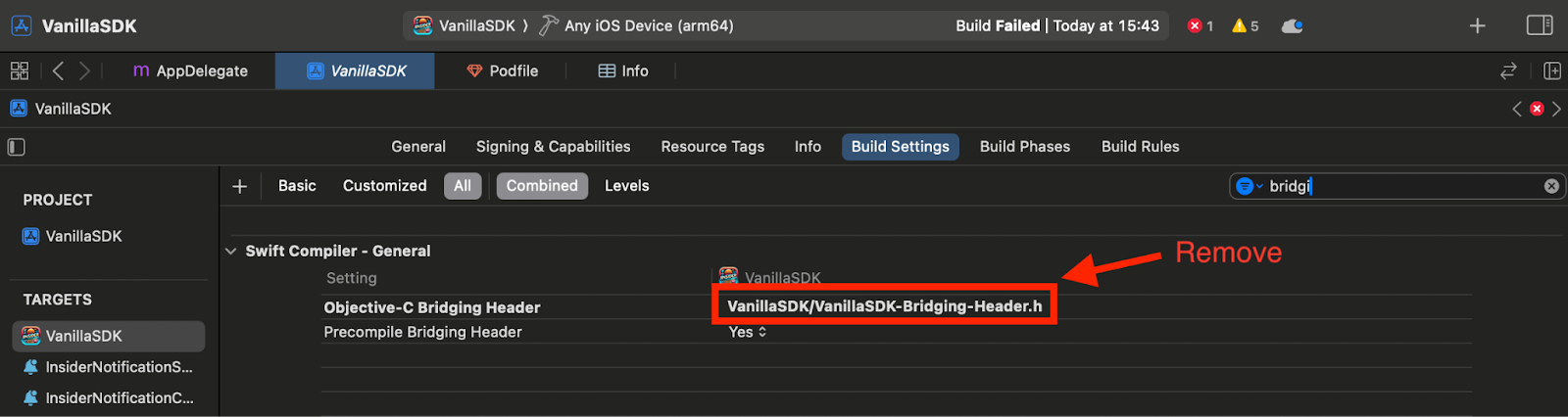
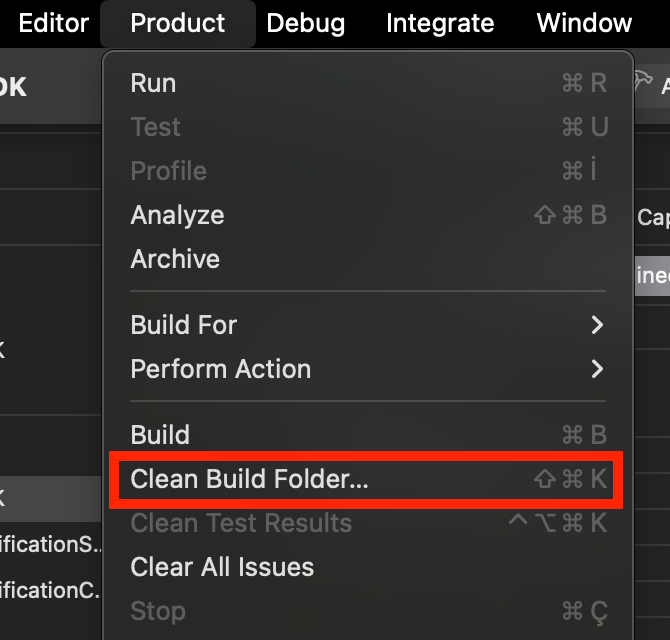
3. After completing the steps above, go to Product > Clean Build Folder... to clean your build folder.
Then you will see errors such as Cannot find ‘Insider’ in scope in some of your code.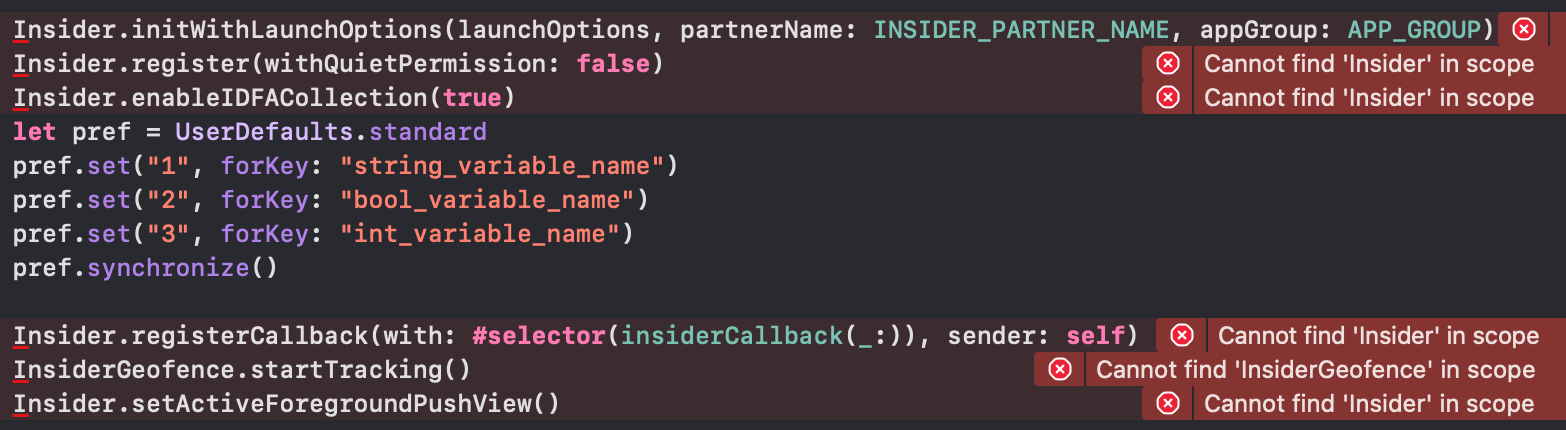
You need to add import InsiderMobile to your file where you use the Insider methods.
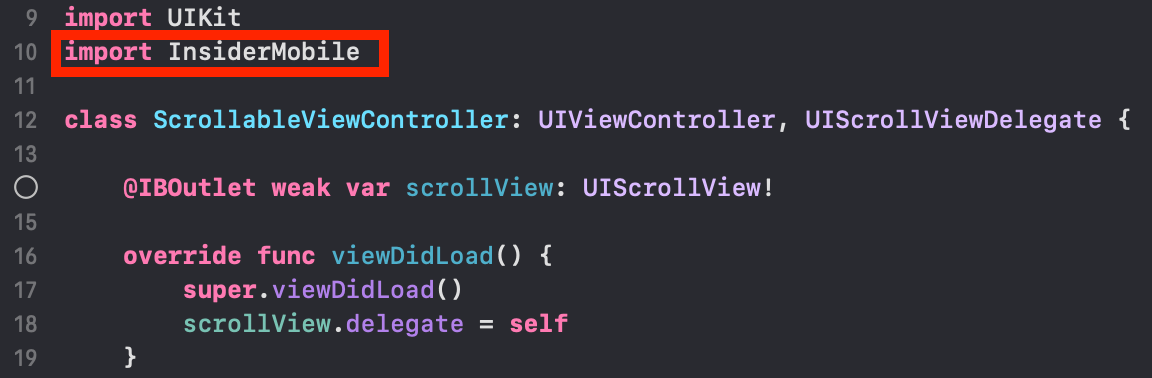
If you also use InsiderPushAdvancedNotification, proceed to the Insider Mobile Advanced Notification SDK section.
Insider Mobile Advanced Notification SDK
The section applies only to Swift projects. If you use Objective-C and do not use Bridging Header, you can skip to Step 4.
The Bridging Header is not required for version 2.0.0. Once you update your project to 2.0.X, you can remove it from your code. To remove the Bridging Header from your code, follow these steps:
1. Delete the <ProjectName>-Bridging-Header.h file from your InsiderNotificationService and InsiderNotificationContent extensions directory.
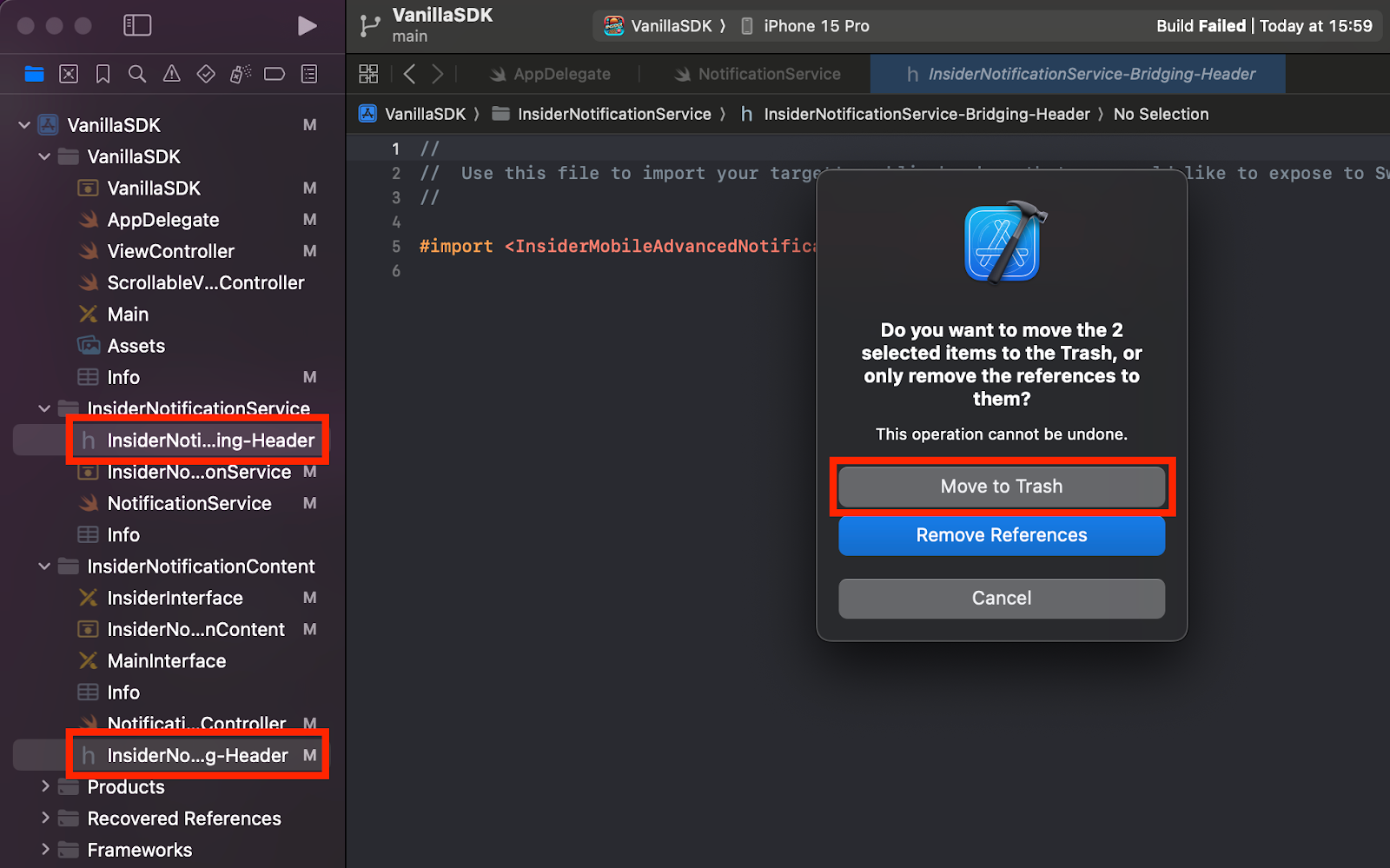
2. Remove the <ProjectName>-Bridging-Header.h fields from InsiderNotificationService and InsiderNotificationContent extensions. You can find them at:
- InsiderNotificationService > Build Settings > Objective-C Bridging Header
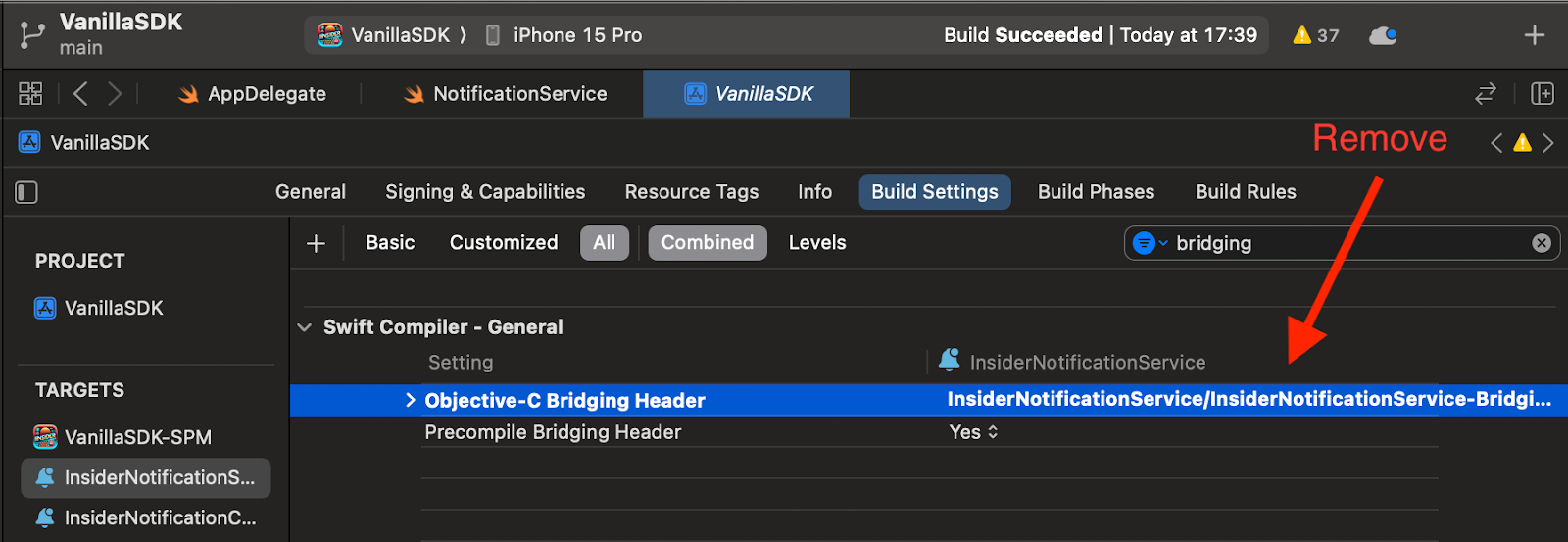
- InsiderNotificationService > Build Settings > Objective-C Bridging Header
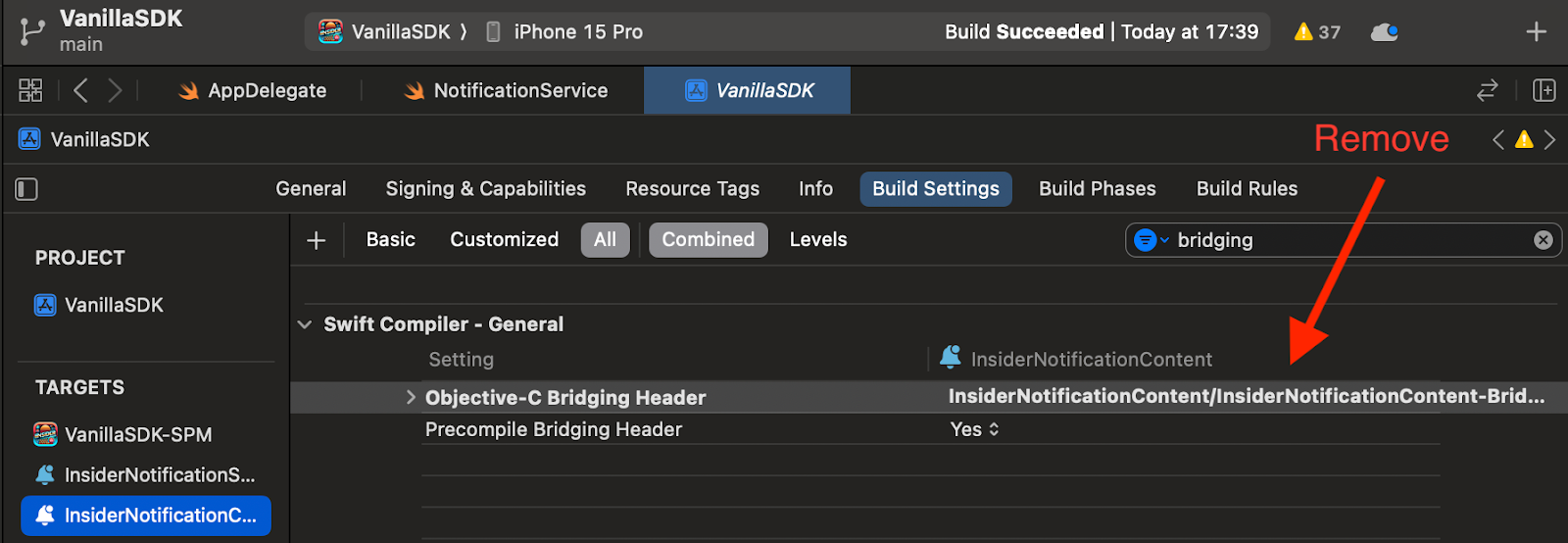
3. After completing the steps above, go to Product > Clean Build Folder... to clean your build folder.
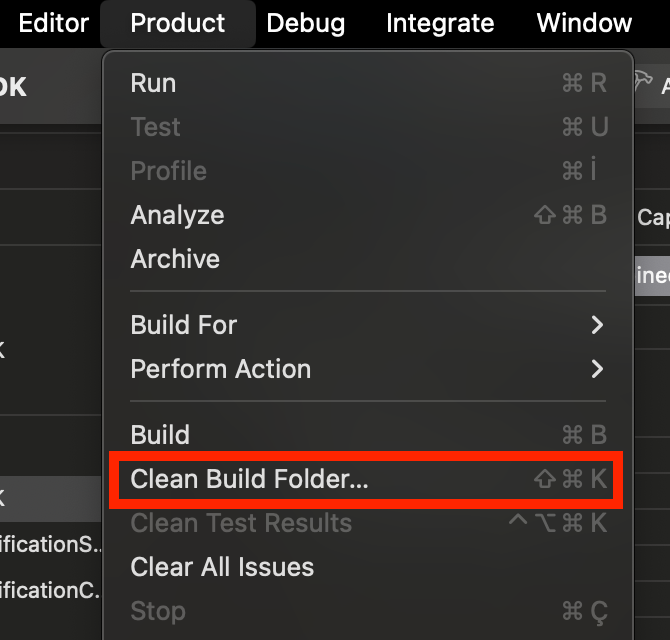
Then you will see errors such as “Cannot find ‘Insider’PushNotification in scope” in some of your code.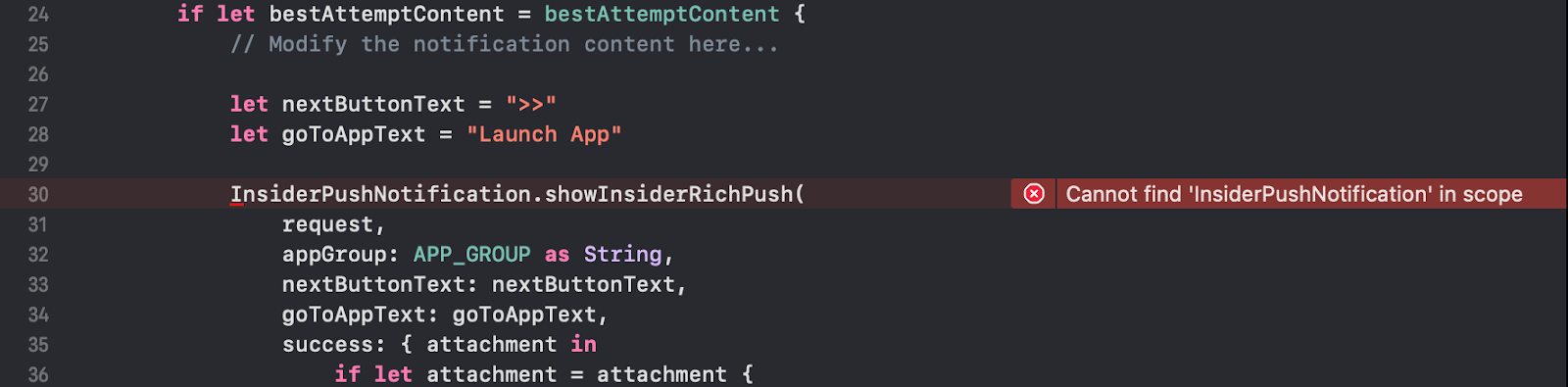
You need to add import InsiderMobileAdvancedNotification to your file where you use the Insider Push methods.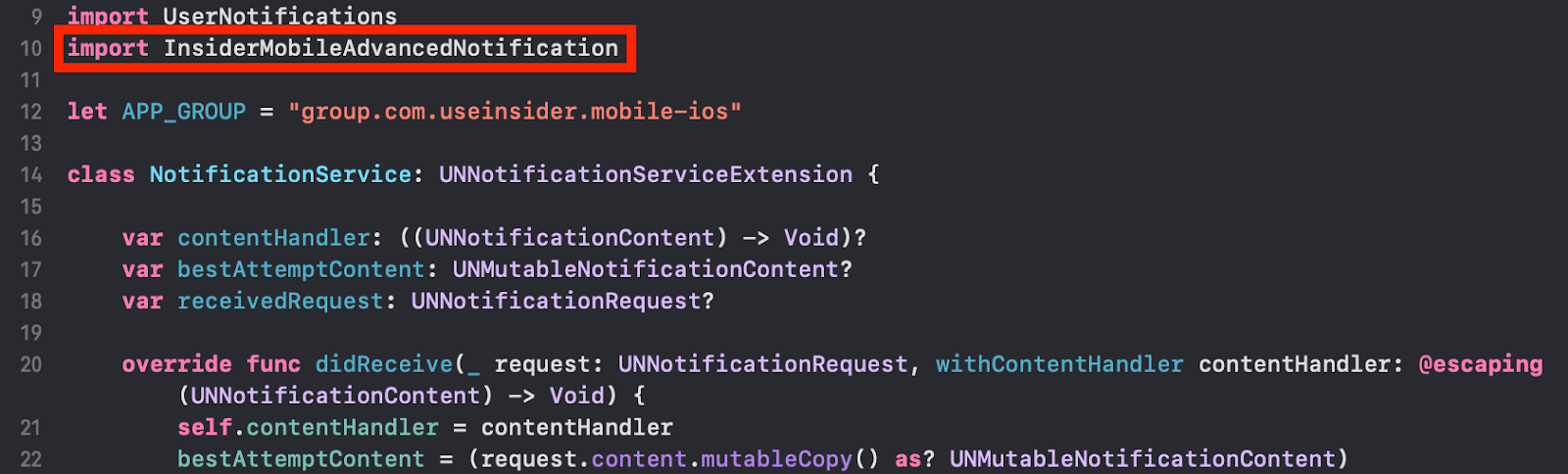
4. A new method has been added to the SDK. You need to add this method to the serviceExtensionTimeWillExpire function.
Objective-C
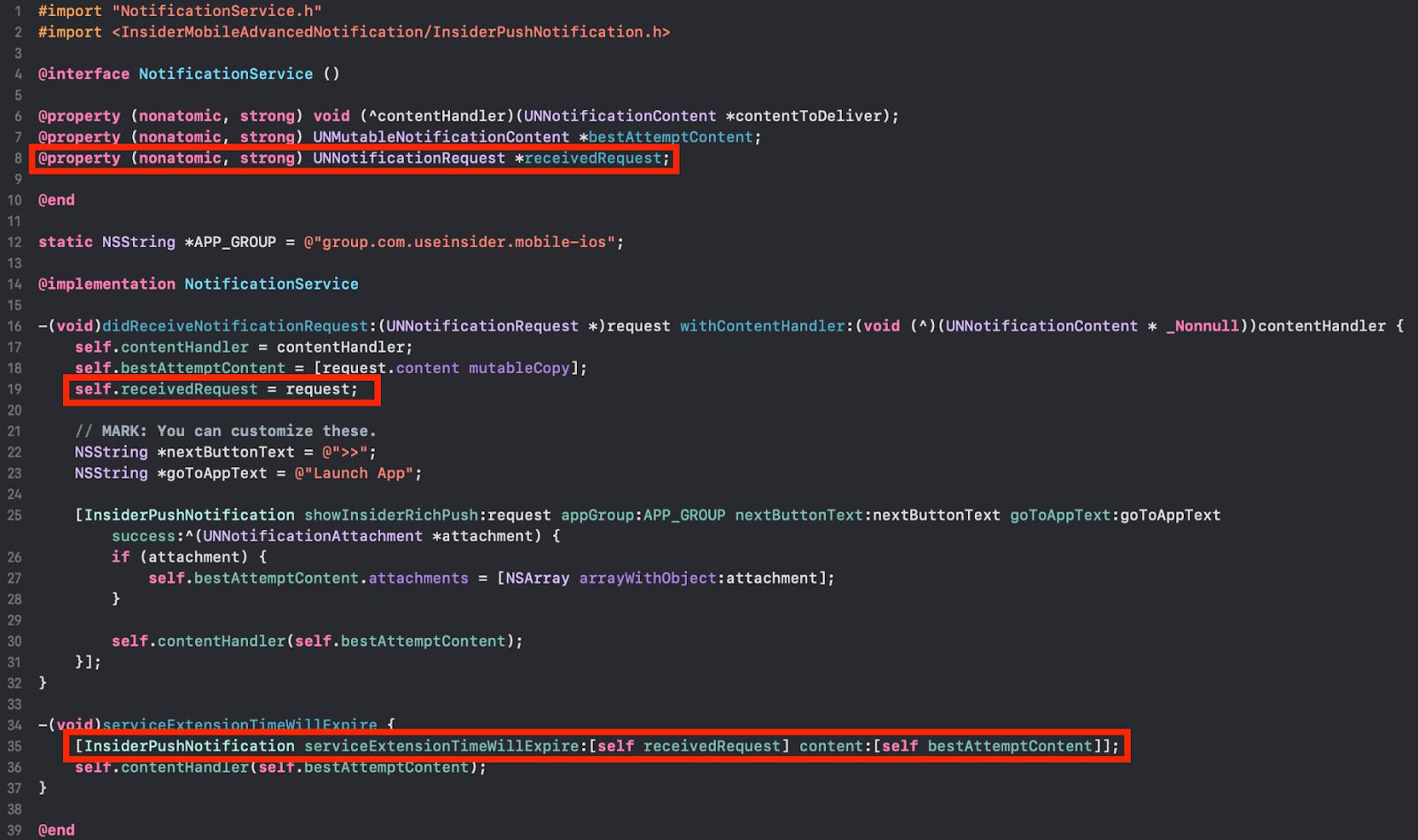
See the new Objective-C sample code.
Swift
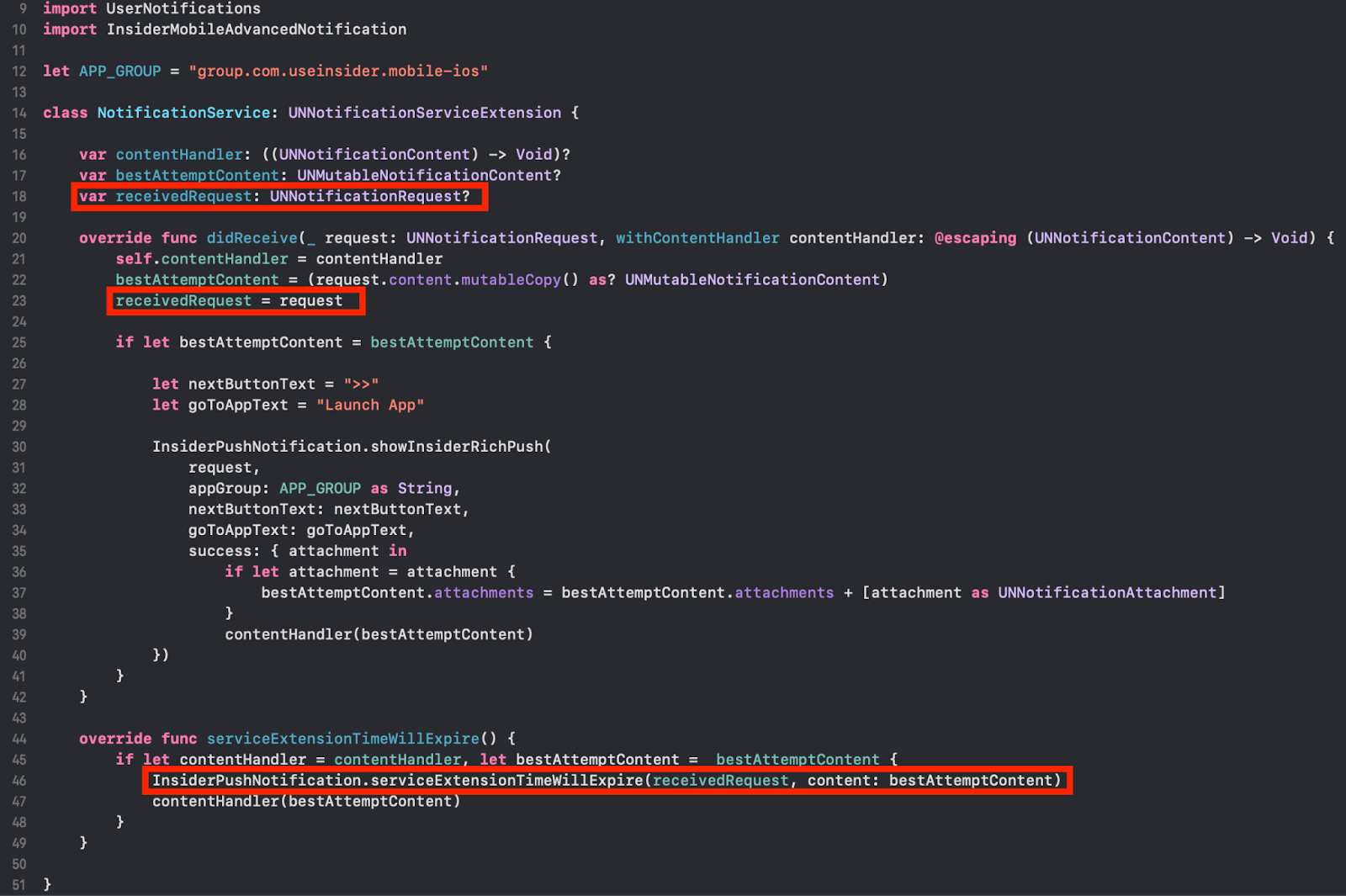
See the new Swift sample code.