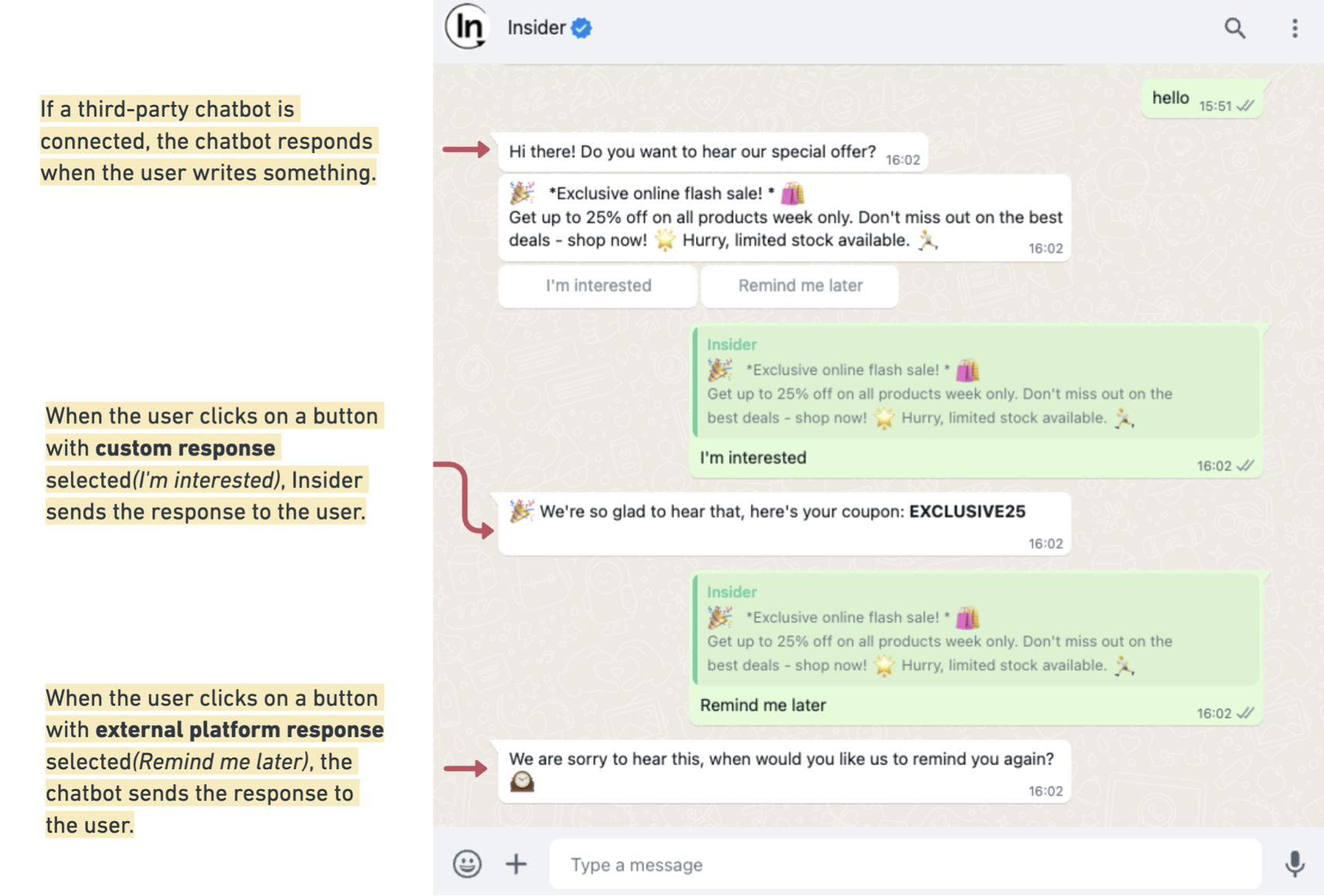
The WhatsApp Marketing product offers conversational messages, enabling users to initiate conversations with businesses following business-initiated messages.
Adding quick reply buttons is a simple method of creating a conversational flow. When users click these buttons, predefined messages are triggered as replies.
Another method is integrating a bot to respond to users' WhatsApp messages, which is a more comprehensive approach. Insider's InOne platform supports the integration of external chatbot connections.
To enable WhatsApp Conversational for your account and start using it, contact the Insider One team.
InOne settings
To send a request to connect to the WhatsApp bot, you must generate your API key in Insider One's InOne panel. To get your API key,
1. Click your username in the top-right corner of the screen > Settings > InOne Settings > Integration Settings.

2. Click the Generate API Key button to create your API key. 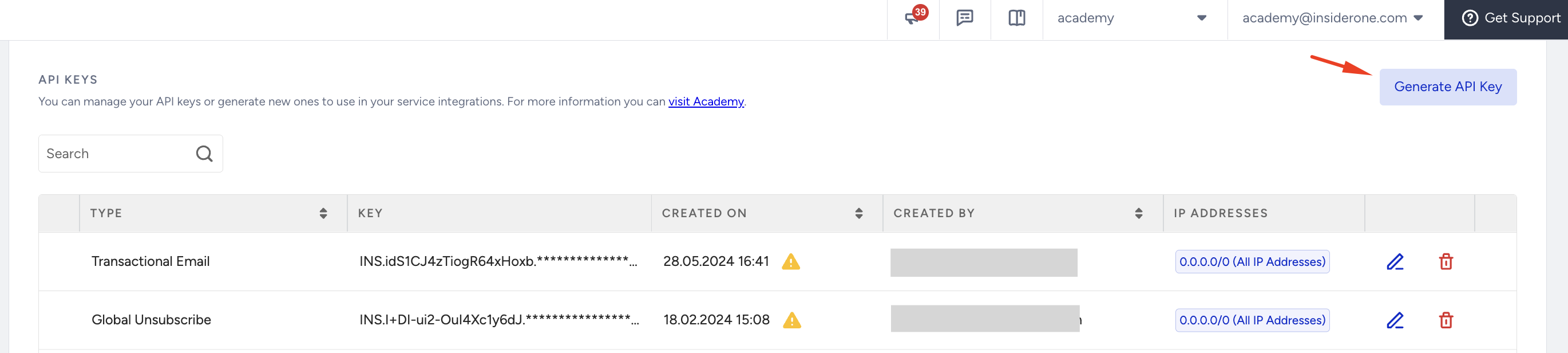
3. Select Transactional WhatsApp&Conversational as the key type and click the Next button.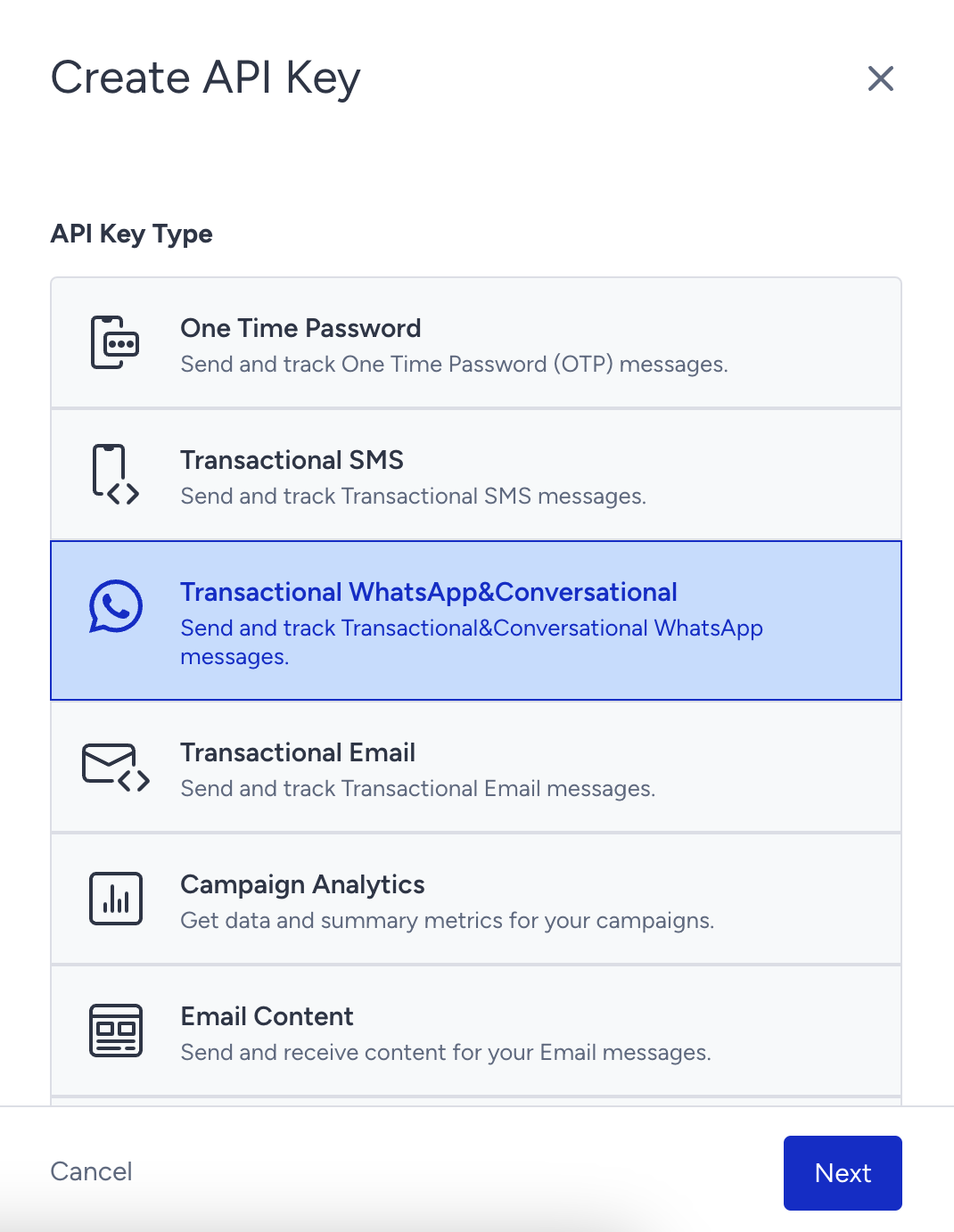
4. You will see the API key generated for you shortly. Click the Copy button to get the key. Don’t forget to copy it because you will only see this key once when you first create it.
5. You can see the simple request and response flow below. To have a further understanding of API calls, refer to the Conversational API articles.
.png)
Activation of the external chatbot for WhatsApp messages
To enable an external chatbot for WhatsApp messages, you need to
Use Quick Reply on your templates to activate a conversational message status.
Select the related conversational campaign while creating the campaign.
Choose an external platform response from the response messages.
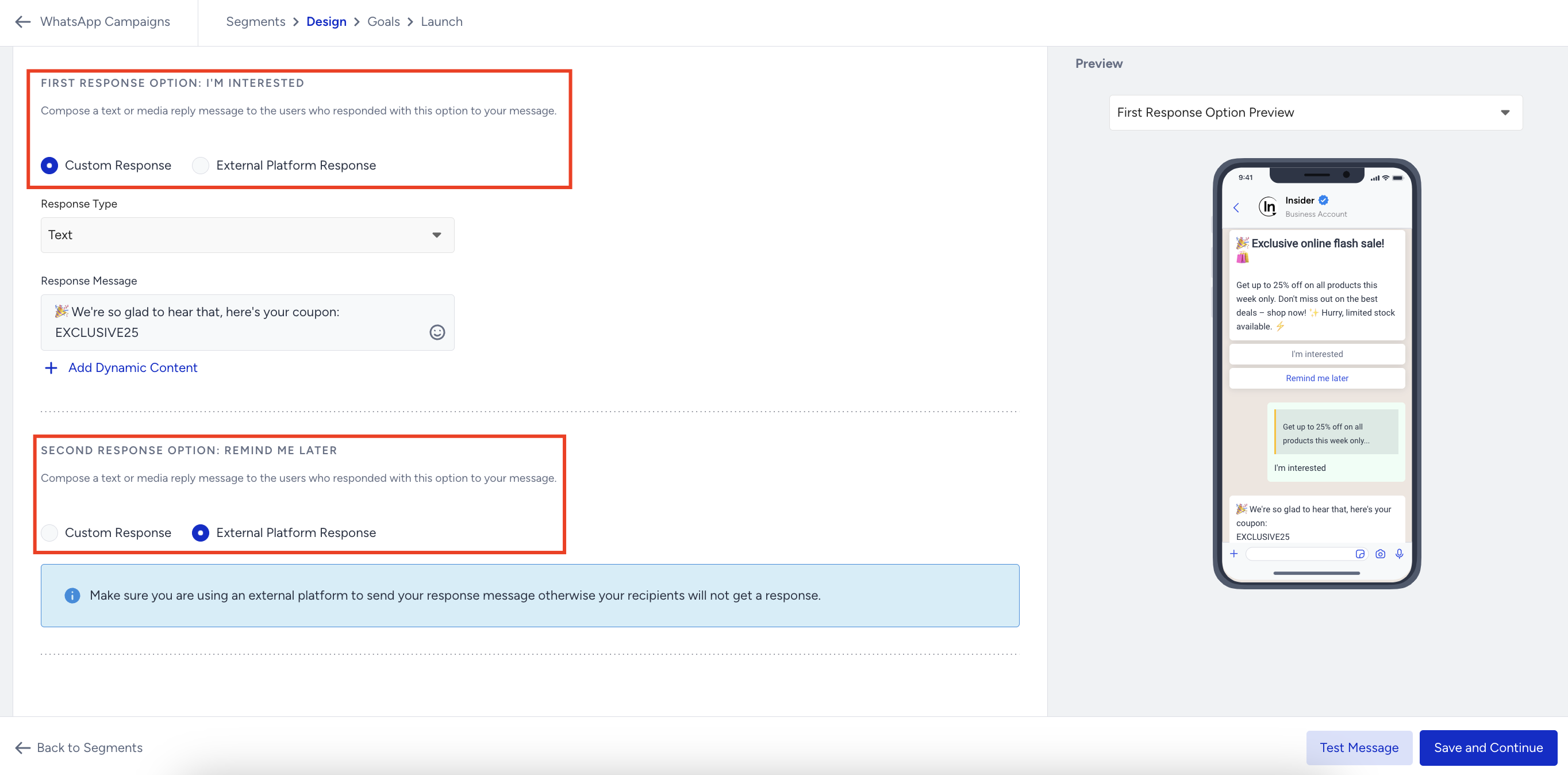
Below, you can refer to the example conversation and the flow: