The Channel Interactions segment targets users who have interacted with a specific channel a defined number of times within a selected time frame. Channel interactions include actions such as viewing or clicking campaigns or journeys. You can also segment users based on interactions with specific campaigns.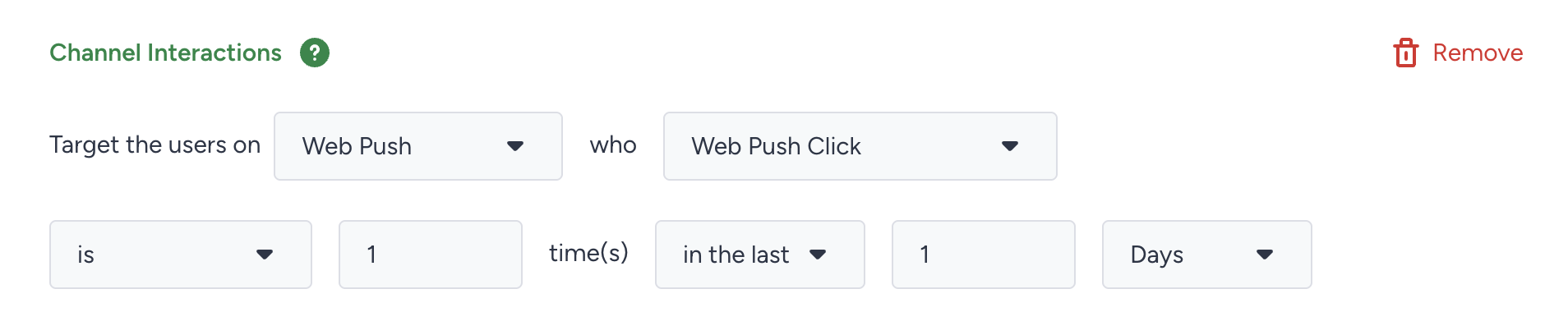
Requirements
To use the Channel Interactions segment:
Ensure the relevant channels are subscribed to and activated.
Run at least one campaign through each intended channel.
Advanced Filtering Options
Web Push and OnSite
Web Push and OnSite actions' event parameters are considered only if the channel exists within a specific journey. You can filter by journey name and channel element name.
Example: Target users who clicked the X Web Push campaign in the Y journey.
App Push, SMS, Email, WhatsApp, and InApp
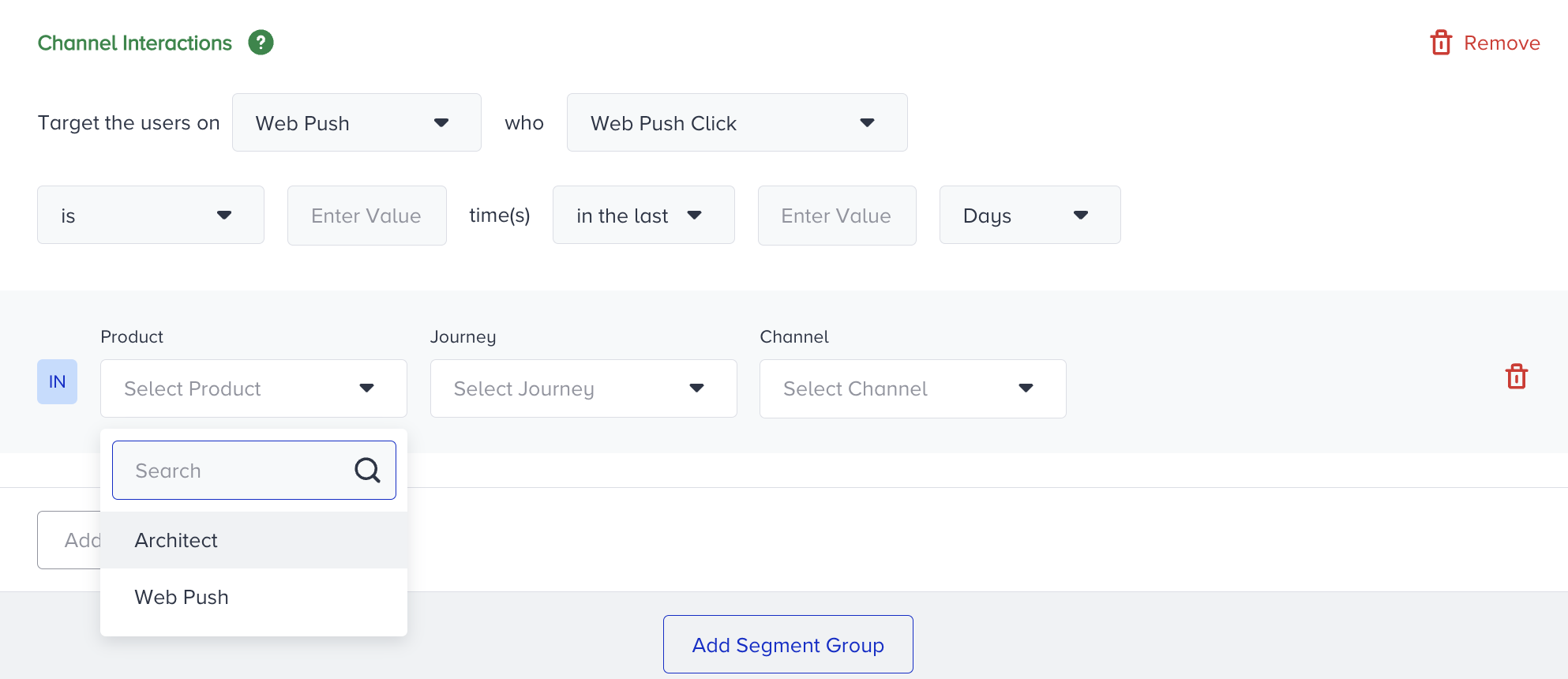
App Push, SMS, Email, WhatsApp, and InApp interactions' event parameters include both the Architect Email and the Email products. You can select the product first, then choose the journey and campaign you want to use, or select the campaign and variant you prefer.
Example: Target users who clicked a link in the Z Email campaign within the Y journey, or users who opened the X variant of the Y Email campaign:
Inactivity Filtering
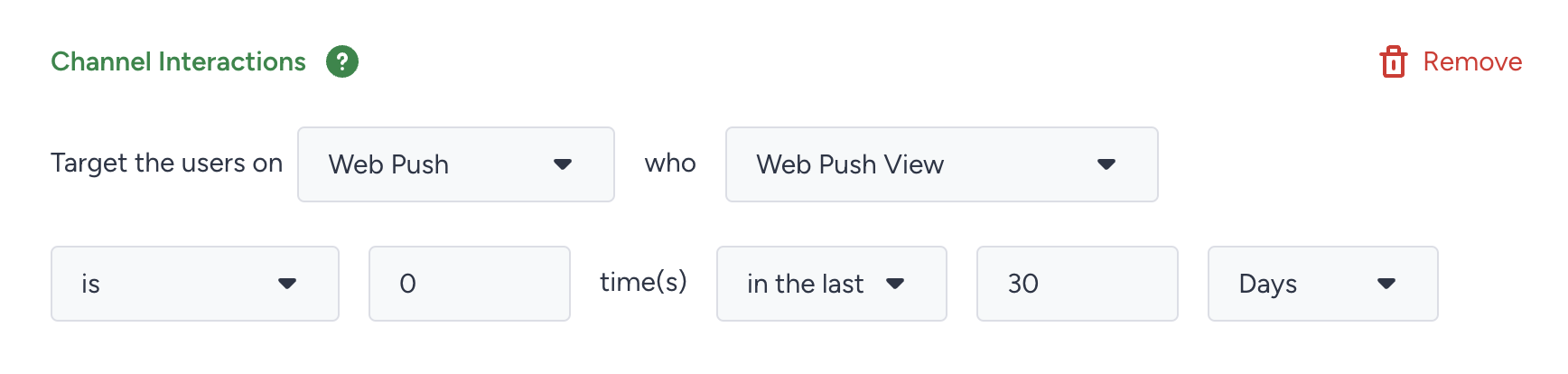
Filter users who haven’t interacted with campaigns within a period of time.
Example: Target users who haven’t interacted with any Web Push campaign in the last 30 days:
App Push Action Buttons
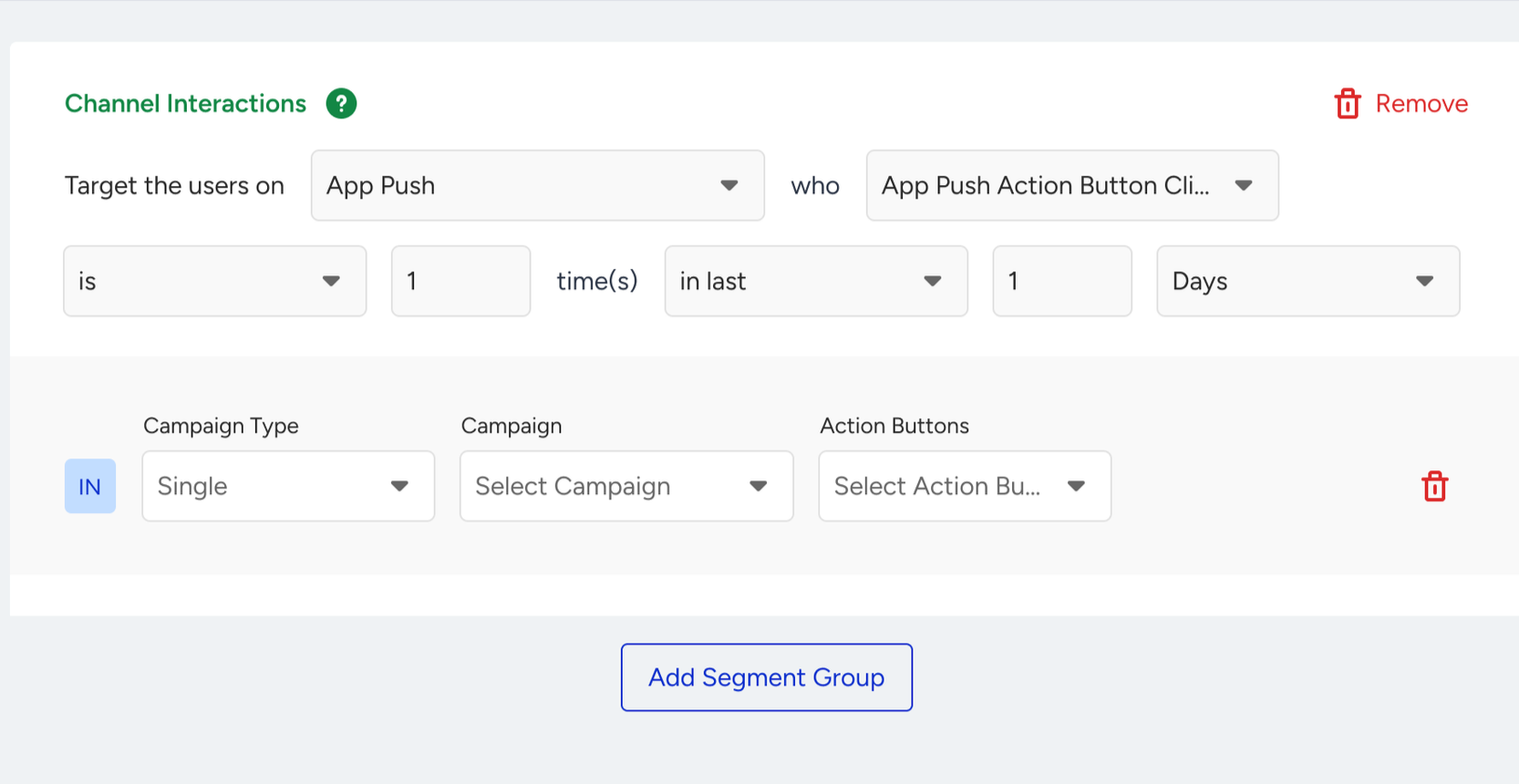
Segment users based on clicks on specific App Push action buttons.
Example: Filter by campaign type (Single), campaign name, and action button: