In the Postmaster Tool Setup step, you will be setting up your Google Postmaster account and adding Insider One’s email as manage user so, Insider One team can effectively track your reputation and deliverability.
The importance of Google Postmaster setup
Google Postmaster Tools provides direct visibility into how Gmail evaluates your email sending. You set it up and grant the Insider One team access to proactively monitor your sender reputation, delivery health, and spam signals for Gmail recipients.
This step is critical because Gmail applies strict reputation-based filtering. Without Postmaster data, it is difficult to determine whether deliverability issues are due to reputation drops, spam complaints, authentication problems, or delivery errors. With Postmaster access, both you and the Insider One team can quickly detect potential issues, take corrective action, and ensure your emails continue to reach the inbox.
Sharing access with the Insider One team allows us to support you more effectively during warm-up and ongoing sending, identify risks early, and provide data-driven recommendations to protect and improve your sender reputation over time.
Google Postmaster setup
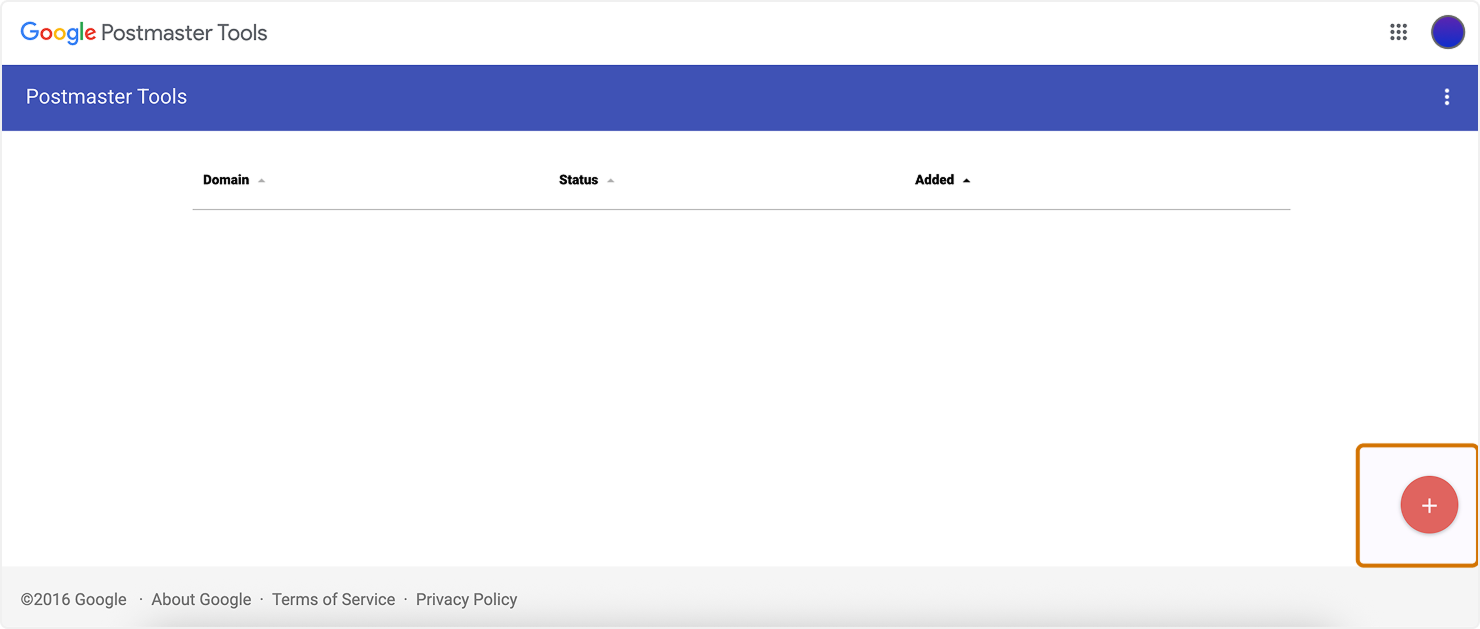
1. Go to Google Postmaster and click the Add (+) button.
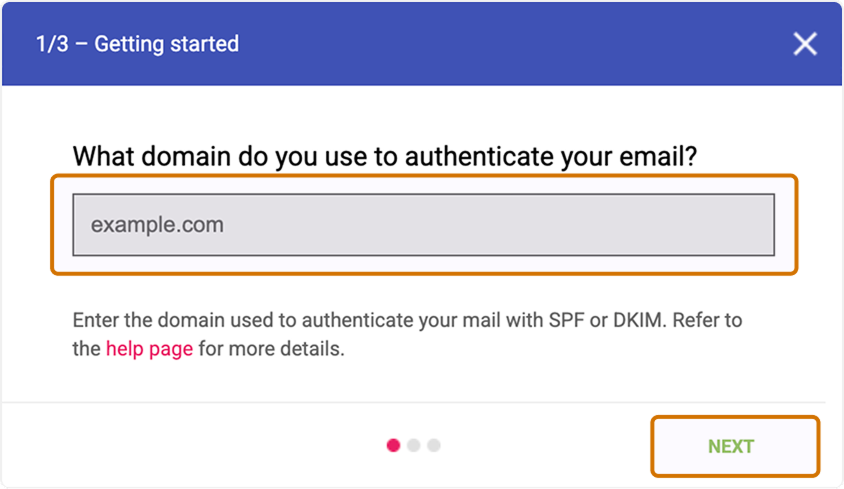
2. Add your domain that you have submitted in Insider One, and click the Next button.
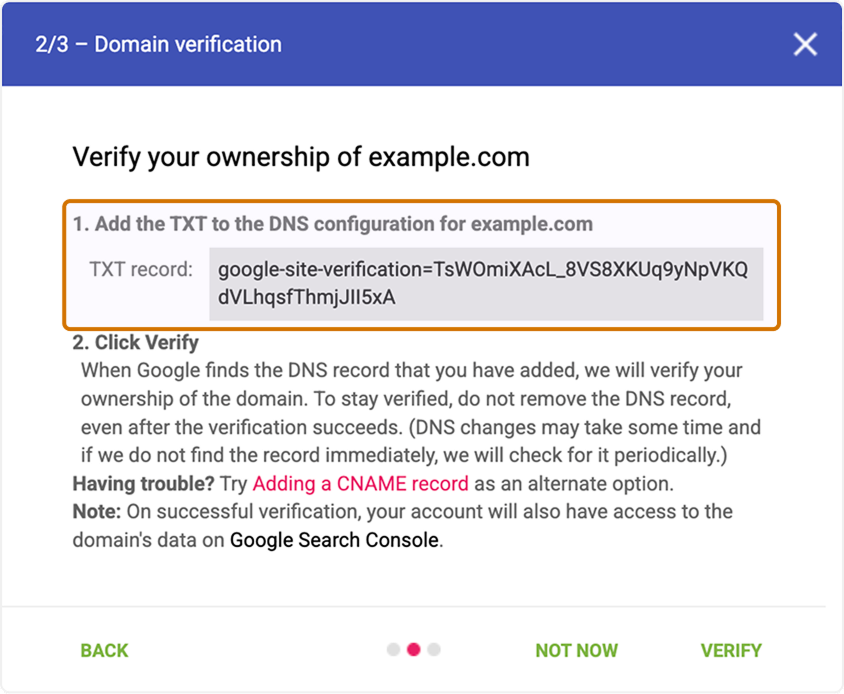
3. Copy the TXT or CNAME records for the domain. Go to your DNS provider and add the copied record to your DNS settings.
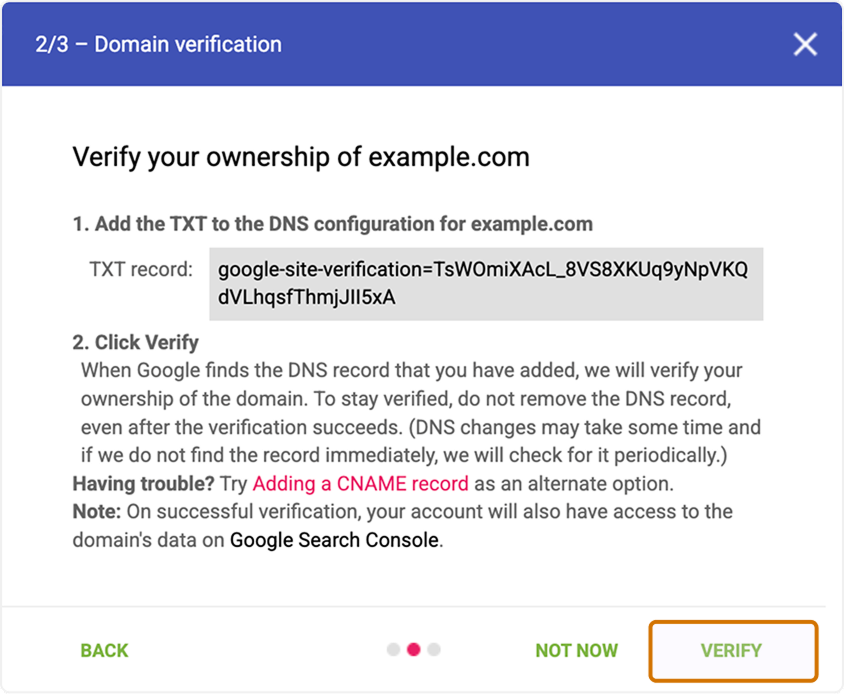
4. Once the record is added, return to Google Postmaster and click the Verify button to complete domain verification.
5. After verifying, click the three dots menu next to your domain name, select Manage Users, and add del.tools@useinsider.com as a Managed User.

Once everything is set up, you can monitor your domain’s performance using Postmaster. You can focus on key metrics like IP reputation, domain reputation, and user spam rate. If your emails are landing in Gmail spam folders, these metrics can help you identify and resolve the issue.
Additional insights, like delivery errors and authentication status, can also help identify potential sending issues.