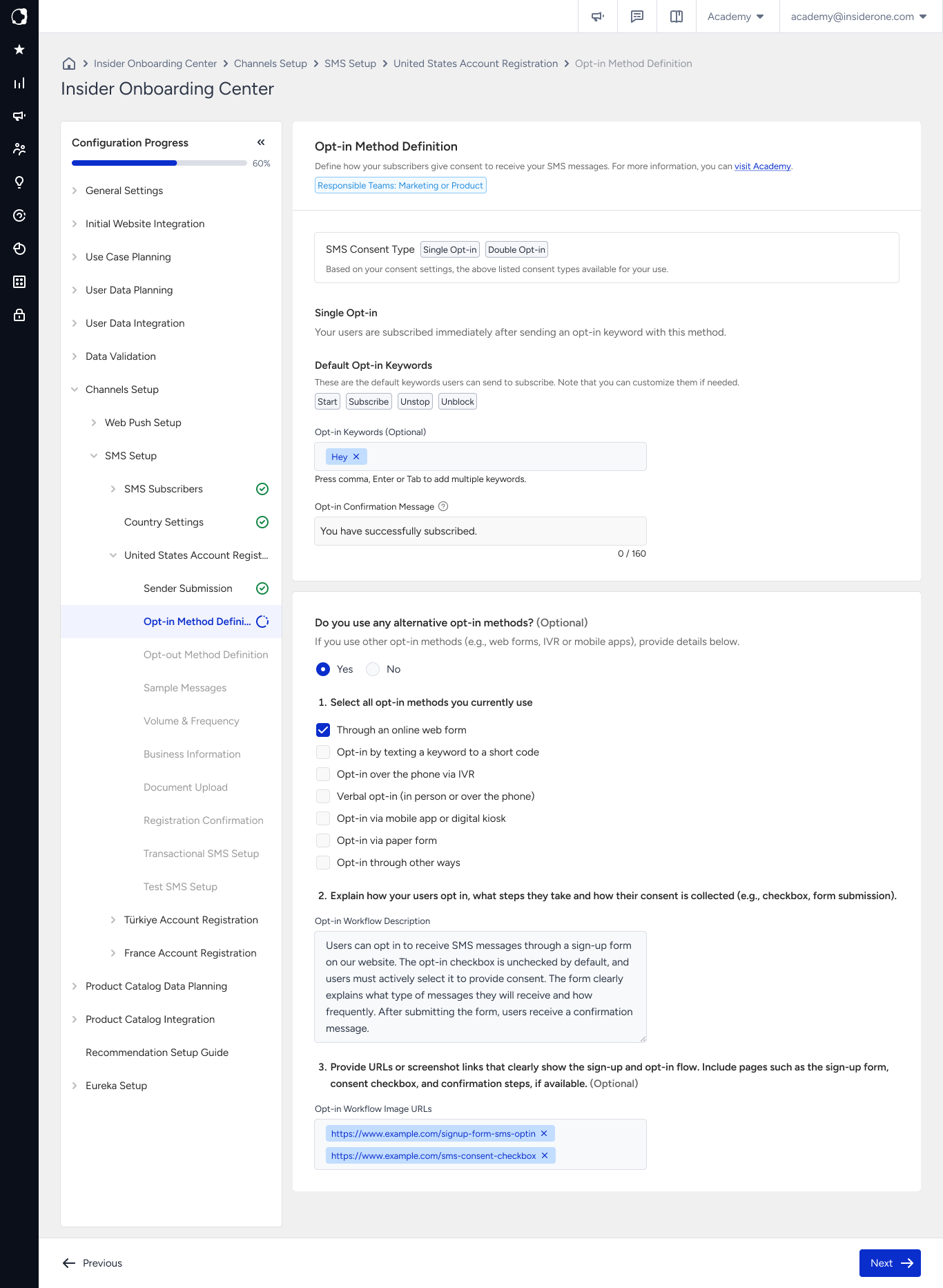
In this step, define how users give consent to receive your SMS messages and what they receive after subscribing.
The keyword and message content you enter here are reviewed by the SMS provider during registration as part of the consent verification process. Clear and complete wording helps prevent registration issues.
Before you start
The opt-in methods available on this page depend on the consent type configured for your panel. Configure Single Opt-in or Double Opt-in in General Settings > Channel Consent Settings. The selected consent type applies to every country on your panel.
If the Double Opt-in fields do not appear on this page, your panel is configured for Single Opt-in. Changing the consent type can take up to 3 working days to activate, so confirm your consent type before continuing.
What you enter on this page
Field | What it is | What to enter |
|---|---|---|
Opt-in keyword | The word a user sends to subscribe | Enter a single word with no spaces that is related to your brand or campaign. |
Confirmation message | The message the user receives immediately after subscribing | Include your brand name, what the user subscribed to, how often you send messages, and how to unsubscribe. |
Double Opt-in keyword | The word the user sends to confirm the subscription | Enter a short and clear reply such as |
Double Opt-in message | The message asking the user to confirm the subscription | Enter one sentence that clearly explains what confirming the subscription means. |
Double Opt-in confirmation | The message the user receives after confirming | Follow the same content requirements as the confirmation message. |
You can add more than one opt-in method if you collect consent through different sources, such as a web form and an in-store sign-up. Keeping these methods separate helps you identify where your subscribers opted in.
Choose your keyword
Use one word with no spaces. The field does not accept spaces, and operators might not match multi-word keywords reliably.
Keep it short and easy to type. Users enter the keyword manually on their phone.
Avoid accented characters. Accented characters can be difficult to enter on some keyboards and can prevent the keyword from being matched correctly.
Do not use reserved words.
STOP,DUR,IPTAL,HELP, andINFOare reserved by operators for opt-out and help requests and cannot be used as subscription keywords.Examples of supported keywords include
JOIN,START,UYE, andKATIL.
Write your confirmation message
Your confirmation message should include the following information:
Your brand name within the first few words
What the user subscribed to
How often you will send messages
How the user can unsubscribe
Example:
Insider One Store: You are subscribed to our offers. Up to 4 messages a month. Reply STOP to unsubscribe.
This example identifies the sender, sets an expectation for message frequency, and explains how to unsubscribe.
Keep the confirmation message within one SMS part. A standard SMS part contains 160 characters. Longer messages are split into multiple parts, and each part is charged separately. Split confirmation messages can also affect sending quality.
Double Opt-in
With Double Opt-in, the user confirms the subscription with a second message before being added to your subscriber list. Germany and the United States treat Double Opt-in as a legal requirement for SMS marketing, and it is strongly recommended across the European Union.
Write the confirmation prompt as one clear sentence that explains what happens when the user replies.
Reply YES to confirm your subscription to Insider Store offers.
After the user confirms, send a confirmation message that follows the same content requirements as the standard confirmation message.
Insider One Store: Subscription confirmed. Reply STOP to unsubscribe at any time.
Common mistakes
Using a confirmation message without a brand name. Missing the brand name is a common reason for rejection during this step.
Providing a message frequency that does not match your actual sending frequency. If the confirmation message states four messages per month but you send more frequently, complaint rates and deliverability can be affected.
Using wording that does not match your opt-out setup. If your confirmation message tells users to reply
STOPbut you configure a different keyword in Opt-out Method Definition, the mismatch can be identified during review.Treating the content as internal configuration. The content you enter in this step is visible to users and is also reviewed by the SMS provider.
Next step
Continue with Opt-out Method Definition, where you define how users stop receiving your messages. Make sure the opt-out instruction in your confirmation message matches the keyword you configure there.