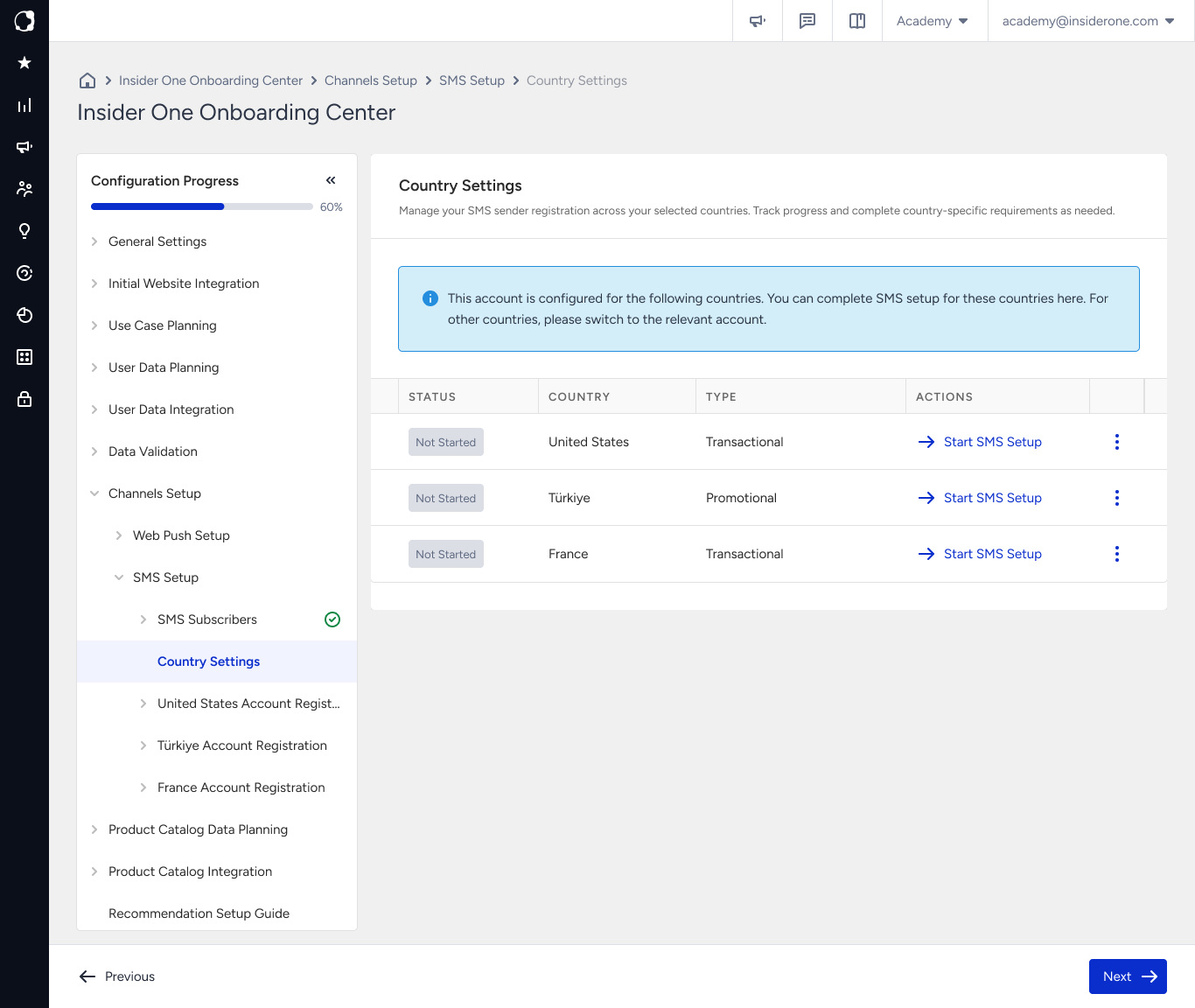
Country Settings is the starting point for SMS onboarding. It lists every SMS country available for your panel, displays each country's registration status, sender and message type configuration, and provides the action you need to complete the next step.
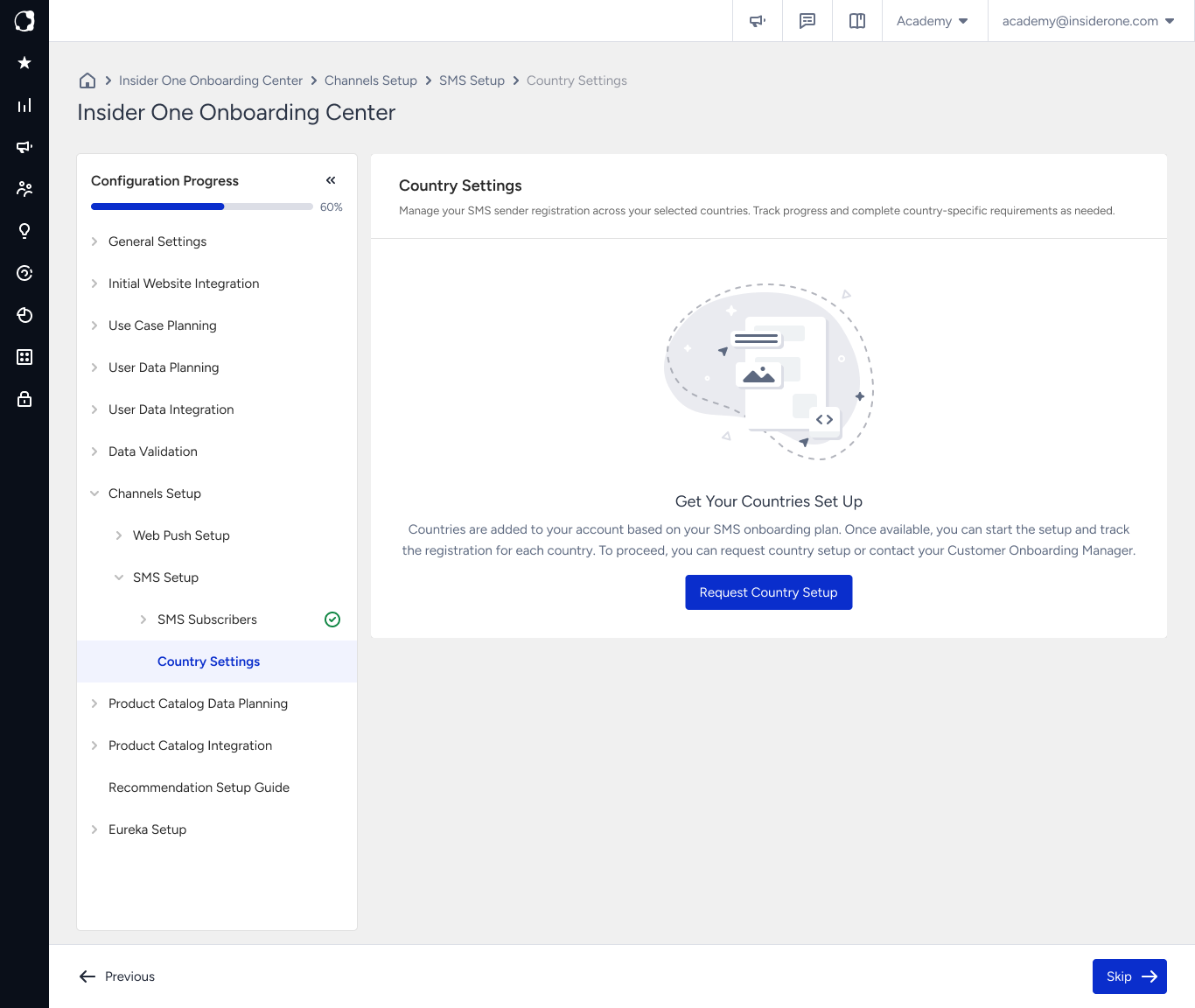
New panels do not contain any country information. Until the Insider One team adds your countries, the Get Your Countries Set Up screen is displayed. Click Request Country Setup to tell the Insider One team which countries you want to enable.
The Insider One team manages adding, editing, and removing countries, so these actions are unavailable in your panel. The countries you can enable depend on your SMS contract, since SMS is available only for contracted countries. If a country you expect to use is missing, contact the Insider One team.
Country Statuses
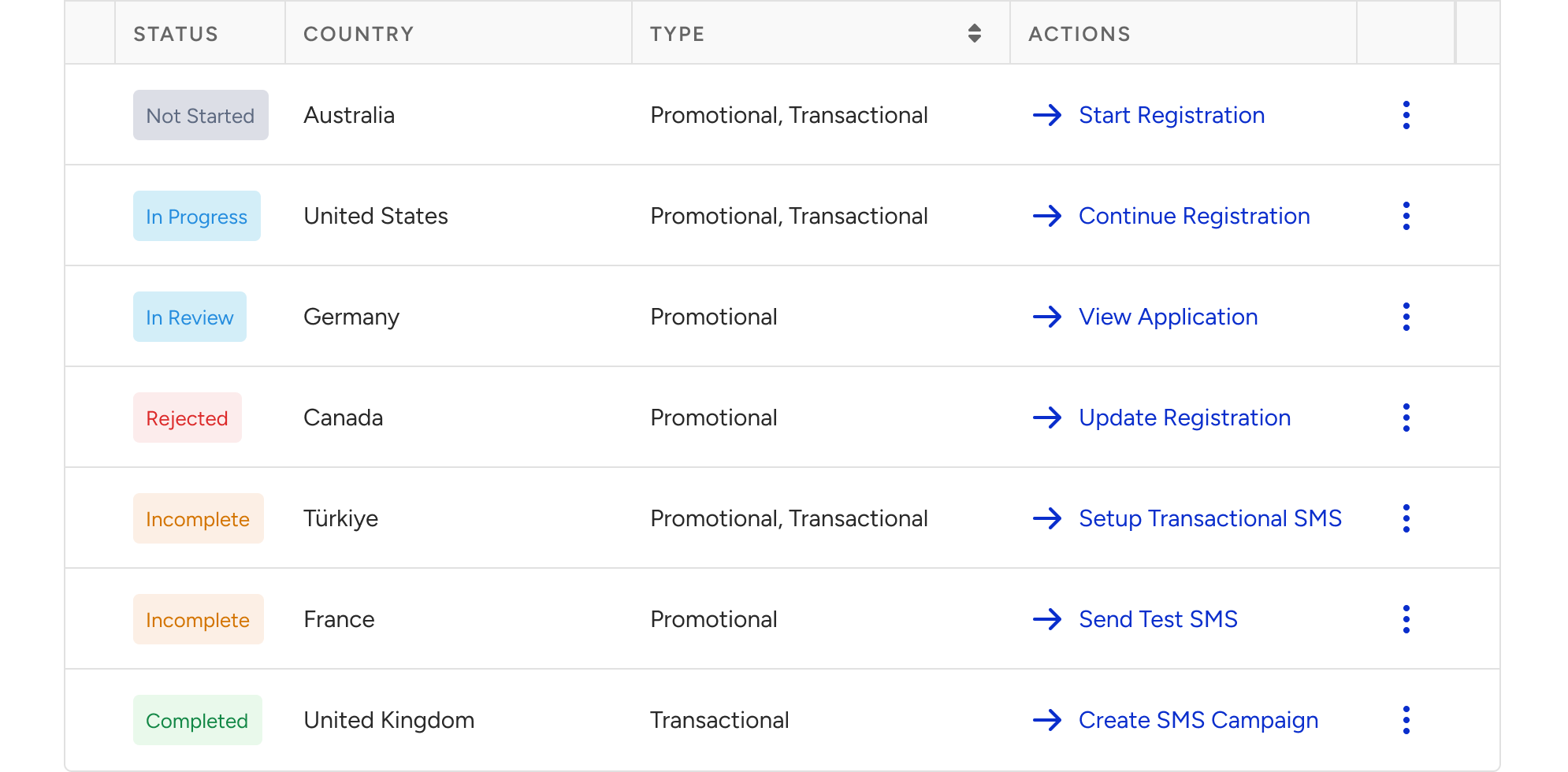
Each country has its own registration status. The available action button changes based on that status and takes you to the appropriate page in the onboarding process.
Status | What it means | Button | Where it takes you |
|---|---|---|---|
Not Started | Registration has not started for this country. | Start Registration | The first step of the registration wizard. |
In Progress | Registration is in progress and has not yet been submitted for review. | Continue Registration | The step where you last left off for that country. |
In Review | Your registration has been submitted and is currently under review. | View Application | The Registration Confirmation page in read-only mode. |
Rejected | Your registration requires updates before it can be reviewed again. | Update Registration | The Registration Confirmation page in editable mode. |
Incomplete | Your registration has been approved, but setup is not yet complete. You still need to complete Test SMS Setup and, if applicable, Transactional SMS setup. | Test SMS Setup or Setup Transactional SMS | The Test SMS page for promotional-only setups, or the Transactional SMS page if transactional messaging is included. |
Completed | SMS onboarding for this country is complete. | Create SMS Campaign | The SMS campaign listing page. |
After a country's registration is approved, you can no longer edit its registration details or add new senders.
Before submitting your registration, make sure your sender list is complete. While your registration is still in progress, including after a rejection, you can update your registration details and add additional senders before submitting again.
Email Notifications
You receive email notifications at key milestones during SMS onboarding. These emails help you track your setup progress and identify any actions you need to take.
Notification | When you receive it | What it contains |
|---|---|---|
Country Added | After the countries you requested are added to your panel. | Confirmation that the countries have been added and that you can continue the SMS setup process. |
Registration Approved | After your sender registration is approved. | The approved sender and country details, together with a prompt to send a test message. For countries that use in-product registration, each email covers one sender. For form-based countries, a single email can cover multiple senders. |
Registration Rejected | When missing or incorrect information is identified in your registration. | The sender and country details, the reason for the rejection, and a link to Account Registration, where you can update and resubmit your registration. For countries that use in-product registration, each email covers one sender. For form-based countries, a single email can cover multiple senders. |