This guide aims to explain how to publish your bot on Telegram. After fulfilling the prerequisites, you can set up your bot on Telegram.
Prerequisites
- Create a bot using "@botfather" on Telegram.
- After creating the bot via Botfather, take note of the bot username, bot name, and bot token.
- To create a bot using Botfather, search for the handle "@botfather" on Telegram.
- Use the "/newbot" command in chat (you can text "botfather /newbot") and provide the required details until you receive the bot token.
- Note the bot token, bot username, and bot name.
- Go to Telegram and log in to your Telegram account with your phone number and the code that Telegram sent to you.
- You will access your chat page.
- Type "BotFather" in the search bar at the top of the left side. You should click the verified BotFather account with the blue checkmark.
- Type "/start" and send this command. Then, you will see all commands for some actions within Telegram.
- To create a bot, send the command "/newbot".
- After that, Telegram will ask you to set a bot name and a user name for your bot.
- Once you complete these steps, Telegram will send a token to access the HTTP API. Copy and paste it to the token field in the MindBehind popup.
Set up your bot
- Go to the MindBehind platform.
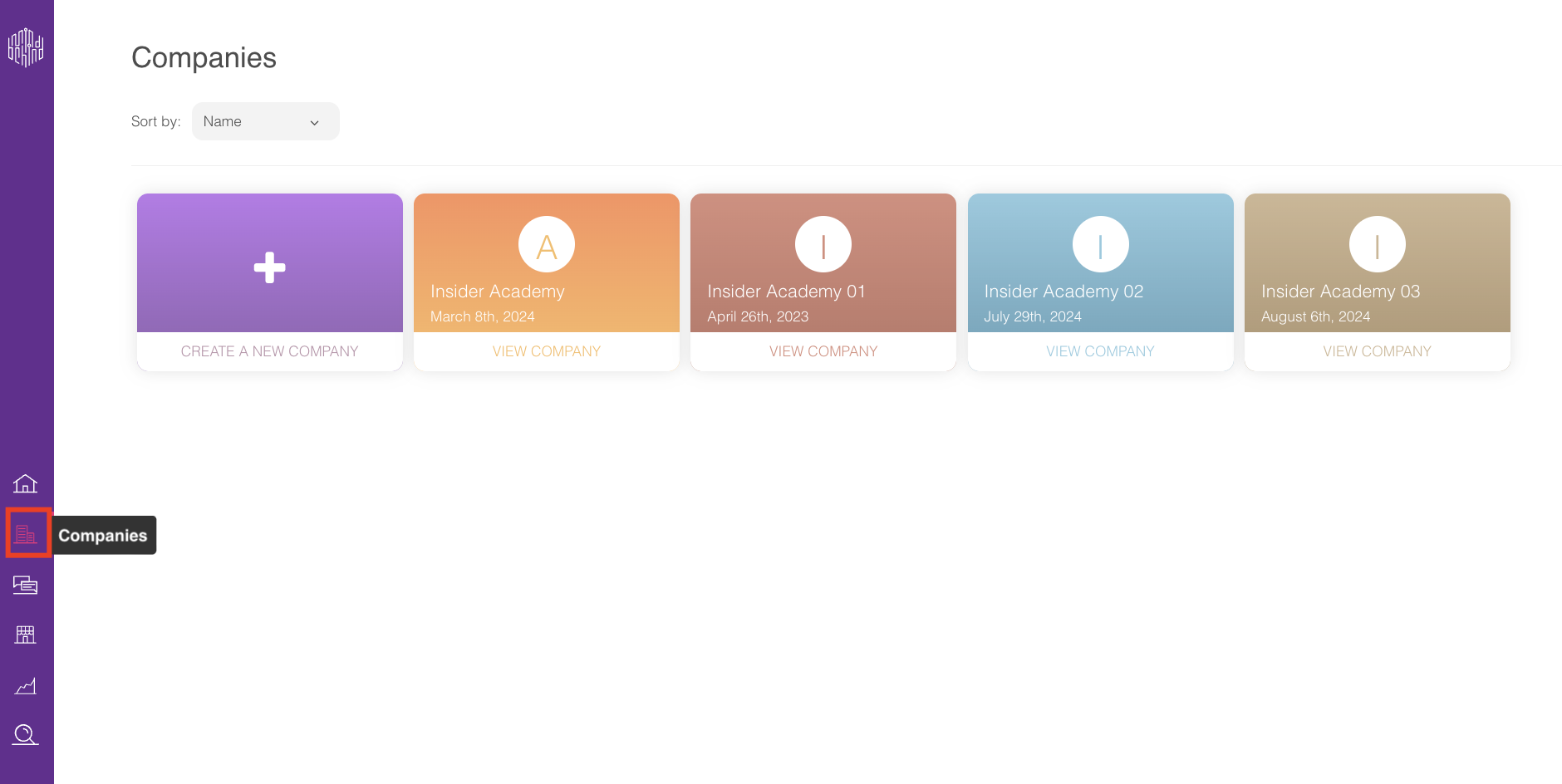
- Select “Companies” from the left menu and choose the company that you have created and want to assign the bot to.
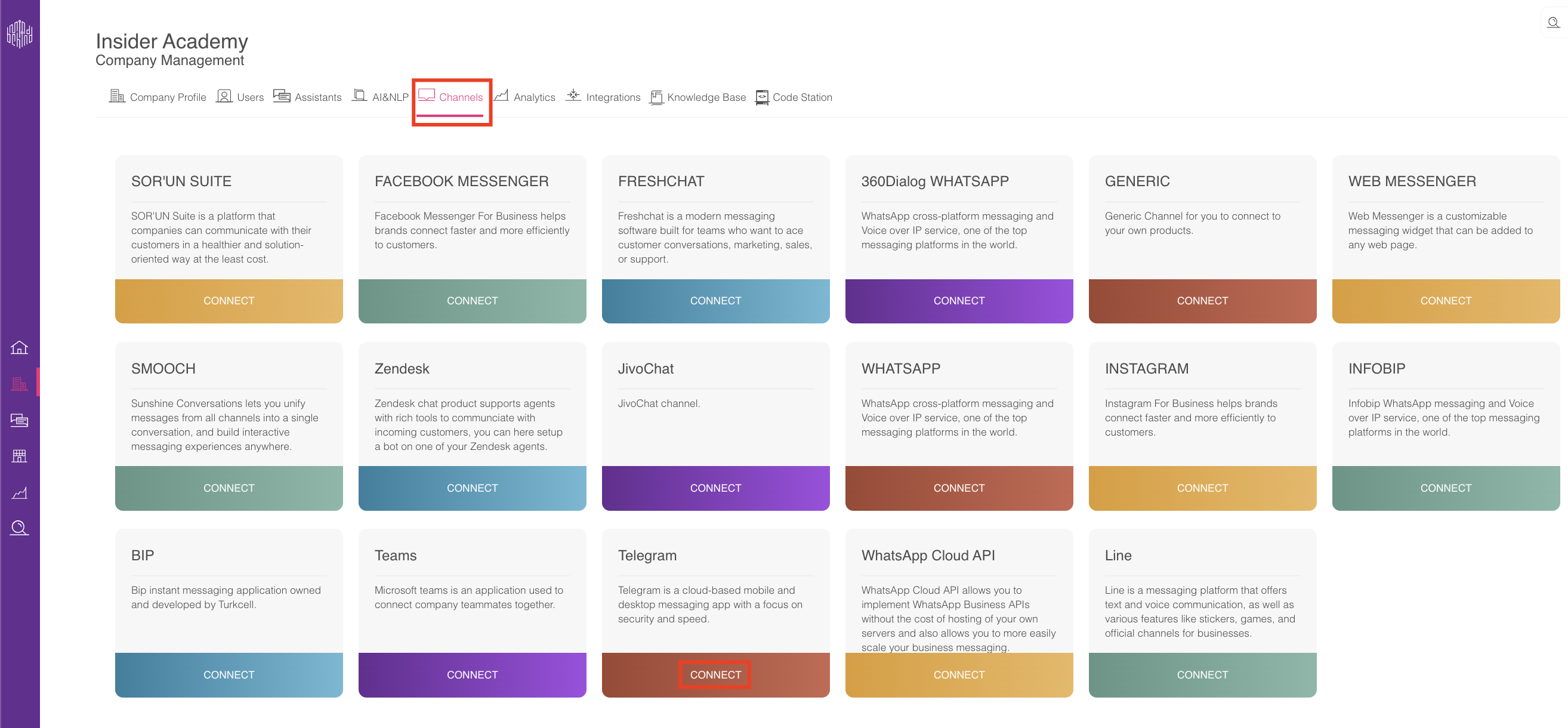
- Click on the Channels tab and click the Connect button for Telegram.
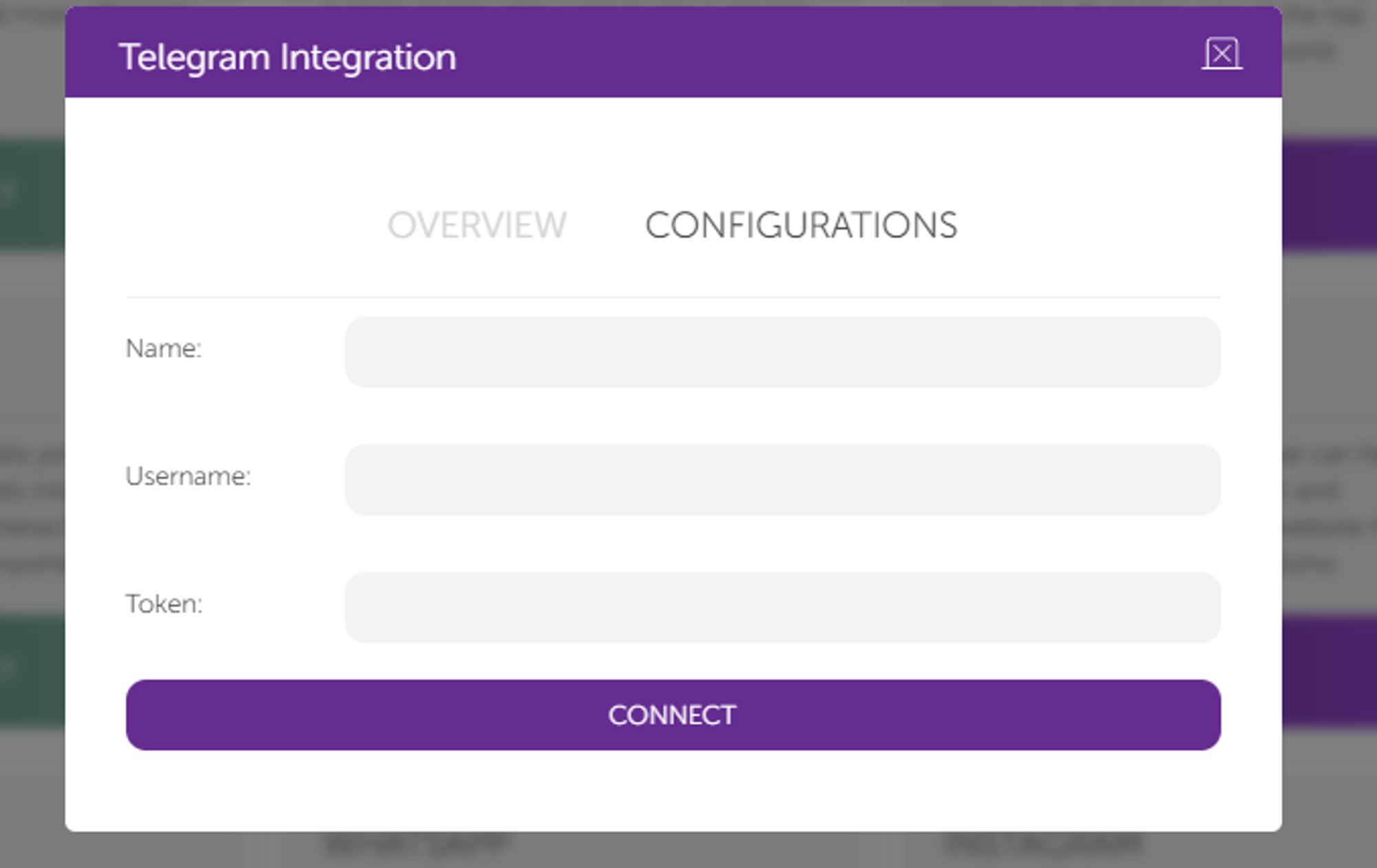
- After clicking the Connect button, you will see the following screen.

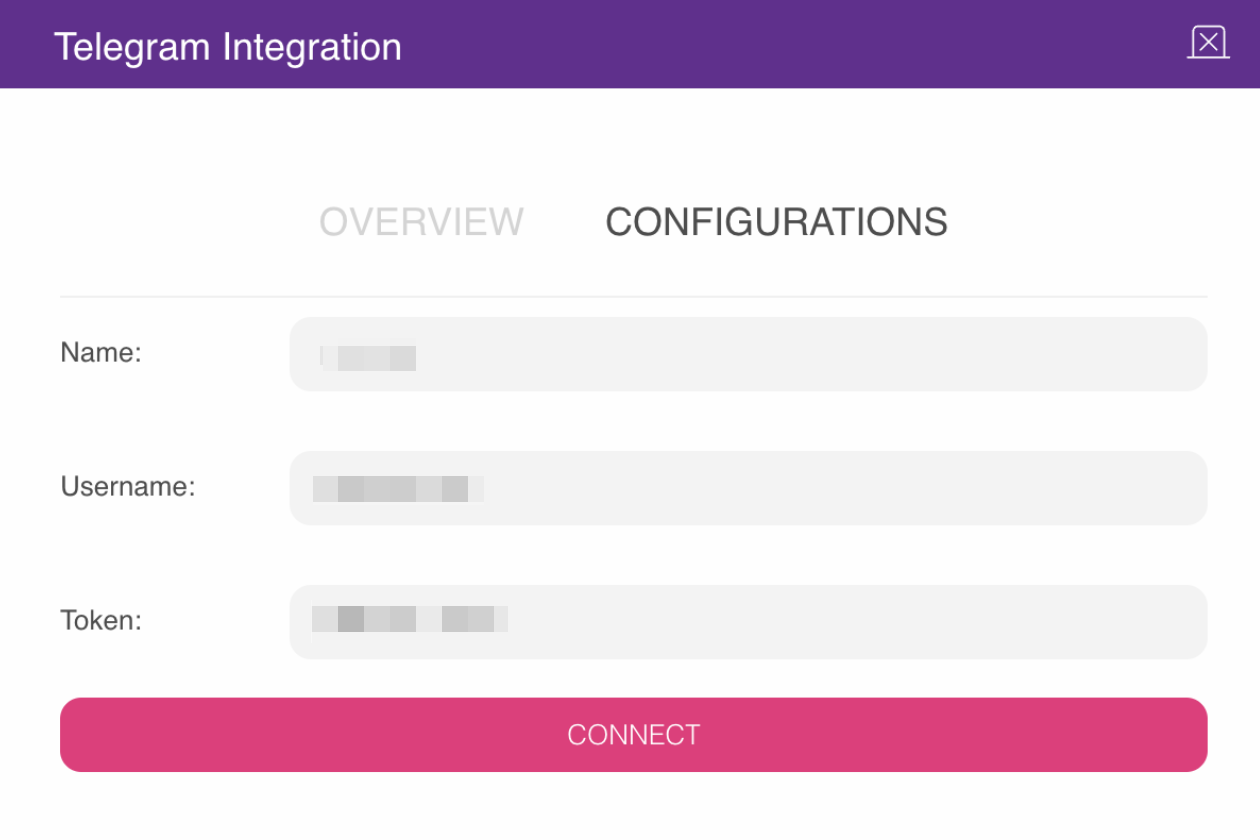
- Click the Configurations tab. Add the bot name, bot username, and bot token that you noted earlier in Step 3 of the prerequisites.
- Click the Connect button after filling in all the fields.
- After creating the channel, go to the Assistant from the company window (refer to step 3), and if you do not have an assistant, create one and open the assistant.
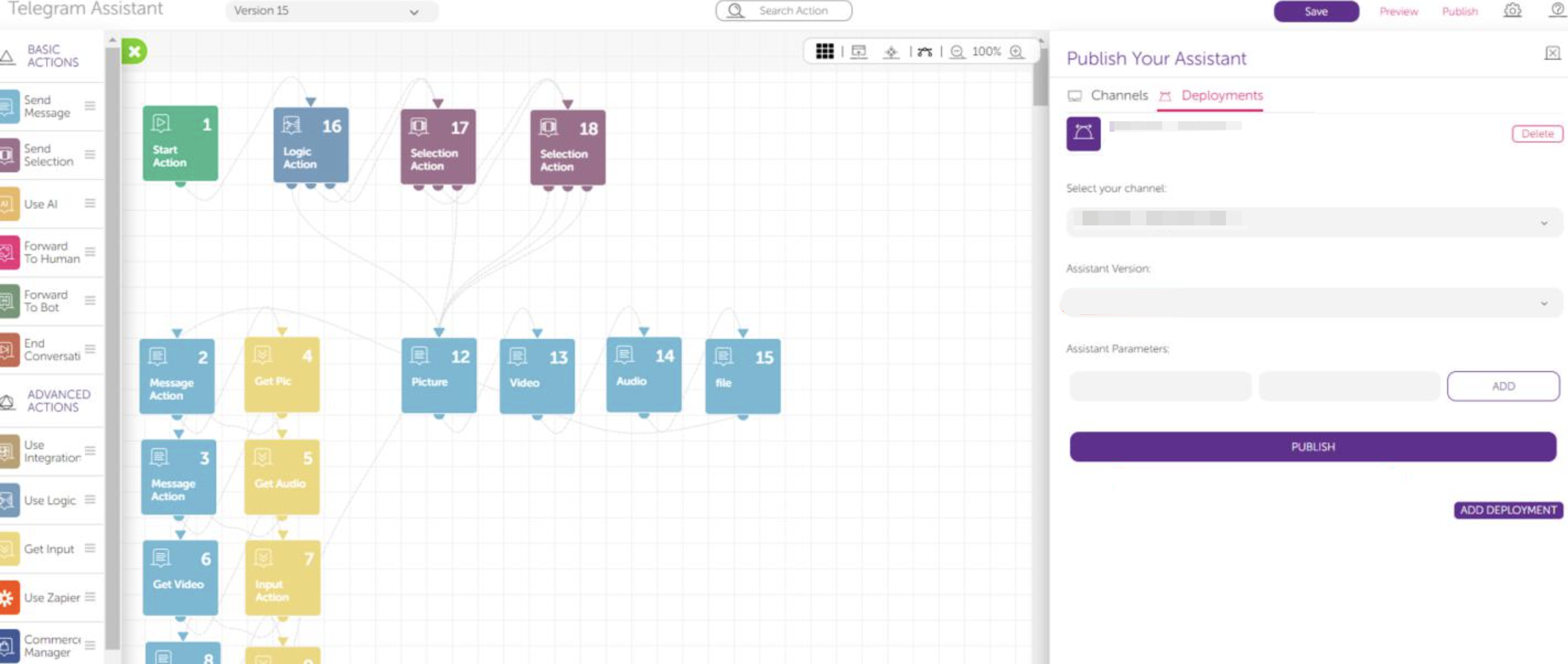
- Click the Publish button on the top right of the screen.
- In the Channels tab, you can see the pages that you have added.
- Click the Deployments tab and click the Add Deployment button.
- Select your channel.
- Select the Assistant Version and click the Publish button.
Congratulations! Your assistant is running on your Telegram bot.