You can access your WhatsApp campaign performance data programmatically without navigating the InOne panel. These APIs allow you to retrieve key metrics such as sent, delivered, open, click, and conversion data.
The Meta API transactional service provides 10 analytics endpoints that return structured metric data. These endpoints retrieve data from Insider One’s analytics pipeline and deliver it in a consistent, easy-to-use format.
You can integrate with these endpoints using either:
V1 authentication with
x-ins-auth-key, orV2 authentication with OAuth2 through the Insider One API gateway.
The Meta API transactional service provides 10 statistics endpoints:
5 endpoints under
/v1/statistics, which usex-ins-auth-keyauthentication5 endpoints under
/wa/v2/statistics, which use OAuth2 through the Insider API gateway
Both versions use the same request bodies and return the same response structure. The only difference is the authentication method.
The statistics API key is different from the transactional message API key.
To generate your WhatsApp campaign analytics API key,
Navigate to your user name > Settings > InOne Settings > Integration Settings.

Scroll to the API Keys section to click the Generate API Key button.

If you have created any API keys before, you will see them listed in this section.
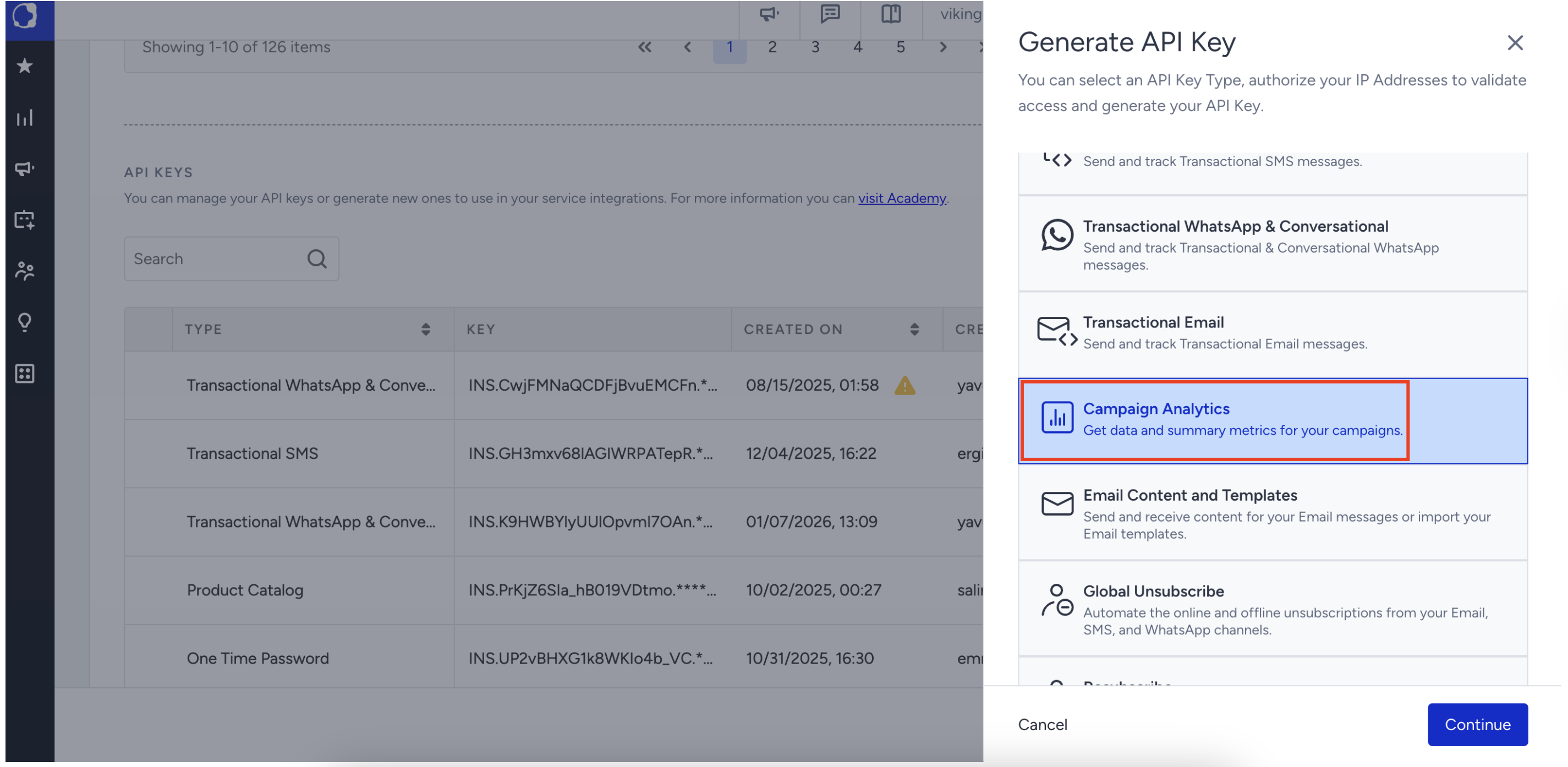
Select Campaign Analytics and click Continue.
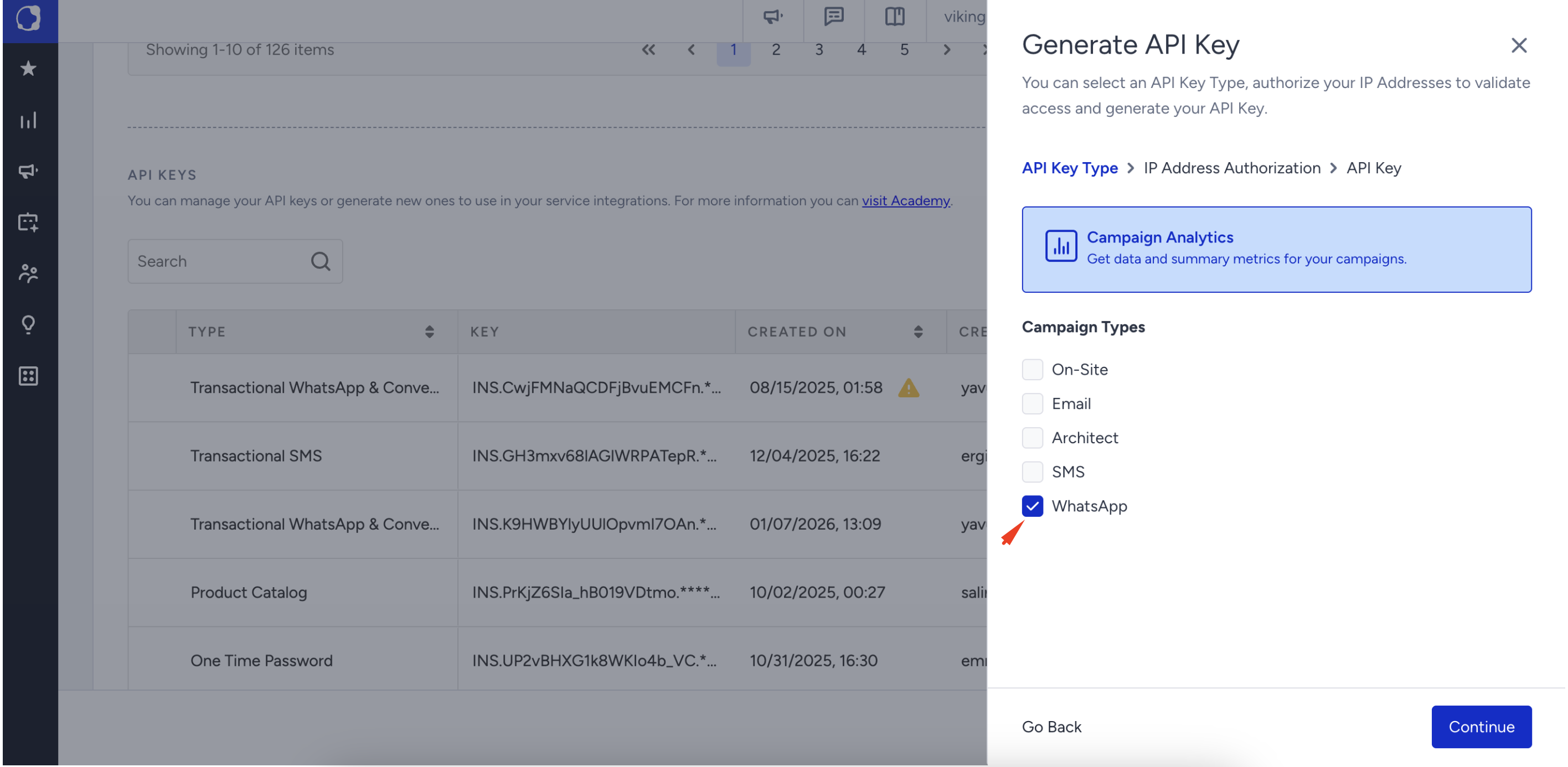
Select WhatsApp from the Campaign Types and click Continue.
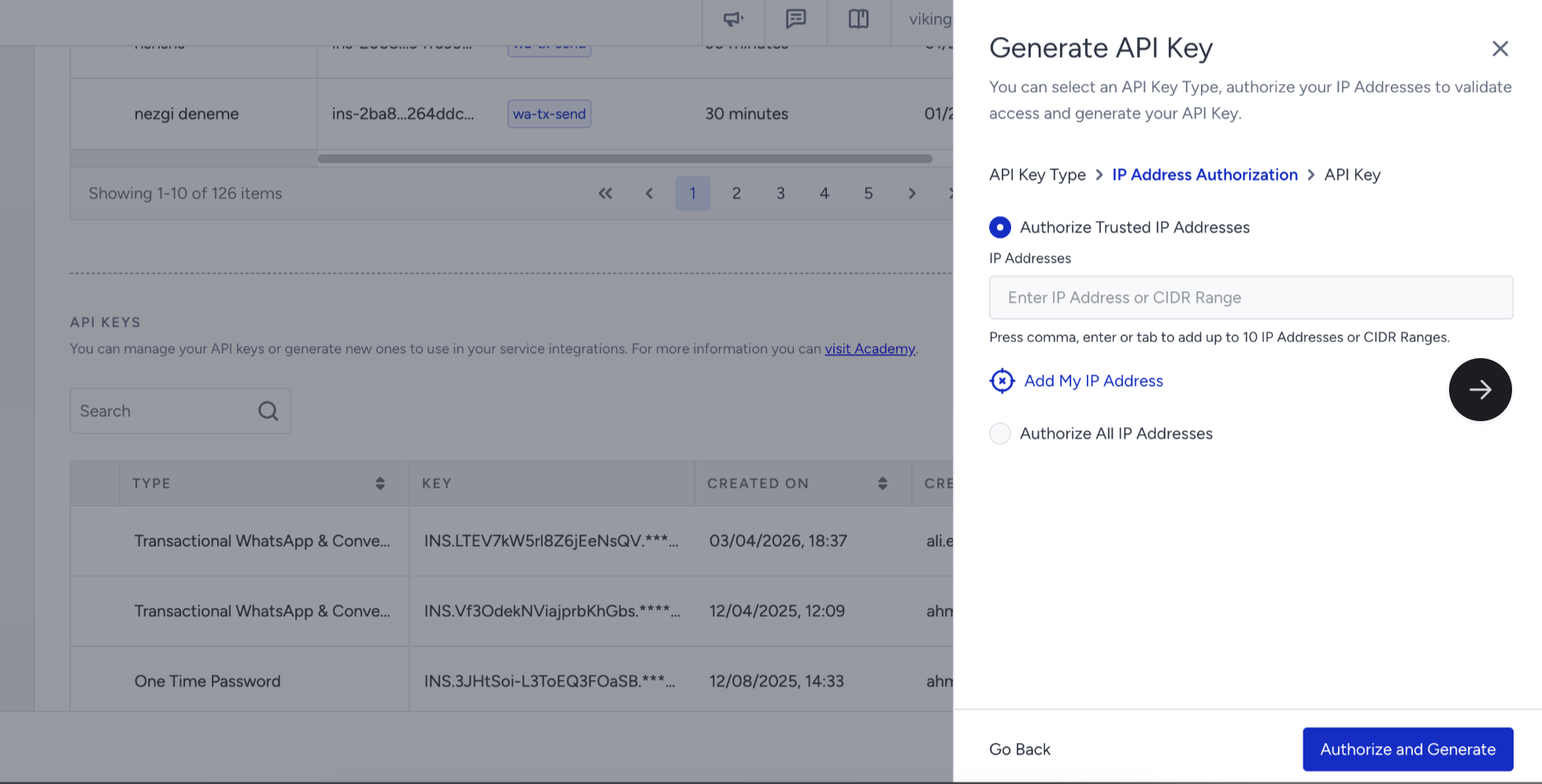
Enter the IP addresses to authorize.
Your API Key has been generated. Copy this API Key and keep it secure.
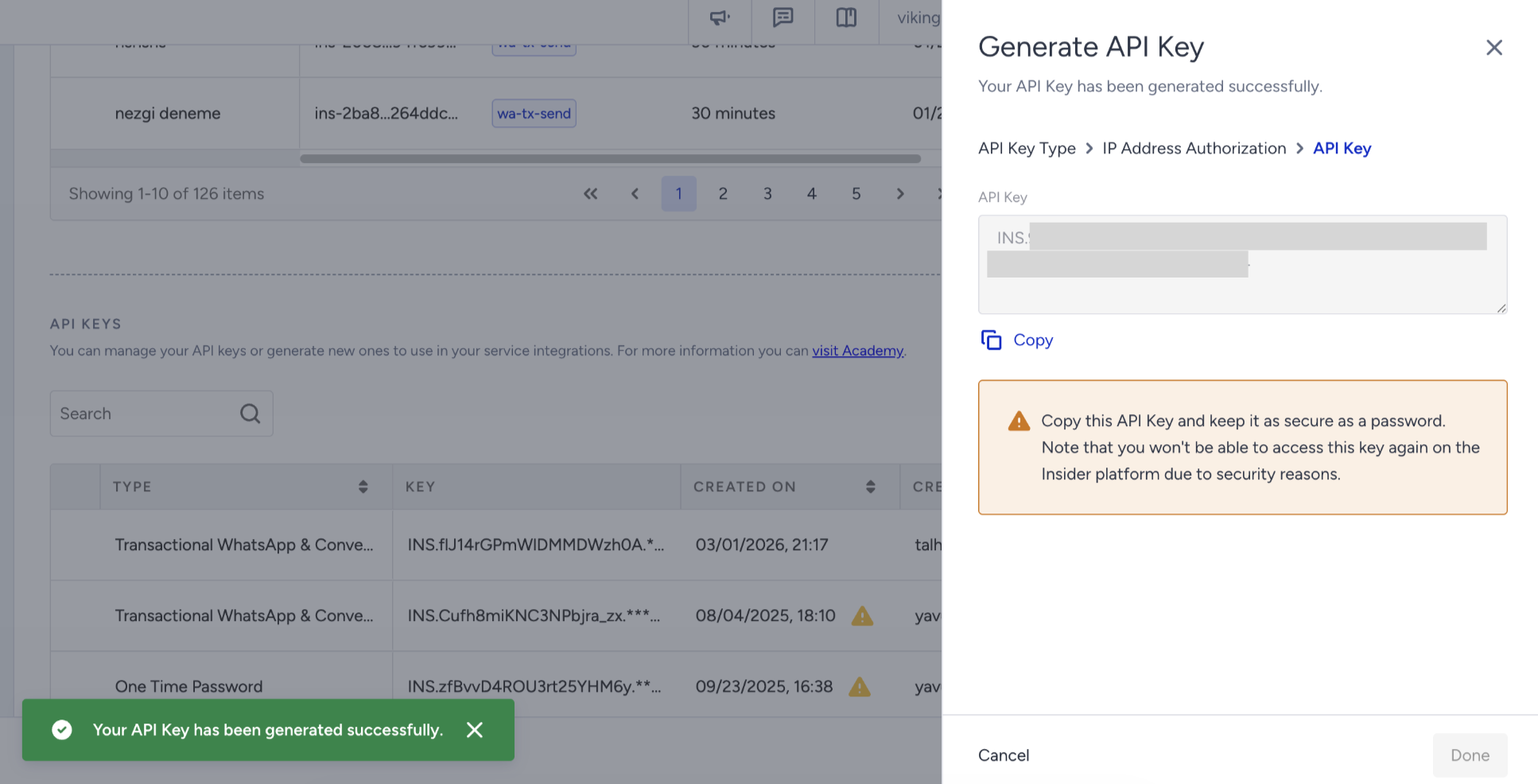
After clicking Done, you will see your generated API Key in the API Keys list.