Integrating Databricks as a destination lets you export Insider One event and user attribute data directly to your Databricks workspace through Delta Sharing. This allows you to analyze campaign engagement alongside your organization's other data.
This article explains:
Use Cases
360-Degree Customer View
Combine Insider One campaign engagement data with your existing business data in Databricks to build a more complete customer view.
Audience Segmentation
Build more precise audience segments by combining Insider One engagement data from 12+ channels and cross-channel journeys with your existing data in Databricks.
Contact Data Enrichment
Enrich your existing customer profiles with marketing engagement and campaign interaction data.
Requirements
Insider One uses Databricks-to-Databricks Delta Sharing (Open Sharing) to share data with your workspace. Before you begin, make sure your Databricks account meets the following requirements:
Unity Catalog privileges. To accept a share you must be a Metastore admin or hold the USE PROVIDER privilege. To create a catalog from a share you must hold the CREATE CATALOG privilege.
Granting USE PROVIDER. Only a Metastore admin can grant USE PROVIDER; no other user can grant it. If you are not a Metastore admin, ask your admin to grant it before you begin.
Your Databricks OpenSharing ID. You provide this ID during setup so Insider One can share data with your Databricks workspace.
Configure Databricks as a destination
To configure Databricks as a destination, follow these steps:
Navigate to InOne > Components > Integrations > External Integrations.
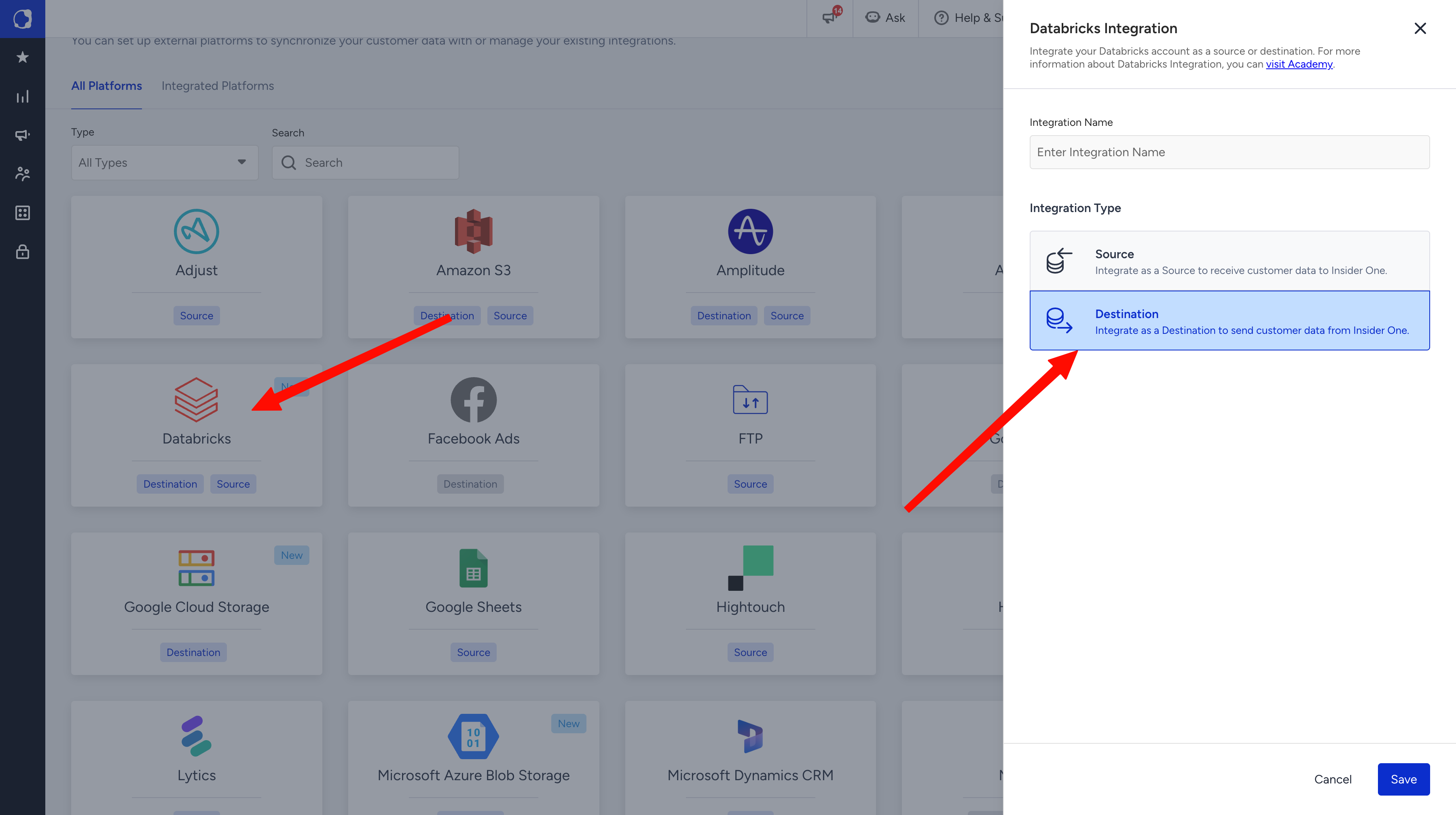
On the All Platforms tab, select Databricks.
Enter an Integration Name and select Destination as the Integration Type. Click Save.
Copy your Databricks OpenSharing ID. In your Databricks workspace, click your profile avatar in the upper-right corner and copy the OpenSharing ID (format
cloud:region:uuid, for exampleaws:us-east-2:xxxxxxxx-xxxx-xxxx).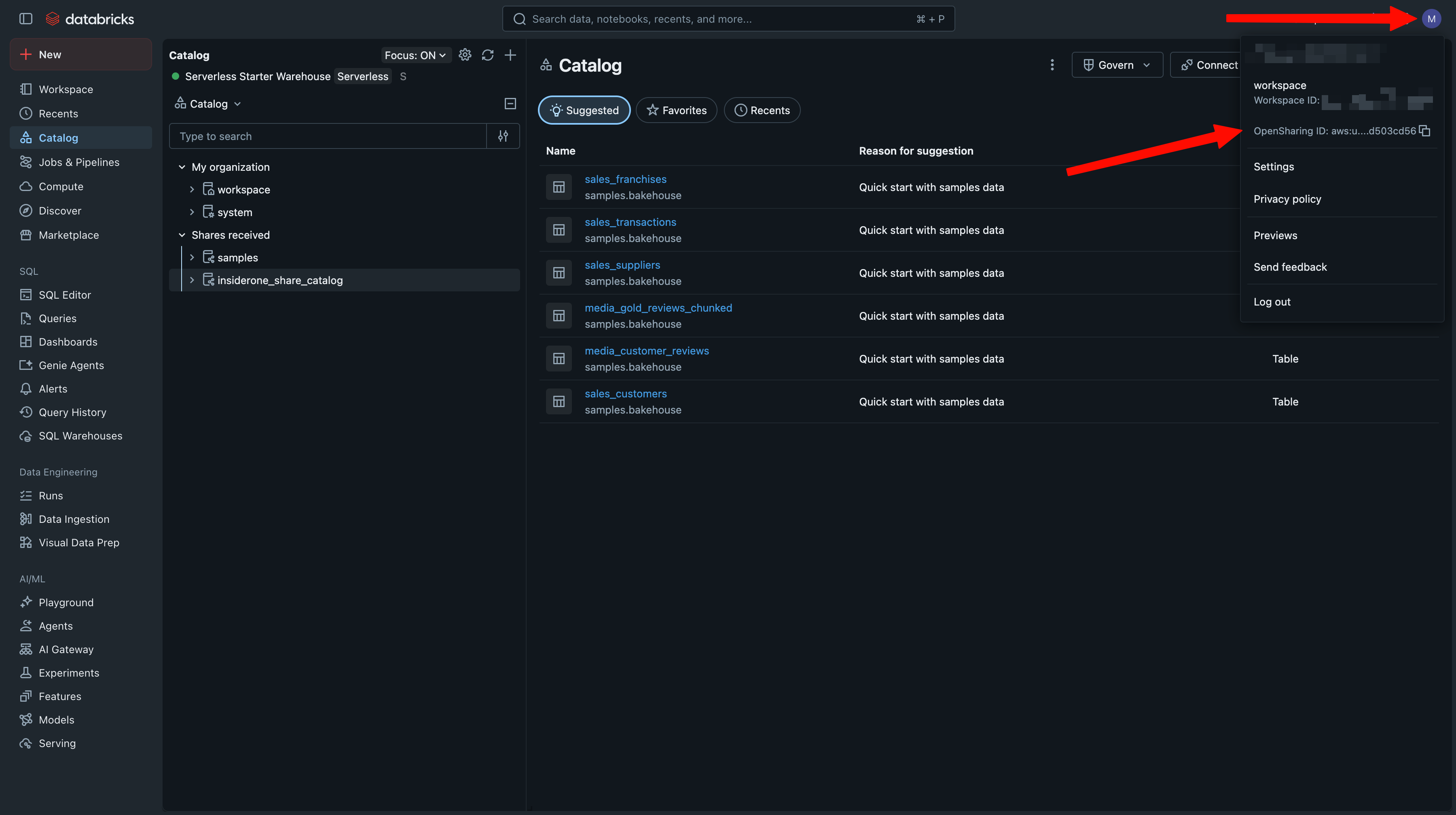
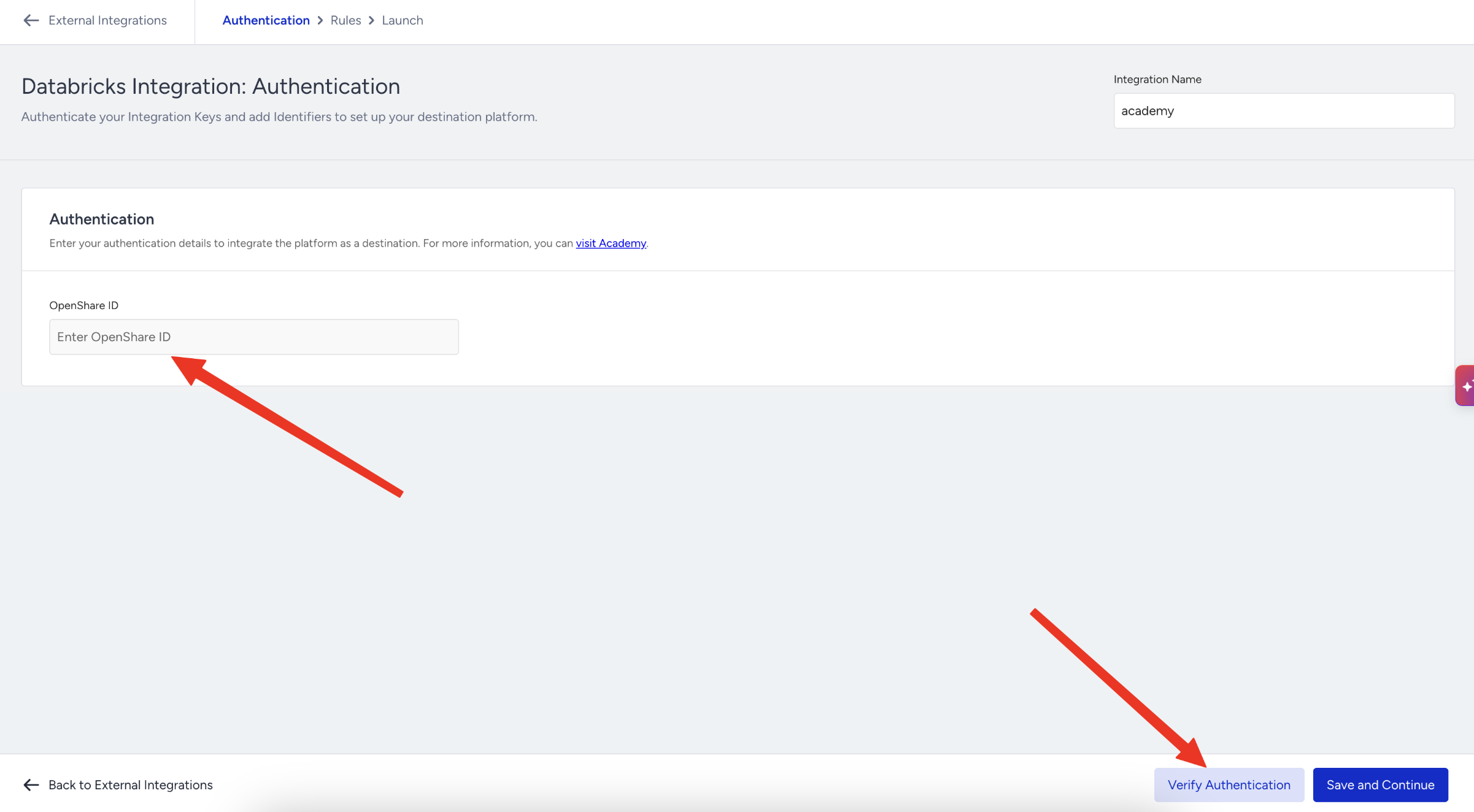
Return to Insider One. In the Authentication step, paste the value into the OpenShare ID field and click Verify Authentication. When verification succeeds, click Save and Continue.
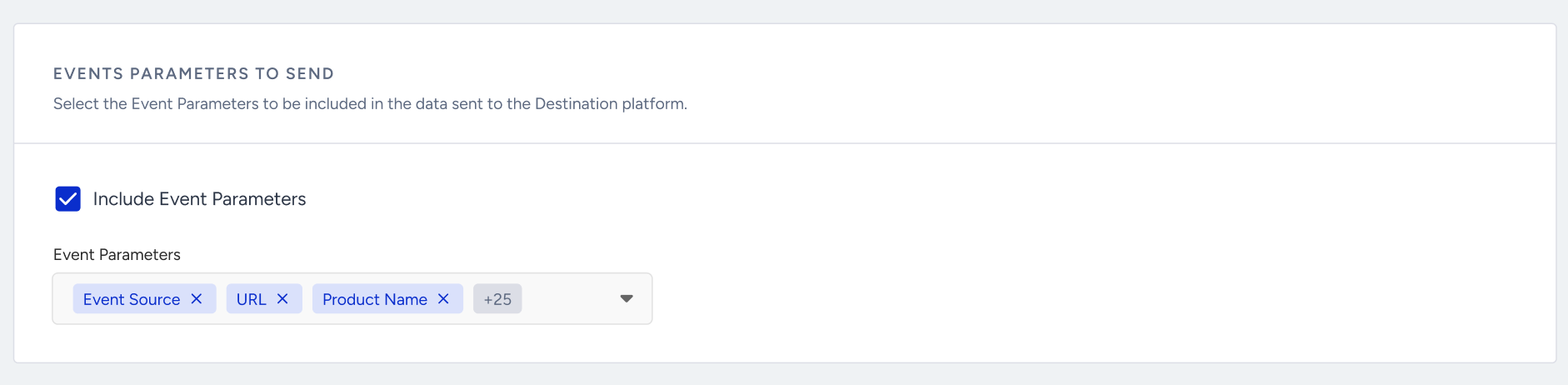
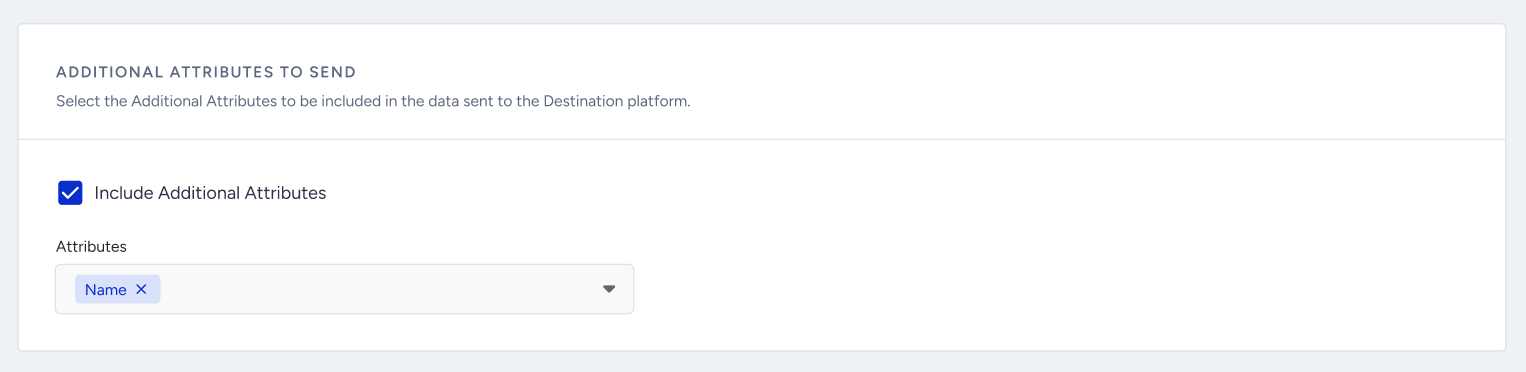
On the Rules step, select the events you want to export, choose the event parameters to include, and optionally add additional user attributes.
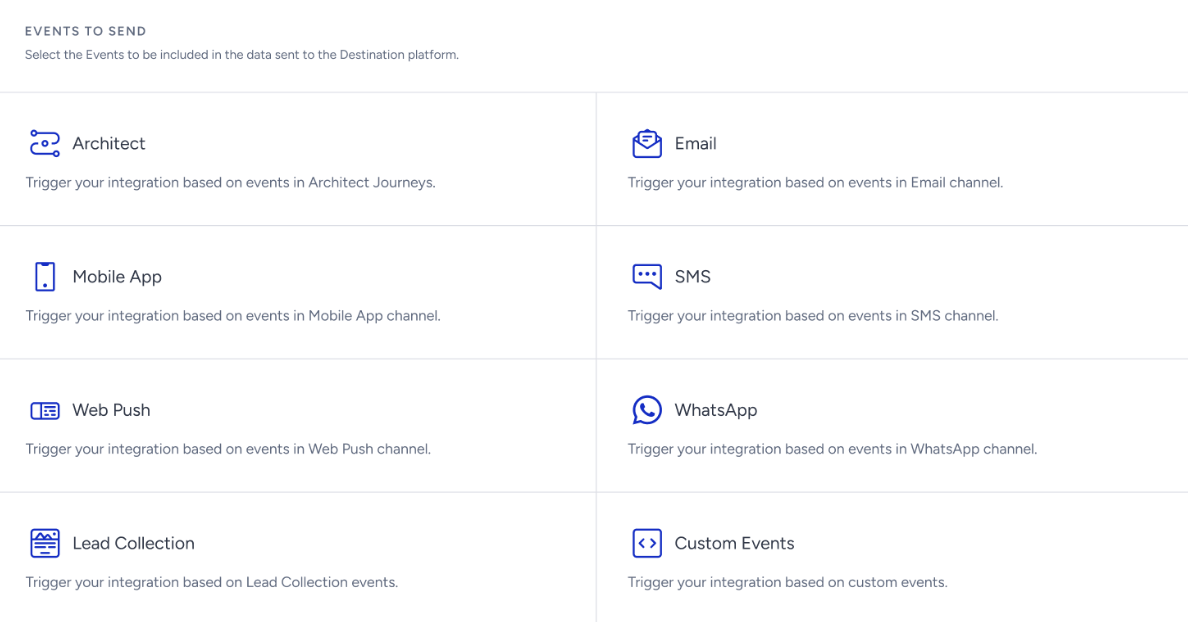
After you select an event, the Event Parameters section becomes available. Use the dropdown to choose which event parameters to include in the exported data.
You can also include additional user attributes with each exported event. For example, when exporting an Email Open event, you can include the user's email address to identify which recipient opened the campaign.
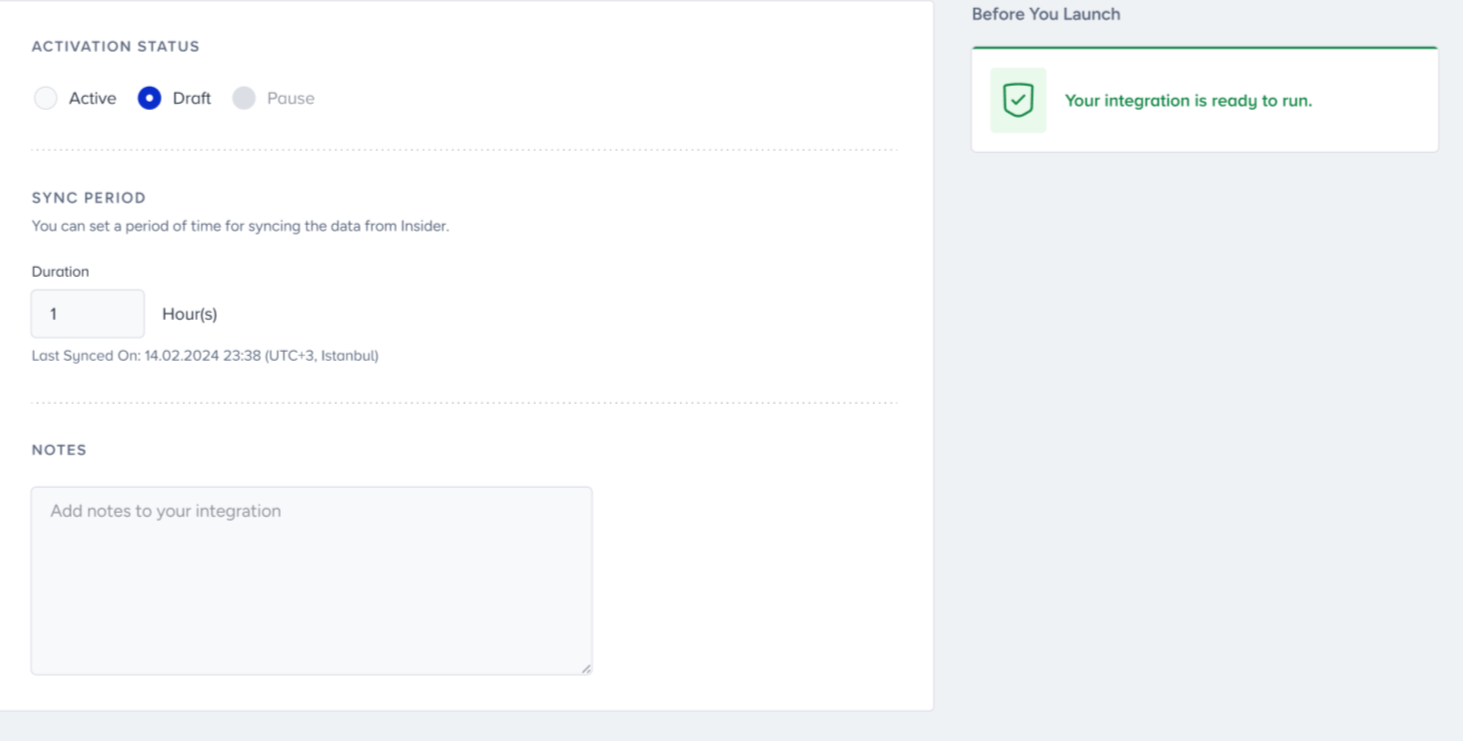
On the Launch step, set the Launch Status to Active, set the Sync Period (up to 24 hours), add any notes, and review the Before You Launch checks.
After the integration is launched, Insider One creates a Delta Share for your OpenSharing ID and starts syncing data according to the sync period you configured.
Access the shared data in Databricks
Delta Sharing lets you access shared data directly from Databricks without copying it into your workspace. Shared data does not occupy storage in your workspace, and you are billed only for the compute used to query it. After your integration is live, accept the share and mount it to a catalog:
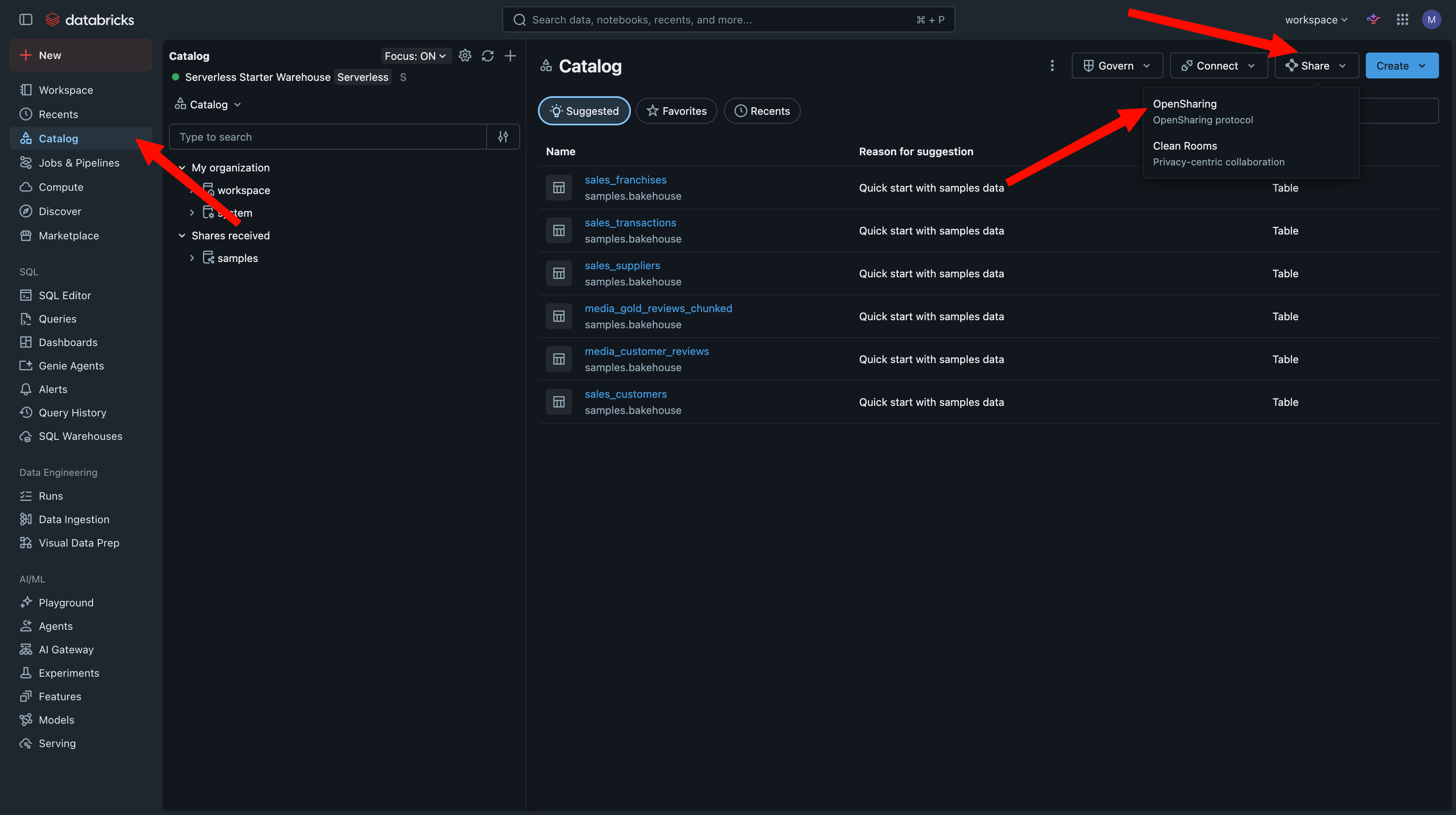
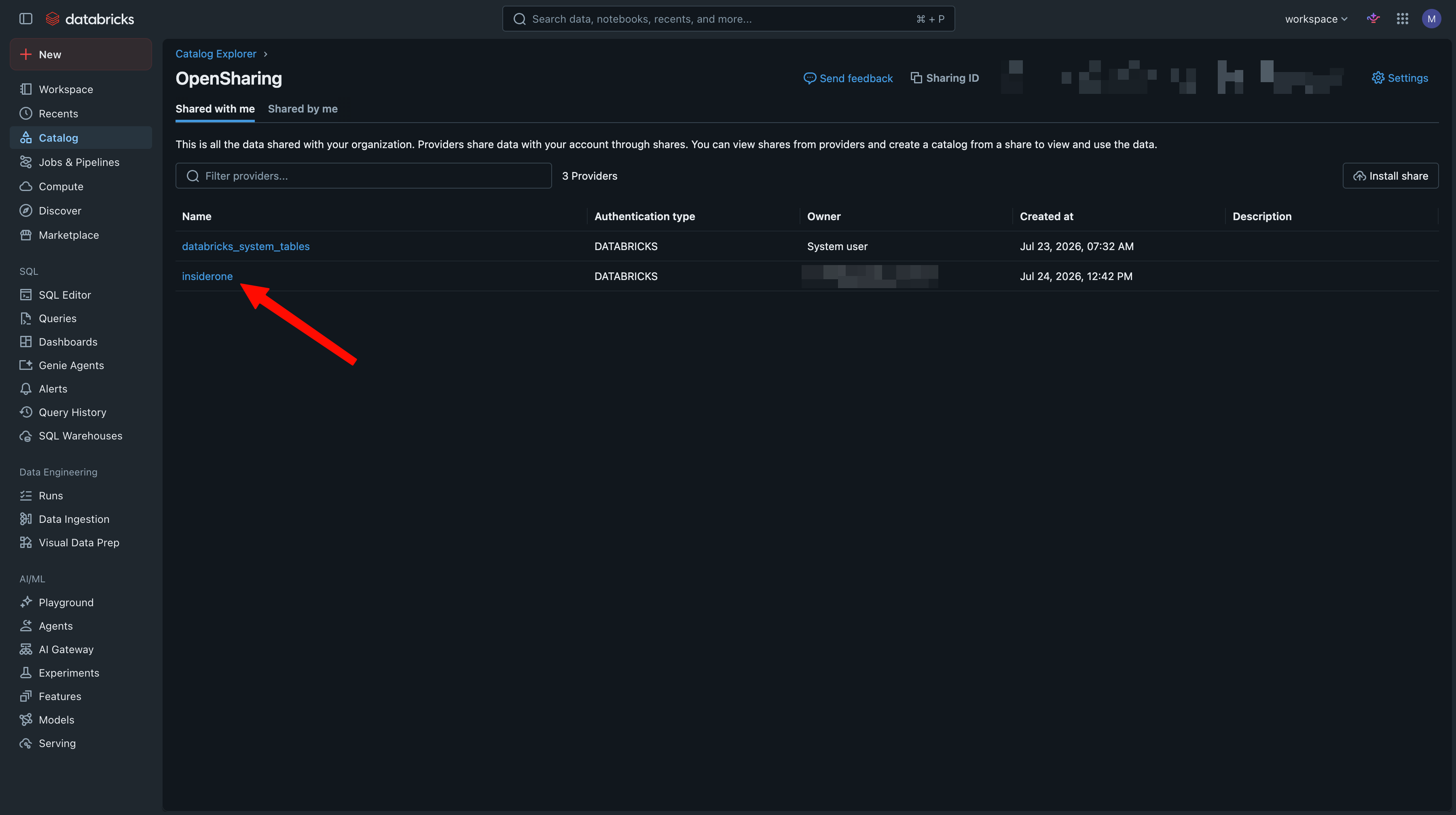
In Databricks, open Catalog. Use Share > OpenSharing (shares you receive also appear under Shares received in the Catalog tree).
On the OpenSharing page, open the Shared with me tab. Insider One appears in the providers list as insiderone. Click it.
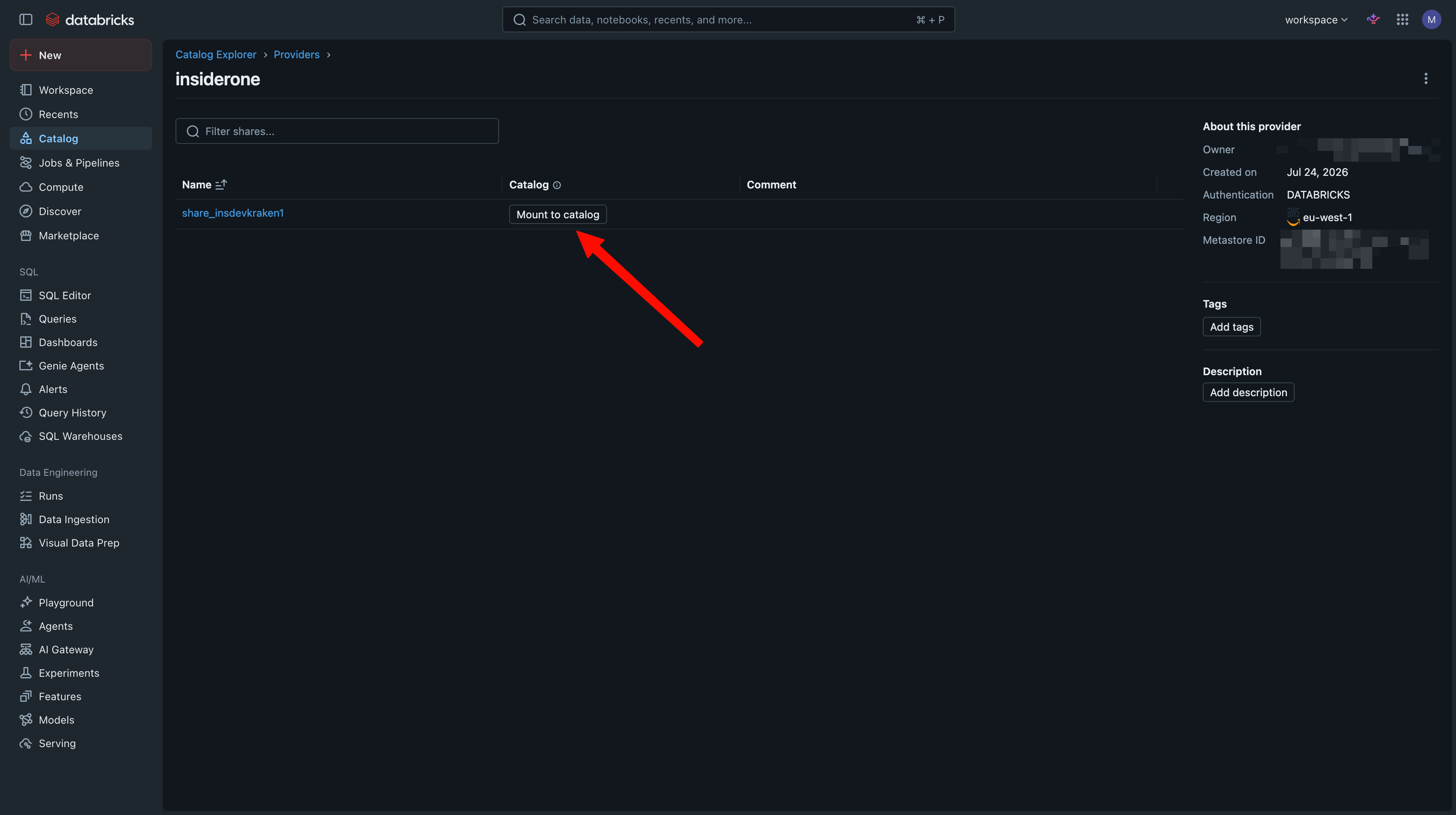
Under the insiderone provider, find your share and click Mount to catalog. The provider details panel confirms information such as Region and Authentication type.
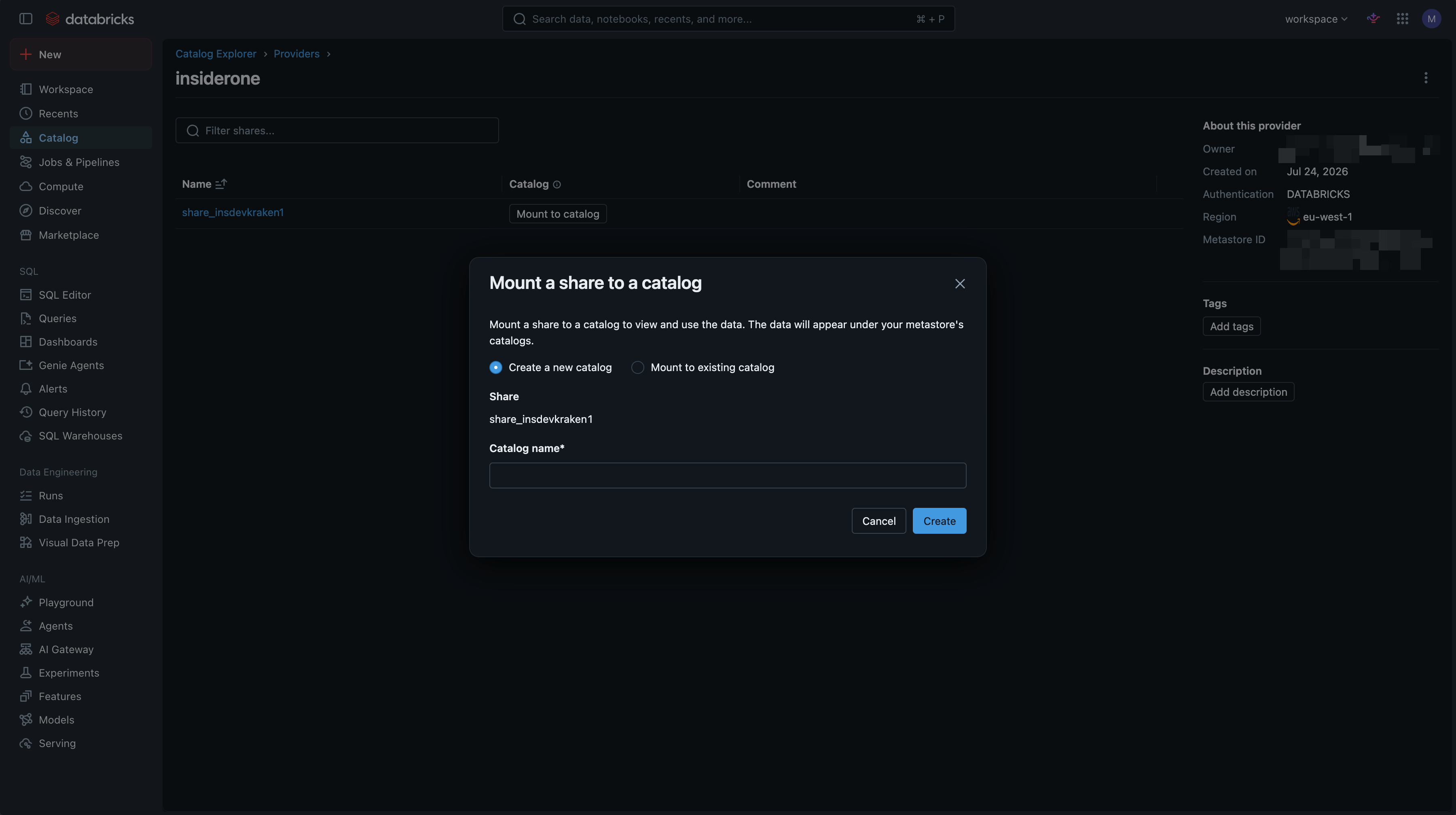
In Mount a share to a catalog, choose Create a new catalog, enter a Catalog name, and click Create. (You can also mount to an existing catalog.)
Your shared data appears under Catalog Explorer > your catalog > schema > Tables. Open a table to query your Insider One event data. Each shared table is a Delta table and includes columns such as your user identifier (
insider_id),timestamp,event_name, and campaign fields such ase_campaign_idande_campaign_name. The shared tables are Delta tables.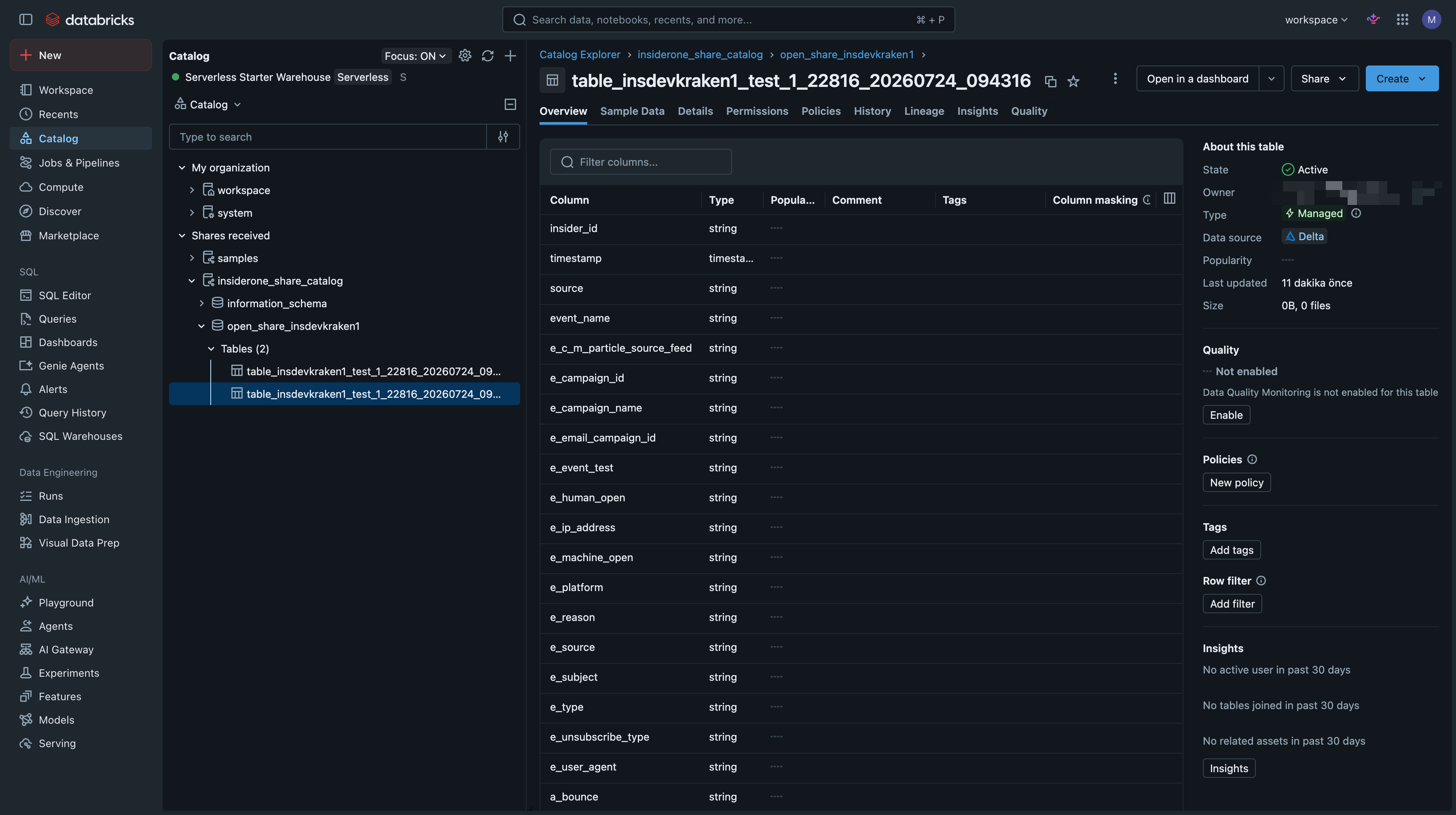
What happens when you edit an integration?
Previously shared data remains available after you edit an integration. Each update creates a new table and view in the shared data. If you rename the integration, the new table and view use the updated name. Otherwise, only the timestamp suffix (YYYYMMDD_HHMMSS) changes. If multiple versions exist, use the table with the most recent timestamp to access the latest configuration.
Is there an alternative to Delta Sharing?
If Delta Sharing is not suitable for your environment, you can export Insider One data to your own cloud storage and ingest it into Databricks using your preferred pipeline. For example, you can use Auto Loader for continuous ingestion or COPY INTO for batch ingestion. Insider One does not require a specific ingestion method.
You can export data to any of the following cloud storage providers:
FAQ
Q: I can't see the data shared by Insider One in my Databricks account. What should I do?
A: Wait until the first sync completes and contains data. Then, in Databricks, open Catalog > OpenSharing > Shared with me and look for the insiderone provider. If you cannot find it, verify that you entered the correct OpenSharing ID during setup and that your account has the USE PROVIDER privilege (or Metastore admin access). If everything is configured correctly, allow a few minutes for the first share to become available.
Q: I get a permission error when accepting the share or creating a catalog.
A: Accepting a share requires USE PROVIDER (granted only by a metastore admin), and creating a catalog from it requires CREATE CATALOG. Ask your Metastore admin to grant the missing privilege.
Q: My Databricks workspace is on Azure or Google Cloud, or in a different region. Does this work?
A: Databricks-to-Databricks Delta Sharing works across clouds and regions.