This document describes the end-to-end implementation of the Eureka SDK campaign type. You can use it as an implementation guide
Overview
Eureka SDK campaigns enable you to integrate Insider One’s AI-powered product recommendation and search engine directly into your listing pages and to perform A/B tests between Insider One's data and your own data sources.
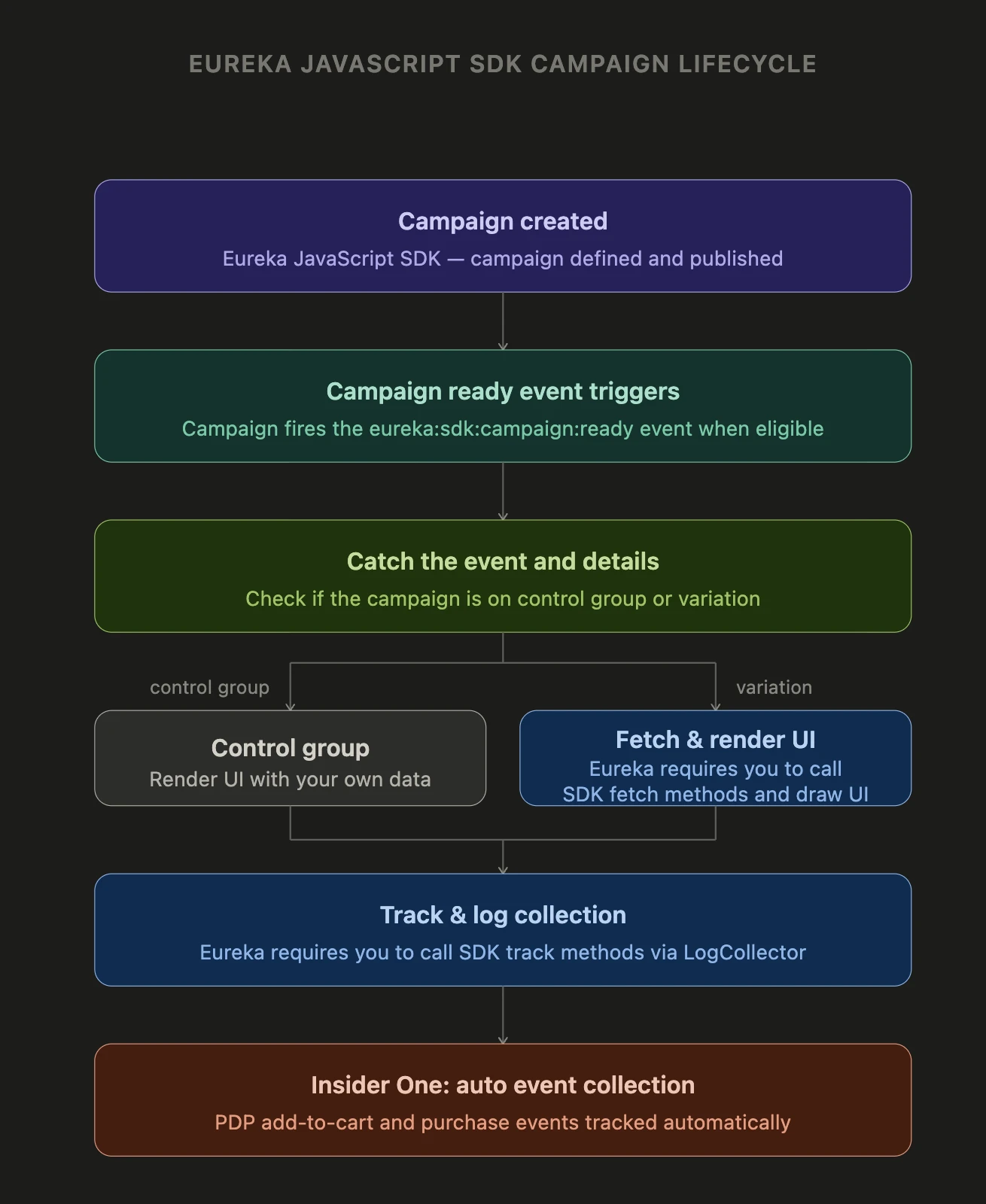
The JavaScript SDK campaign lifecycle
Campaign created: The JavaScript SDK campaign is configured in the Insider One’s InOne panel.
Campaign ready event triggers: Once all conditions are satisfied, rules and segment steps are valid, the SDK dispatches the eureka:sdk:campaign:ready event.
Eureka requires you to catch the event and details: Listen for the event. The event already contains the resolved control group and variant assignment. You must perform a control-group check at this point: if the user is in the control group, use your own data source; otherwise, continue fetching.
Eureka requires you to fetch & render UI: Call the SDK fetch methods to retrieve campaign data, and render the search-listing, category-listing, and brand-listing pages in your UI.
Eureka requires you to track & log collection. To run A/B tests and monitor page performance, you should use the SDK track methods for data collection. You will be sending only page-view and click events. Other events will be auto-collected.
Insider One: auto event collection: Add-to-cart and purchase events on the PDP are captured automatically by Insider One; no additional instrumentation is required for conversion tracking.
Log collection for popup campaigns is already handled by the InOnw platform; logs must not be triggered via the SDK for popup variations.
For further details, check the following steps: