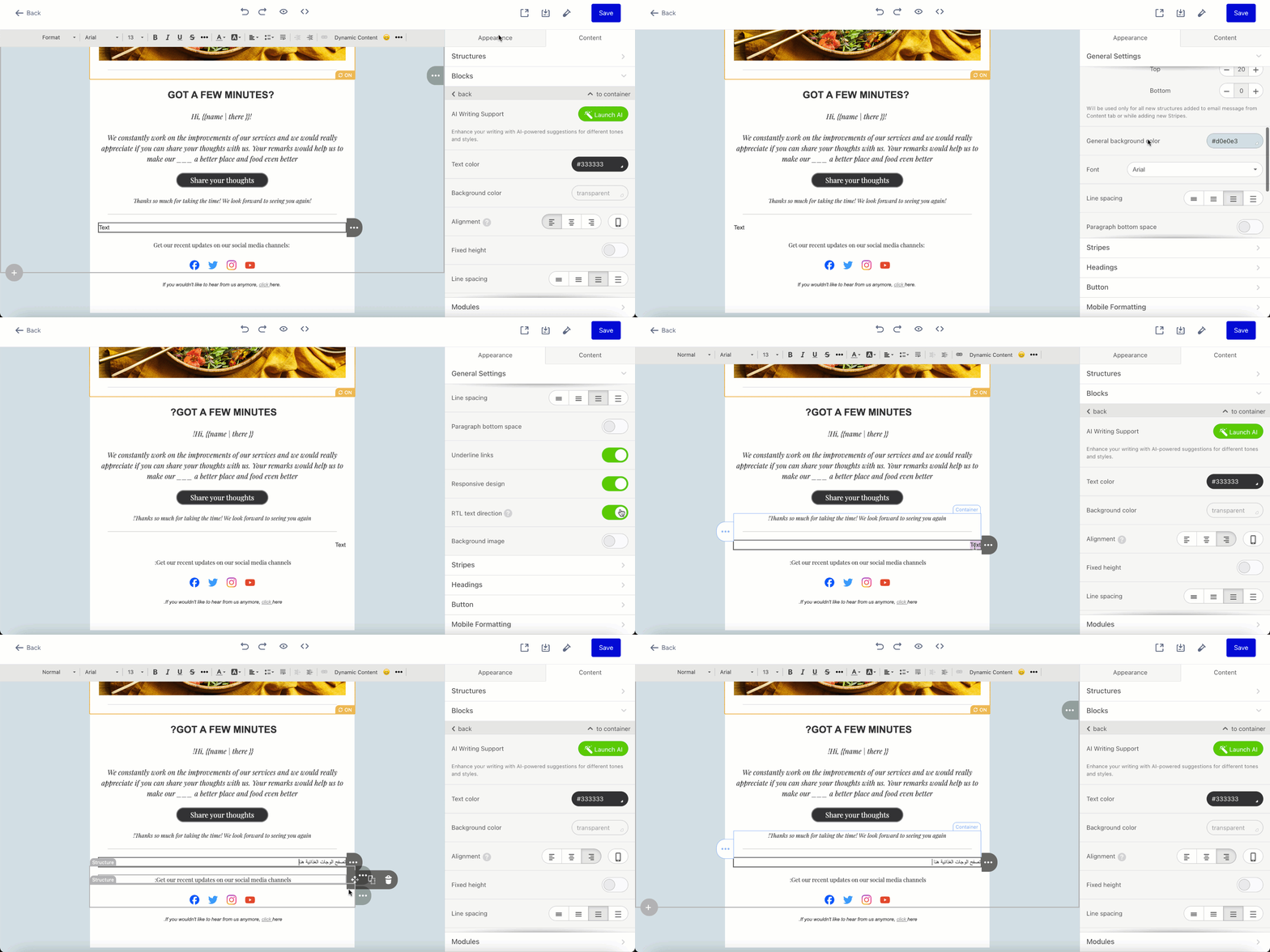
RTL Text Direction enables you to craft emails that seamlessly flow from right to left while maintaining proper alignment for text, numbers, and punctuation.
This feature helps you reach out to users who speak languages written from right to left (e.g., Arabic, Hebrew, Urdu, etc.) without needing HTML coding skills.
To effortlessly transform your text direction to right-to-left:
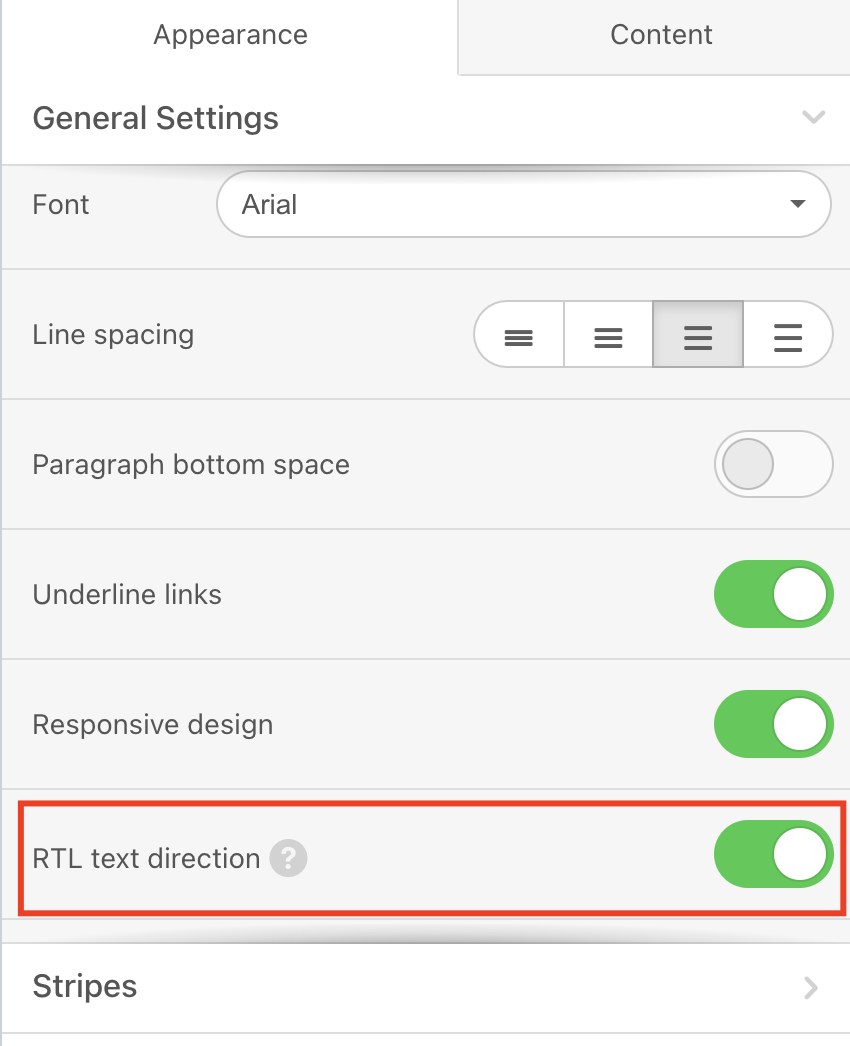
1. Create your email design with the Drag and Drop Editor, and go to Appearance > General Settings.
2. Scroll down to RTL text direction to toggle it on.
As in the example below, the texts you add will be written from right to left.