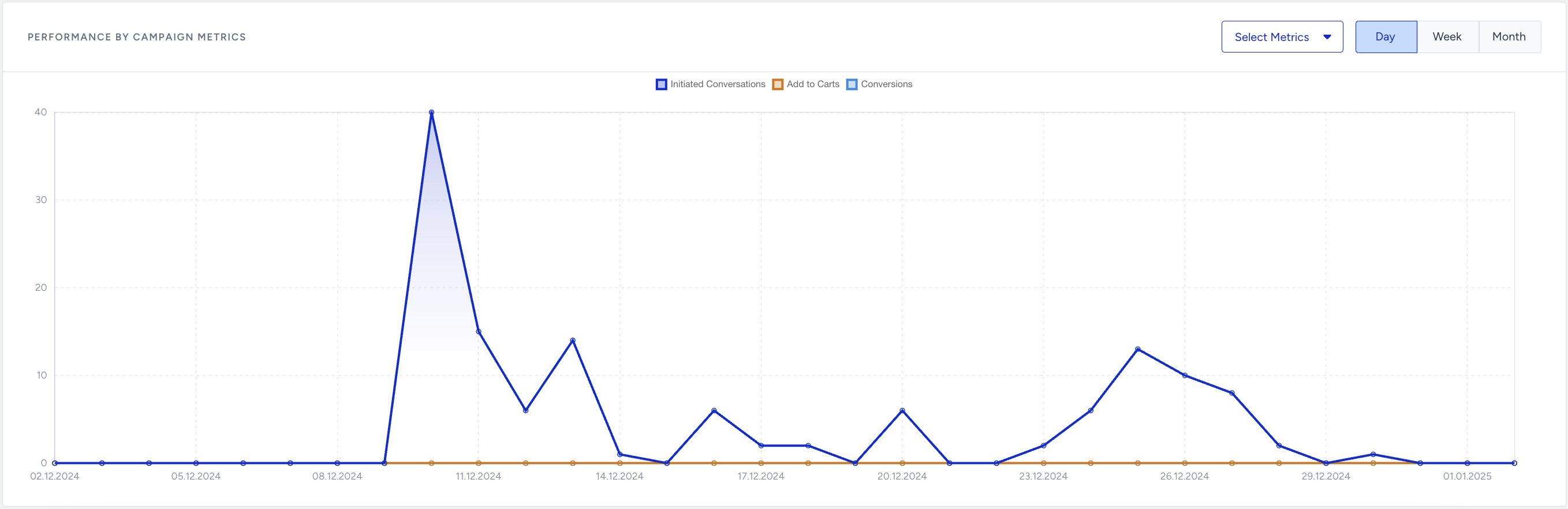
The WhatsApp Conversational Analytics page provides comprehensive insights into the performance of your WhatsApp conversational campaigns. It allows you to track key metrics, evaluate campaign effectiveness, and optimize strategies for better outcomes.
In this guide, you will learn about:
Navigate to WhatsApp Conversational Analytics
To reach the WhatsApp Conversational Analytics page, navigate to Reports > WhatsApp Analytics > WhatsApp Conversational Analytics. 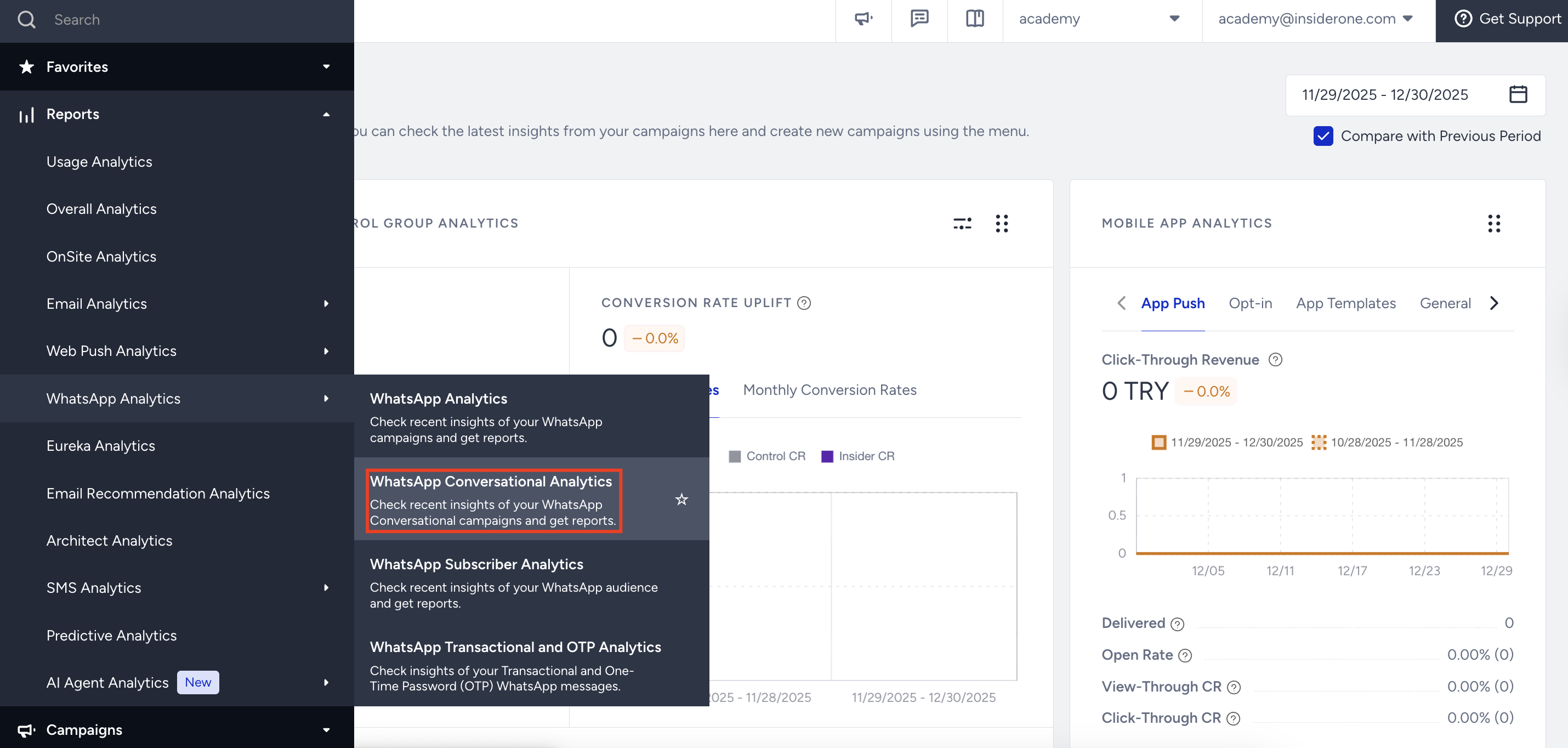
You can use the date picker in the top right corner of the page to filter the performance metrics.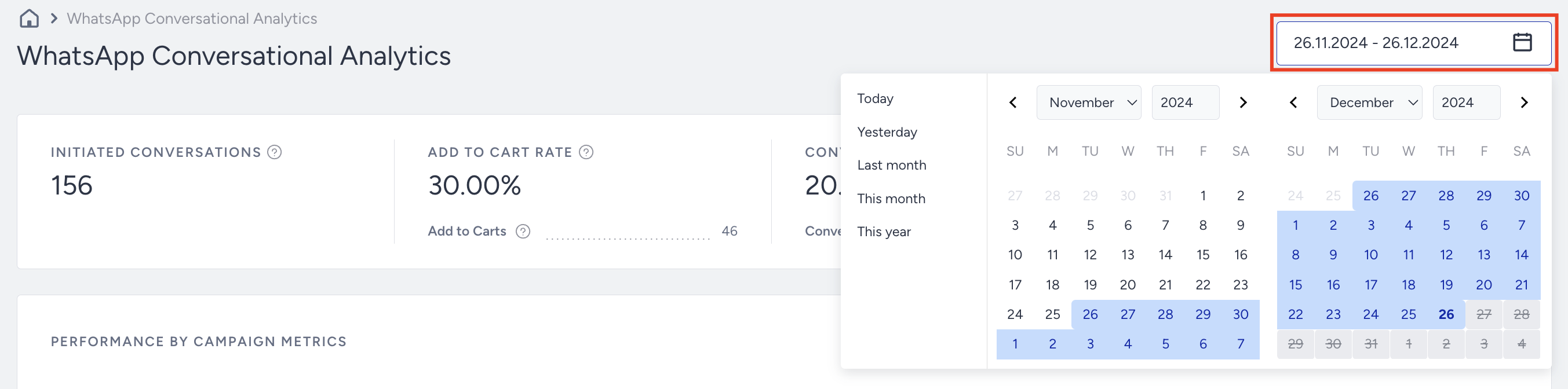
Introduction and Metrics
On the WhatsApp Conversational Analytics page, you will find the metrics below:

Initiated Conversations: The total number of WhatsApp Conversational message threads.
Add to Cart Rate: The percentage of the Add to Carts to the Initiated Conversations.
Add to Carts: The number of times users added items to their carts via Initiated Conversations.
Conversion Rate: The percentage of Conversions to the Initiated Conversations.
Conversions: The number of successful goal accomplishments within the specified duration after a user clicks the link in the message. If the goal is achieved within the time interval set in the Goals step, the campaign is logged as a conversion.
Revenue: The total value of purchases made via your WhatsApp Conversational conversations.
Performance by Campaign Metrics
You can evaluate the performance of your Conversational Campaigns on a Daily, Weekly, or Monthly basis with your selected metrics.