After sending the event, you can confirm that the array is stored correctly directly from the Insider One’s InOne panel.
Navigate to User Profile > User Activity and open an event. You see the event details modal:
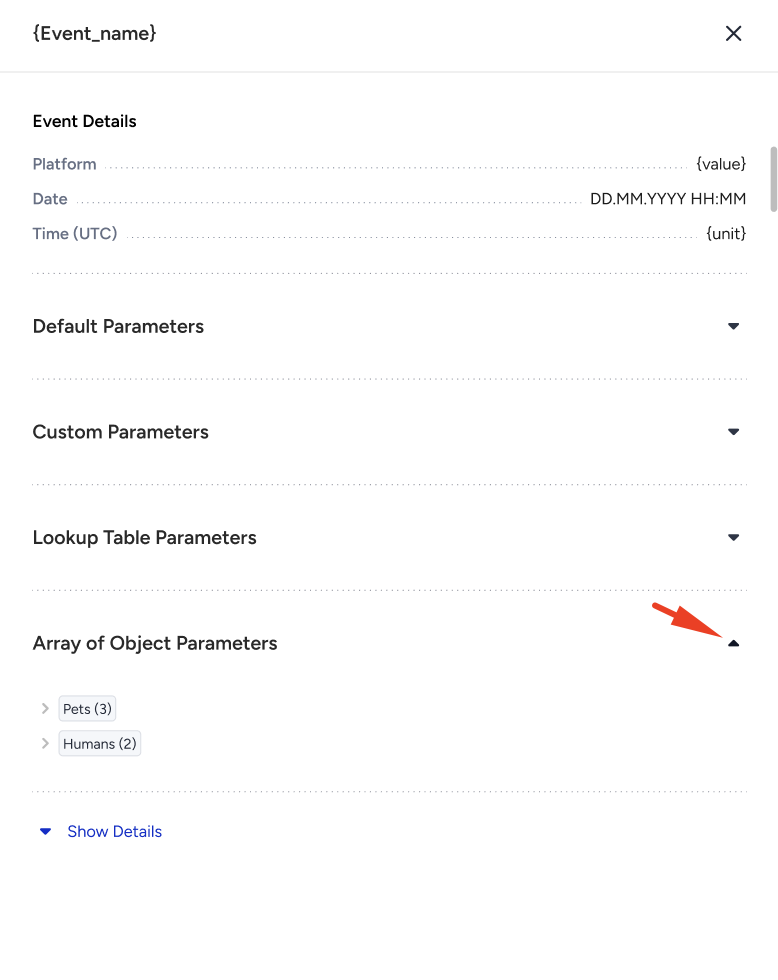
The Event Details section is always visible at the top and cannot be collapsed.
Each parameter group has its own accordion, and all accordions are closed when the modal opens.
Array of Objects parameters appear under a dedicated Array of Object Parameters section.
Each object in the array is listed separately, and object-type keys can be expanded to show their sub-object keys.
Show Details expands every accordion, including every nested level, and the button turns into Hide Details. If you expand everything manually, the button switches to Hide Details automatically. Collapsing any level switches it back to Show Details.
This view allows you to quickly verify the structure and values of the objects sent with each event.