Smart Copy Generator lets you use Sirius AI to generate high-quality marketing content for text and button elements on cross-platform templates.
To use Smart Copy Generator for getting inspired for your content,
Select a text or button element on your cross-platform campaign.
Click the Smart Copy Generator shortcut.
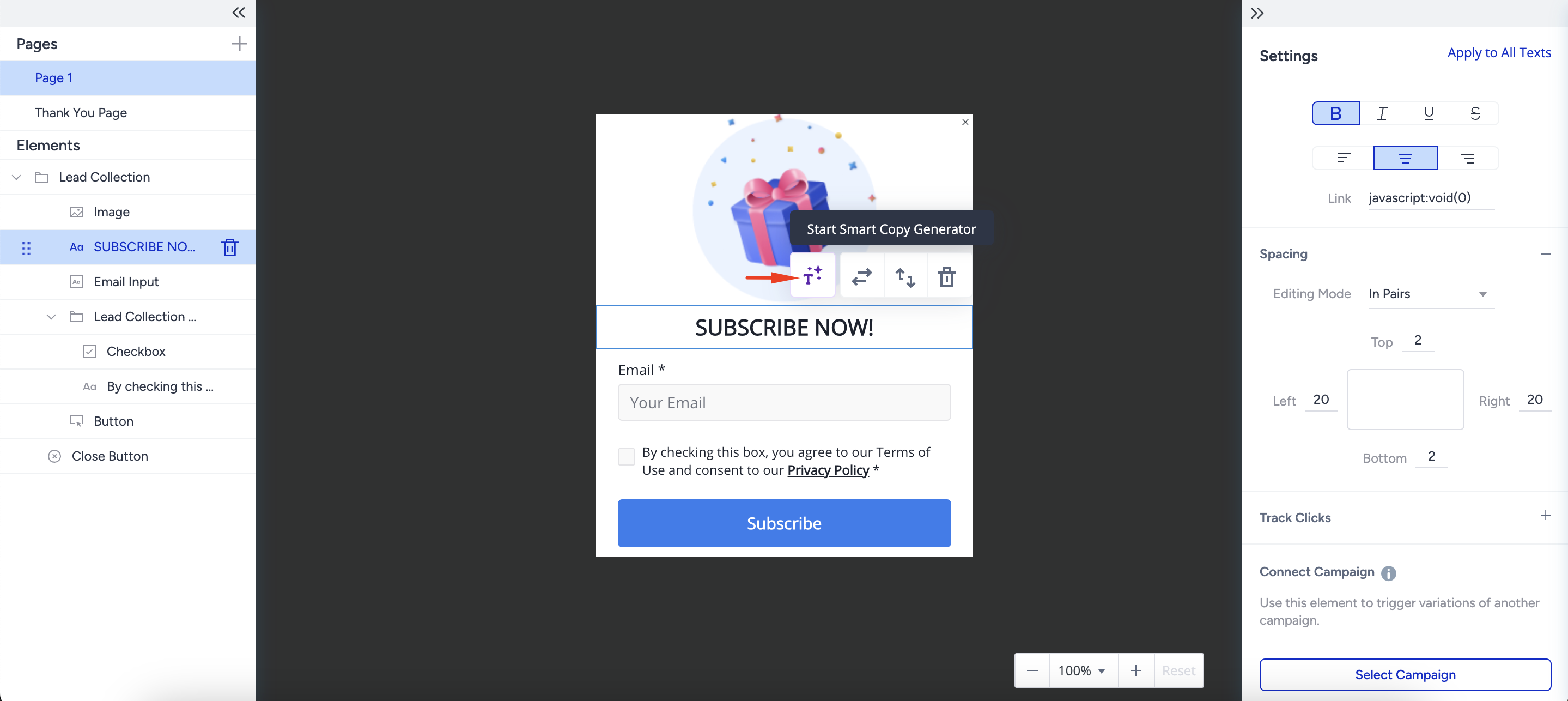
The Smart Copy Generator opens in the right menu. Enter the fields to get your text ready.
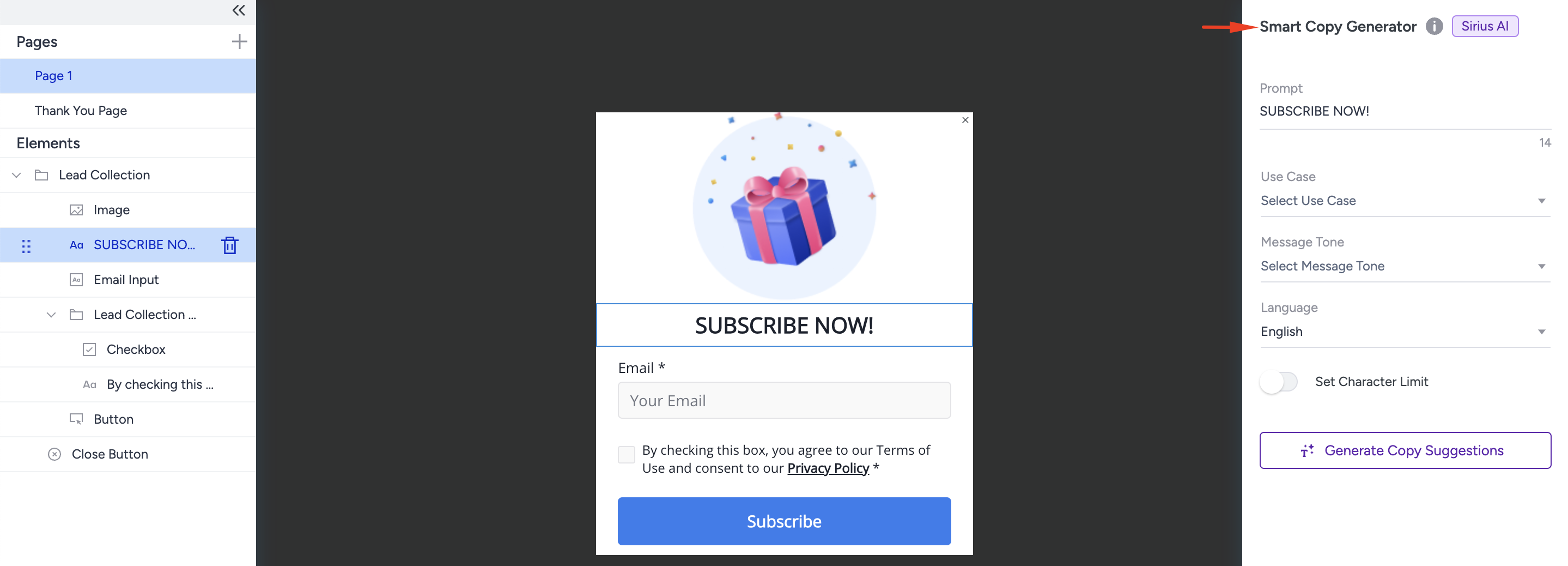
Prompt: This is a mandatory field, and it is automatically filled with the selected text. You can easily change the prompt if you want.
Use case: This is an optional field. You can decide the use case for which you want to generate text. If you cannot find an alternative, you can add your custom use case.
Message tone: This is an optional field. You can decide the message tone.
Language: This is an optional field. You can decide in which language you want to generate suggestions.
Set Character Limit: You can decide the maximum character limit for the suggestions.
When ready, click the Generate Copy Suggestions button to generate the suggestions.
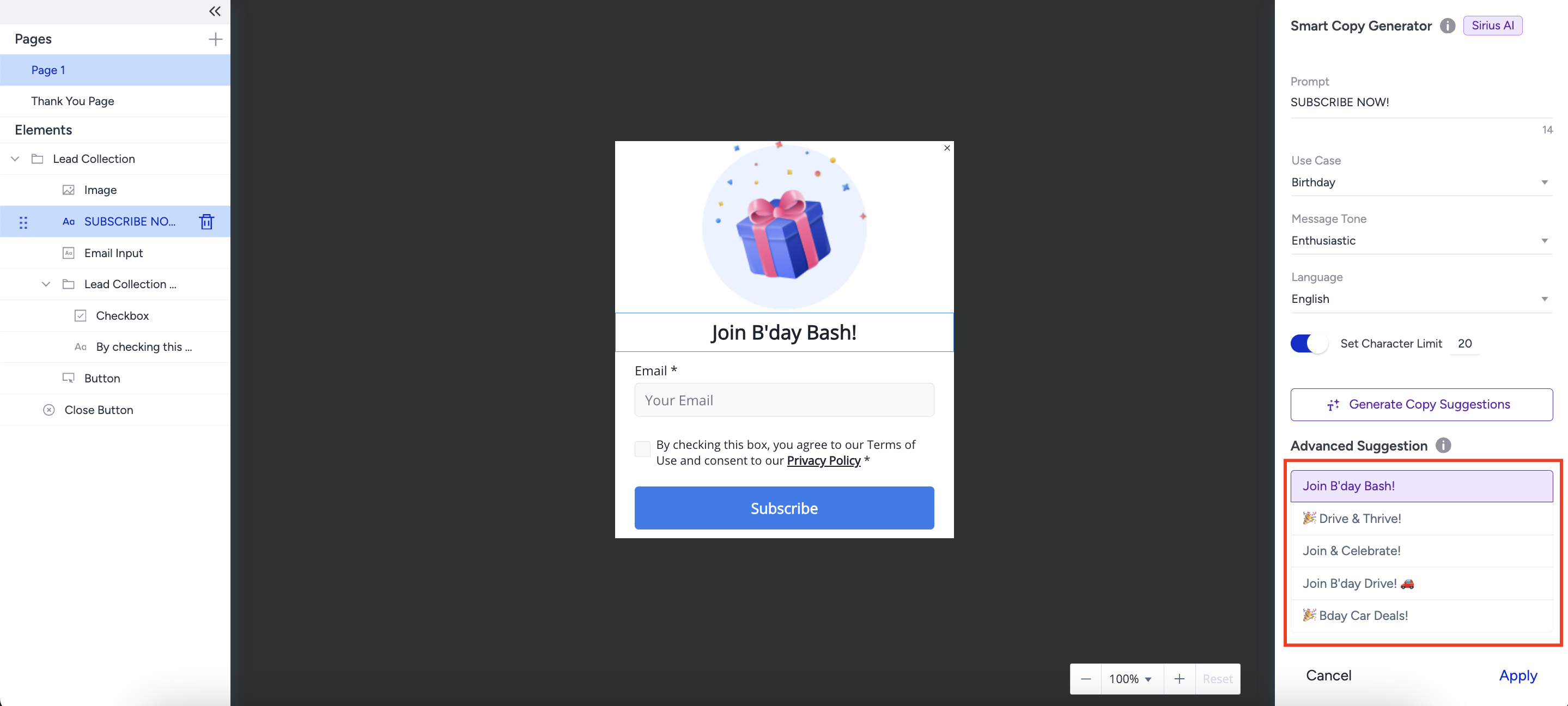
For more alternatives, click the Generate Copy Suggestions button again and generate more suggestions.
Click the Apply button to apply the suggested text to your design.
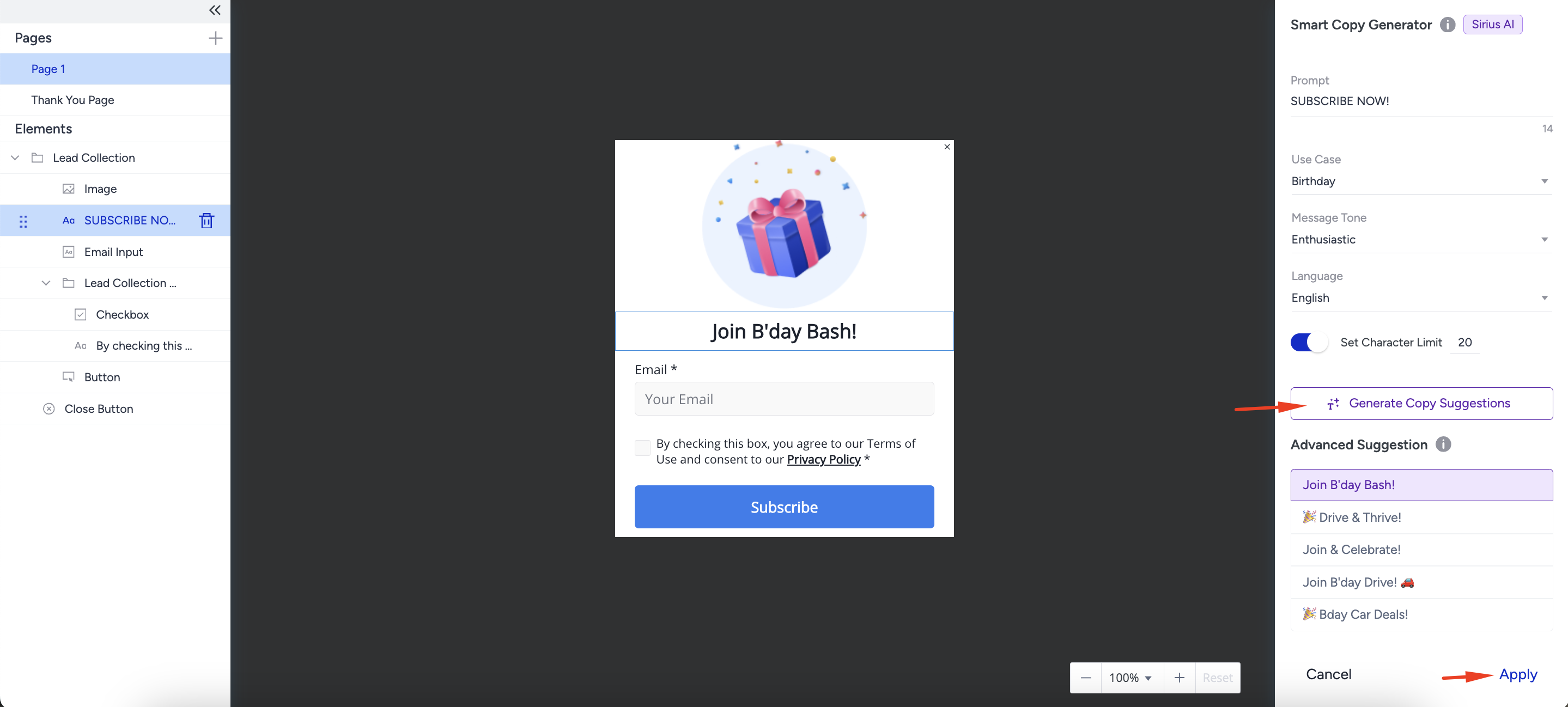
Click the Cancel option if you don't want to proceed with the Smart Copy Generator.