Lookup Tables in Segmentation
You can use Lookup Table fields directly in Dynamic Segments to filter users based on shared metadata. Insider One resolves the value at evaluation time by matching the bound attribute or event value to the table's join key.
Example: with a "Products" table bound to the purchase event's item_id, you can target "users who purchased a product where in_stock = false" or "…where category = electronics".
Because segments resolve against the latest table data, updating a row automatically changes who qualifies.
To use a lookup table in segmentation:
Navigate to Segments > Dynamic Segments.
Select the appropriate segment condition:
For attribute-based binding: Under the Standard tab, select the lookup table condition.
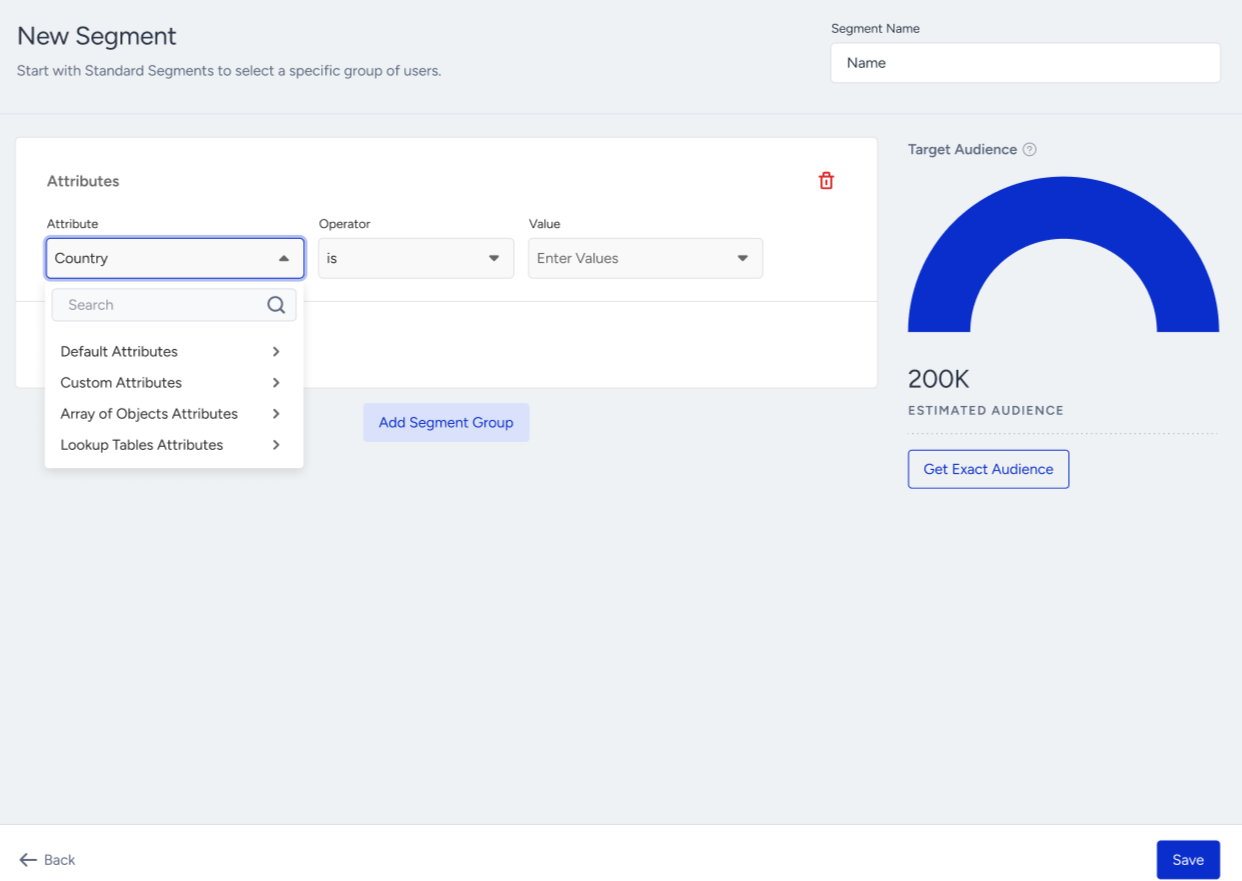
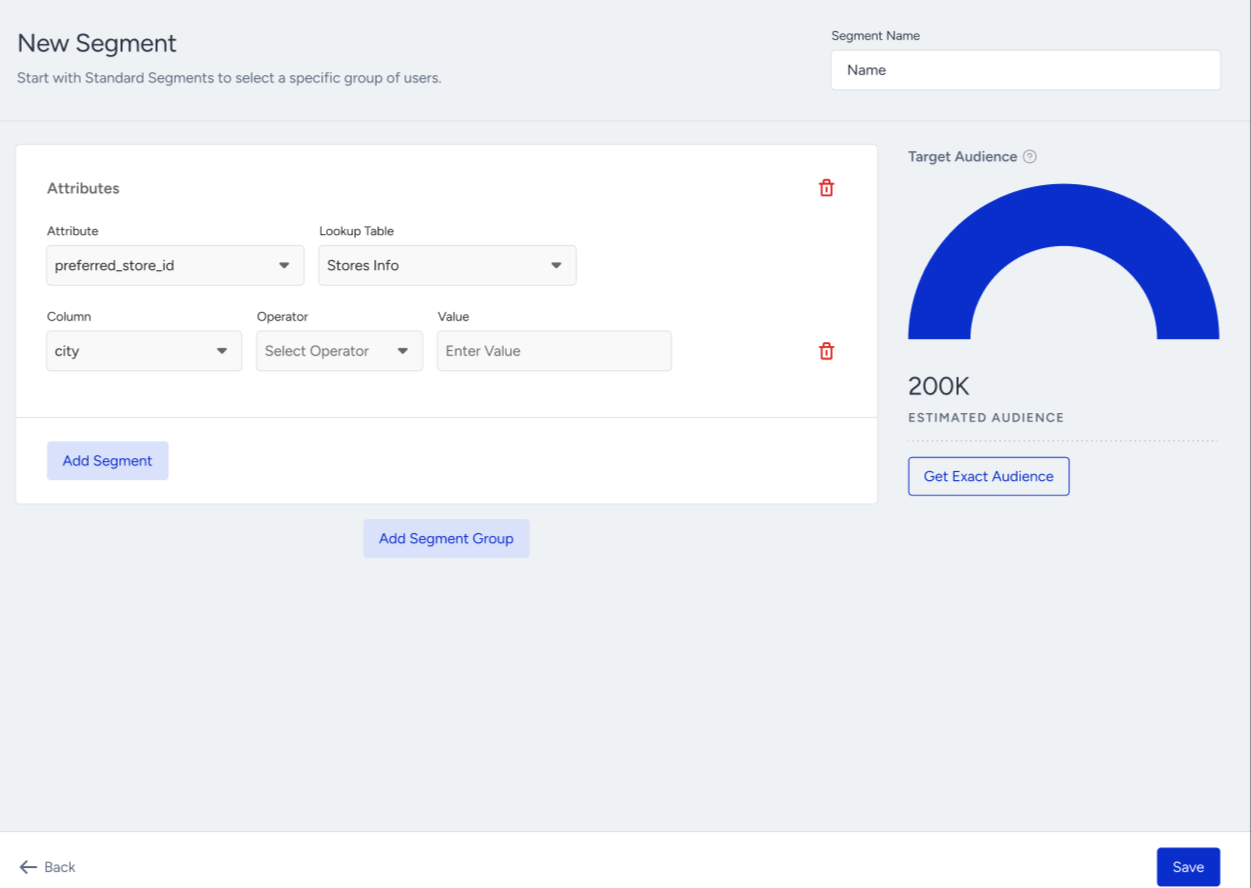
For event-based binding: Under the event conditions, select lookup table fields
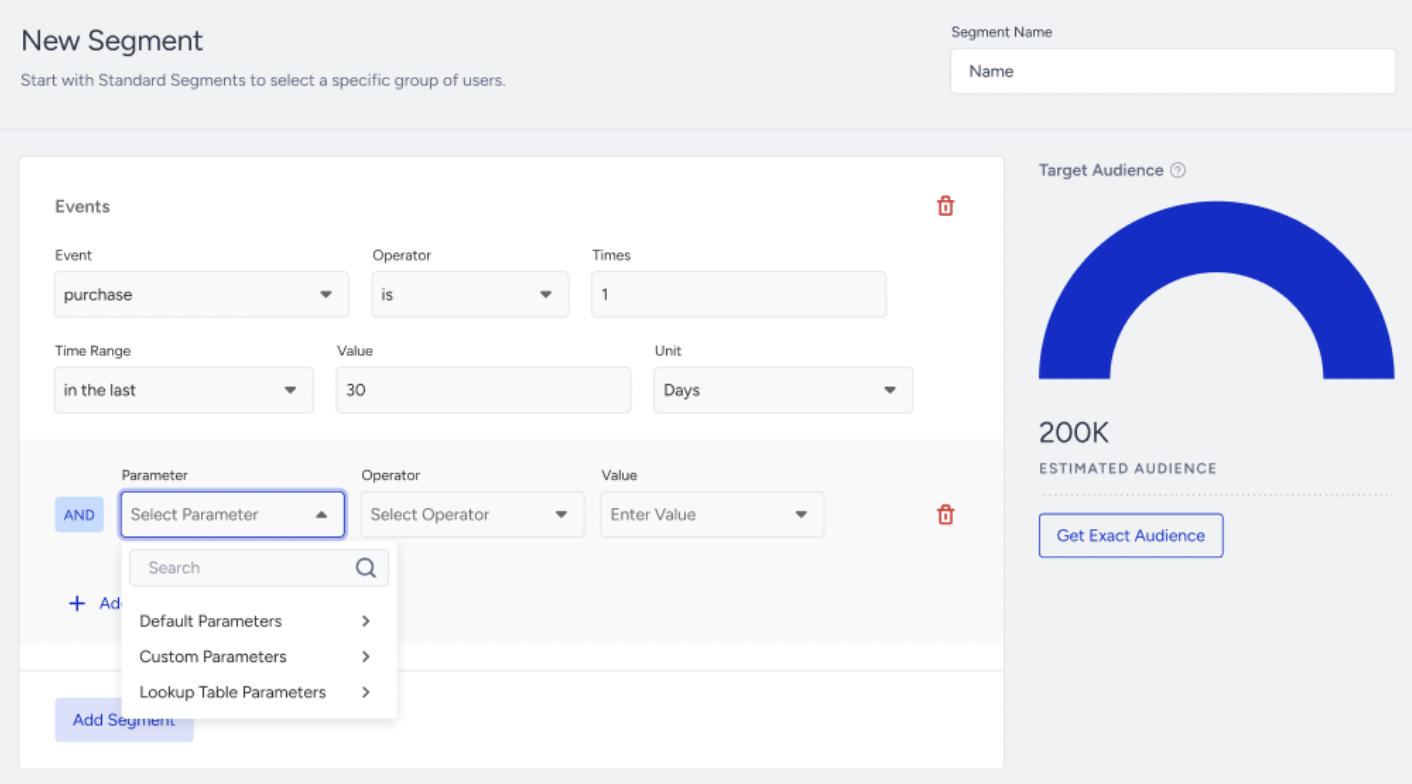
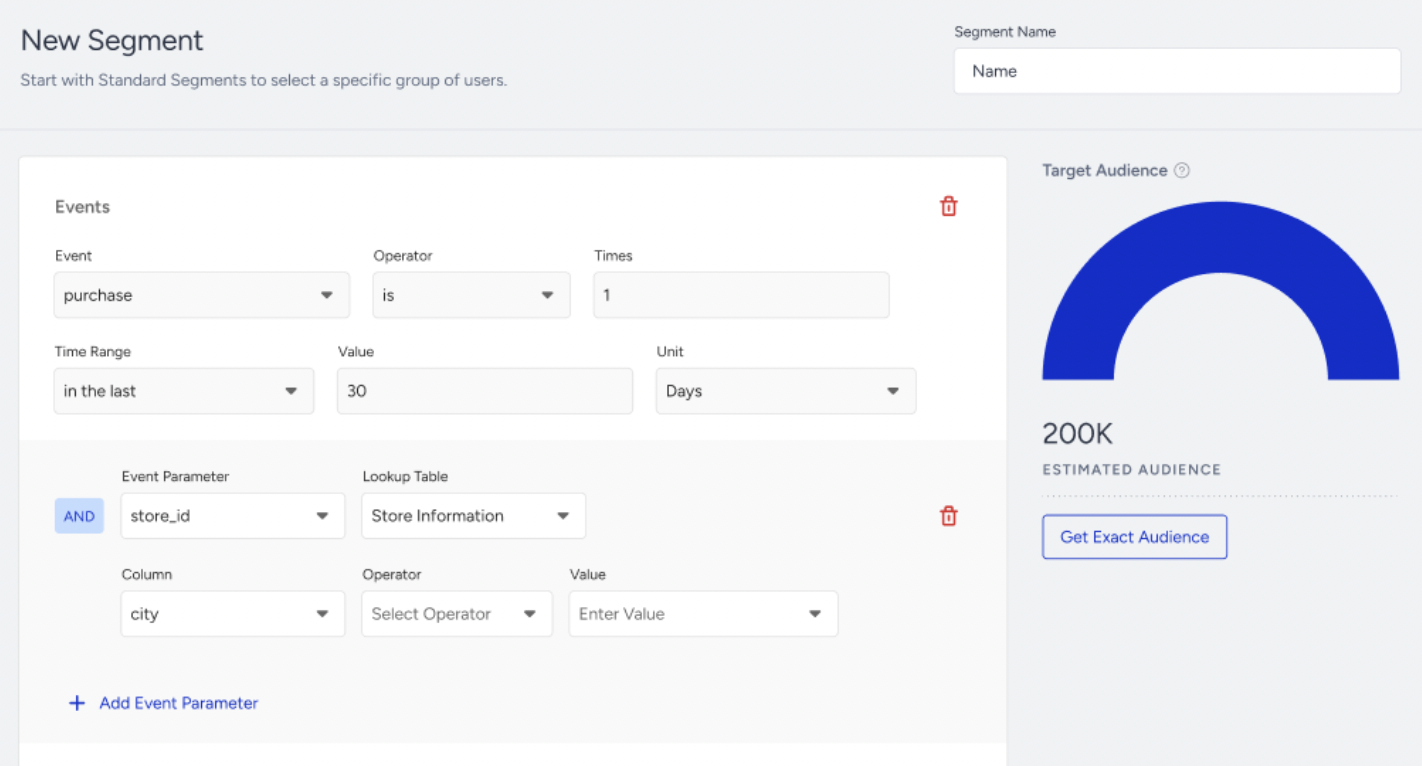
Choose the lookup table and the field to filter on.
Apply operators and values.
You can use a maximum of five lookup-based filters per segment.
Using Lookup Data in Products
To route users into an Architect journey, Email, Web Push, or App Push campaign based on lookup table data, build a Dynamic Segment using the lookup table field as the condition (see “Lookup Tables in Segmentation” above). Then, for Architect journey, for example, set that segment as the journey’s entry criteria. This lets you branch users by their lookup table values.
In Email, insert Lookup Table columns as dynamic content in the email editor, subject and preheader. See Personalize emails with dynamic content.
Lookup Tables on User Profiles
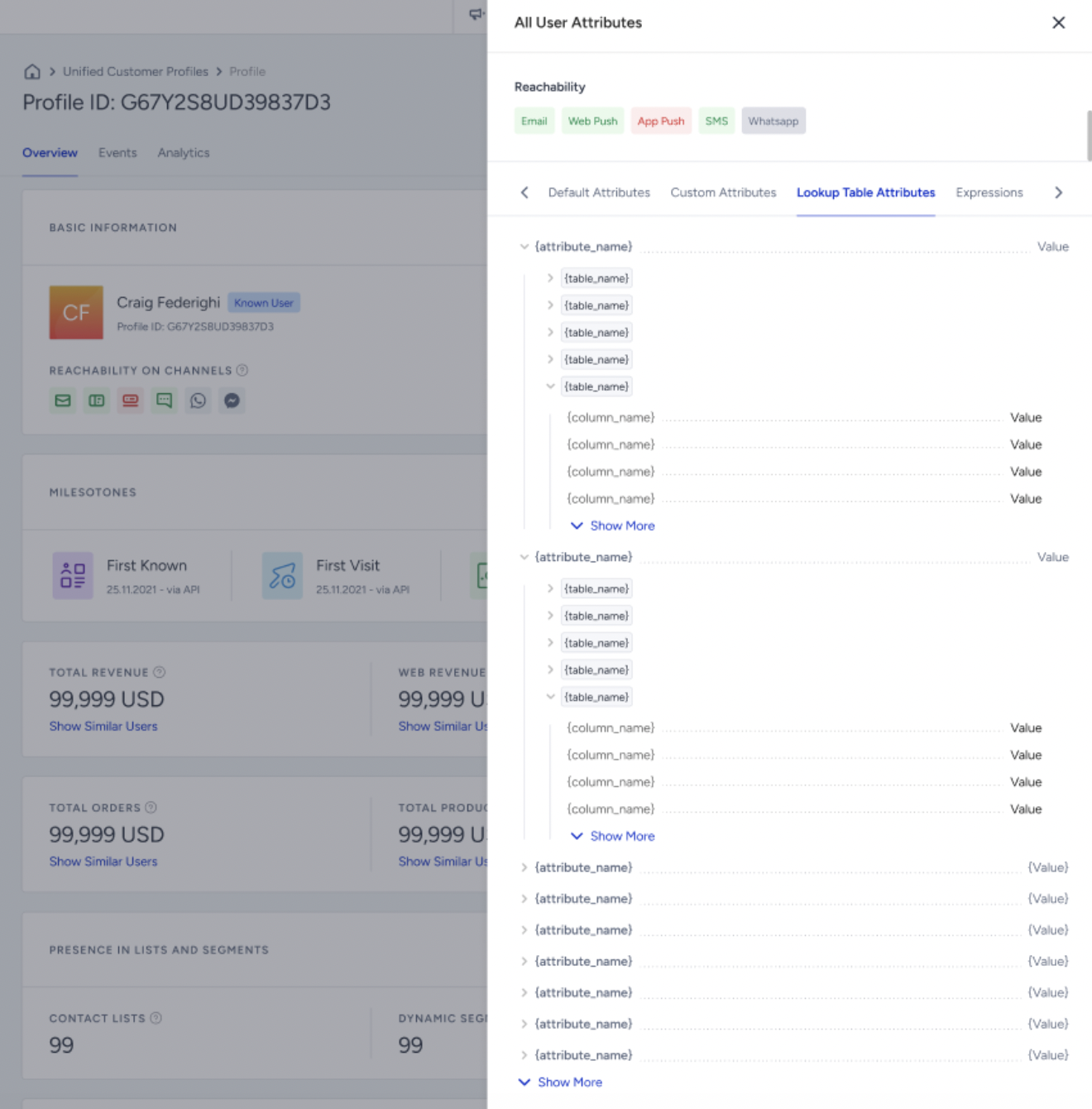
When a lookup table is bound to a User Profile attribute, the matched lookup data is visible on the User Profile page.
This gives you a quick view of the reference data for each user without navigating to the lookup table.
View event Lookup Table data on User Profiles
When an event parameter is bound to a Lookup Table, you can view the matched Lookup Table values in the event details on the User Profile. Open an event from the Events tab and expand Lookup Table Parameters. This section appears when the event parameter matches a row in the bound Lookup Table.
Use Lookup Tables across InOne
The bound event parameter and the Lookup Table primary key must use the same data type. For example, bind a Number event parameter to a Number primary key.