Maximizing the value of each transaction is a highly effective way to increase revenue. One proven strategy is to encourage customers to add just a bit more to their cart to unlock benefits like free shipping or exclusive discounts.
With Insider One’s AOV-boosting web templates, you can prompt users directly on your website to reach these incentive thresholds.
You can also refer to the video below to understand how to increase AOV better by using Web Templates:
If this video does not load in your region, you can watch it on our YouTube Channel.
Purchase Progress Bar
The Purchase Progress Bar is an inline template that provides your visitors with multiple thresholds. Whenever they add an item to their cart, the progress bar gets closer to a target, such as free shipping, additional discounts, and loyalty rewards. Therefore, it motivates your users to purchase more to reach the thresholds.

Using the Purchase Progress Bar in your templates helps you:
Show users how close they are to a completed purchase at your website's checkout.
Tell them only a few steps remain when users move their mouse to X on a page.
Assure them there’s only one more step or show them how close they are to a bonus, such as free shipping or a gift, when users stay on a checkout page for too long.
Purchase Progress
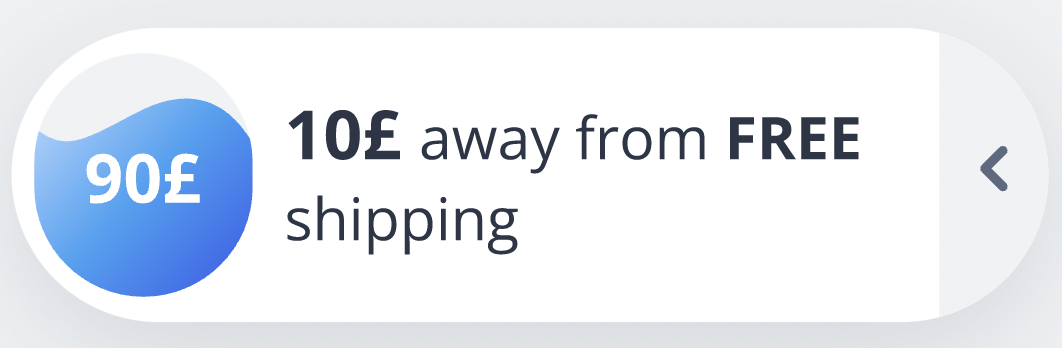
Purchase Progress is an on-page template that provides your visitors with a clear target threshold to aim for. It aims to guide users through the purchase stage by informing them about the objective in an interactive manner.
Whenever users add an item to the cart, the progress container is filled. For example, you can use it to show the user's progress in achieving the Free Shipping goal. Therefore, you will raise the average number of items in your users’ carts.
You can use the Purchase Progress template in your campaigns to:
Tell them only a few steps remain when users move their mouse to X on a page.
Assure them there’s only one more step or show them how close they are to a bonus, such as free shipping or a gift, when users stay on a checkout page for too long.