Once you define the Array of Objects attribute, data is synchronized using the Upsert API. Rather than overwriting the entire array during every update, the system supports patch-based actions. This allows for targeted modifications, adding, updating, or removing specific records, while maintaining the integrity of the rest of the data set.
Patch actions provide granular control over multi-record data. Each operation requires specific keys to identify the target record and ensure predictable behavior within the user profile.
The following table defines the behavior and requirements for each update type:
Action | Required Fields | Behavior |
|---|---|---|
Add | Value | Adds a new object (or multiple objects) to the array. The maximum object limit is enforced. |
Merge | Match, Value | When using merge, the system finds objects that match the provided key/value pairs and updates only the specified fields. If append=true, array-type fields are appended and de-duplicated. Otherwise, array fields are replaced. |
Replace | Match, Value | Replaces the entire matched object with the new object. Only predefined keys are allowed. |
Remove | Match | Removes the matched object(s) from the array. |
Remove | None | Removes all objects from the array for the specified user. The array becomes empty. No match is required. |
Add a new object
The sample request below shows how to add a new object via the Upsert API:
curl --location --request POST 'https://unification.useinsider.com/api/user/v1/upsert' \
--header 'X-PARTNER-NAME: PARTNER_NAME_GOES_HERE' \
--header 'X-REQUEST-TOKEN: TOKEN_GOES_HERE' \
--header 'Content-Type: application/json' \
--data-raw '{
  "users": [
    {
      "insider_id": "iid-12345",
      "object_attributes": {
        "custom": {
          "subscriptions": [
            {
              "action": "add",
              "value": [
                {
                  "subscription_id": "sub-9001",
                  "plan_name": "Premium",
                  "status": "active",
                  "monthly_price": 19.99,
                  "renewal_date": "2026-03-15T10:00:00Z",
                  "tags": ["premium", "loyal"]
                }
              ]
            }
          ]
        }
      }
    }
  ]
}'
Sample Response:
{
    "data": {
        "successful": {
            "count": 1
        },
        "fail": {}
    }
}
View an Array of Objects in the User Profile
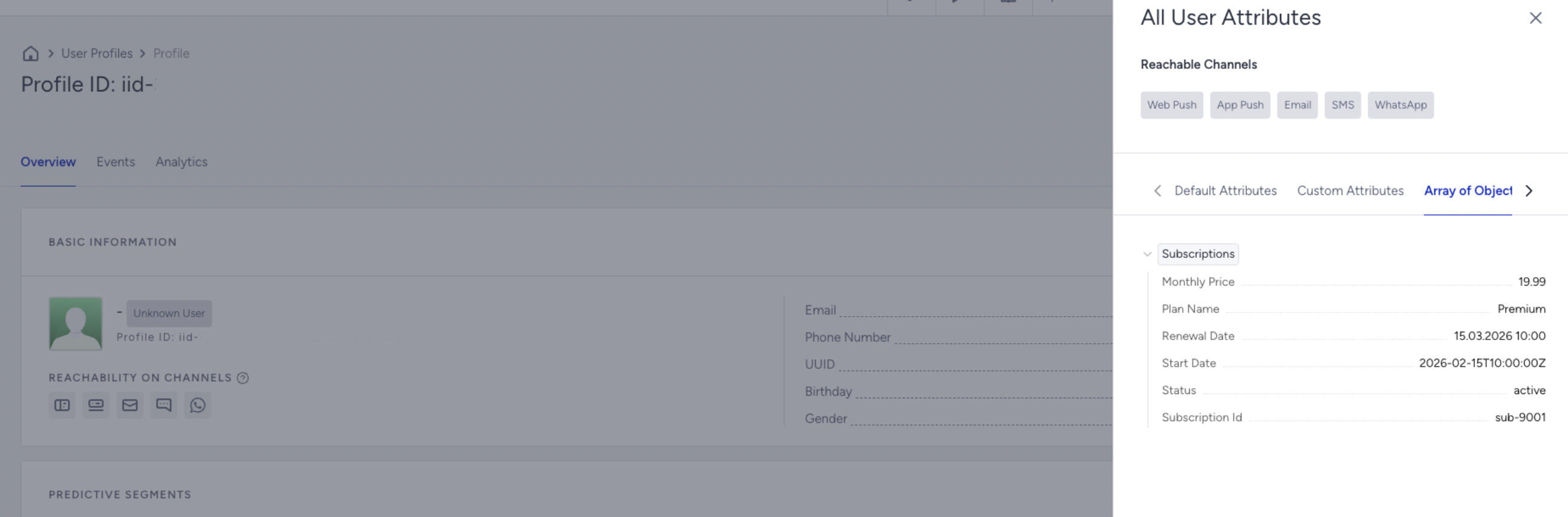
After sending the Add Subscription request for your use case, you can confirm that the object is stored correctly directly from the Insider One’s InOne panel.
You can view all the Array of Objects attributes a user has directly from the View All User Attributes modal inside the User Profile.
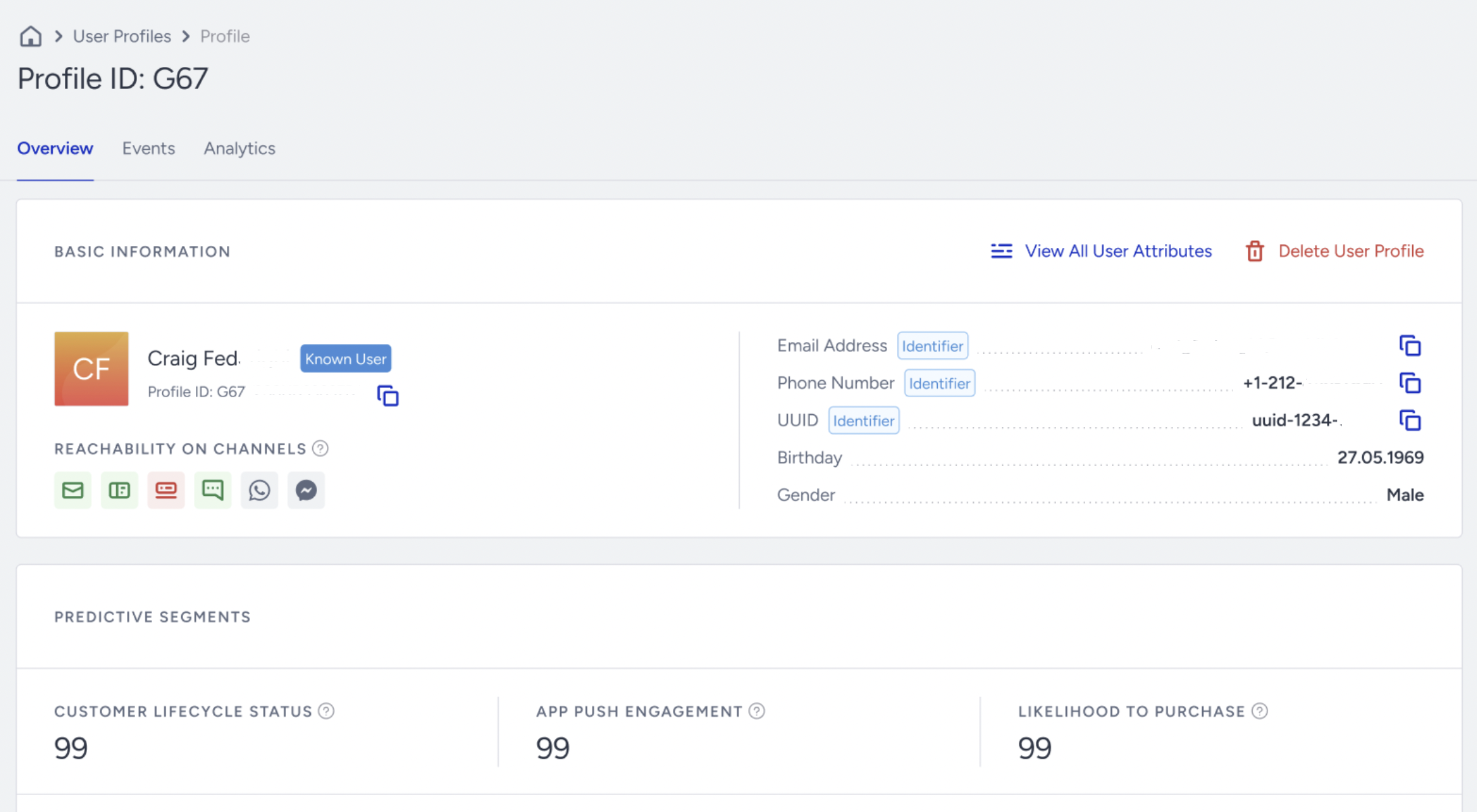
You can see the Array of Objects attributes under the Array of Objects Attributes tab. This view allows you to quickly explore the structure and details of all the Array of Objects attributes the user has.
Merge: Update an existing object
curl --location --request POST 'https://unification.useinsider.com/api/user/v1/upsert' \
--header 'X-PARTNER-NAME: PARTNER_NAME_GOES_HERE' \
--header 'X-REQUEST-TOKEN: TOKEN_GOES_HERE' \
--header 'Content-Type: application/json' \
--data-raw '{
  "append": true,
  "users": [
    {
      "insider_id": "iid-12345",
      "object_attributes": {
        "custom": {
          "subscriptions": [
            {
              "action": "merge",
              "match": { "subscription_id": "sub-9001" },
              "value": {
                "monthly_price": 24.99,
                "tags": ["loyal", "vip"]
              }
            }
          ]
        }
      }
    }
  ]
}'
Before: tags: ["premium", "loyal"], monthly_price: 19.99
After (append: true): tags: ["premium", "loyal", "vip"] (loyal kept once), monthly_price: 24.99
curl --location --request POST 'https://unification.useinsider.com/api/user/v1/upsert' \
--header 'X-PARTNER-NAME: PARTNER_NAME_GOES_HERE' \
--header 'X-REQUEST-TOKEN: TOKEN_GOES_HERE' \
--header 'Content-Type: application/json' \
--data-raw '{
  "append": false,
  "users": [
    {
      "insider_id": "iid-12345",
      "object_attributes": {
        "custom": {
          "subscriptions": [
            {
              "action": "merge",
              "match": { "subscription_id": "sub-9001" },
              "value": {
                "monthly_price": 24.99,
                "tags": ["loyal", "vip"]
              }
            }
          ]
        }
      }
    }
  ]
}'
Before: tags: ["premium", "loyal"], monthly_price: 19.99
After (append: false / omitted): tags: ["loyal", "vip"] (replaced), monthly_price: 24.99
Replace: Full overwrite of the matched object
curl --location --request POST 'https://unification.useinsider.com/api/user/v1/upsert' \
X-PARTNER-NAME: PARTNER_NAME_GOES_HERE
X-REQUEST-TOKEN: TOKEN_GOES_HERE
Content-Type: application/json
{
  "append": true,
  "users": [
    {
      "insider_id": "iid-12345",
      "object_attributes": {
        "custom": {
          "subscriptions": [
            {
              "action": "replace",
              "match": { "subscription_id": "sub-9001" },
              "value": {
                "subscription_id": "sub-9001",
                "plan_name": "Premium Plus",
                "start_date": "2026-02-15T10:00:00Z",
                "renewal_date": "2026-05-15T10:00:00Z",
                "status": "active",
                "monthly_price": 29.99
              }
            }
          ]
        }
      }
    }
  ]
}'
Remove: Delete a matched object
curl --location --request POST 'https://unification.useinsider.com/api/user/v1/upsert' \
--header 'X-PARTNER-NAME: PARTNER_NAME_GOES_HERE' \
--header 'X-REQUEST-TOKEN: TOKEN_GOES_HERE' \
--header 'Content-Type: application/json' \
--data-raw '{
  "users": [
    {
      "insider_id": "iid-12345",
      "object_attributes": {
        "custom": {
          "subscriptions": [
            {
              "action": "remove",
              "match": { "subscription_id": "sub-9001" }
            }
          ]
        }
      }
    }
  ]
}'
Remove: All Object Value
curl --location --request POST 'https://unification.useinsider.com/api/user/v1/upsert' \
--header 'X-PARTNER-NAME: PARTNER_NAME_GOES_HERE' \
--header 'X-REQUEST-TOKEN: TOKEN_GOES_HERE' \
--header 'Content-Type: application/json' \
--data-raw {
  "users": [
    {
      "insider_id": "iid-12345",
      "object_attributes": {
        "custom": {
          "subscriptions": [
            {
              "action": "remove",
              "match": "*"
            }
          ]
        }
      }
    }
  ]
}'
The example below removes all existing subscription objects and adds a new subscription in the same request:
curl --location --request POST 'https://unification.useinsider.com/api/user/v1/upsert' \
--header 'X-PARTNER-NAME: PARTNER_NAME_GOES_HERE' \
--header 'X-REQUEST-TOKEN: TOKEN_GOES_HERE' \
--header 'Content-Type: application/json' \
--data-raw {
  "users": [
    {
      "insider_id": "iid-12345",
      "object_attributes": {
        "custom": {
          "subscriptions": [
            {
              "action": "remove",
              "match": "*"
            },
            {
              "action": "add",
              "value": [
                {
                  "subscription_id": "sub-9100",
                  "plan_name": "Premium Plus",
                  "start_date": "2026-02-20T10:00:00Z",
                  "renewal_date": "2026-03-20T10:00:00Z",
                  "status": "active",
                  "monthly_price": 29.99,
                  "auto_renew": true,
                  "tags": ["premium_plus"]
                }
              ]
            }
          ]
        }
      }
    }
  ]
}'
Important notes
Match rules
Match only works with keys that are defined in the Array of Objects metadata.
If the provided match condition matches more than one object in the array, the action is applied to every object that satisfies the match criteria.
If you send match keys that are not defined in metadata, only the predefined keys are evaluated, and the others are ignored.
If all match keys are dropped, the action becomes a no-op. It is not an error.
Extra keys
If you send object keys that are not defined in metadata, only the keys defined in metadata are stored. Any undefined keys are ignored.
This applies to both value and match.
Append behavior
append=true affects how array-type fields inside an object behave during merge.
With append=true, array fields are appended and de-duplicated.
Without append=true, array fields are replaced.
Example for the append function:
{
  "subscription_id": "sub-9001",
  "tags": ["premium", "loyal"]
}
If you want to send a merge request:
"value": {
  "tags": ["vip"]
}
Case 1: append=true
Result:
"tags": ["premium", "loyal", "vip"]The new value is added.
Case 2: append=false
"tags": ["vip"]The old array is replaced completely.
Error Message Examples
Exceed String Length Limit (More Than 500 Characters)
Request Example:
{
    "data": {
        "successful": {},
        "fail": {
            "count": 1,
            "errors": {
                "users.0.object_attributes.custom.subscriptions[0].value[0].plan_name": [
                    "string value must be at most 500 characters"
                ]
            }
        }
    }
}
Limitations
Each account can have a maximum of 20 Array of Objects attributes.
Each Array of Objects attribute supports up to 50 objects per profile.
Each object can contain up to 20 keys.
A maximum of 2 nesting levels is supported (keys and sub-keys).
Nested Array of Objects is not supported. Object-type keys are allowed, but another Array of Objects cannot be nested.
Object order may differ from the ingestion order.
String values cannot exceed 500 characters.
Payload size is limited to 5 MB per request (Upsert API).
The Array of Objects attributes must be registered via metadata before ingestion.
Key and sub-key names and data types cannot be renamed or deleted after creation. Structural changes require deleting and recreating the attribute.
The Array of Objects data updates can only be performed via the Upsert API.
The Array of Objects attributes cannot be included in InOne panel-based user data exports.