Before data ingestion or activation can occur, you must establish a formal schema within the Attributes and Events section.
Array of Objects cannot be populated via API or utilized in segmentation logic until they are explicitly registered in the InOne panel.
To create a new Array of Objects attribute,
Navigate to the Components > Attributes and Events page and click the Create button on the Attributes tab.
Set the data type to Array of Objects.
Define a unique identifier (e.g., Subscriptions).
Adds object keys such as:
Key Name | Data Type |
|---|---|
subscription_id | String |
plan_name | String |
start_date | Date |
renewal_date | Date |
status | String |
monthly_price | Number |
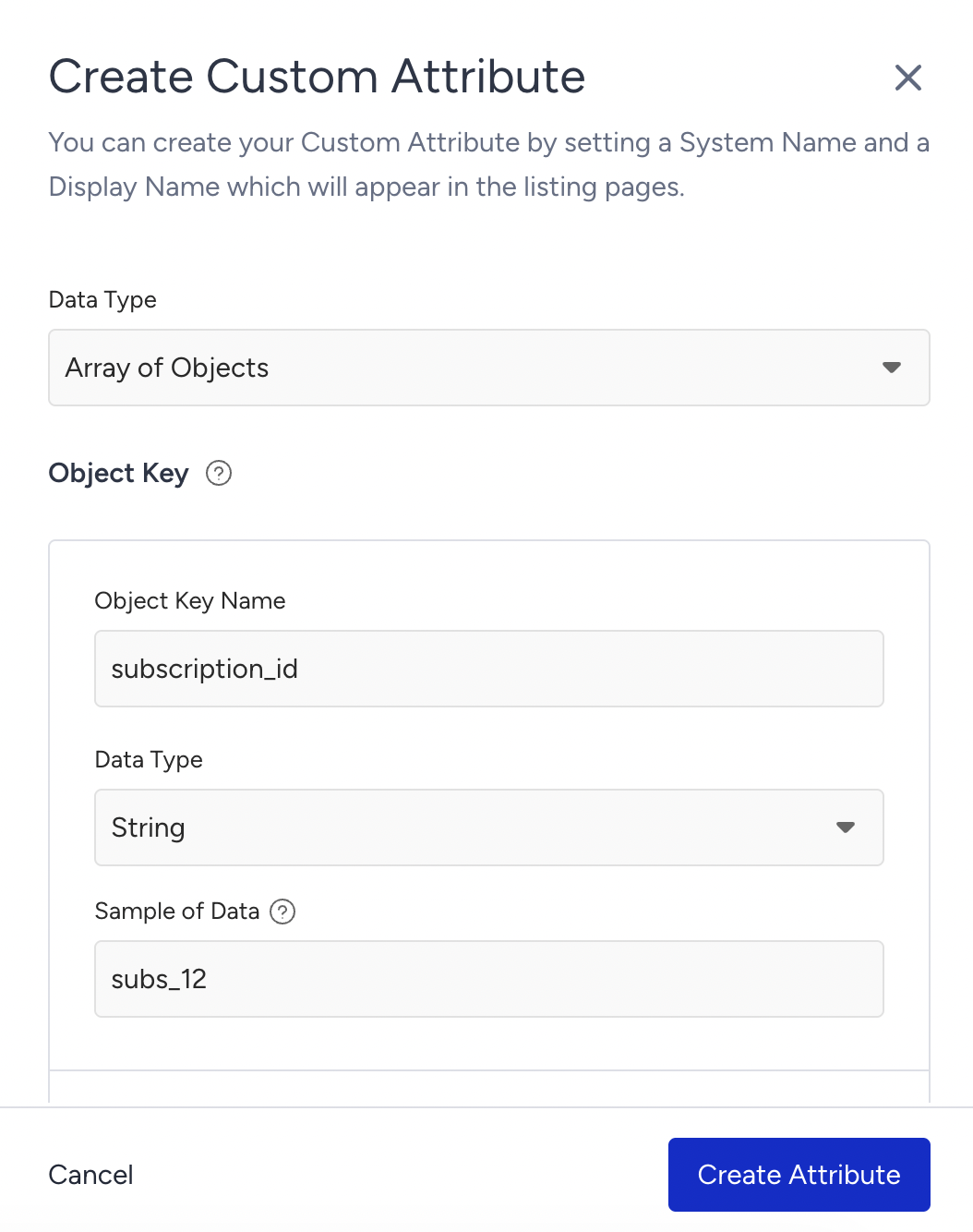
Object-Type Keys
If you select the Array of Objects as the data type:
An object key creation area appears under that key.
Nested fields can be defined inside the object. Each object key requires:
Name
Data type
(Optional) Sample of data
Supported Data Types
When defining object keys for an Array of Objects attribute, the following data types are supported:
Data Type | Description | Subscription Example |
|---|---|---|
String | Text values | plan_name: "Premium" |
Number | Numeric values | monthly_price: 19.99 |
Date | ISO-8601 datetime | renewal_date: "2026-03-15T10:00:00Z" |
Boolean | True/False values | auto_renew: true |
URL | Valid web link | invoice_url: "https://example.com/invoice/1" |
String Array | List of text values | tags: ["premium", "loyal"] |
Number Array | List of numeric values | discount_codes: [101, 202] |
Object | Nested structured object | payment: { method: "credit_card", last_four: "1234" } |
Object-Type Keys
If you select Object as the data type:
A new Sub-key creation area appears under that key.
You may add multiple sub-keys, each with its own:
Name
Data type
(Optional) Sample of Data
Edit an Array of Objects Attribute
After you create an Array of Objects attribute, its editability depends on how and where it is used. The following rules apply when updating an AoO attribute:
Attribute IS NOT used in any campaign or segment
Editable | Not Editable |
|---|---|
|
|
You cannot delete the existing keys and sub-keys.
Attribute IS used in at least one campaign or segment
Editable | Not Editable |
|---|---|
|
|
Limitations
Each account can have a maximum of 20 Array of Objects attributes.
Each Array of Objects attribute supports up to 50 objects per profile.
Each object can contain up to 20 keys.
A maximum of 2 nesting levels is supported (keys and sub-keys).
Nested Array of Objects is not supported. Object-type keys are allowed, but another Array of Objects cannot be nested.
Object order may differ from the ingestion order.
String values cannot exceed 500 characters.
Payload size is limited to 5 MB per request (Upsert API).
The Array of Objects attributes must be registered via metadata before ingestion.
Key and sub-key names and data types cannot be renamed or deleted after creation. Structural changes require deleting and recreating the attribute.
The Array of Objects data updates can only be performed via the Upsert API.
The Array of Objects attributes cannot be included in InOne panel-based user data exports.