Before sending a single SMS to your users, Insider One highly recommends that you test it to see if it functions as you want. To test your Single SMS Campaign,
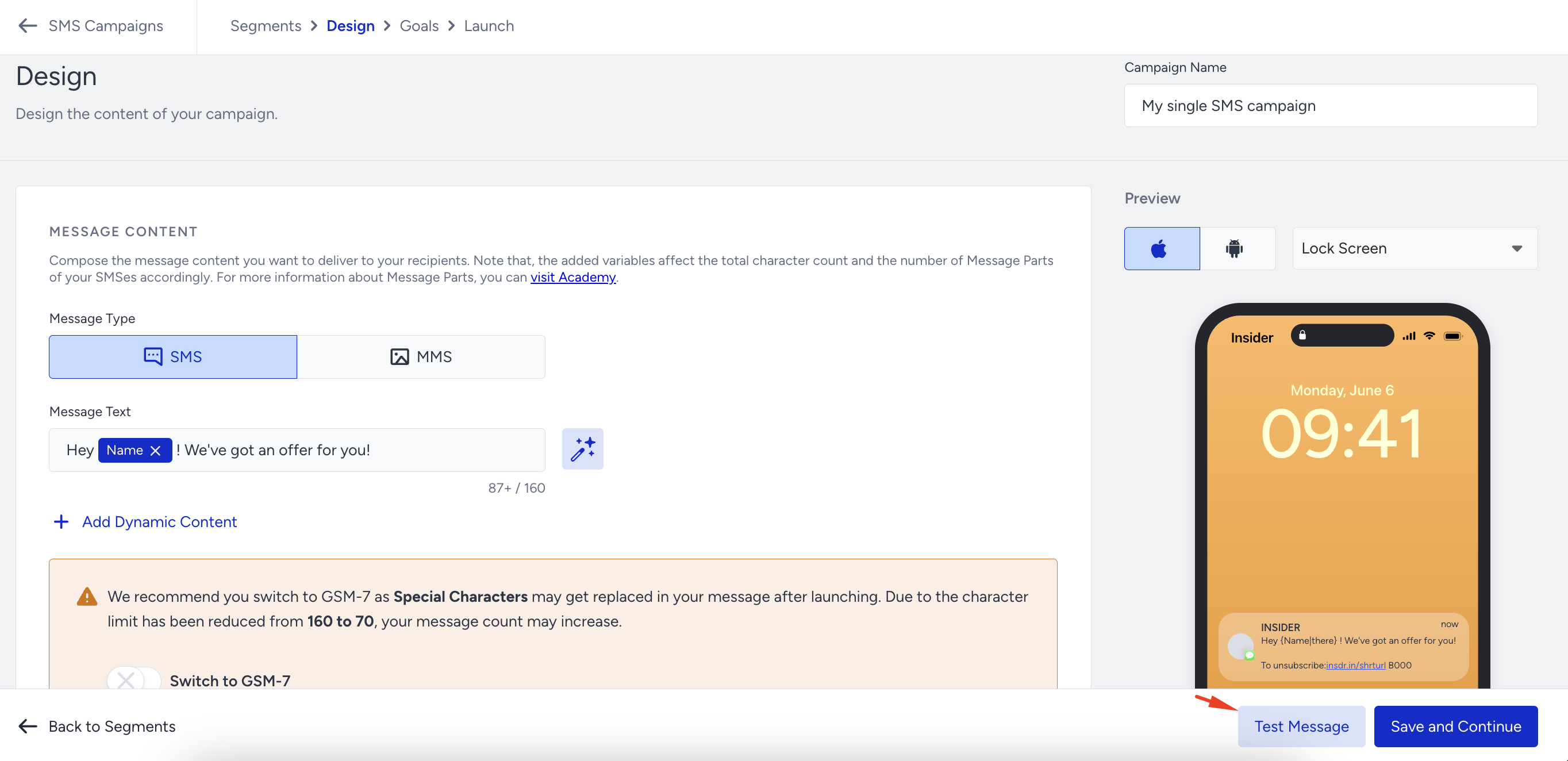
Compose your message so you can see it on the preview screen.
Click the Test Message button on the bottom right of the page on the Design or Launch step.
While testing the campaign, you can send your message to up to five different phone numbers simultaneously. These phone numbers should be local in the respective country so you can receive the test message.
The phone numbers you enter to test the campaign should be in E.164 format (e.g., +651234567).
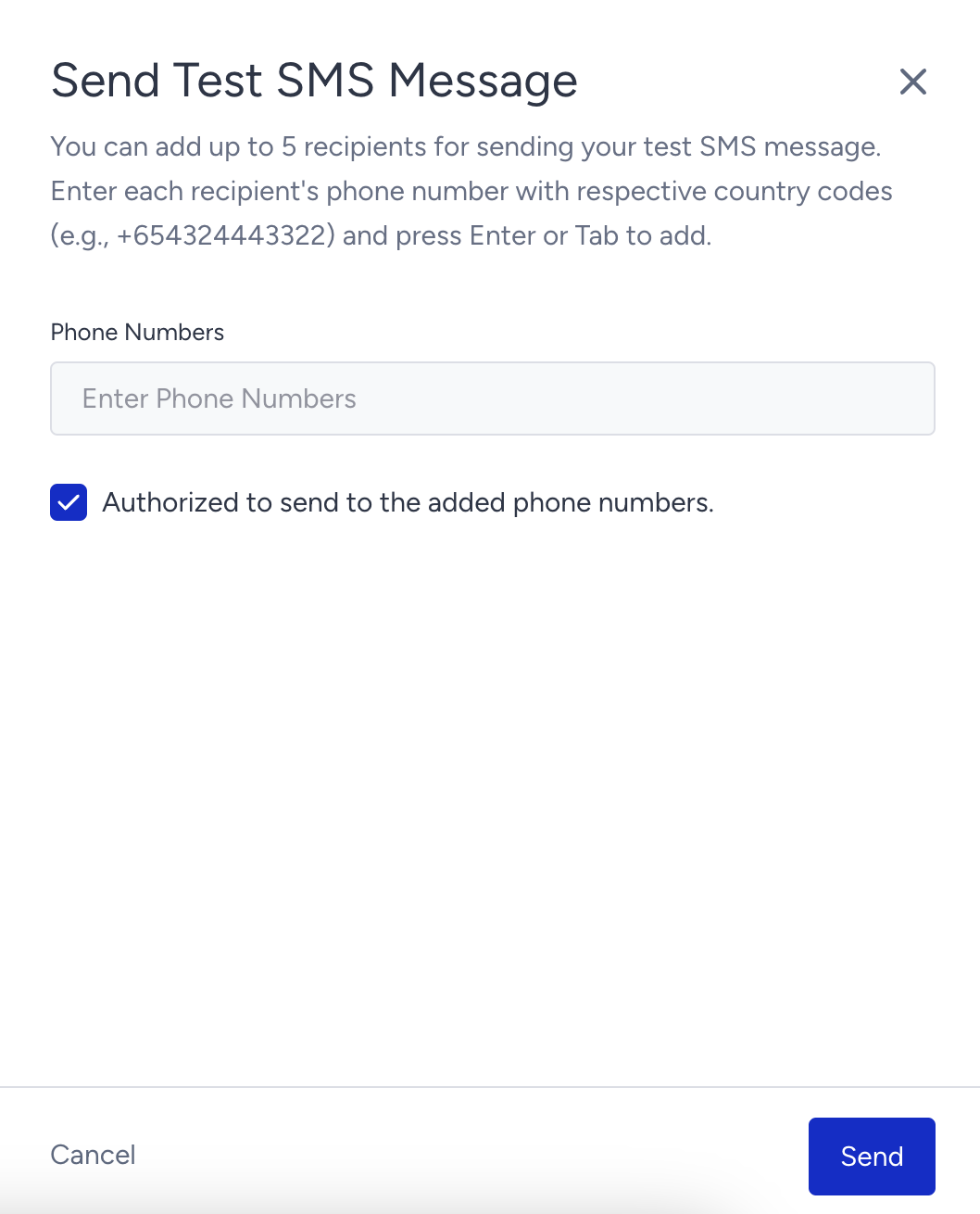
When you send the message to the number(s) you provided, you can check if everything is correct or if any changes are needed, and then take the necessary action. Afterward, you can launch your campaign.
You can send test messages to phone numbers without opt-in information.