The Support AI Agent Analytics page provides a comprehensive overview of how your AI agents perform across support conversations. It helps you track resolution efficiency, customer satisfaction, and action performance across your teams.
Navigate to the Support AI Agent Analytics
To reach the Support AI Agent Analytics page, navigate to InOne > Reports > AI Agent Analytics > Support AI Agent Analytics.
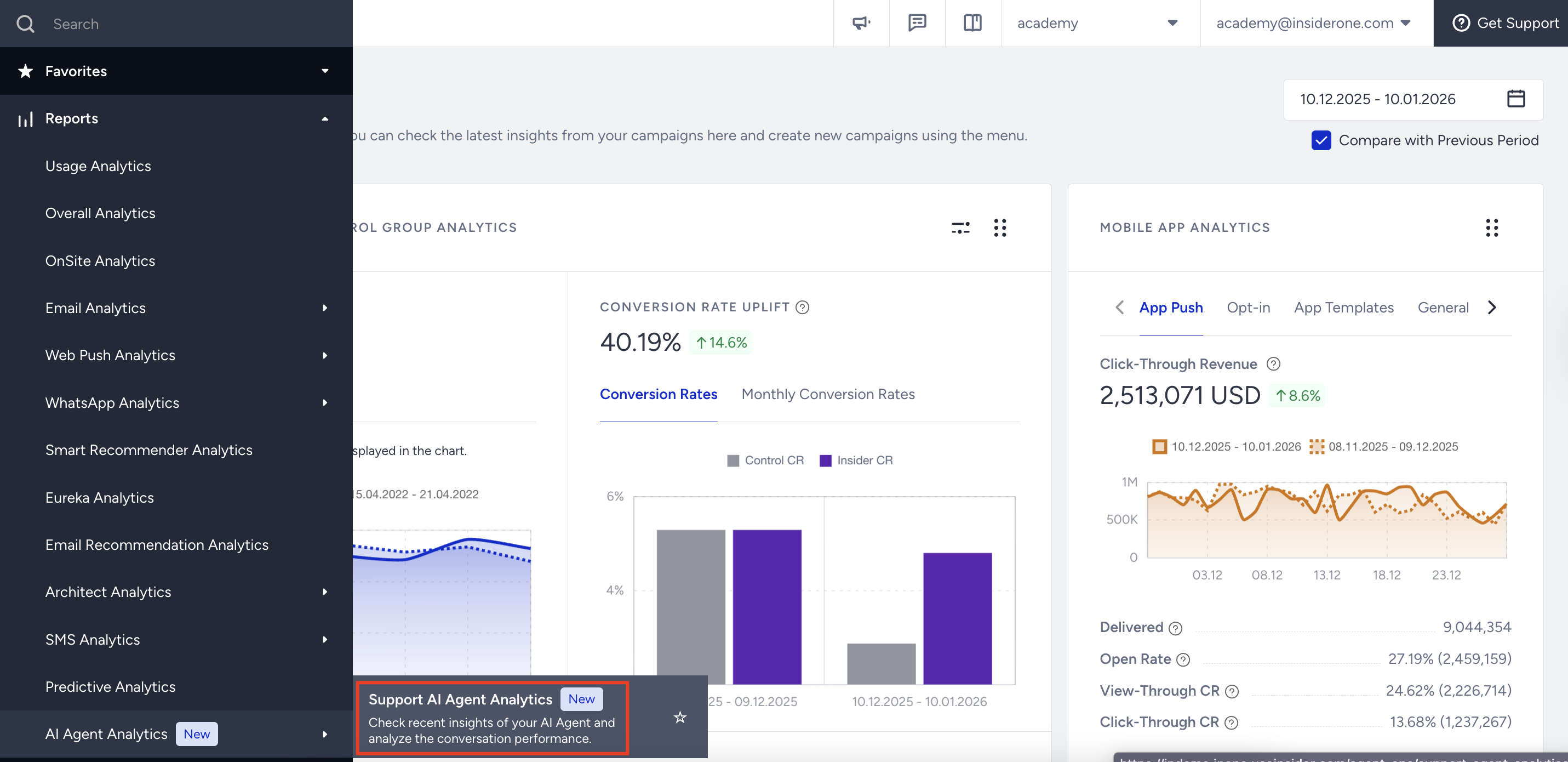
Channel and AI Agent Metrics
The top metrics provide an overview of your AI agent’s activity within the selected time range. Each metric displays both total values and calculated rates to help you understand activity levels at a glance.
You can narrow down the results by selecting the date range and a specific channel.
Channel Metrics include data from all conversations across the selected channel.
AI Agent Metrics include data only from conversations that involve an AI agent journey.
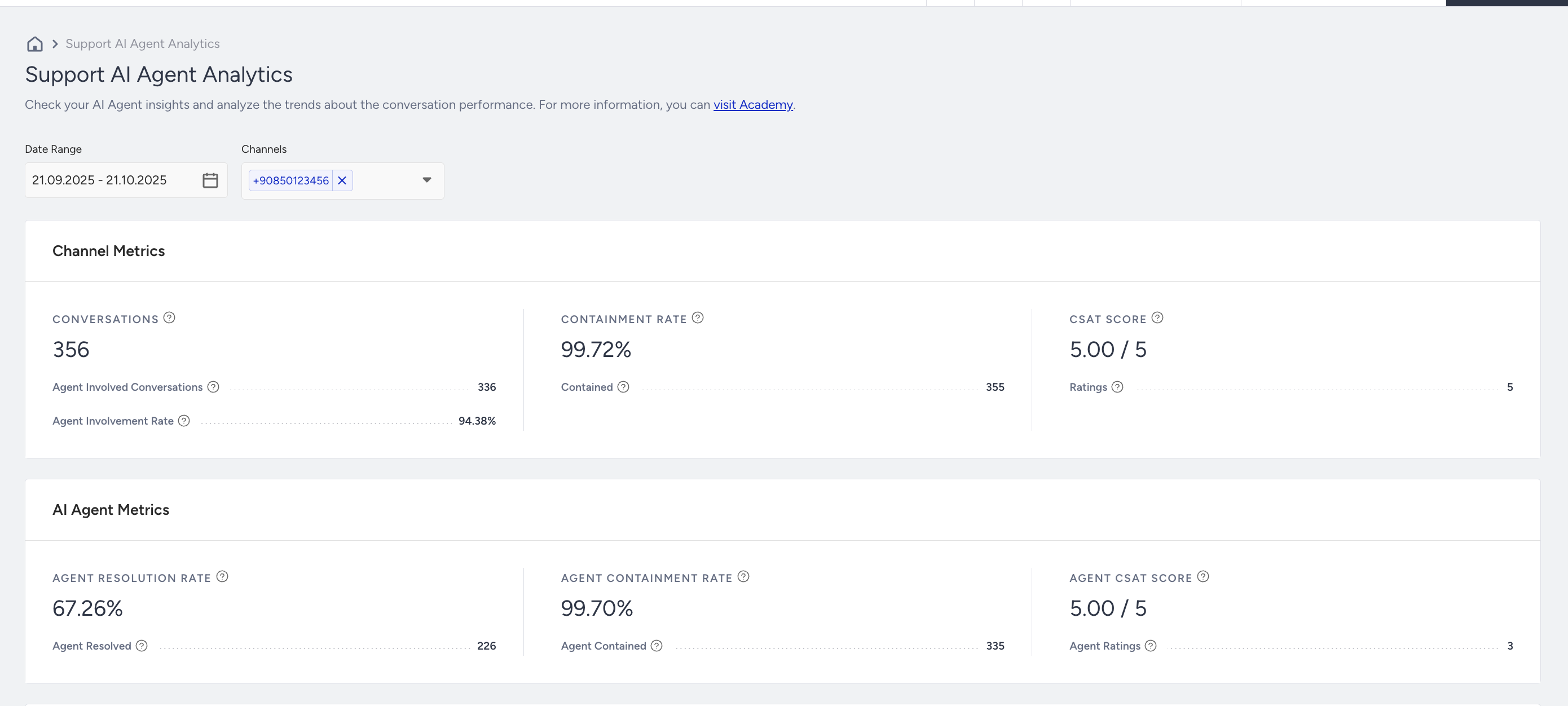
In the Channel Metrics, you will find:
Conversations: Total number of conversations started with the channels.
Agent Involved Conversations: The count of conversations where the AI Agent was active.
Agent Involvement Rate: The percentage of conversations where the AI Agent was active.
Containment Rate: The percentage of conversations that remained entirely within the bot scope (no escalation).
Contained: The number of conversations that remained entirely within the assistant’s scope (no escalation to a human).
CSAT Score: The average Customer Satisfaction score.
Ratings: The number of rated conversations.
In the AI Agent Metrics, you will find:
Agent Resolution Rate: The percentage of conversations the AI agent successfully resolved without human intervention.
Agent Resolved: The number of conversations resolved by the AI agent.
Agent Resolution Rate Calculation:
A conversation is considered “resolved” if:
- The user gave a high CSAT score (8–10 out of 10 or 4–5 out of 5),
- No human handover occurred,
- The user’s questions were answered within the chat or through an external direction (analyzed via AI),
The CSAT link stays active for 24 hours; if no low score is submitted, the resolution is finalized.
Unresolved cases include detractor CSAT, human handover requests or where the AI agent did not provide sufficient answer.
Casual exchanges such as greetings, small talk, or meaningless messages are excluded from resolution and performance calculations.
If the final agent message provides a response that is sufficiently complete to address the primary customer goal, the conversation will be automatically marked as resolved, even if the user does not send a follow-up reply.
Agent Containment Rate: The percentage of conversations that remained entirely within the AI agent scope (no escalation).
Agent Contained: The number of conversations that remained entirely within the AI agent scope (no escalation).
Agent CSAT Score: The average Customer Satisfaction score for only AI agent-involved conversations.
Agent Ratings: The number of rated conversations with the AI agent.
Performance by Support Success
This section visualizes key performance trends over time, including Resolution Rate, Containment Rate, and CSAT Score.
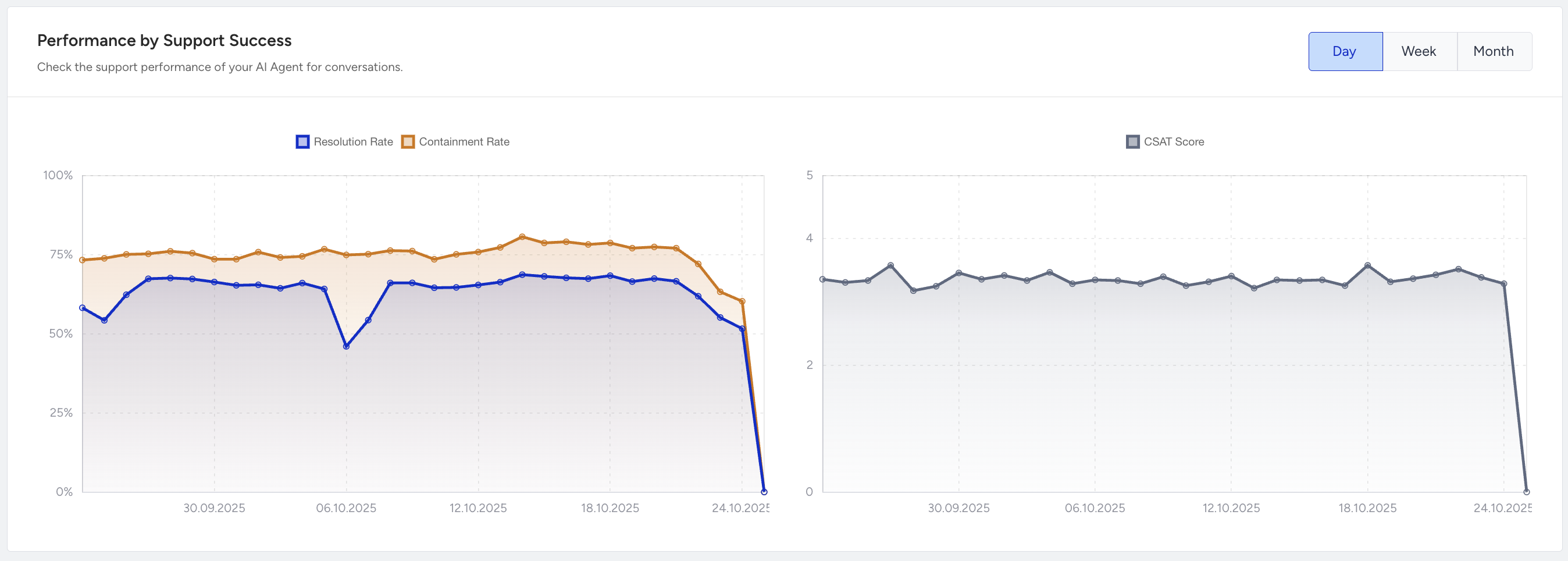
It helps you monitor fluctuations in automation success and evaluate how recent conversation design changes impact containment and customer satisfaction.
The line chart displays daily performance by default, with options to switch between Day, Week, or Month views.
Hover over any data point to see the exact rate and date for easier comparison.
CSAT Score Overview and CSAT Ratings
This section visualizes the distribution of Customer Satisfaction (CSAT) scores collected in AI agent-involved conversations.
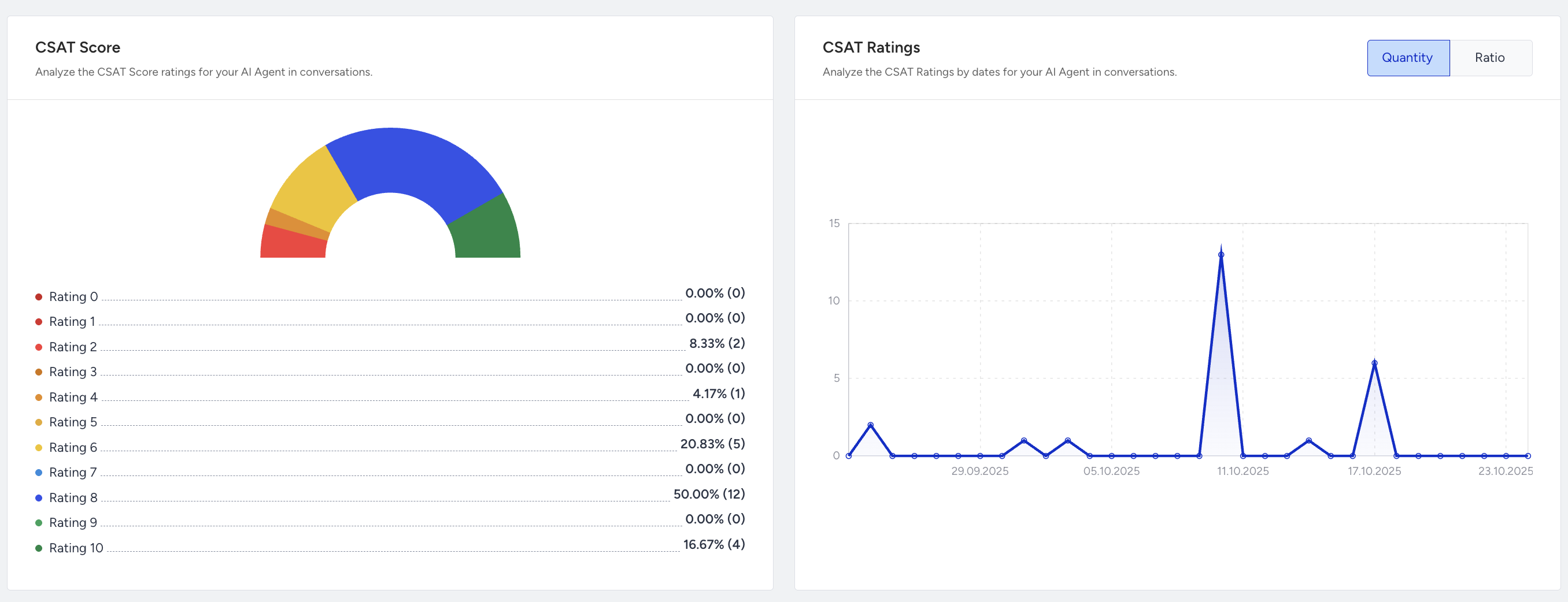
The gauge chart on the left represents the share of ratings from 0 (lowest) to 10 (highest). Each color band indicates the frequency of a score range.
The line chart on the right displays:
Quantity view: Total count of received ratings.
Ratio view: Percentage of rated conversations compared to all conversations.
You can use these analytics to:
Detect shifts in overall satisfaction.
Identify whether specific rating clusters (e.g., 8–10) dominate your feedback.
Display Mode:
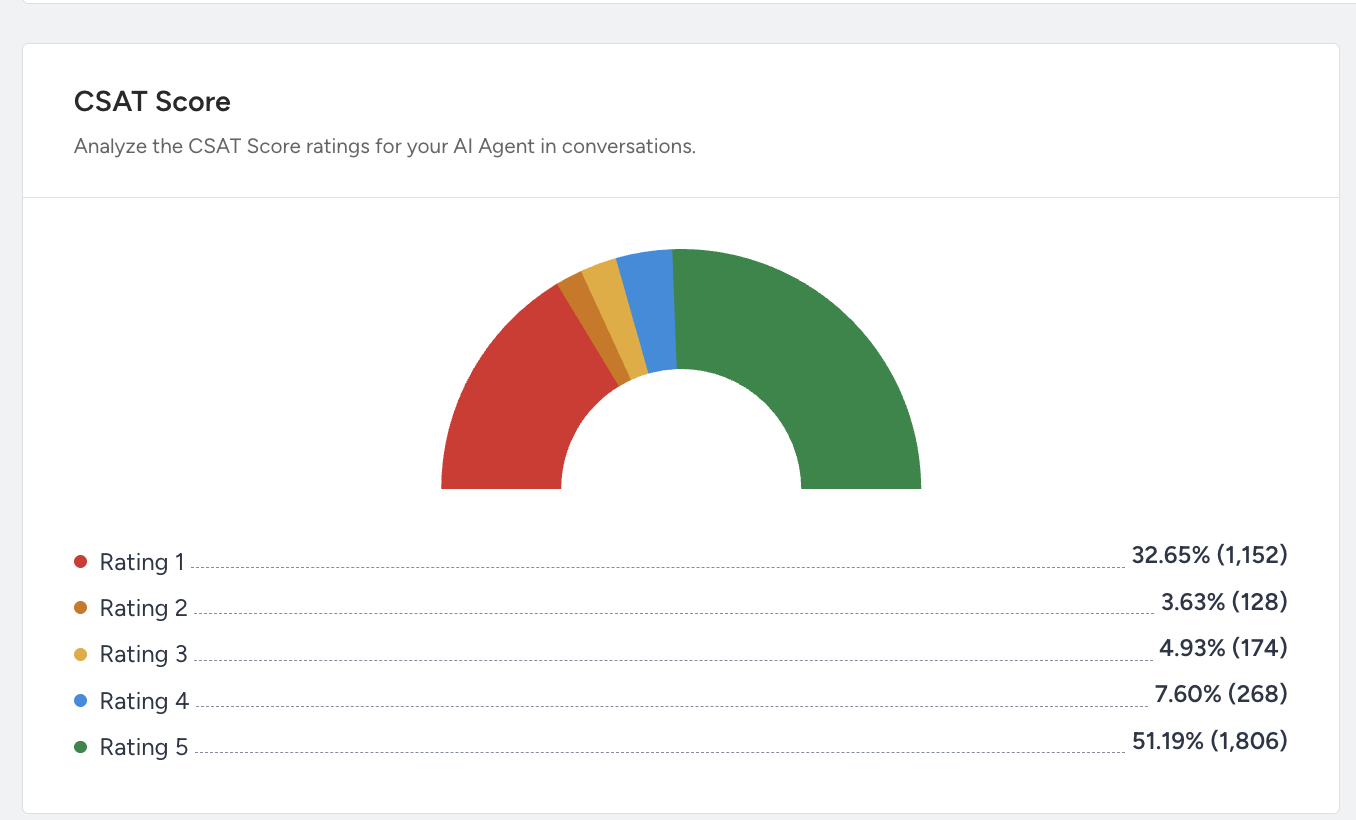
If your channels use “Points” type CSAT, the chart will display 10-point scoring (0–10 scale).
If your channels use “Faces” or “List” type CSAT, the chart will instead display a 5-point scoring scale.
Below is a visual example of the 5-point CSAT score analytics.
Top Languages
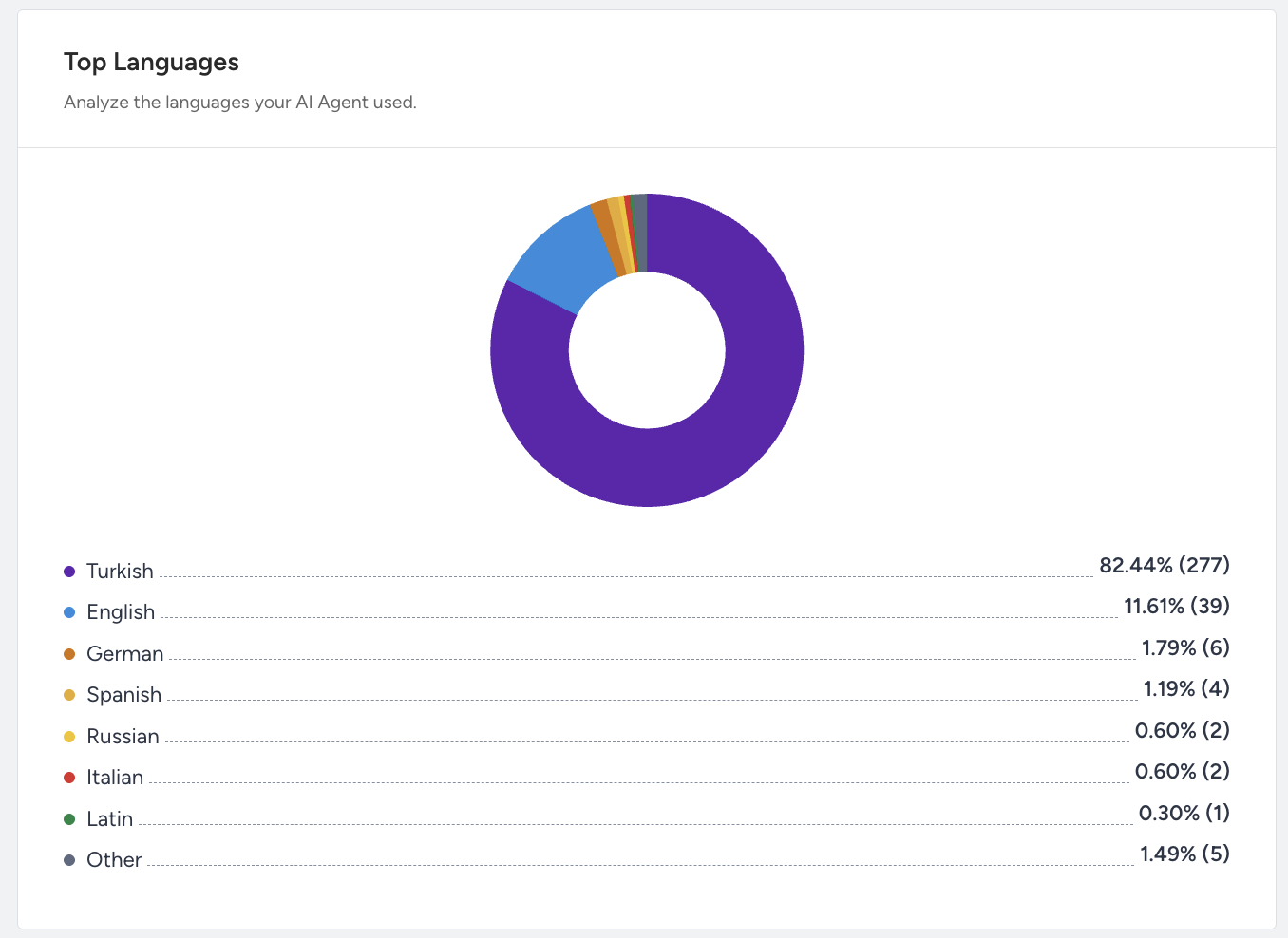
In the Top Languages section, you will see a visual breakdown of the top languages detected across conversations, showing the percentage and count of conversations per language (e.g., Turkish, English, Arabic, etc.).
This chart will not be visible to you if your conversations are only in one language.
In this chart, only a maximum of 8 top languages are displayed.
Source Link Activity
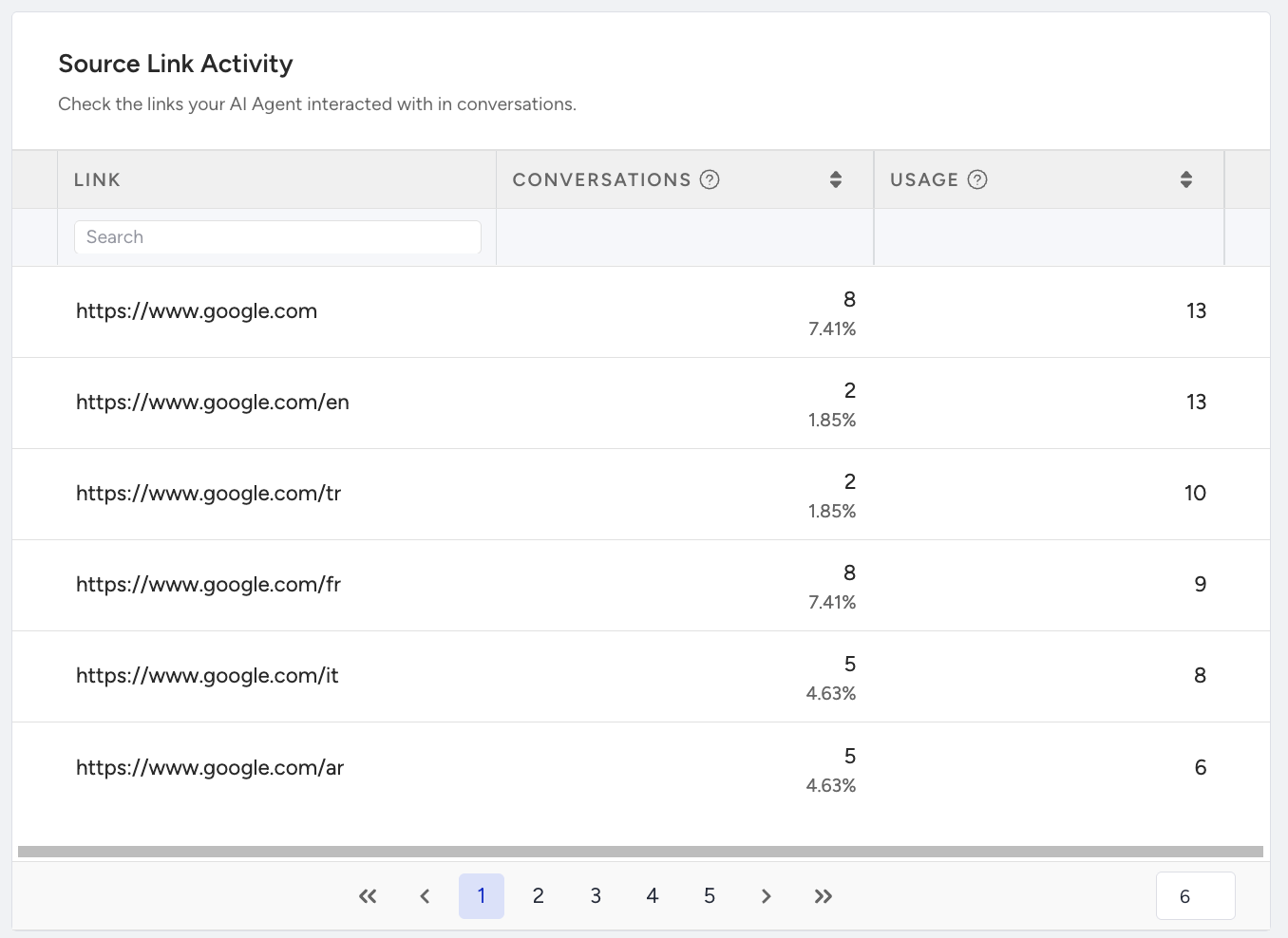
The Source Link Activity displays a list of external knowledge sources (e.g., URLs) that the AI agent has referenced or drawn information from during conversations. You can view:
The URL
The number of Conversations where it was referenced
The total Usage Count
This chart will only be visible if your knowledge base is created via crawling.
Action Performance
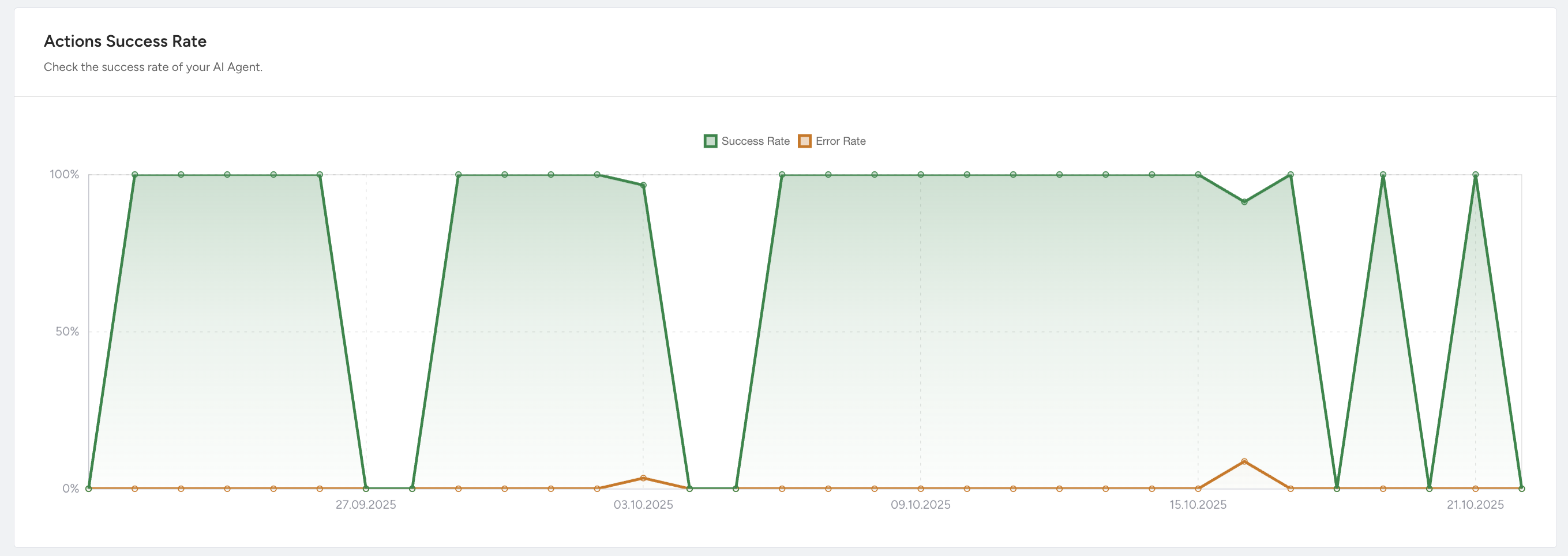
This section provides visual insights into how your AI agent performs. The following graphs help you monitor success rates and performance by actions over different periods.
Action Success Rate
This graph shows how individual bot actions (e.g., API calls, exits) perform over time:
Success Rate: Percentage of actions completed successfully.
Error Rate: Percentage of failed actions.
Performance by Actions
This table provides a detailed breakdown of how each action performed by the AI agent contributes to conversations.
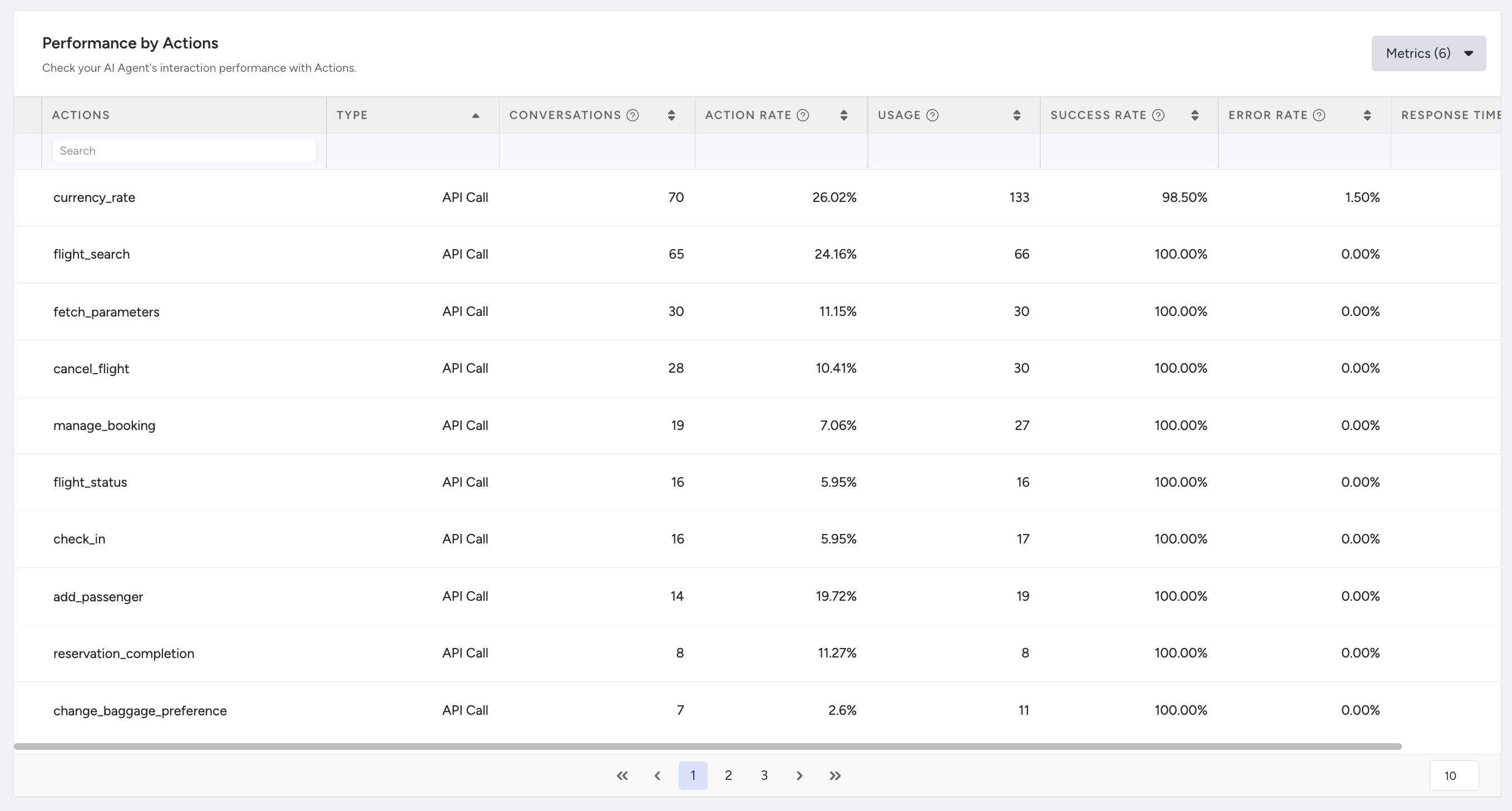
It includes the following metrics for each action:
Action Name: The name of the action (e.g.,
handover,flight_status)Type: It shows whether it’s an API call action or an exit action.
Conversations: The number of conversations that include the action.
Action Rate: The share of total conversations containing the action.
Usage: The total times the action was invoked by the agent.
Success Rate: The percentage of successful actions or API calls triggered by the AI agent.
Error Rate: The percentage of triggered actions or API calls that failed.
Response Time: The average action completion time in seconds.