The Purchasing Behavior segment targets users based on their shopping frequency, amount, value, and product categories. It uses revenue-tracked data from historical purchases to segment customers for personalized marketing, loyalty programs, and targeted promotions.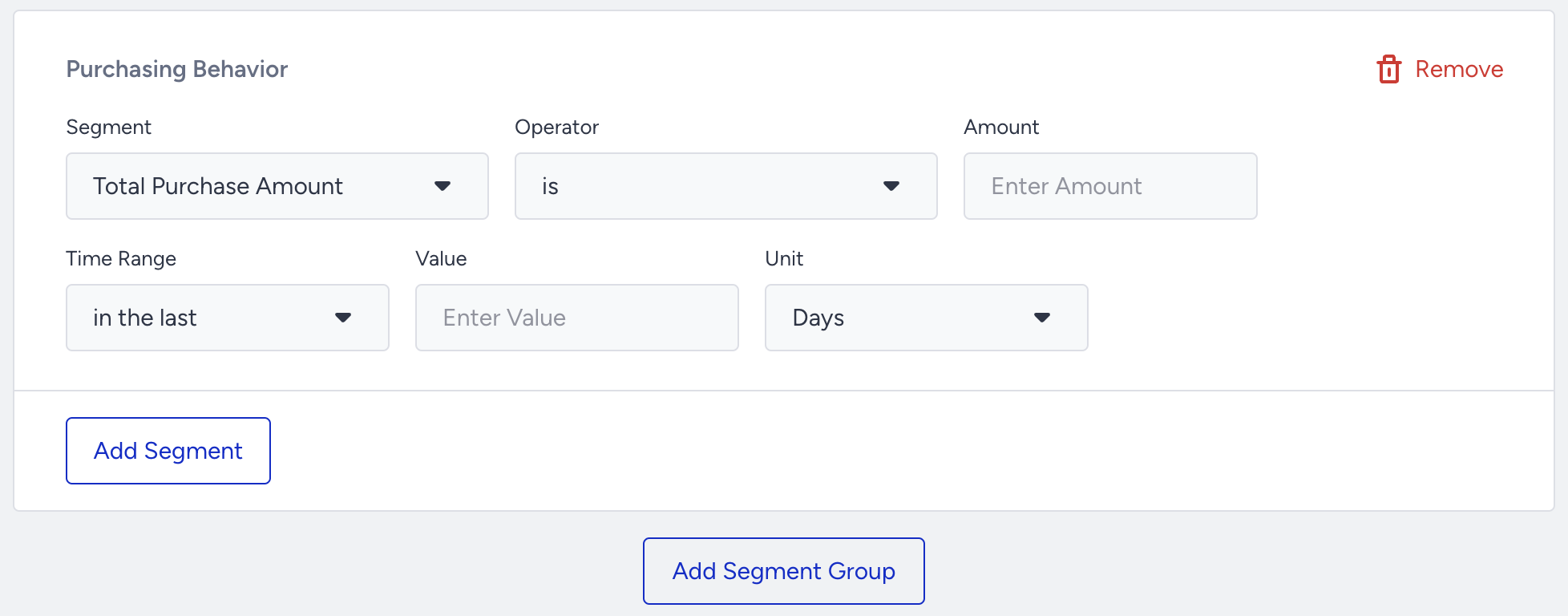
Segmentation options
Purchasing Behavior offers the following segmentation options:
Segment | Definition | Example |
|---|---|---|
Total Purchase Amount | Targets a user's total purchase amount in a specific time range (Not available in OnSite products) | Total Purchase Amount - is greater than - 100 (USD) - in the last - 7 - days |
Last Purchase Date | Targets a user's last purchase day in a specific time range (Not available in OnSite products) | Last Purchase Date - is - in the last - 2 - weeks |
Purchase Count | Targets a user's purchase count in a specific time range (Not available in OnSite products) | Purchase Count - is - less than - 3 - in the last - 2 months |
Purchased Category | Targets a user's purchased category in a specific time range (Not available in OnSite products) | Purchased Category - contains - Women's Collection - in the last - 2 - weeks |
Purchased Product | Targets a user's purchased product in a specific time range (Not available in OnSite products) | Purchased Product - contains - Shoes - in the last - 10 - days |
How product filters work in Purchase History
When you add a product-level filter such as Product Name, Insider filters purchase events by that product condition first, then evaluates the selected purchase metric, such as Purchase Count, on the matching events.
Because of this, the segment Product Name -> does not contain X and Purchase Count -> is greater than or equal to 1 means “users who have at least one purchase of a product other than X,” not “users who never purchased X.”
Example: If a user purchased both Product X and Product Y, that user can still match this segment because the Product Y purchase still satisfies the filter and contributes to the count.
If you want users who bought other products but never bought X, use a purchase-count condition for the period and a separate exclusion for users who had a purchase with Product Name contains X in the same period. That expresses a user-level exclusion instead of relying on a row-level negative product filter.
Important notes
Purchase Count vs. Last Purchase Date may return different results because:
Purchase Count includes all users regardless of whether they have a Last Purchase Date
Last Purchase Date includes only users who have made at least one purchase
Example:
Last Purchase Date is not in the last 10 days → Filters users who purchased before that period
Purchase Count is 0 in the last 10 days → Filters users with no purchases in that time
OnSite Product Use
If you want to segment users who made a purchase in the past for OnSite products, select the Purchase event and Web as the event source.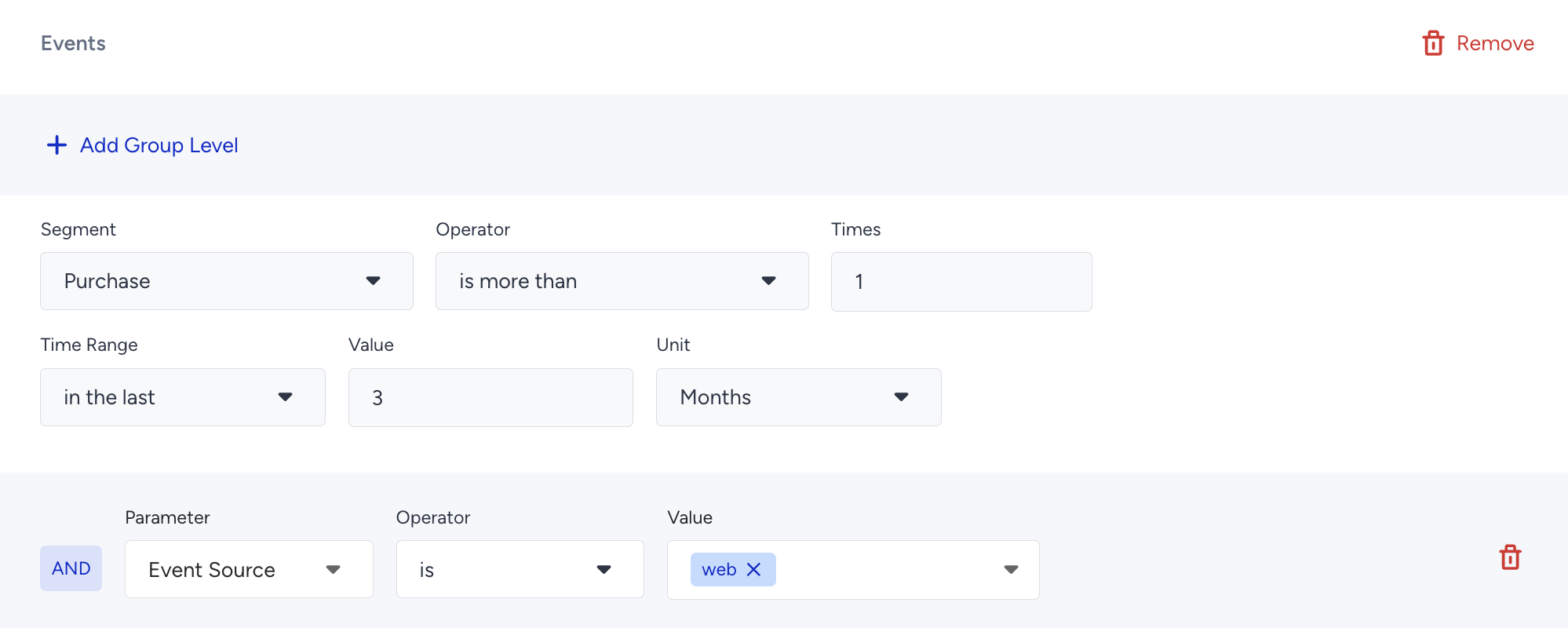
Refer to Web Segments: Purchasing Behavior for compatible options to use in OnSite products.