The regular expression is a way to search through a stream of text. It allows you to create patterns that help match and locate the pattern you are looking for. This guide aims to explain the usage of Regular Expressions and when to use these flags.
Use the Regular Expression
You can add regex to limit the user to type a specific format if, for example, the virtual assistant asks the end-user about their Social Security Number (SSN), In the USA, this would be a 9-digit value; while for France, this would be a 13-digit value and a two-digit key.
In this case, if the Social Security Number for an American citizen is asked, it is expected to get a 9-digit value. If the end-user enters anything but a 9-digit value, the assistant can warn the end-user thanks to the regex set. This warning can be done either by adding a fallback action or by adding an error message and a fallback.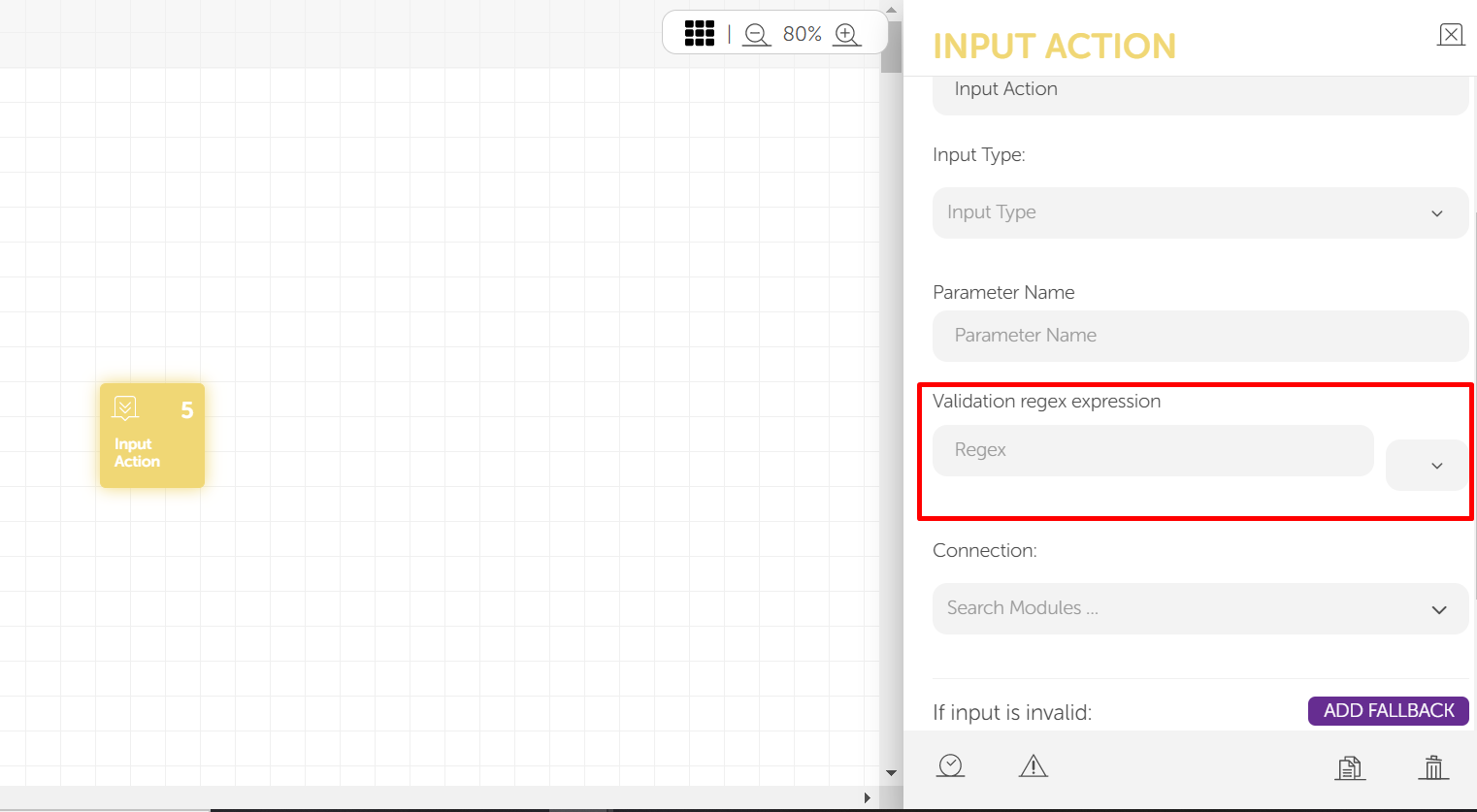
You can add regular expressions in the input action.
A regular expression consists of two main parts:
- Pattern: This is the actual pattern that you want to search for in the text. This defines what to search for. For example, searching the 9-digit values in an end-user input for the SSN of American citizens through the regex "\d{9}\s?"
- Flags: The flags modify the searching behavior of the given pattern. This defines how to search. All of the flags are optional. They can be used together and in any order.
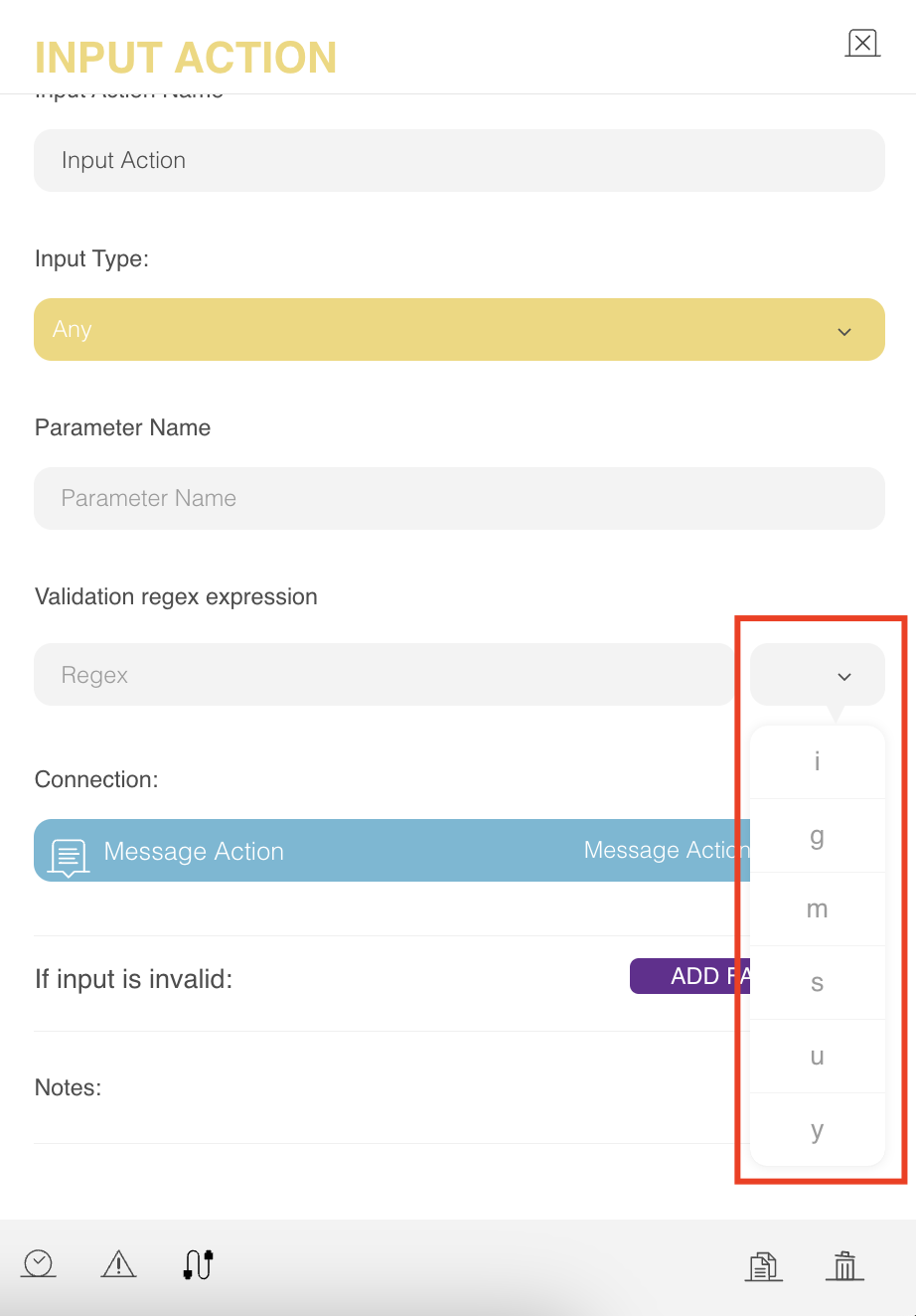
You can see the details of each flag as follows:
- i: This flag is used to ignore case sensitivity. Let's say you want to check if the text contains the word cat, but you are okay with any of the following: Cat, cAt, caT, CAt, cAT, CaT, and CAT. In other words, you just want to know if the word is present regardless of the case. The "i" flag specifies that case sensitivity should not play a role in matching the words. In other words, "/cat/i" will match any of the above.
- g: This flag specifies whether or not the regex validation should stop after the first match, and is referred to as the global flag. To continue with the cat example: "The cat looked at the other cat and said: "Meow"." Once the regex matches the word "cat" in the text, it stops by default. However, if you want to get all the matches in the text, then this flag helps you to continue the text search even after the first match, to search globally throughout the text.
- m: This flag specifies how "^" and "$" behave.
- In regular expressions,"^" is used to match only the beginning of the string, and "$" is used to match only the end of the string, and the newlines are treated as part of the string.
| Regex | Checks |
|---|---|
| cat | Does the text have the word cat? |
| ^cat | Does the beginning of the text have the word cat? |
| cat$ | Does the end of the text have the word cat? |
If you want to match the word "cat" at the end of the string, your pattern will be "cat$" and your string will be "This is my cat and it is 4 years old."
Although it seems like the regex should match the word cat at the end of the first sentence, it does not. This is because the pattern set as "cat$" only checks the end of the string and the whole text from this to old counts as one string. So, the word "cat" is not at the end. If you specify the "m" flag, the newlines are treated as a separate string, and your pattern will have a match.
If you do not specify the flag as "m", then the newlines will be treated as one string. For example, the sentence above would be counted as one sentence.
The dot character matches any character except the new line by default. For example, the pattern "\\\\d.*cats" would match everything that has the following shape: A digit, followed by any character any number of times, which is then followed by the words "cats". For example, it would match 9 cats, 9 fluffy cats, and so on. However, the newline character, which is denoted as "\\n", is an exception. The following strings will not match: "I have 9 fluffy \n cats".
You might wonder why a person would type "\n" out of nowhere. However, when you click the Enter button and start a new line, that new line is implicitly encoded as "\n". So, the above statement is the same as the one below:
"I have 9 fluffy cats."
When the flag "s" is specified, the special dot character will match the newline character as well.
- u: This is an advanced flag to specify how some characters such as "ბ,ㄱ" should be treated. This flag is rarely used.
- y: Strings are ordered sequences of characters, and they are discretely indexed starting from zero.
For the string "cat":
- The first index, the index 0 (zero), is the letter.
- The second index, index 1, is the letter.
- the last index, the letter "t" has an index of 2.
All of the letters in the string get an index from left to right, starting from zero and incrementing by 1.
When you search with a regular expression, the search starts from index zero. This flag helps you start from the index you specify instead of the beginning of the string, for example, index zero.
When do you need the flags?
Most of the time, the regular expression is used to validate the user input. In other words, the virtual assistant does not need to know how many times the pattern occurs in the user response, or where exactly in the sentence the pattern occurs. Since the validation result is binary, it is either valid or not; most of the above flags are not needed when validating the user input.
The most useful flag would be the "i" flag to account for case insensitivity.
You can see what each flag means in the table below:
| Flag | Description |
|---|---|
| i | Ignores case sensitivity. |
| g | Specifies whether or not the regex validation should stop after the first match. |
| m | Specifies how "^" and "$" at the end of a regex behave. |
| s | Chooses whether the special dot character matches the newline character. |
| u | An advanced flag to specify characters like "ბ,ㄱ" |
| y | Helps you start from the index you specify instead of the beginning of the string, for example, index zero. |