The error messages are used to continue the conversation when the user sends an invalid message. They contain three message types:
Action Error
The Action Error Message is the error message of that specific module and shows up when the conversation falls back. The icon of the Action Error is placed under the module’s control panel.
Click the Exclamation mark to see the Error Message field of the module.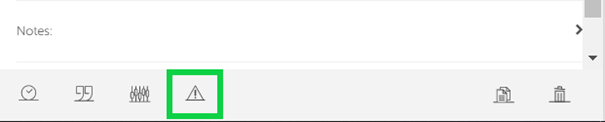
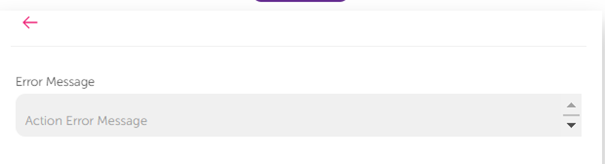
You can see an example flow for Error Message usage below:
The fallback count is set as 1, and the Action Error message is set. At the first invalid step, the bot goes to the error message. When it receives another invalid message, it goes to the fallback module. 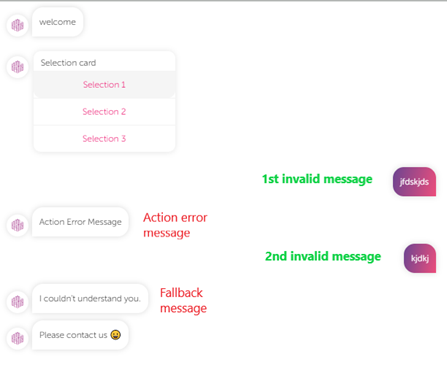
Global Error
Global Error Message can be used for frequently occurring invalid actions. Entering the wrong input can be one example of these actions. If the “Action Error” field is empty after the first invalid action, the bot sends a global error message. The number of global message responses is set in the fallback counter. For instance, if it is set to 2, the bot will send global error messages for the first two invalid messages. After that, it will send the fallback message.
To set a global error message, follow these steps:
- Click the Settings icon.

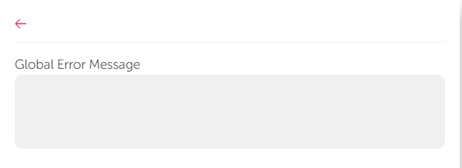
- Select the Global Error Message field under the settings.
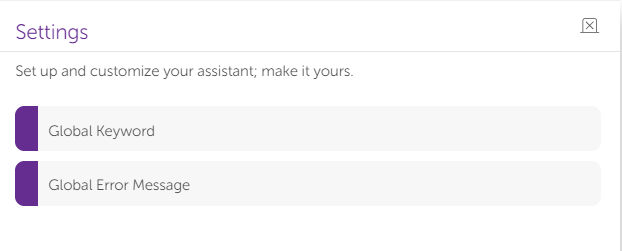
- Set your message in the respective field.
Fallback Message
The module connection represents the successful path. You can use the fallback module to continue the conversation flow when there is an invalid step. Invalid input is an example of an invalid step. You can add the fallback module to any module except the “message,” “human handover,” “bot action, ““end conversation,” and "Commerce Manager Action" modules.
If the fallback counter equals zero ("0"), the bot goes to the fallback module after the first invalid step and sends the Fallback Message. If it is greater than 0, the bot checks the action error messages.