You can include the Integration Action as a mechanism to help in your flows if the user requests something that cannot be known beforehand in the Design stage of the assistant nor deduced from the ongoing conversation.
This article answers the following questions:
- Why do you need the Integration Action?
- Where is the Integration Action used?
- How does the Integration Action work?
Why do you need the Integration Action?
Virtual assistants provide information and guidance for users. However, the assistants' knowledge is limited to the conversation itself. When virtual assistants are incapable of providing the functionality or information the user expects, they need to consult another source of information.
Let's look at a conversation where a user asks the date of today. Since dates change every day, it would not be wise to go to your flow and write the date of the day on your map each day. The date of the day cannot be deducted from the content of the conversation either. In the end, without an Integration Action, virtual assistants would be incapable of answering the question, or you can have a conversation designer that updates the date of "today" each day on your map. However, would it be sustainable?
Suppose that, as a human being, you cannot recall the date of today. How would you find it? You would probably Google it to find out.
That's exactly what virtual assistants do with an Integration Action. The Integration Action finds the date and transfers the information to the chatbot for it to reply properly.
Where is the Integration Action used?
As a general rule of thumb:
- If the action that virtual assistants are required to take cannot be predetermined,
- If it must be calculated in the course of the conversation,
Then you need to use the Integration Action.
You can see a non-exclusive list of common cases where the Integration Action is used below:
- Making mathematical calculations,
- Resetting the state of the assistant, for example, clearing the parameters the assistant gathers throughout the conversation,
- Finding out something that pertains to the user, such as finding the user's order.
How does the Integration Action work?
In a nutshell, the Integration Action works like any other link on the Internet.
Quick overview of data exchange between two sides on the Internet
When you click on a link or enter the link in your browser, the page loads with a bunch of information. For example, you request the web page for a resource, say a tweet, and the service that is located somewhere on the Internet responds to you with the actual tweet.
Let's delve into the Client-Server Model in more detail. It is the client that initiates the communication, and it is the server/service that fulfills the request and returns the information about the process or the result. For all this to work, the requester and the responder, such as the client and the server, need to understand each other.
There are predefined protocols for transmitting information between two parties, just as we have rules for using language.
You may want to understand the basics of HTTP. If we go back to the tweet example, there are multiple actions that you may want to perform on a given tweet. You may simply want to get the content of the tweet. You may create a new tweet, edit it, or delete it. So, you have at least two ingredients here:
- The action you want to take (the HTTP Method)
- The resource on which the action is to be performed (URL).
The action you want to take (The HTTP Method)
The intent of our actions, such as reading, creating, editing, or deleting a tweet, corresponds to what we refer to as the HTTP Method.
Below is a list of the most commonly used HTTP Methods:
| HTTP Method | When to Use |
|---|---|
| GET | When you want to get the information. |
| POST | When you want to create a new resource. |
| PATCH | When you want to modify some part of the resource that already exists. |
| DELETE | When you want to delete the resource. |
In the tweet example, each HTTP Method would be:
- GET: Reading the tweet.
- POST: Creating a new tweet.
- PATCH: Editing your tweet.
- DELETE: Removing the tweet from your profile.
The resource on which the action is performed (URL)
This is the actual link on the Internet that you want to act on. For example, you type in "http://useinsider.com". Where do you specify the method when you type out the URL on the browser and hit enter? The browser itself does that on your behalf. It always performs a GET request.
How does it relate to Integration Action?
To summarize, when you need to use the Integration Action, you must follow the HTTP protocol. As explained above, you need at least two ingredients:
- URL: You need to provide the URL, for example, a link that starts with "http://". You can think of it as sending someone a letter. You will need an address that uniquely identifies the receiver so that the postal office will know where to send the letter.
It is not possible to predict the URL; thus, you need to ask the developer who is responsible for creating the required service.
- Method: You also need to specify the method. You need to get this information from the developer as well. But now suppose that you want to create an order. The method should be "POST" since you will create a new order. However, you need something additional to create an order, and those are the order details, such as who ordered what. For POST and PATCH methods, you need additional information.
Since your assistant cannot do this part on its own, you should ask for the details from the assistant and forward that information to the Integration Action.
So, you ask the user some questions, provide the user input, and request the Integration Action to create the actual order. Let's say that you need the user's name, surname, phone number, and shipping address to create a new order. The assistant needs to send these pieces of information to the Integration Action for it to create the order using the information given.
For example, you can add an Input Action with the following question: "What is your name?" You also need to name the parameter using the user interface that the Input Action provides. Let's say you write "firstName". When the user answers your question, say, "John", then they will be assigned as "John".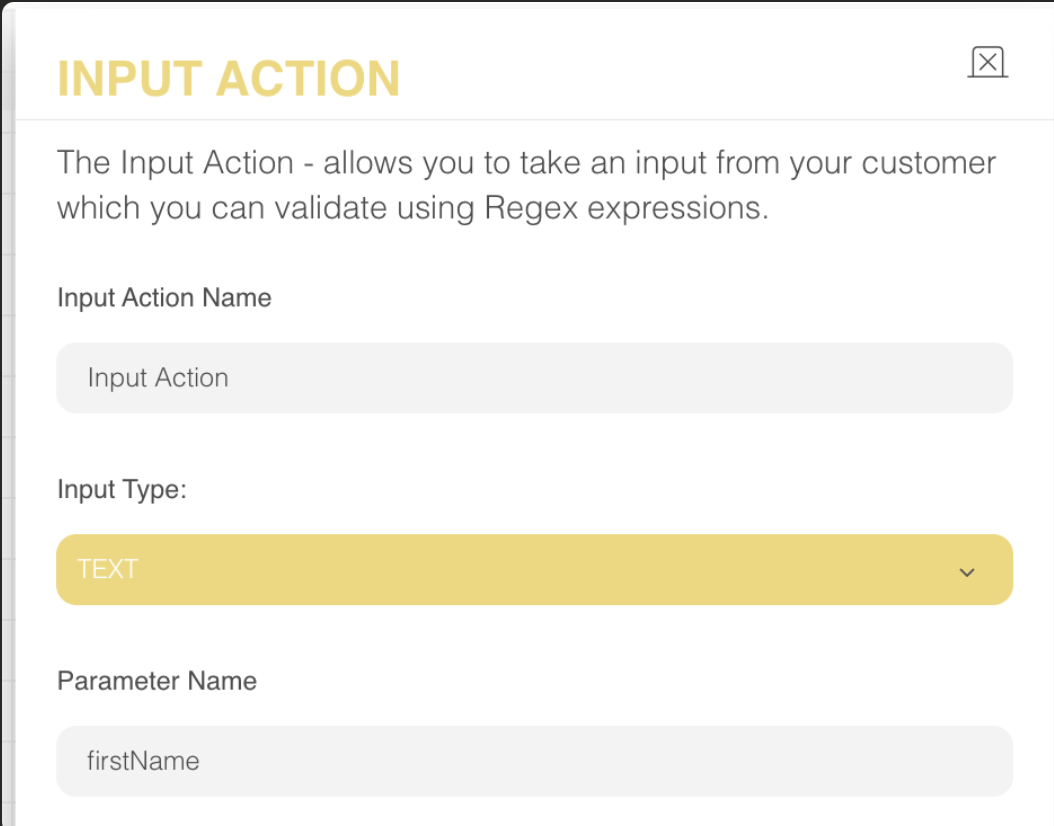
You can test this in the "Preview" section. Once the "eye" logo is on, you can see every parameter and how they are assigned. 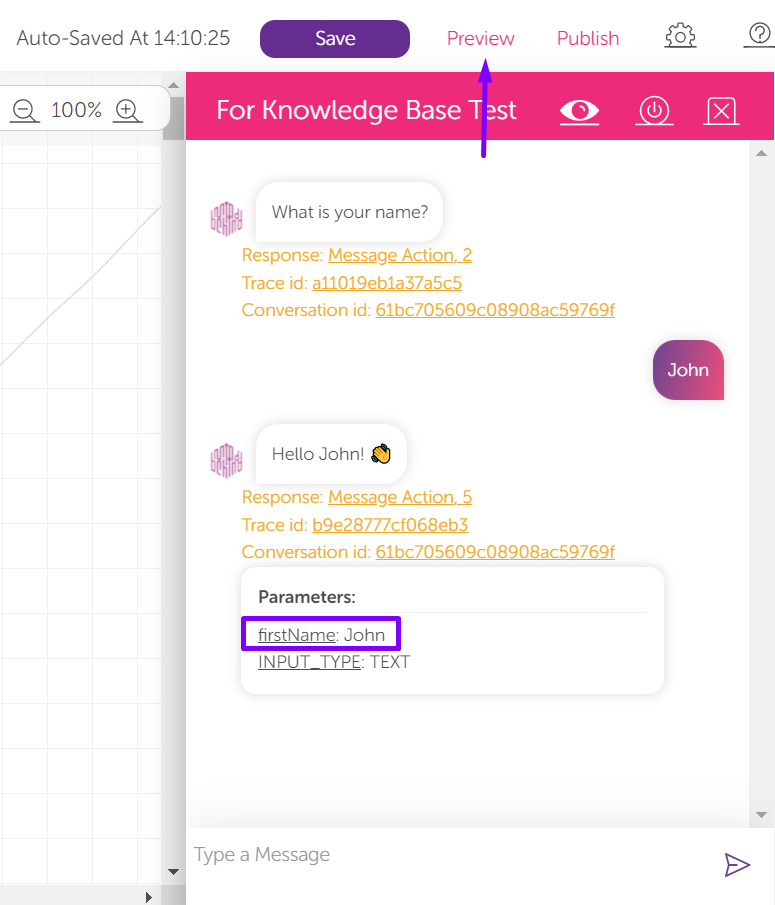
For many actions, you can use the pound/hash (#) symbol as a placeholder for the parameter. In this example, when the virtual assistant replies with a "Hello John!" to the user, it is seen as "Hello #firstName!" on the map.
You also need to do a similar thing for the surname, phone number, and shipping address. Let's say that the parameter "lastName" determines the surname, "phoneNumber" determines the phone number, and "shippingAddress" specifies the latter.
Some examples of name parameters are nameOfTheDay (camelCase), name_of_the_day (snake_case), and NameOfTheDay (PascalCase).
The Integration Action needs to know what you named the variable that corresponds to the user's phone number and the shipping address.
The developer and the conversation designer need to predetermine the parameters' names and meanings beforehand so that they both know where to look when exchanging information.
This is also true when it is time for the Integration Action to return to the assistant. The virtual assistant might want to know the ID of the order and whether it was successfully created or not. So, the developer and the designer need to determine the names of these variables.
You can take a look at the example flow below:
- The designer decides that the action they want to perform cannot be achieved by the virtual assistant alone.
- The designer asks the developer to create a service to perform that action on behalf of the assistant.
- The designer and the developer decide on the requirements of the action, for example, what inputs are needed, what the output will be, and how they will be named.
- The developer creates the service and provides the URL, method, and how the service will behave when the inputs are not received as expected.
- The designer uses the Integration Action as described by the developer. The virtual assistant stops the execution of the flow when it hits an Integration Action and waits until the response is received back.
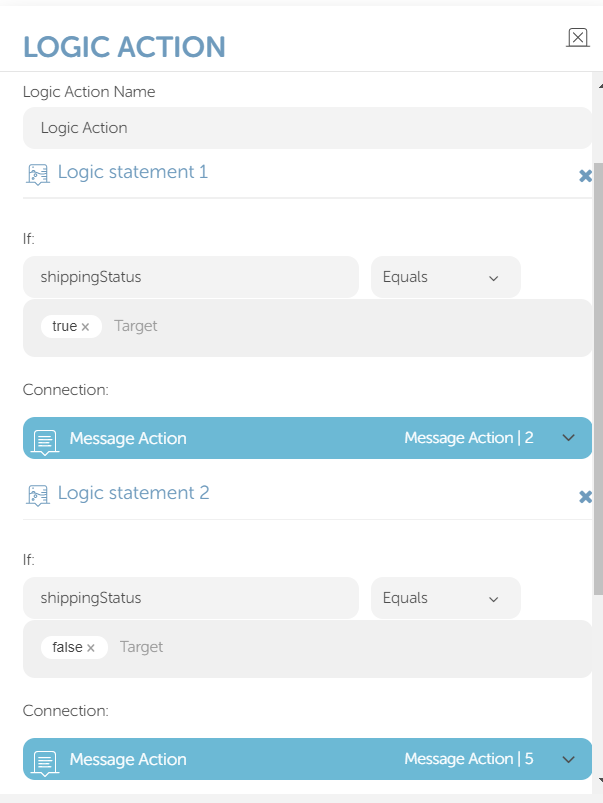
- According to the design of the map, the output of the Integration Action might be followed by a Logic Action.