Suggested readings: Getting Started with Email, Email Template Library, Single Email Campaigns, Experiment (A/B) Email Campaigns
Recurring campaigns are the messages you wish to send your recipients on a defined daily, weekly, or monthly timeline. Let’s say that you are the dean of a high school and would like to remind your students about the add/drop period at the beginning of each term. For such purposes, you create recurring campaigns. You can even segment the recipient list. Suppose, for the example above, you can segment the students if they are ‘newcomers’ or ‘least engaged’ ones who have missed the past sent emails. Insider’s powerful segmentation and recurring campaigns can ensure that your emails go to the right people at the right time.
Requirements
Complete the Email Channel Setup before starting to use Insider One's Email product.
Create recurring campaigns
To create recurring campaigns, follow these steps:
1. Go to the email listing page to click the Create button. Enter your campaign name and choose the Recurring type. Click the Create button to proceed. 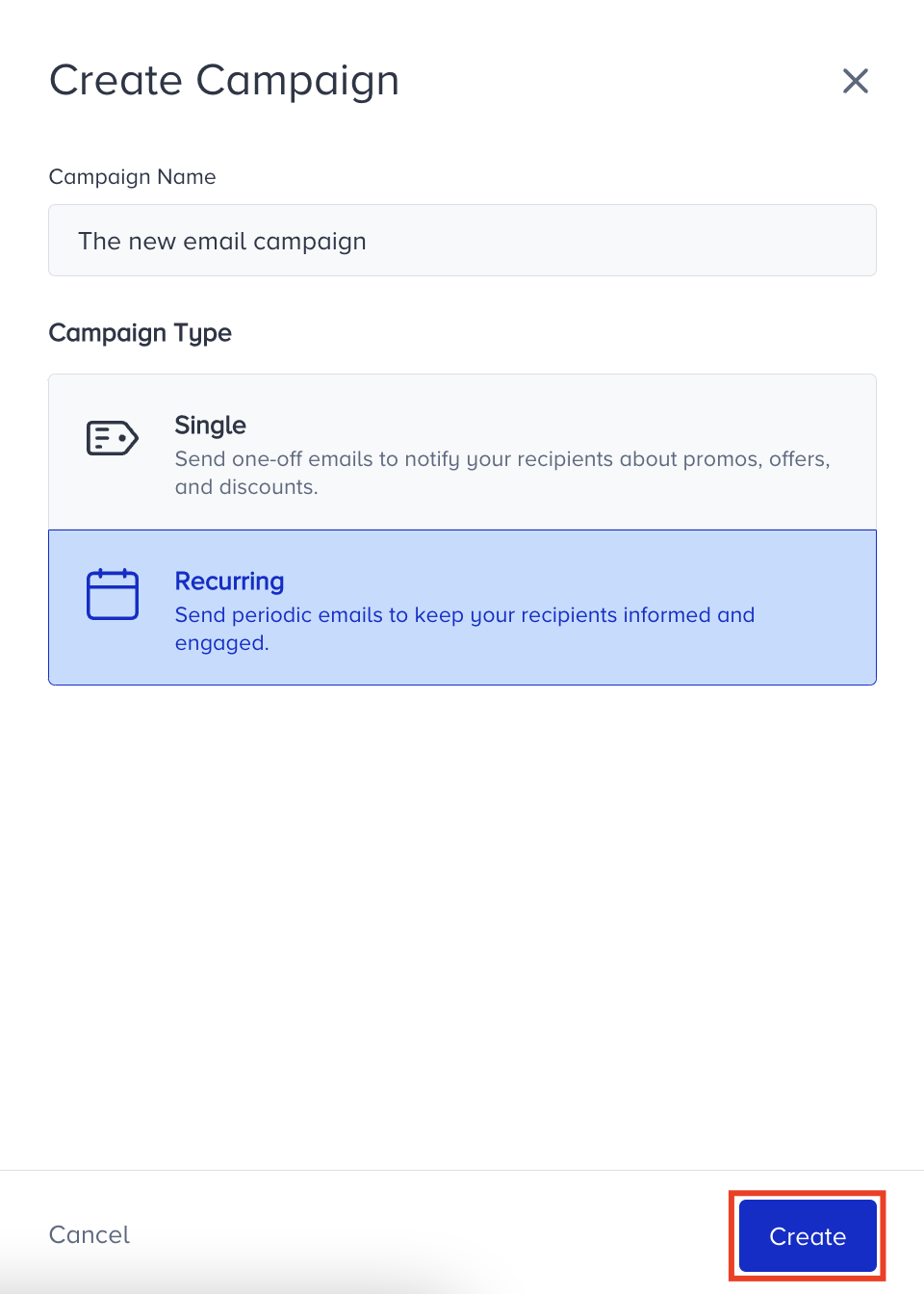 2. Select your recipient list and decide on your target group in the Recipients step.
3. Proceed to the design step to work on your email design before setting up your campaign launch details.
4. On the launch step, select the Recurring type.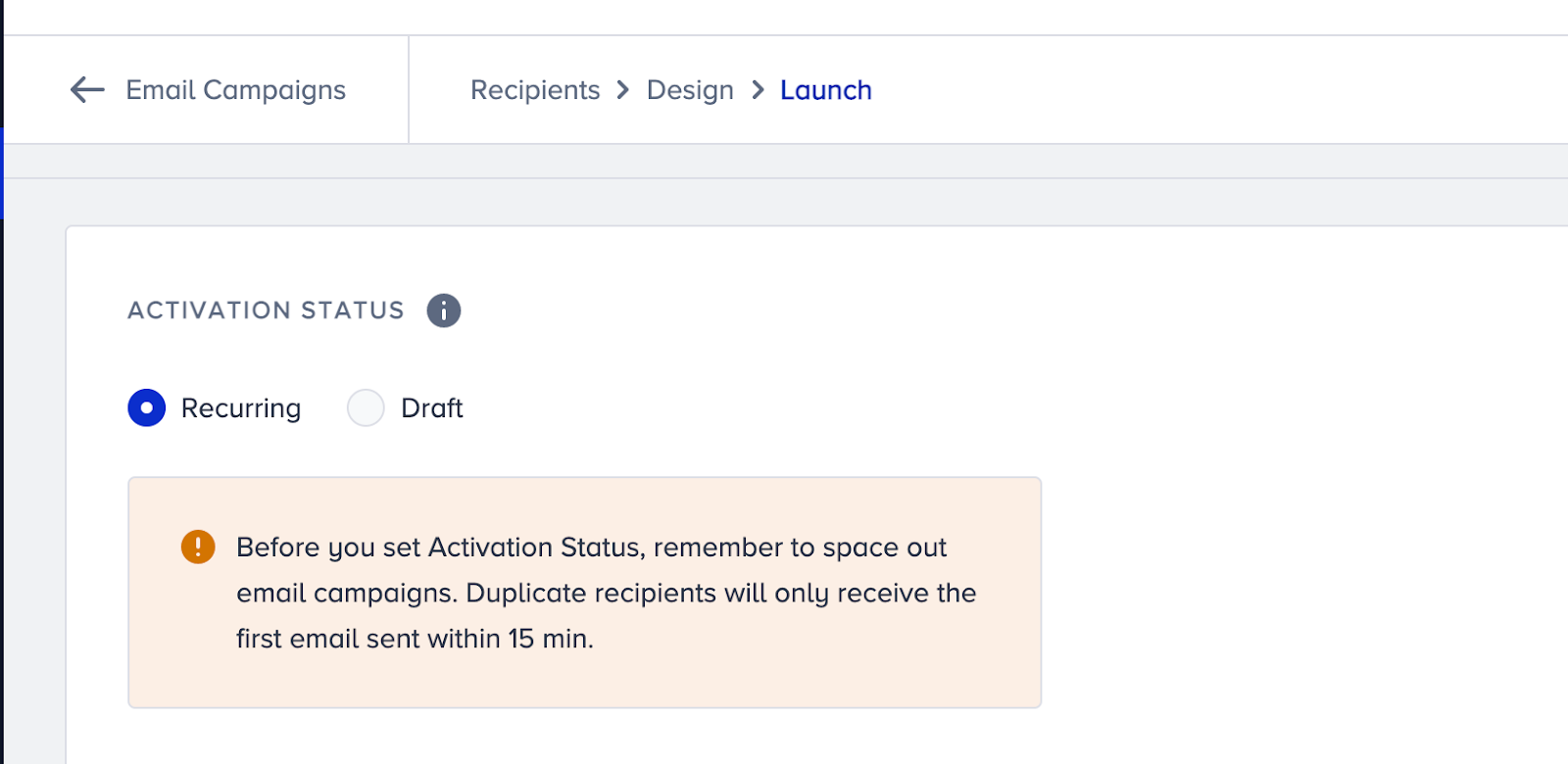
5. Select your recurrence frequency: daily, weekly, or monthly.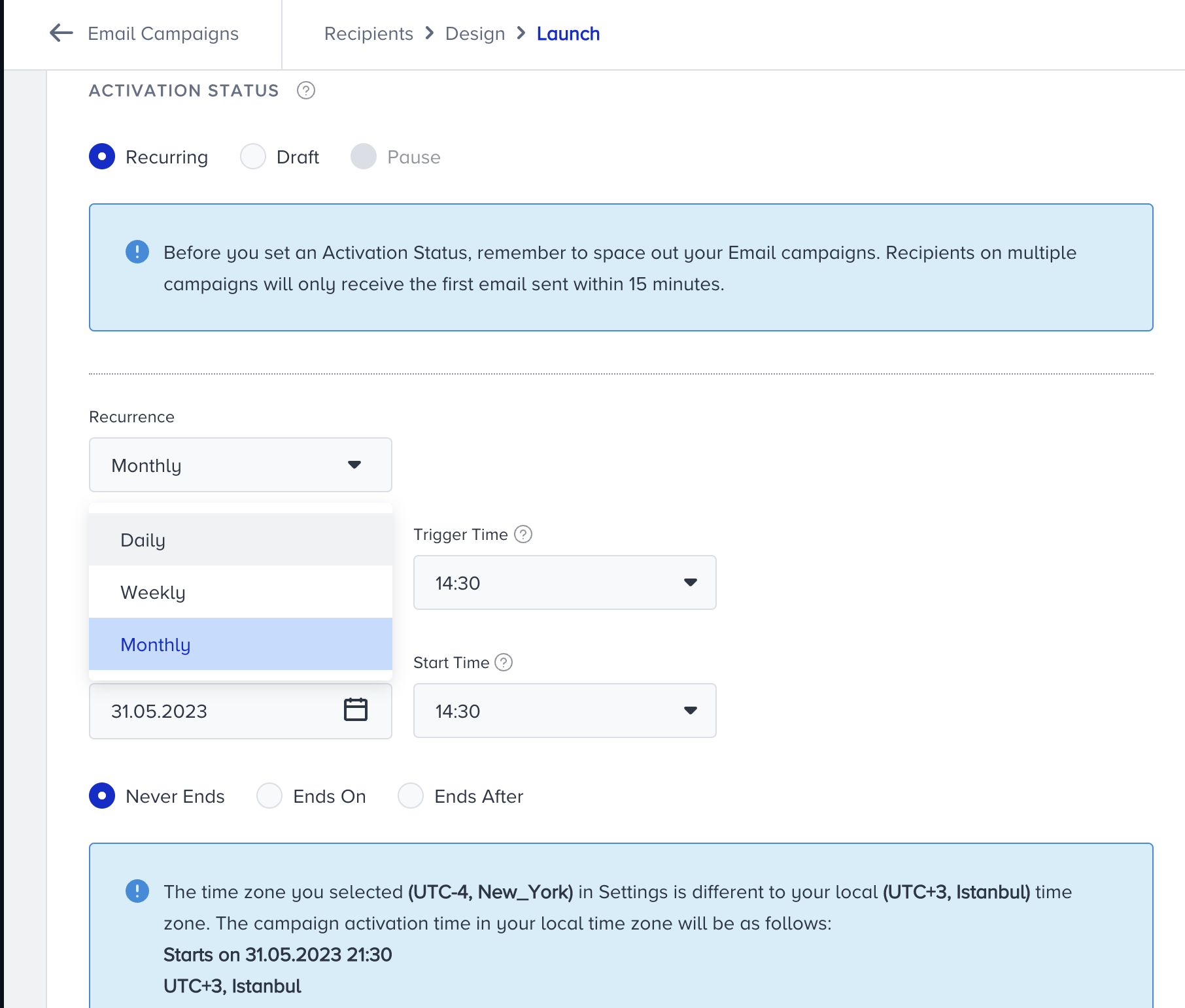 6. Configure your Trigger Time, Start Date, and Start Time. Note that the activation time is based on your Inone panel's time zone, but not your local time zone.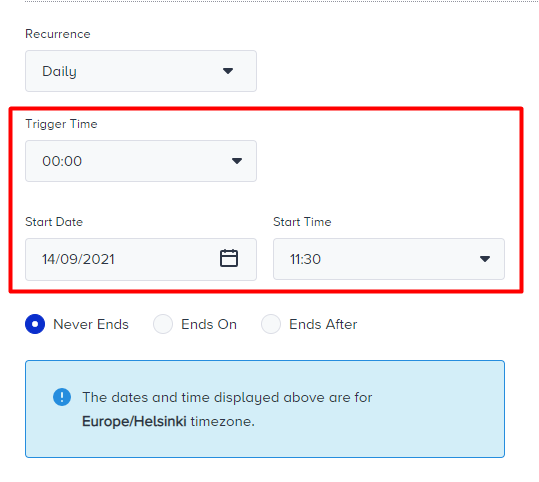
Trigger time: The time when your recurring email will be executed. It is the time your campaign will be delivered to recipients on the selected occurrence.
Start date: The date when your recurring campaign will be initiated.
Start time: The time when your recurring campaign will be initiated.
The start time should be set before the trigger time.
7. Select an option to end your recurring campaign: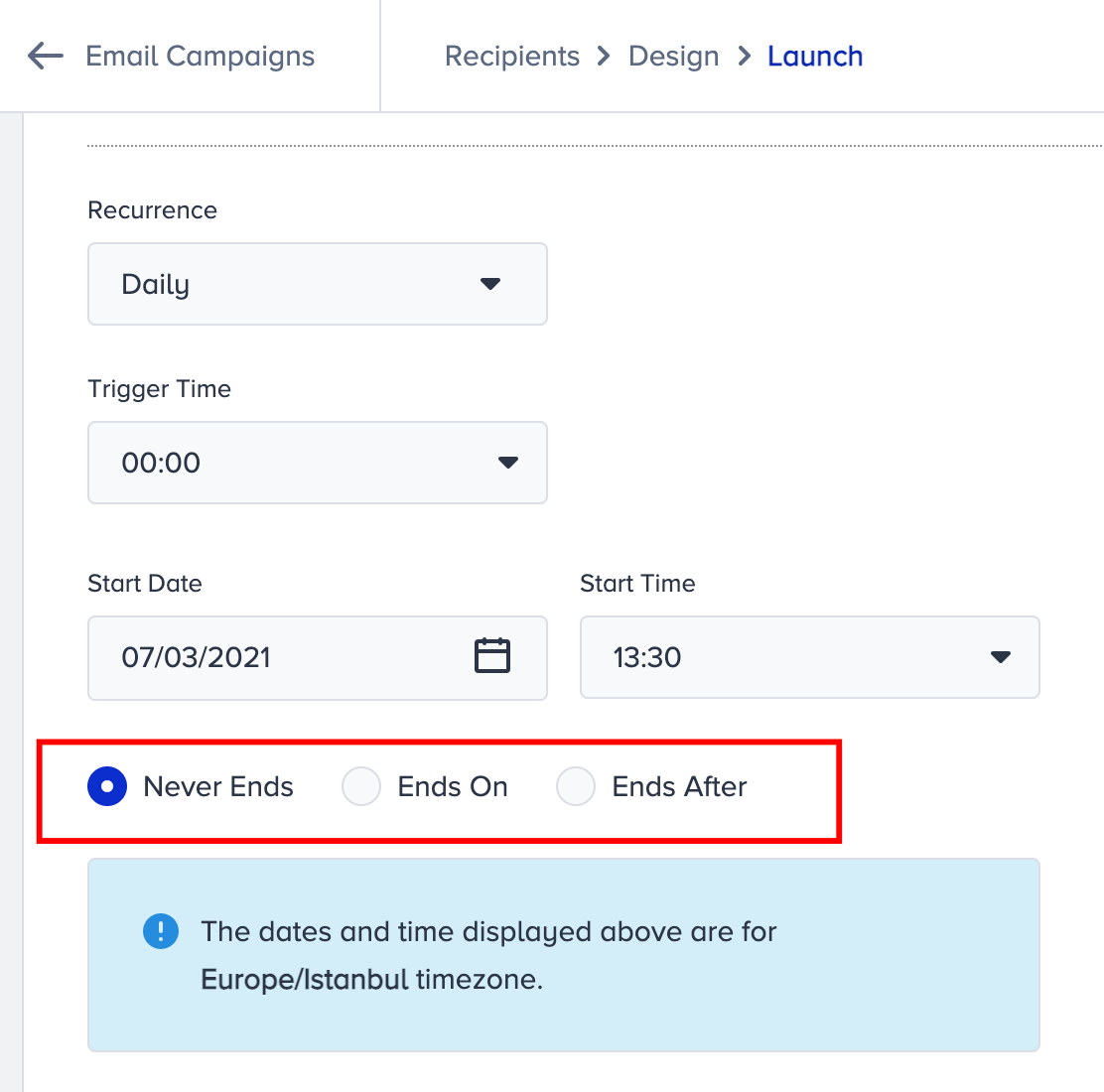
Never Ends campaigns do not end until you go to the panel to end them.
Ends On campaigns end on the date that you specify.
Ends After campaigns end after the date you specify.
A/B testing and Send Time Optimized are not available on recurring campaigns.
Recurring campaigns are counted in the global and default frequency capping mechanisms.
Track the status of a recurring campaign
You can track the status of your recurring campaign in the following states:
.png)
Scheduled: If your recurring campaign is set and scheduled for the first time, your campaign will be in “Scheduled” status.
Running: If your recurring campaign is sent at the specified recurrence time, your campaign will be in “Running” status.
Awaiting Next Run: If your recurring campaign was sent at the specified recurrence before and is waiting for the next recurrence, your campaign will be in “Awaiting Next Run” status.
Completed: If your recurring campaign was sent for all specific recurrences, your campaign will be in “Completed’ status.
Paused: If you temporarily pause your recurring campaigns in the Awaiting Next Run status, they will be in the "Paused" status. You can click the Resume button to keep running your paused campaigns.