When creating a custom campaign, rule, or goal, you can call these predefined functions where applicable.
Get the categories of a product page
The following function gets the category tree of the current product page.
Function Call | Returns |
|---|---|
Insider.systemRules.call('getProductCategories') | Array |
Insider.systemRules.call('getProductCategories')For example, the response below returns all the categories on the current product page.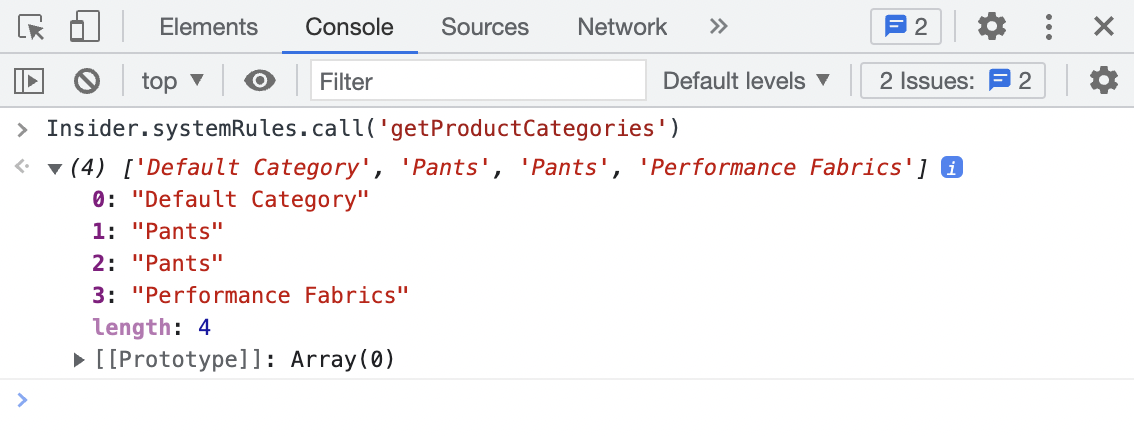
For segmentation, use getCategories when the rule targets PLP/category browsing behavior, and use getProductCategories when the rule targets PDP/product-interest behavior.
If the same category appears with different capitalization, such as Shoes vs shoes, it is treated as a mismatch rather than equivalent, because category alignment is expected to be case-sensitive.
Get the product information
The following function gets the product information from the product page.
Function Call | Returns |
|---|---|
Insider.systemRules.call('getCurrentProduct') | Object |
Insider.systemRules.call('getCurrentProduct')For example, the response below returns the product information on the current product page.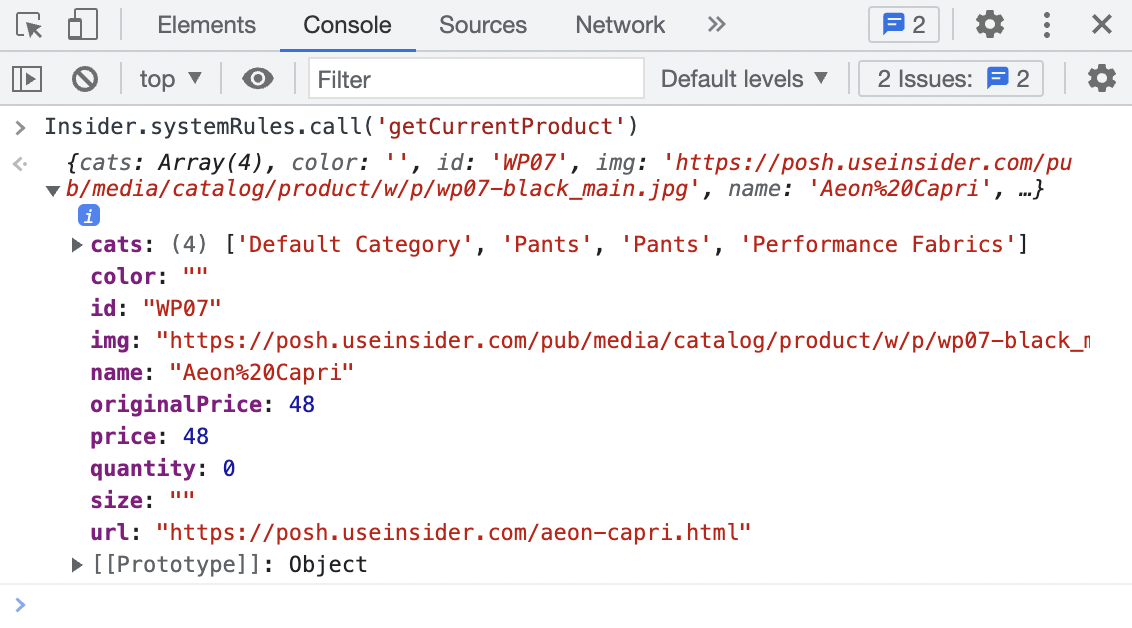
Detect the product page
The following function detects if the current page is the product page.
Function Call | Returns |
|---|---|
Insider.systemRules.call('isOnProductPage') | Boolean |
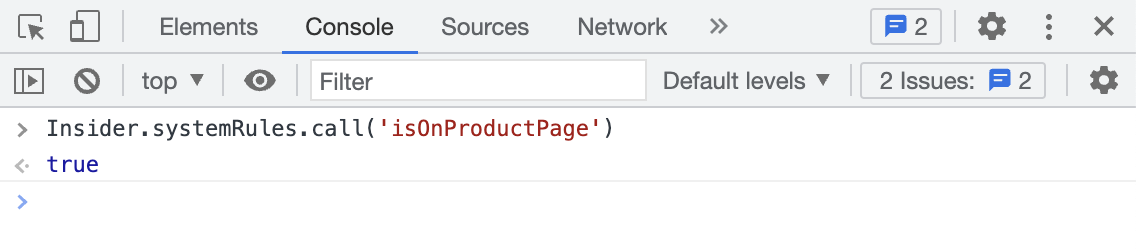
Insider.systemRules.call('isOnProductPage')For example, the response below returns if the current page is a product page.