When creating a custom campaign, rule, or goal, you can call these predefined functions where applicable.
Get the category settings
The following function gets the special category sequence on the main menu.
Function Call | Returns |
|---|---|
Insider.systemRules.call('categorySettings') | Object |
Insider.systemRules.call('categorySettings')Iterate through arrays
The accessNodes function is similar to the built-in Array forEach method. It is basically a forEach loop for HTML elements.
Insider.dom() is basically the equivalent of jQuery, so almost any selector and method (.val(), .children(), .find) that works with jQuery works here as well.
Insider.dom('.shopping-cart-product').accessNodes(function(node) {
   //INSERT CODE BLOCK HERE
});
Check if the current device is a mobile
The function below detects if the current device is a mobile device.
Insider.browser.isMobile();For example, the response below returns false because the current device is not a mobile device. Otherwise, it would return true.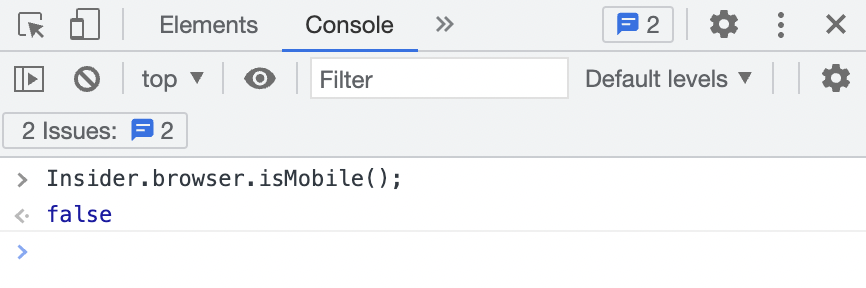
Handle all events
The function, EventManager, below is used to handle all events. This module sets the event listener on the document, so you do not have to wait for the element to load.
EventManager.dispacth('exampleEvent');once() sets the same event only once per page load;
Insider.eventManager.once('click.trigger:cart:button', 'SELECTOR', function () {
  //INSERT FUNCTION CODE HERE
});
However, some events (such as focus) do not work with .once(). Therefore, in this case, you should use .off().on(). Additionally, you should add unique namespaces so that events don’t overwrite each other.
Insider.eventManager.off('focus.ins:change:tab').on('focus.ins:change:tab', window, function () {
  //INSERT CODE HERE
});
Encode/Decode a string
The function below allows you to encode/decode a string in Base64 encryption format.
Insider.fns.encode('text');Insider.fns.decode('Base64String');Parse and stringify the data
The functions below work in the same way as JSON.parse and JSON.stringify.
Insider.fns.parse('{}'); deserializes a JSON string into a JavaScript object.
Insider.fns.parse('{}');Insider.fns.stringify({}); serializes a JavaScript object into a JSON string.
Insider.fns.stringify({});Register a listener
The function below registers a listener that is called once the given element is loaded. It waits for a certain element to load.
Insider.fns.onElementLoaded('SELECTOR', function (element) {
  // INSERT CODE BLOCK HERE
}).listen();
Set Local Storage and Session Storage
The following functions are used to set any data for any storage. We recommend you use local storage.
Insider.storage.set({
  name: 'myLocalStorage1',
  value: true,
  expires: 14 //days
}, 'localStorage', true);
Insider.storage.set({
name: 'mySessionStorage',
value: true
}, 'session', true);Get Local Storage and Session Storage
The following functions are used to read any data from any storage. We recommend you use local storage.
Insider.storage.get('myLocalStorage', 'localStorage', true);Insider.storage.get('mySessionStorage', 'session');Determine the active variation ID
The following function is used in custom rules to get the active variation ID.
Insider.campaign.userSegment.getActiveVariationByBuilderId(builderId)Detect the control group
The following function returns the response if the variation is the control group. It returns true or false.
Insider.campaign.isControlGroup(variationId)Retrieve data from the dataLayer
The function below retrieves data from your dataLayer object. It searches for the given property name and returns its value.
Insider.utils.getDataFromDataLayer('ecommerce');Alternatively, if you cannot retrieve the desired value using this function, you can retrieve the following built-in Array.filter() function while adding proper fallbacks.
(((window.dataLayer || []).filter(function (element) {
    return element.ecommerce
}) || [])[0] || {}).ecommerce
Retrieving an array of objects in the cart
The function below retrieves an array of objects from the ins-cart-product-list key in Local Storage that contains all the items currently in the cart.
Insider.utils.cart.getCartProductStorage()