After you send OTP SMS messages, you can track your metrics for the messages delivered via the API.
This guide provides details about:
Navigate to the OTP SMS Analytics
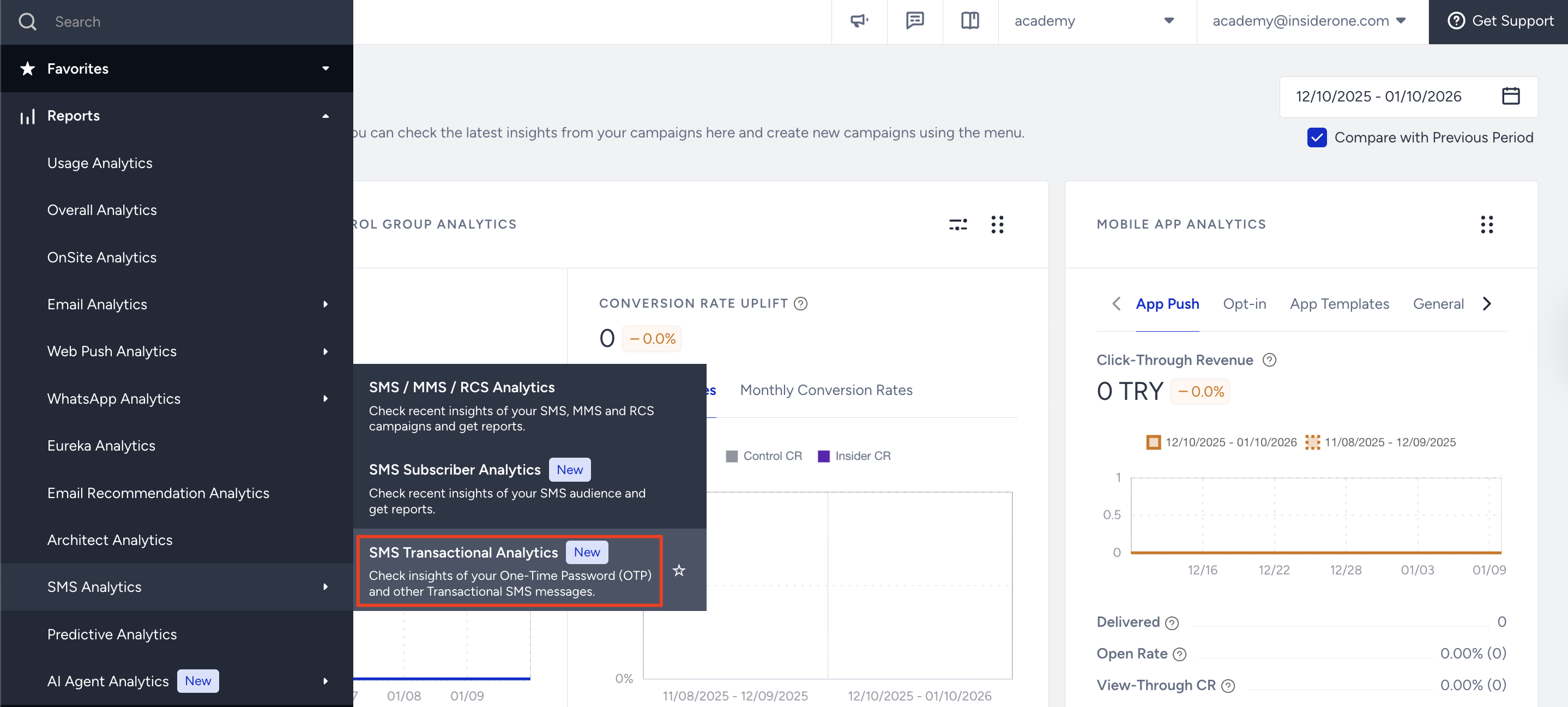
To reach the analytics, navigate to Reports > SMS Analytics > SMS Transactional Analytics.
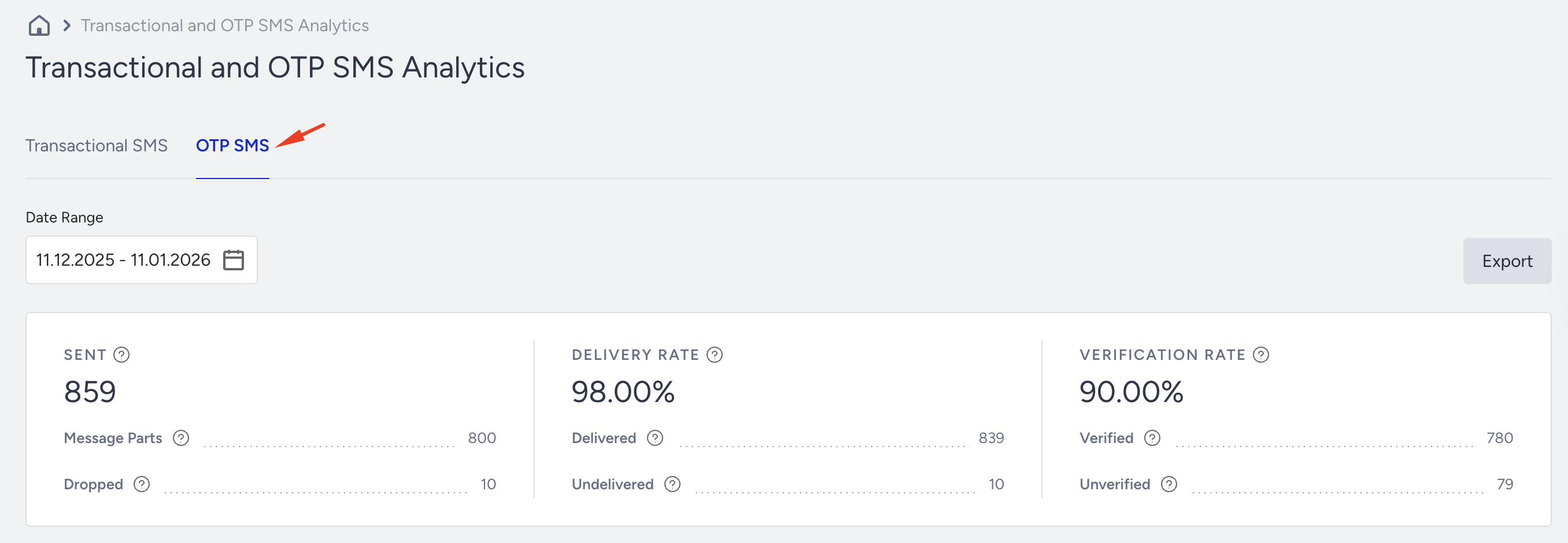
Click on the OTP SMS tab to see the analytics page.
Essential Metrics
In the section below, you can see the overall analytics of the campaign:
Sent: The number of SMS messages successfully transferred to the service provider to be addressed to the recipients.
Message Parts: The Total number of SMS message parts allocated for sending all the content in the SMS messages.
Dropped: Total number of SMS messages that weren’t transferred to the service provider to be addressed to the recipients.
Delivery Rate: Percentage of the Delivered to the Sent SMS messages.
Delivered: The number of SMS messages successfully transferred to the recipients.
Undelivered: Total number of SMS messages that weren’t addressed to the recipients by the service provider.
Verification Rate: Percentage of the Total Clicks to the Delivered SMS messages.
Verified: The number of OTP messages with codes that the recipients utilized.
Unverified: The number of OTP messages with codes that recipients did not utilize.
Unsuccessful Message Metrics
In this section, you can see the reasons for the unsuccessful messages both graphically and statistically, and examine and analyze the main reasons for the Dropped, Undelivered, and Unverified messages.
Dropped Messages: The total number of SMS messages that weren’t transferred to the service provider to be addressed to the recipients.
Undelivered Messages: The total number of SMS messages that weren’t addressed to the recipients by the service provider.
Unverified Messages: Total number of OTP SMS messages with codes that the recipients did not utilize.
Dropped Messages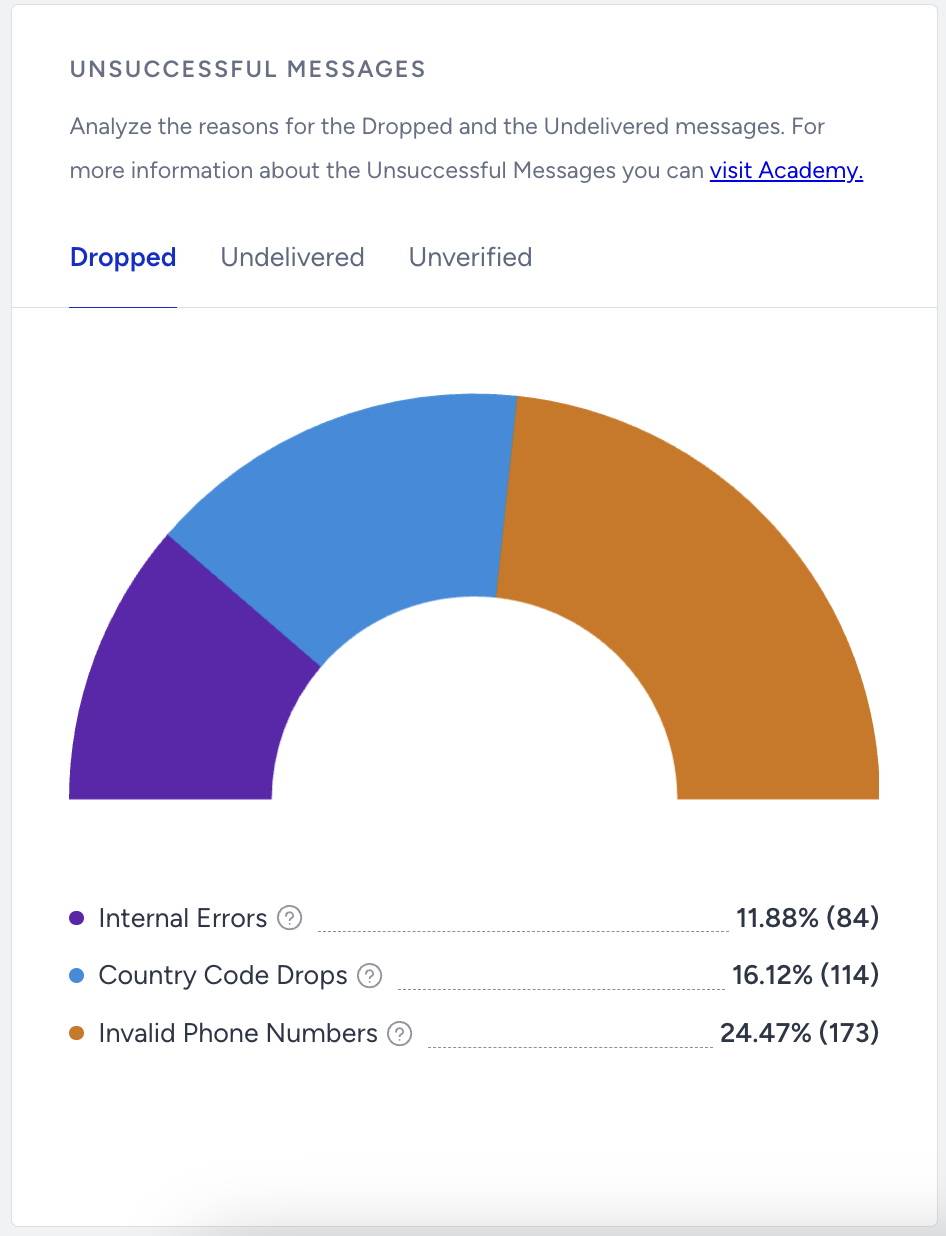
Internal Errors: Percentage (and the number) of Dropped messages due to various internal system issues (such as bugs, server problems, and technical malfunctions).
Country Code Drops: Percentage (and the number) of Dropped messages due to the phone numbers with country codes other than the specified in your contract.
Your quota must be set for the country to which you want to send an SMS. Otherwise, you will receive a country code error.
Invalid Phone Numbers: Percentage (and the number) of Dropped messages due to phone numbers in a non-standard format.
Undelivered Messages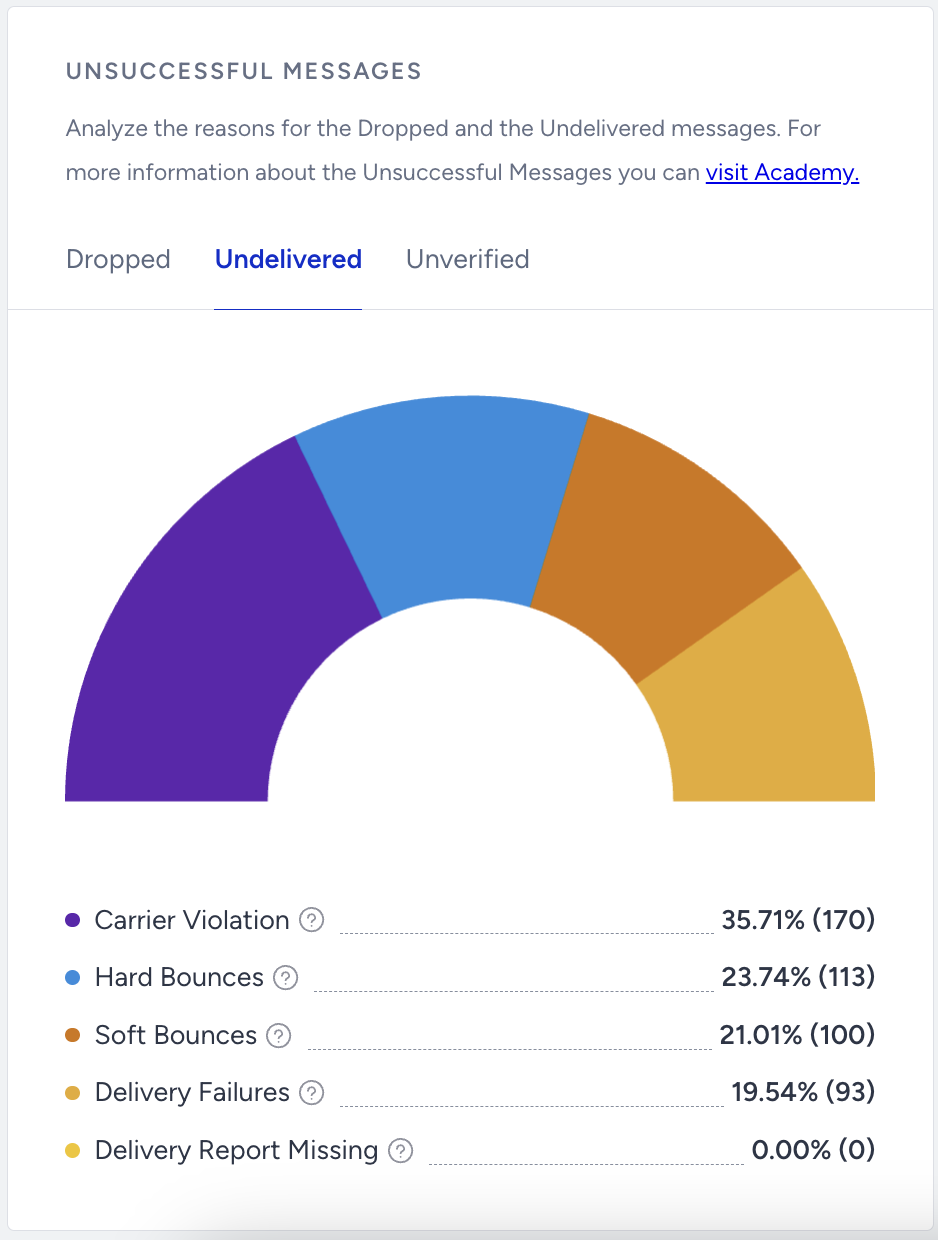
Carrier Violation: Percentage (and the number) of Undelivered messages due to content or spam filtering by the service provider.
Hard Bounces: Percentage (and the number) of Undelivered messages since the recipients’ phone numbers are not in use.
Soft Bounces: Percentage (and the number) of Undelivered messages since the recipients are unreachable.
Delivery Failures: Percentage (and the number) of Undelivered messages due to technical issues on the service provider side.
Delivery Report Missing: Percentage (and the number) of the Undelivered messages due to no delivery reports received from the service provider.
Unverified Messages
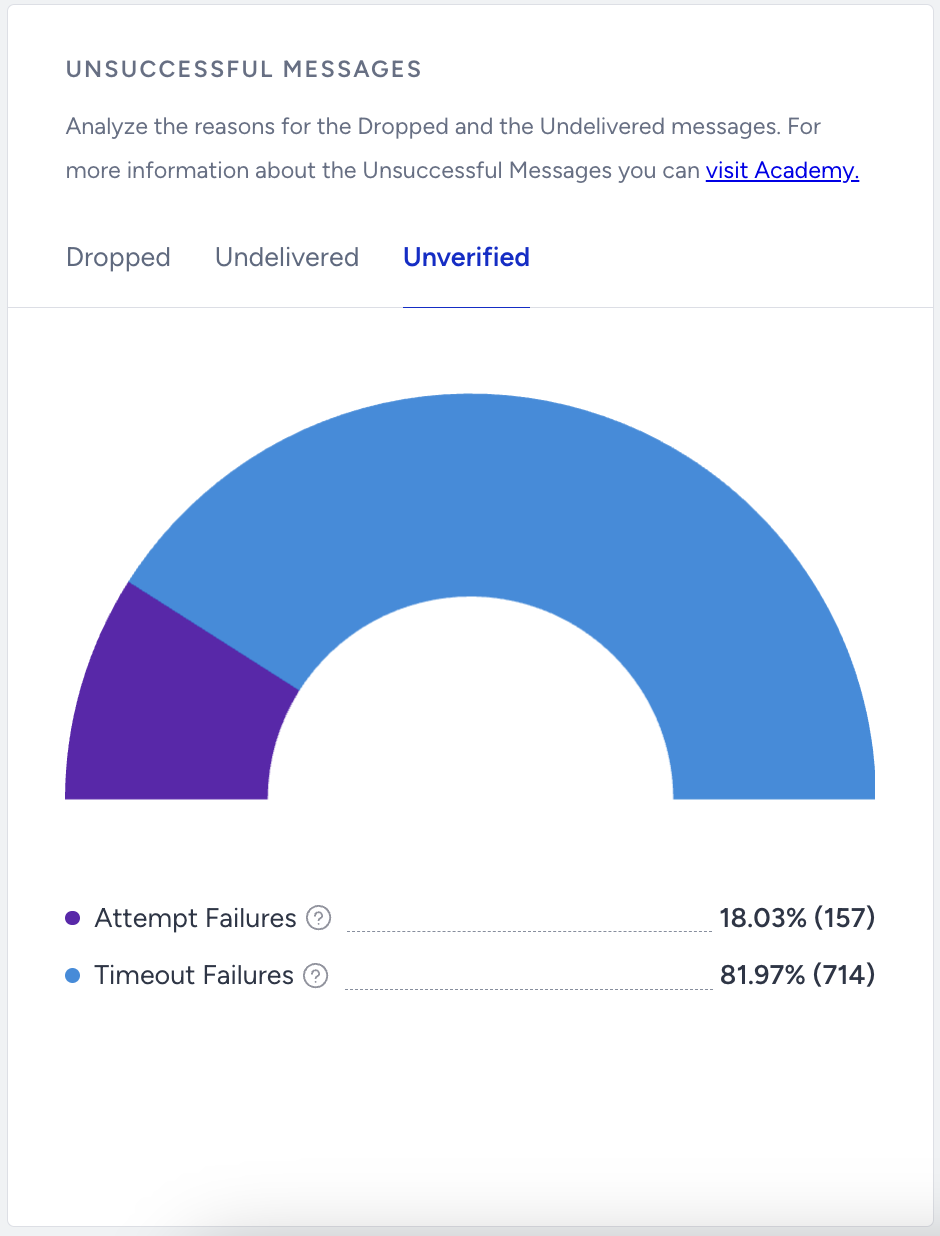
Attempt Failures: Percentage (and the number) of Unverified messages due to the recipients failing to correctly enter their verification codes within the given number of attempts.
Timeout Failures: Percentage (and the number) of Unverified messages due to the recipients failing to enter their verification codes within the given number of attempts.
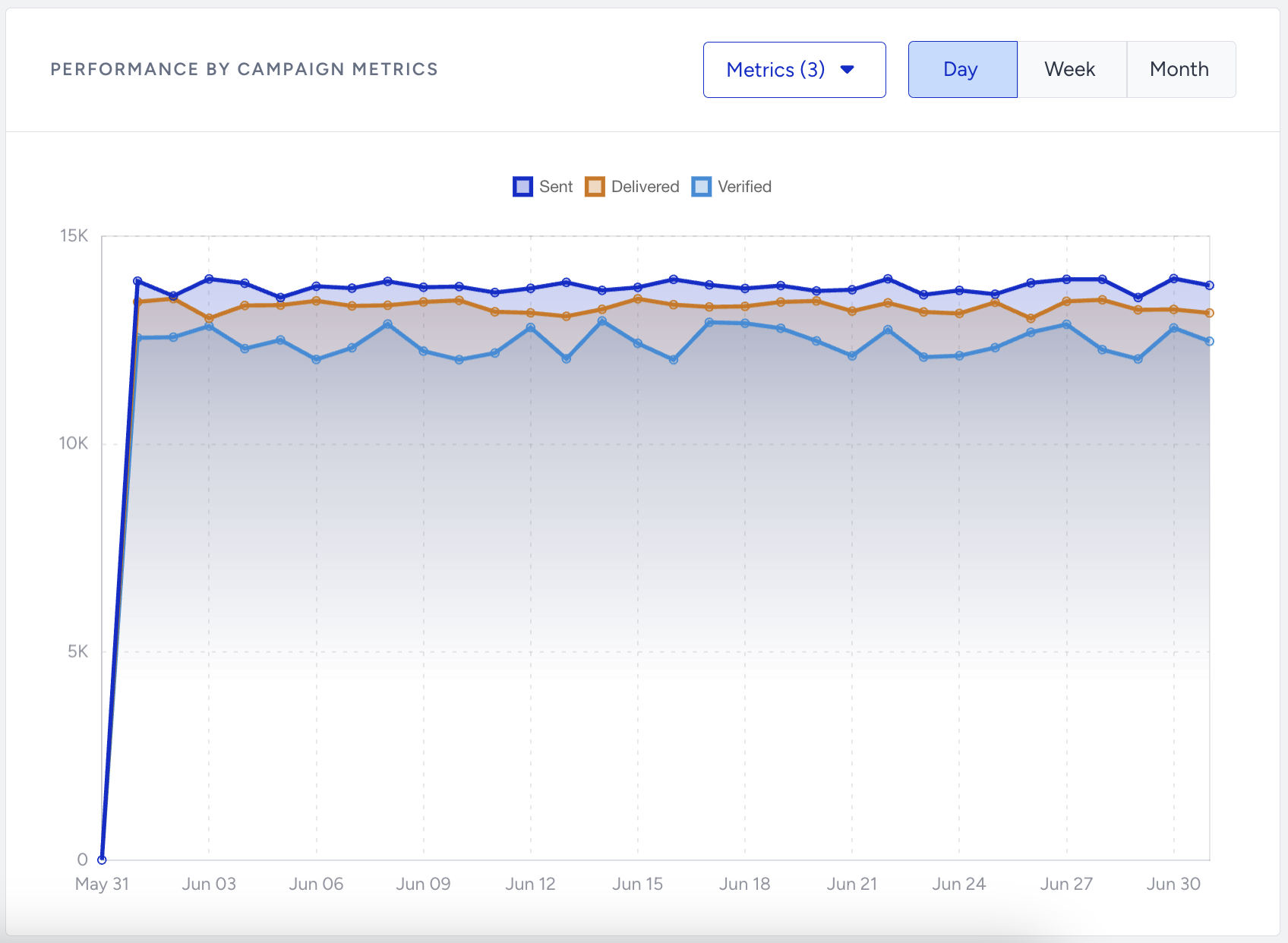
Performance by Campaign Metrics
You can see the status of the metrics (which you can select from the Select Metrics dropdown menu) for your OTP SMS messages in a defined time interval.