Coding an element’s CSS in the Element Selector allows you to transfer all modifications made to one element to other elements.
To copy the CSS selector on the Chrome browser:
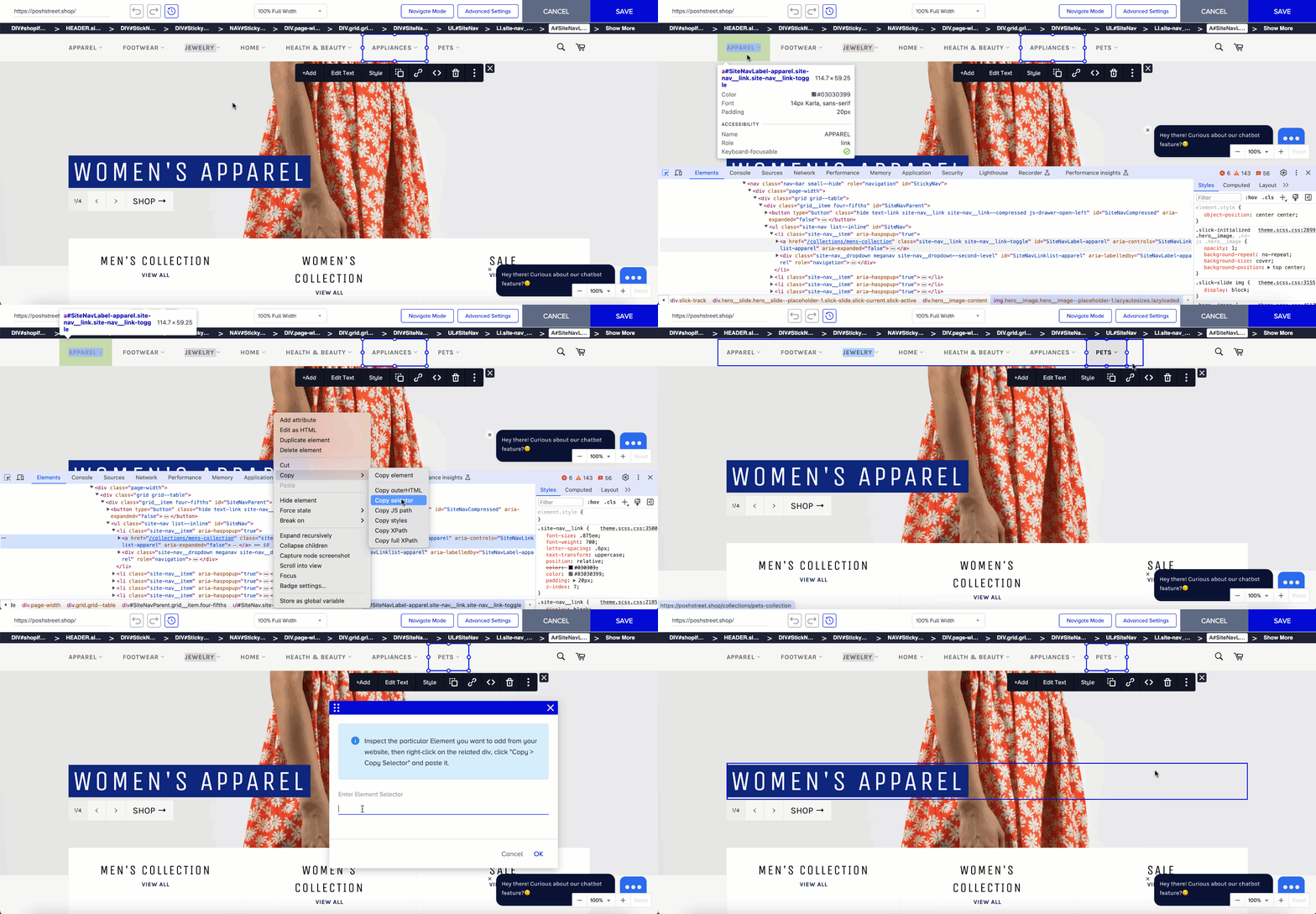
Inspect the particular Element you want to add to your website, then click the right mouse button on the related div.
Click Copy > Copy Selector and paste it in the Element Selector field on the Action Builder.
For Onsite Experiment campaigns, if the campaign appears correct in the Action Builder but displays incorrectly during testing, it is likely because other campaigns added to the site can cause the element to which you applied changes to become unfindable. To prevent this, it is recommended that you use the Element Selector feature to select the exact element you want to adjust accurately.