This guide aims to explain how you can add WhatsApp Native Payment integration. To integrate WhatsApp Native Payment, follow the steps below:
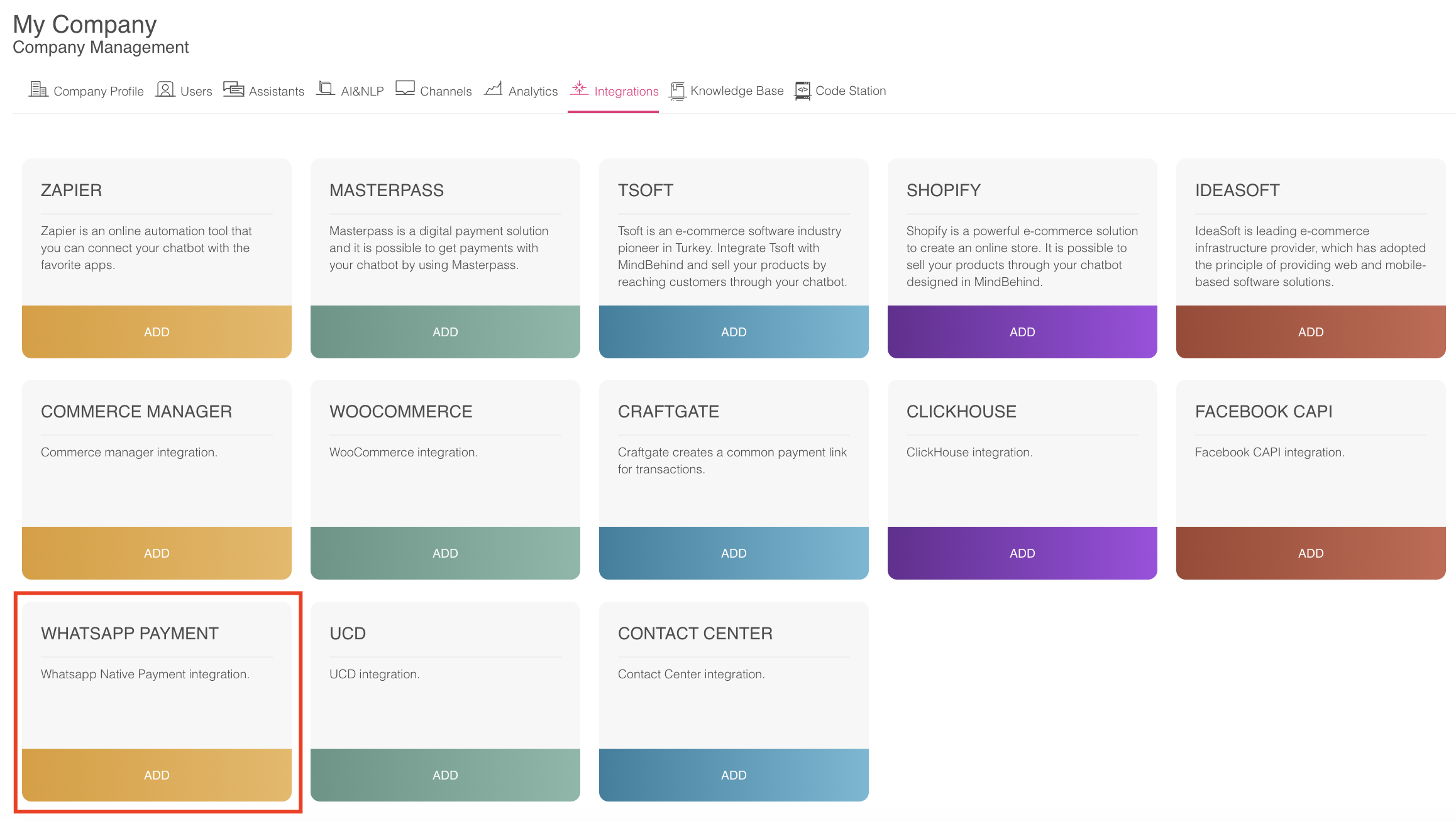
Navigate to the Company Management > Integrations.

Click the Add button in the WhatsApp Payment option.
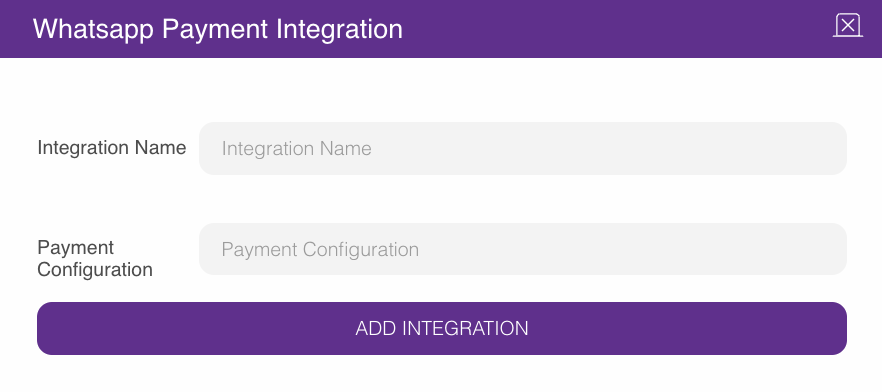
You can enter your preferred value as your Integration Name. For the Payment Configuration, fill in the configuration obtained from your company's Meta panel after integrating with Stripe.
Select the module shown in the image below on the Assistant Design page.
.png)
After selecting this module, you will see the following screen. On this screen, you can give the module any desired name. You should choose "WhatsApp Payment" from the Payment Type options.
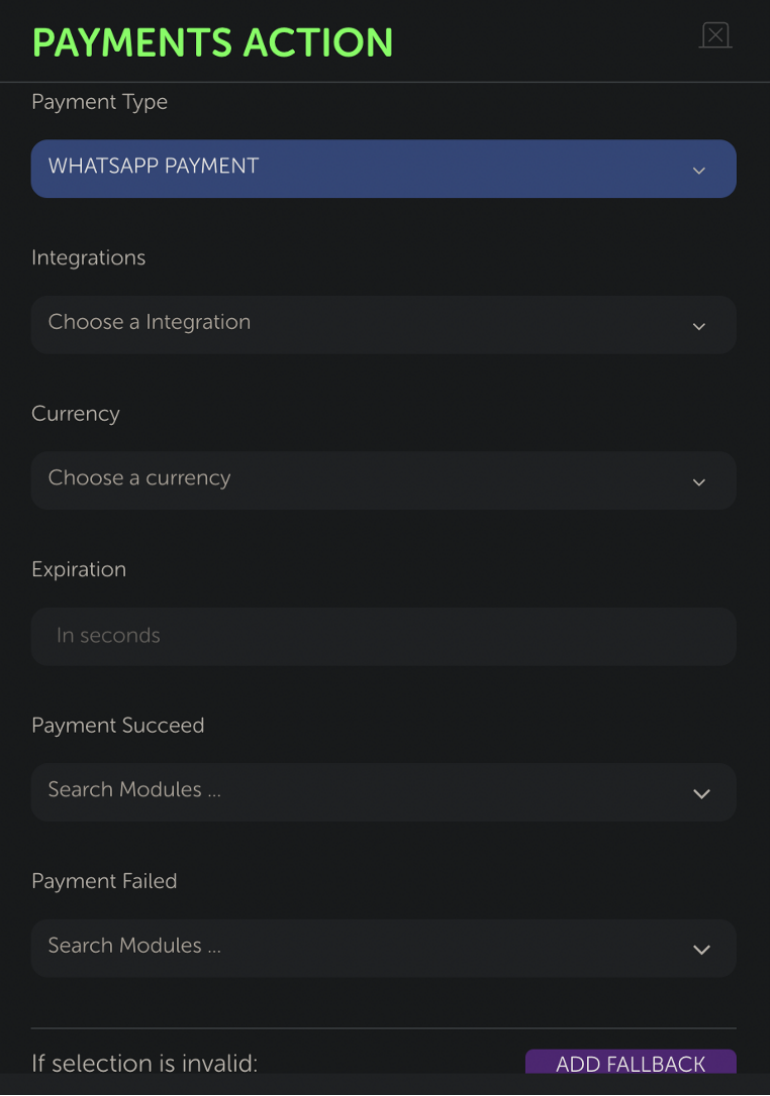
After selecting the Payment Type, you can choose the integration related to WhatsApp Native Payment from the dropdown menu below.
From top to bottom, you should sequentially select the currency for the payment and the duration until the payment expires.
If the payment is successful, the assistant will navigate to the "Payment Succeed" value selected in the module. If the payment fails, the assistant will navigate to the "Payment Failed" value selected in the module. If an unexpected error occurs, the assistant will navigate to the "fallback" value selected in the module.
The following parameters should be configured for the proper functioning of the WhatsApp Native Payment:
WA_PAYMENT_TAX: This parameter represents the total tax amount for the payment, but it is not entirely accurate currently.
WA_PAYMENT_BENEFICIARIES_NAME: The name of the individual or business entity that will receive physical product deliveries.
WA_PAYMENT_BENEFICIARIES_ADDRESS_LINE: The delivery address of the recipient.
WA_PAYMENT_BENEFICIARIES_COUNTRY: The country where the recipient resides.
WA_PAYMENT_BENEFICIARIES_POSTAL_CODE: The postal code of the recipient.
COMMERCE_INTEGRATION_ID: The ID associated with the commerce integration used for the creation of the order and payment.
Refer to Payments API - SG - Cloud API - Documentation - Meta for Developers for further details.