This guide explains which action types are supported on the Instagram Channel. Two action types are supported on the Instagram Channel:
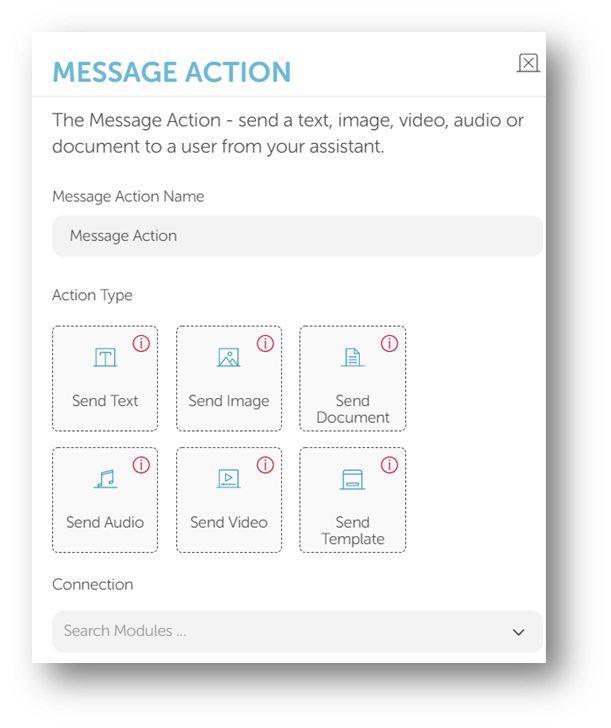
Message Action
The limitations and button details for Message Action are in the table below.
Button | Limitation |
|---|---|
Send Text | Up to 1000 characters |
Send Image | Up to 8 MB jpeg, PNG |
Send Document | Not supported. |
Send Audio | Up to 25 MB, acc, m4a, wav, mp4 |
Send Video | Up to 25 MB, mp4, ogg, avi, mov, webm |
Send Template | Not supported. |
Selection Action
2 types of message actions are supported on the Instagram channel: Send Quick Reply and Send Card. Send List and Send Template formats are not supported.
Send Quick Reply
You can find the limitations and button details for the Send Quick Reply action in the table below.
Button | Limitation |
|---|---|
Prompt Message | Up to 1000 characters |
Number of Buttons | Up to 13 buttons |
Button Text | Up to 20 characters |
Button Type | Only the "button" |
Button Action | Up to 20 characters |
Button Target | Target module |
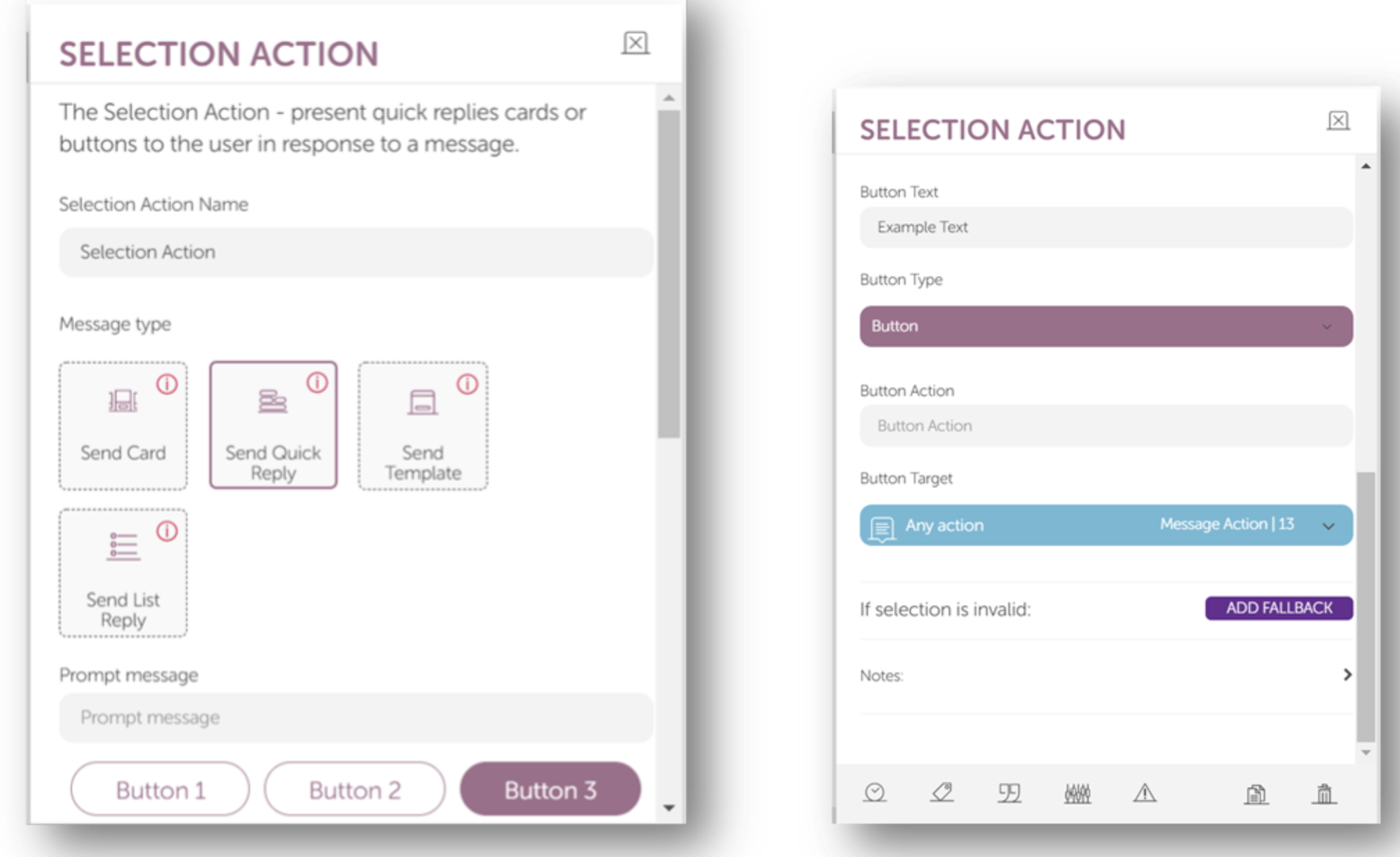
Button Text: Each quick reply allows up to 20 characters before being truncated. Quick replies only support plain text. When a quick reply is clicked, the buttons are dismissed, and the title of the clicked button is posted to the conversation as a message. A message event will be sent to your webhook that contains the button title and an optional payload. This feature is currently not available on desktop.
Button Action: Once clicked, the text here will be displayed as if the user had sent a private message. It is recommended that you keep the button text and button action the same for simplicity and better understanding.
Send Card
Users can send up to 10 card messages in a selection module. Each card message can have up to 3 buttons. 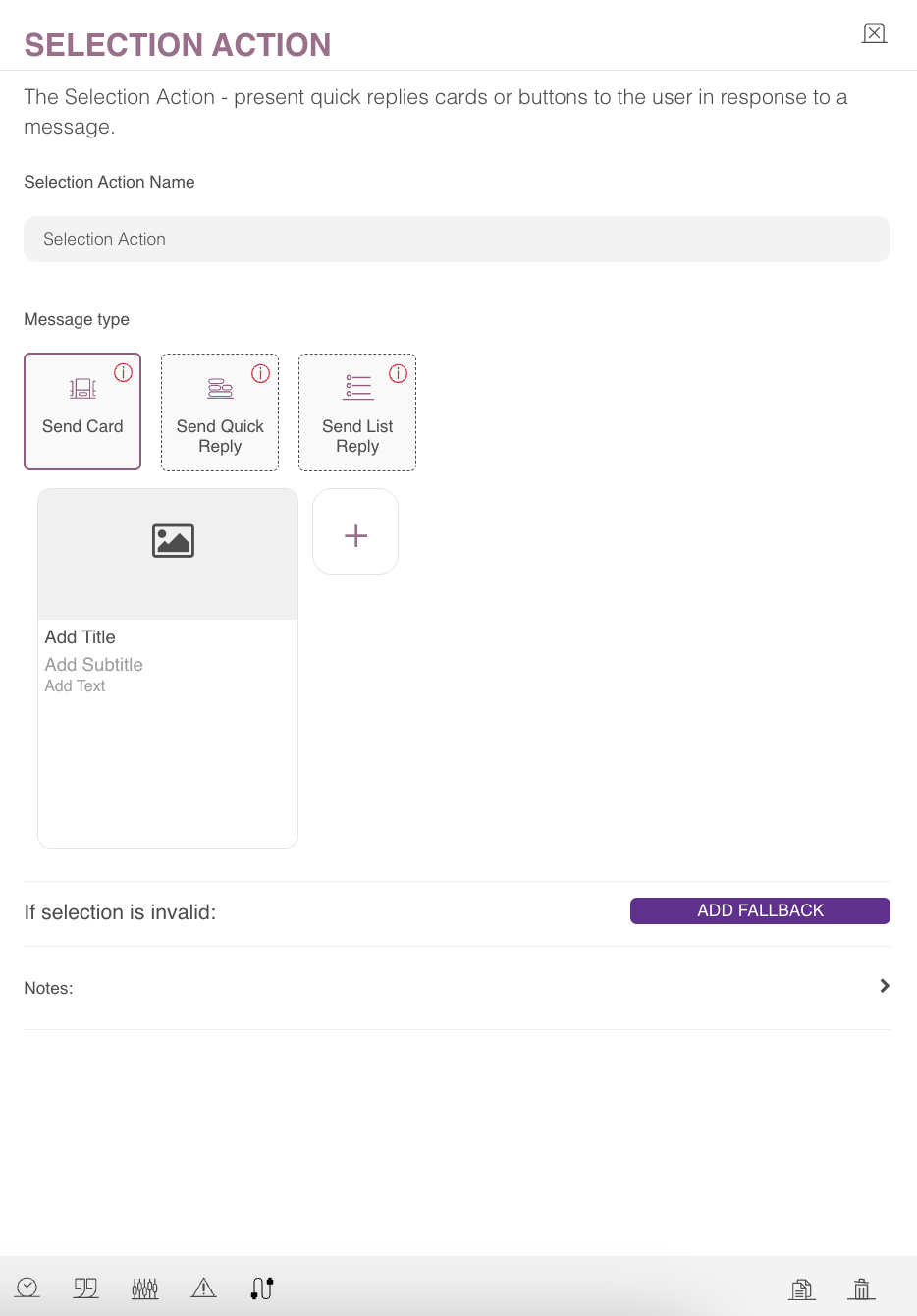
Button | Limitation |
|---|---|
Image | Optional. Up to 8 MB jpg, png, ico, bmp. |
Add Title | Up to 80 characters |
Add Subtitle | Optional. Up to 80 characters |
Add Text | Not supported. |
Button Text | Up to 20 characters |
Button Types | Button link |
Button Action | Up to 1000 characters |
Button Target | Target Module |
If the user selects the link button, they will be redirected to the link, but the conversation will not continue. Do not add a connecting module for link buttons.
File URL: If the user uploads an image, this will be filled automatically. It's possible to upload a URL only, but it must follow the limitations for image upload.
GIFs are not supported on Instagram.
Refer to Facebook's Generic Template page and Which Message and Card Types Are Supported on Instagram? for further details regarding card messages.