Agent Timeout is a feature created to enhance customer experience and improve agents' performance. It allows transferring a conversation assigned to an agent to another agent if the assigned agent fails to respond to the customer's last message within the specified time.
In this guide, you will learn about how the Agent Timeout feature works and how to set the Agent Timeout.
How does the Agent Timeout work?
The timers for the specified durations start when a new conversation is assigned to an agent or a customer sends a message.
If the customer representative fails to respond within the Agent Timeout Reminder duration, a notification is sent to the customer representative via Google Chrome.
If the customer representative still does not respond within the Agent Timeout duration, a notification is sent to the customer representative via Google Chrome, and the conversation is transferred to another customer representative.
The agents should log out of the system at the end of their shift. In case of internet disconnection or PC shutdown, the agents do not switch to offline status, so they need to reconnect and set their status to offline or busy again.
When a conversation is handed over to the department after the Agent Timeout duration, if the relevant department has other conversations in its queue, it will be assigned to the same agent, since there are no other available agents.
Set the Agent Timeout
To set the Agent Timeout,
Navigate to MindBehind Live > Company Management > Departments, and you will see the departments listed.
Click Edit Department next to the relevant department.
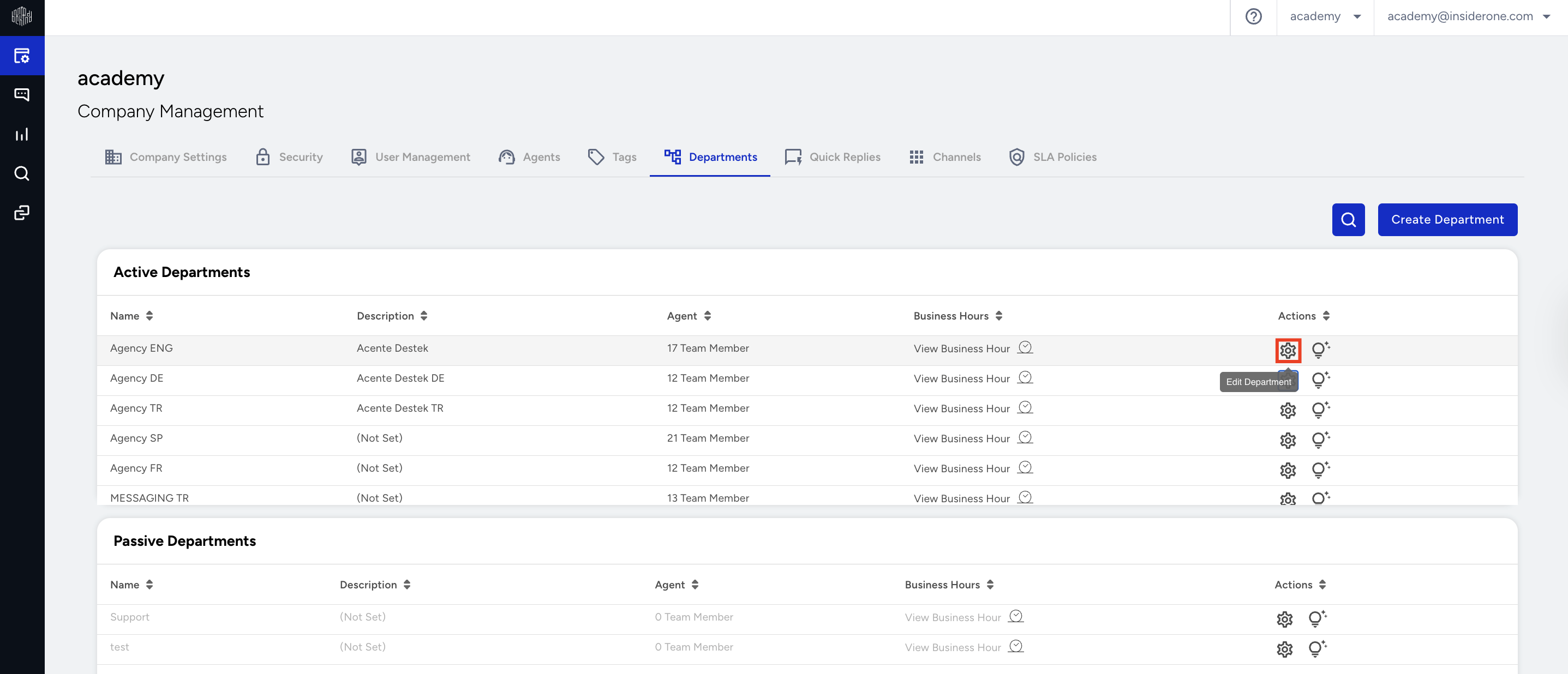
You can adjust the Agent Timeout (in seconds) and Agent Timeout Reminder (in seconds) fields to specify the time for sending a reminder notification and the time for transferring the conversation to another agent, respectively.
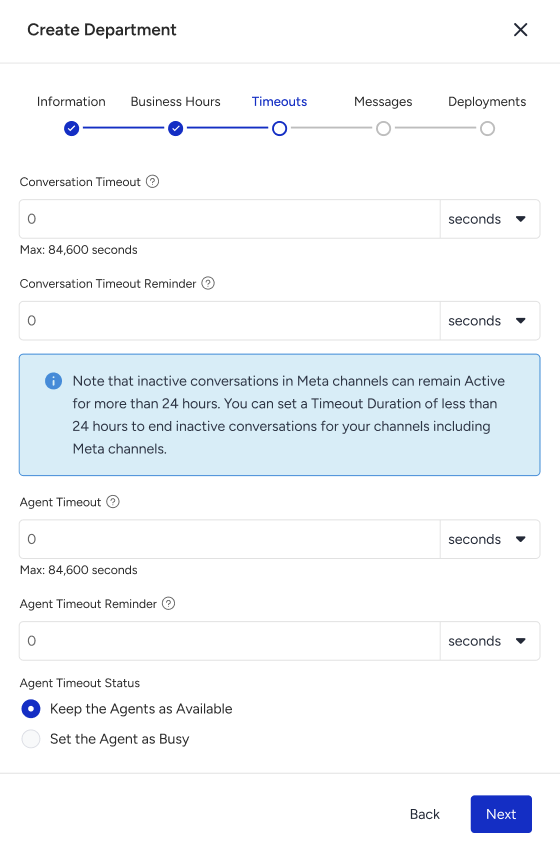
Agent Timeout Reminder (in seconds): Fill in this field in seconds, and it only accepts a minimum of 90 seconds (1.5 minutes) and a maximum of 84570 seconds. It must be at least 30 seconds less than the Agent Timeout.
Agent Timeout duration (in seconds): Fill in this field in seconds, and it only accepts a minimum of 120 seconds (2 minutes) and a maximum of 84600 seconds (23.5 hours).