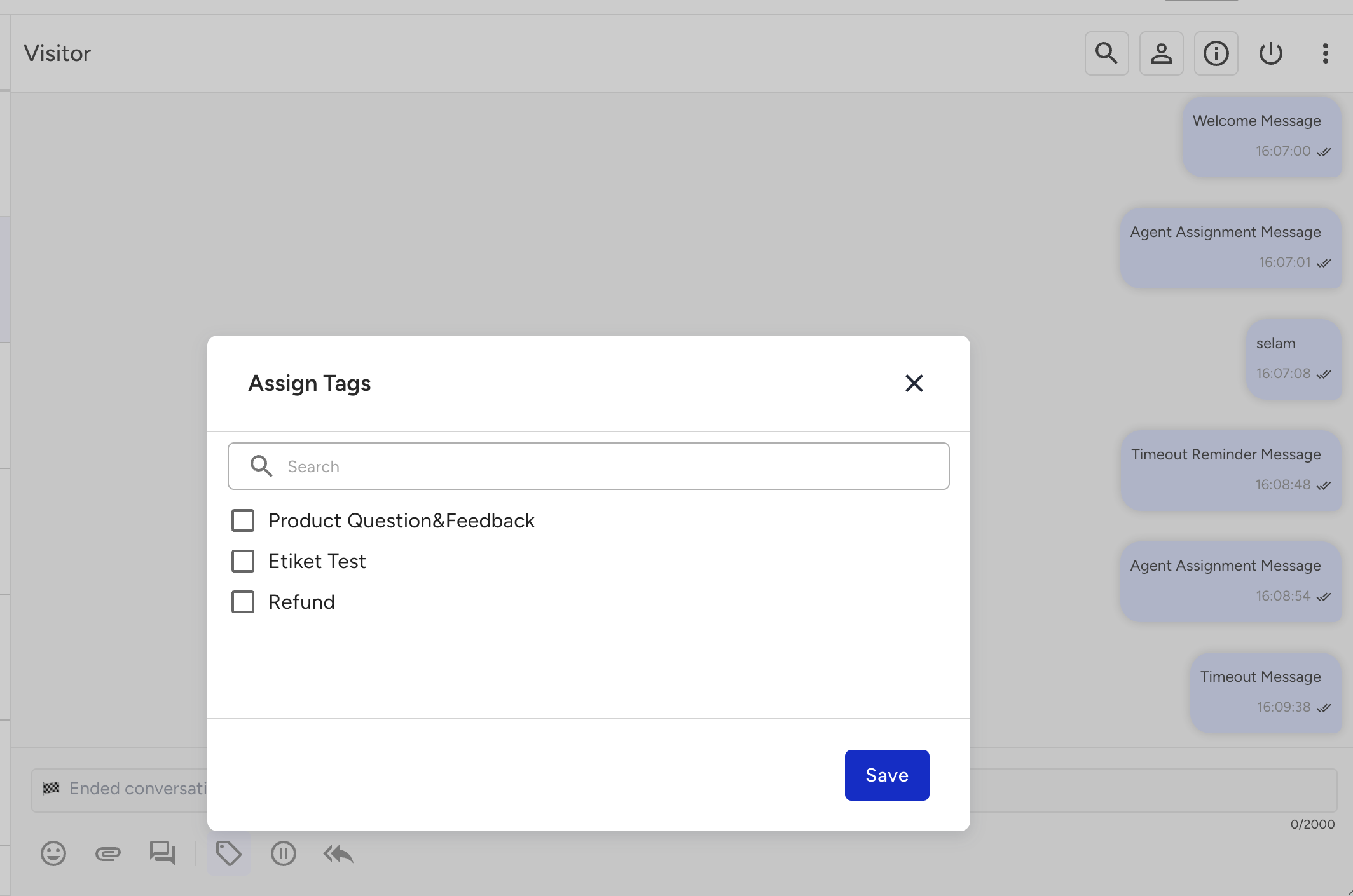
Tags are defining expressions that you can add to a conversation or client. When you add a tag for a conversation or a client, the agent can display these tags when that conversation or client is assigned to another agent or when another conversation with the same client appears. So, the agent can guide the course of the conversation with the help of this tag.
This guide aims to explain:
Add a tag
To add a tag,
Navigate to MindBehind Live > Company Management > Tags. Click the Add Tag button.
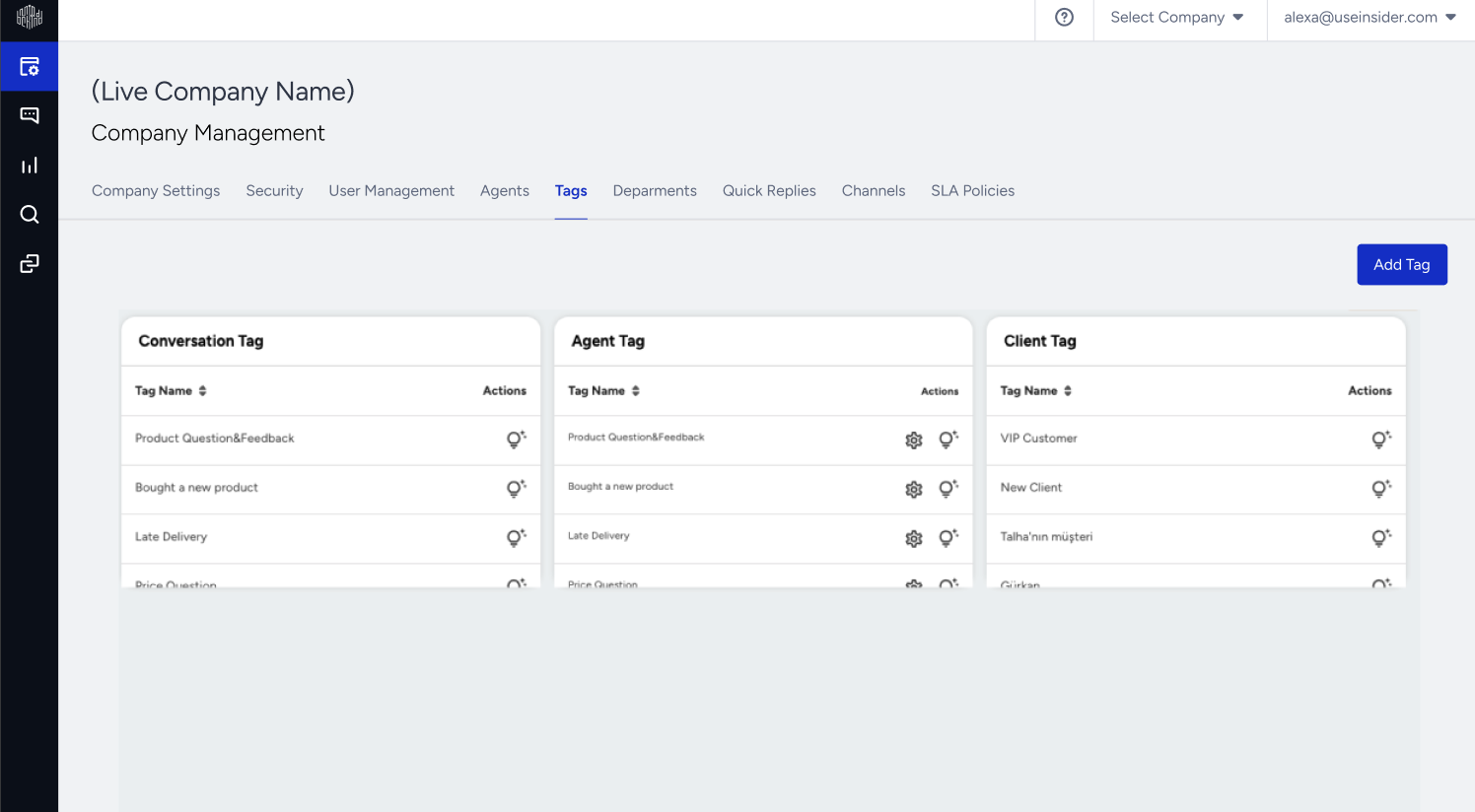
Only users with Admin rights can add tags.
You will see the Tag type (client or conversation) and the Tag name added to the display.
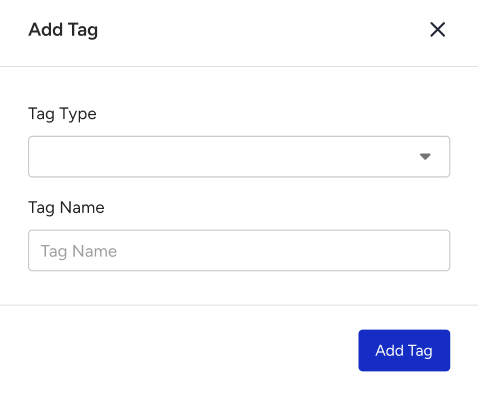
Create an Agent Tag
Two basic tag structures are used in MindBehind applications: Conversation Tag and Agent Tag.
Agent Tag
The Agent Tag is designed for use in the agent's conversations in MindBehind Live. You can customize these tags to use them in conversations that take place in selected departments or use them in all departments if you select all departments.
To create an agent tag,
Navigate to MindBehind Live > Company Management > Tags. Click the Add Tag button.
Select the Agent Tag as your Tag Type.
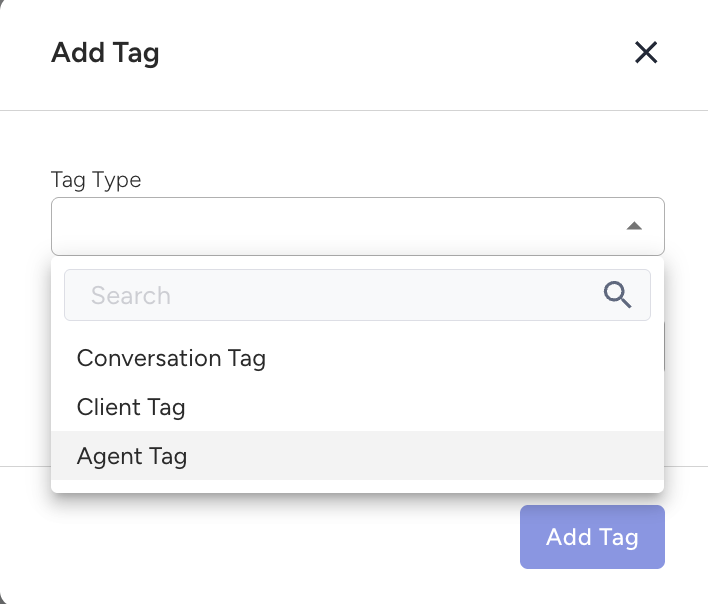
Enter the name of your tag in the Tag Name field.
In the Departments section, you can choose which department conversations the tag you want to create will be used for.
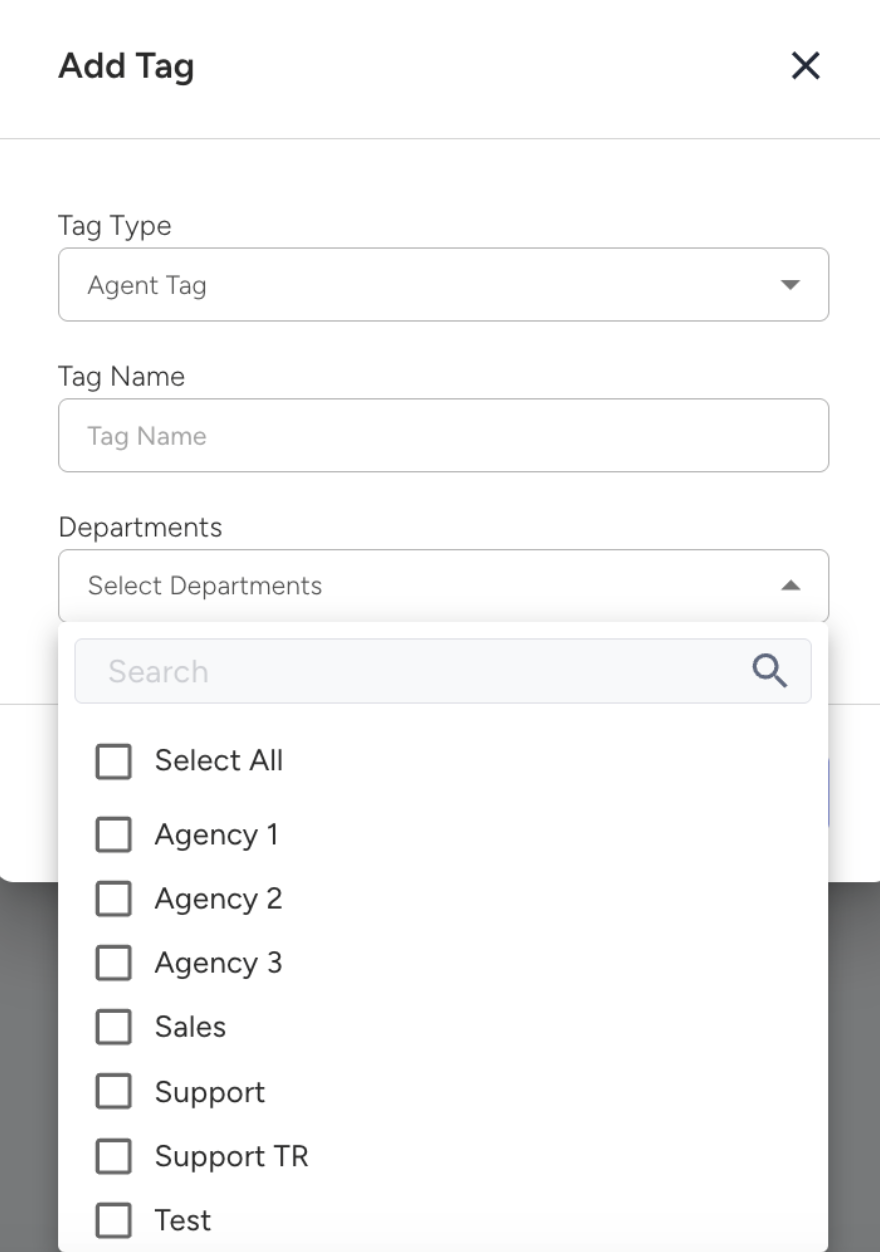
You should select all departments if you want the tag to be used in all departments.
After entering the required information, click the Add Tag button on the pop-up to create the tag.
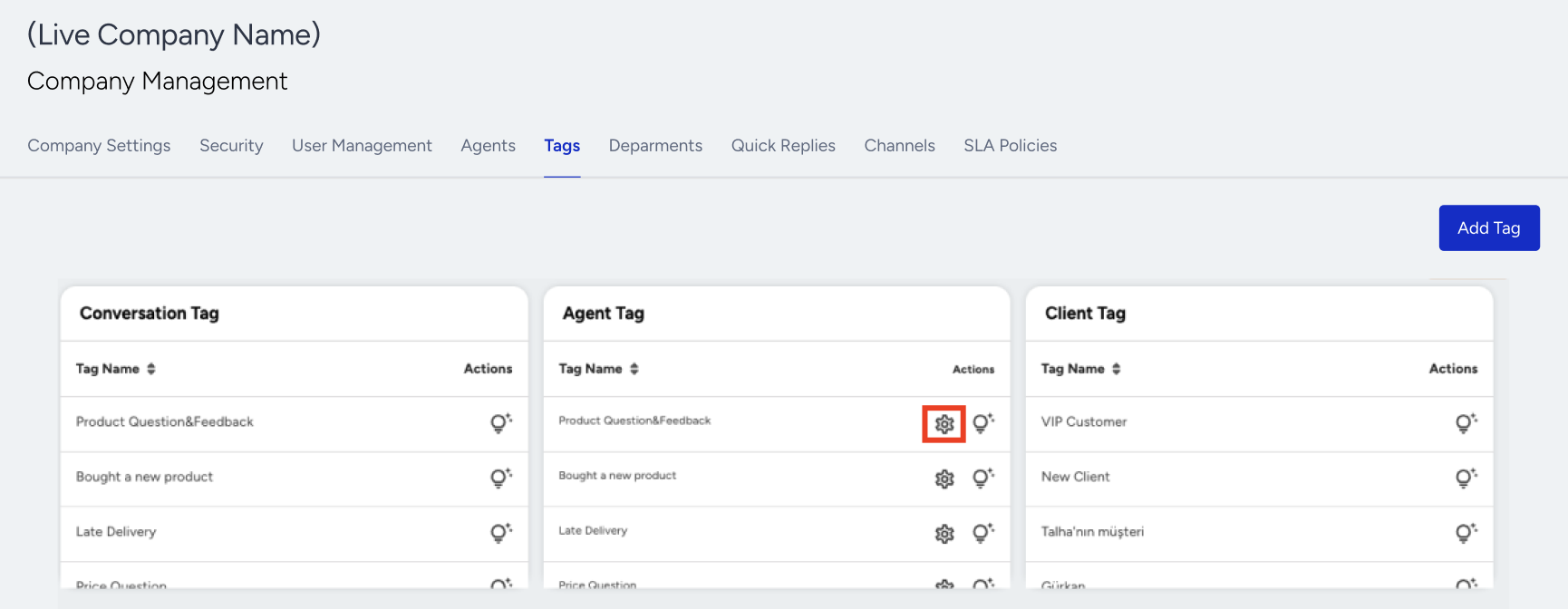
You will see the newly created tag in the Conversation V2 module. If you want to change the name or the selected departments, you can use the wheel button next to the relevant tag.
Use the Agent Tag
Agents can view the tags connected to the department where the conversation took place and click on the tag symbol at the bottom of the chat area in the conversations assigned to them to assign tags to the conversation.