Ice Breaker offers a way for users to initiate a conversation with a business by providing a list of frequently asked questions. A maximum of 4 questions can be set via the Ice Breaker API.
To set up the Ice Breaker on Instagram,
- Go to your MindBehind company.
- Click on the Channels tab and scroll to your Instagram Channel.
- Click on the Ice Breaker icon.
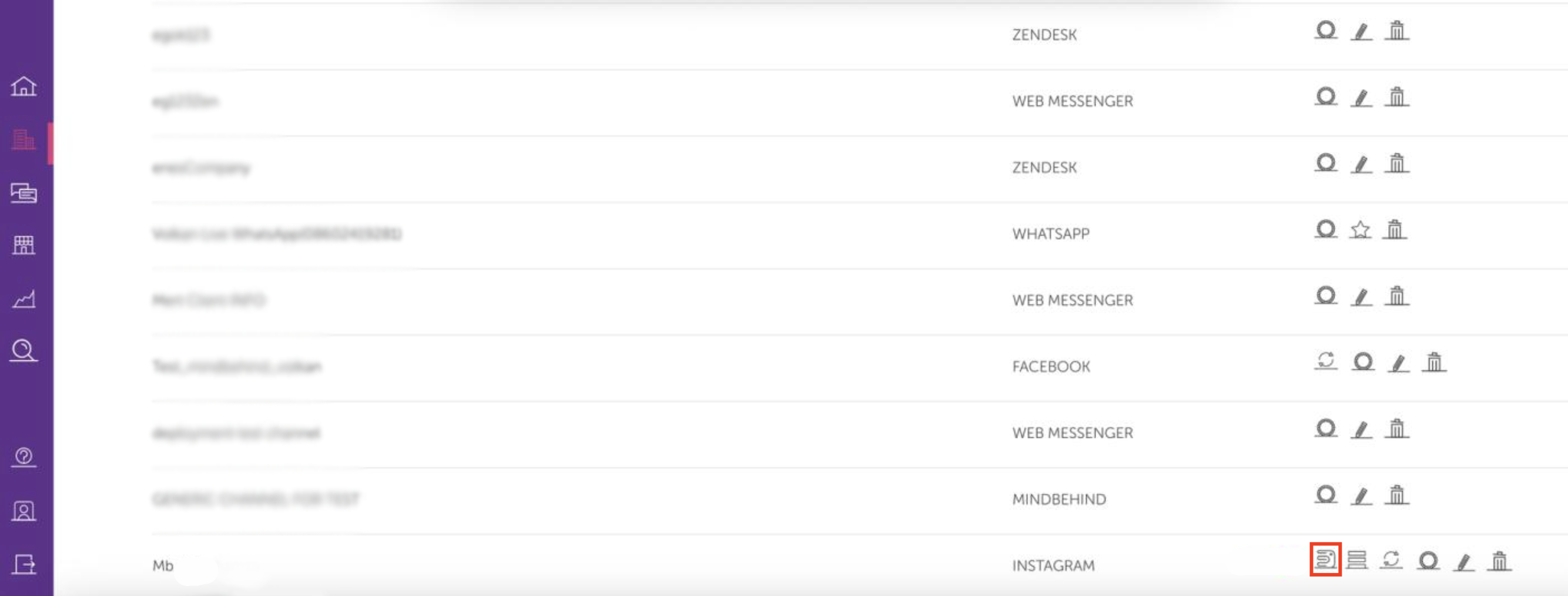
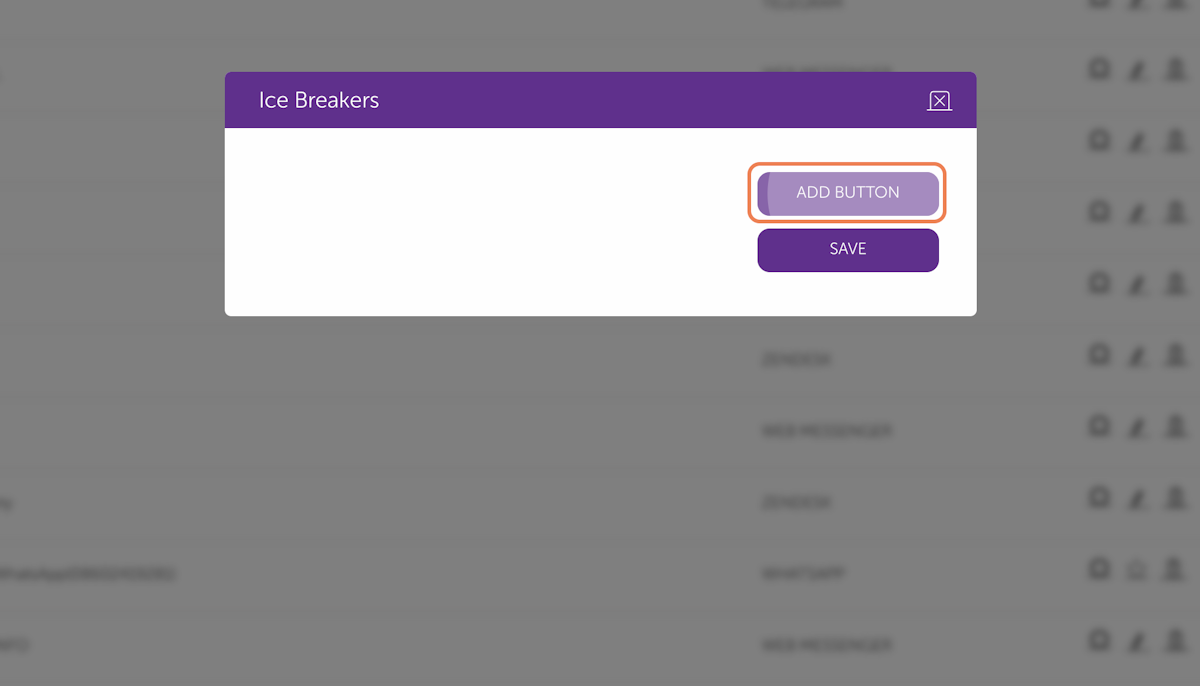
- After you click the Ice Breaker icon, you should create four buttons. Click the Add Button button.
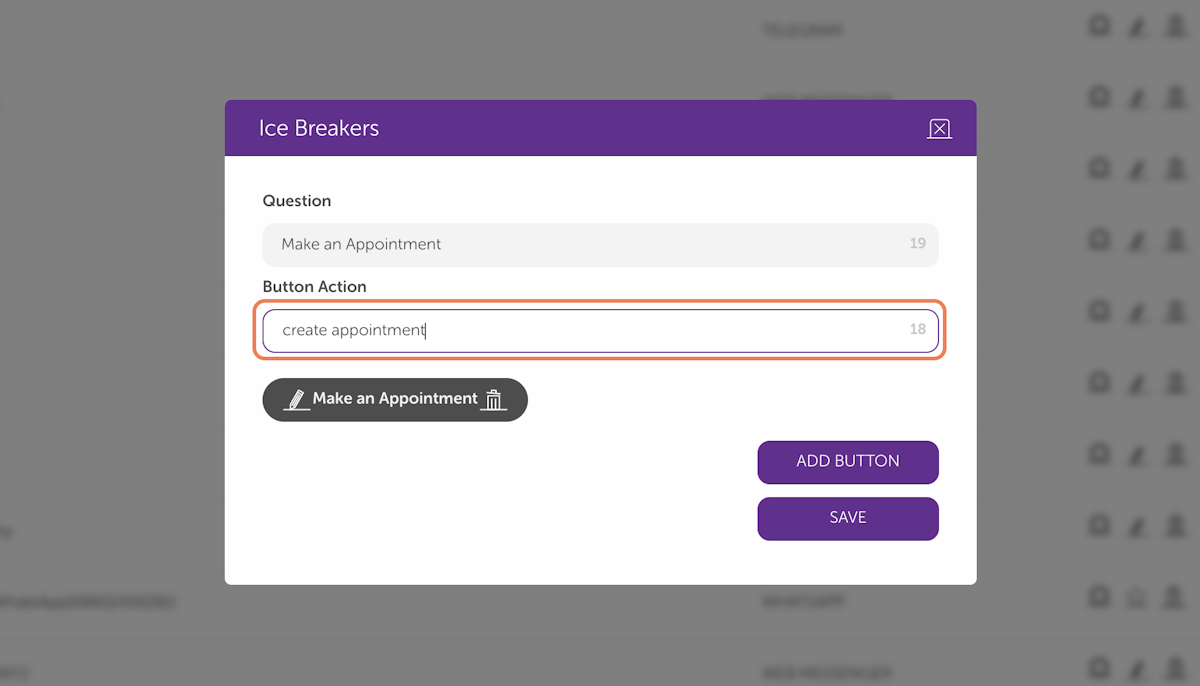
- Enter your Question and Action. You can enter "Make an Appointment" and "Create an appointment" as an example. You can check the limitations at the end of the guide.
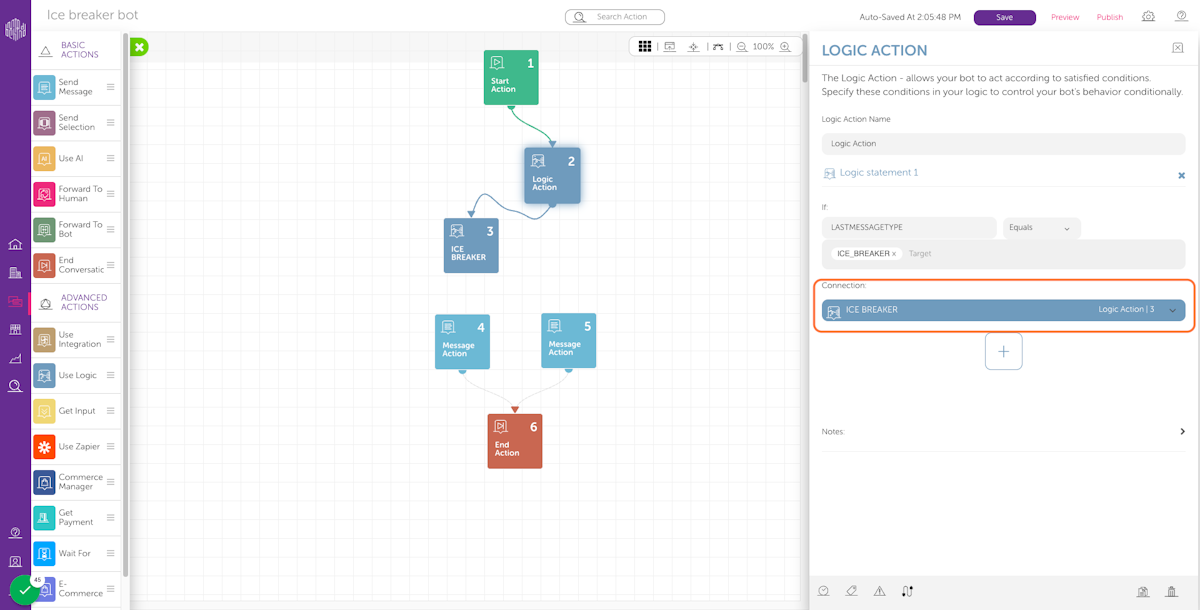
- After clicking the Save button, navigate to Assistants and select your assistant. Add a Logic Action. Make sure that you connect the Start Action to the recently created Logic Action.
- Click on the plus (+) button and enter “LASTMESSAGETYPE” in the condition field, select the Equals operator, and “ICE_BREAKER” as the target.
- Add another Logic Action for the ICE_BREAKER configurations. Enter "LASTMESSAGEVALUE" into the condition field, select the “Equals” operator, and add your Ice Breaker Button Action that you set as the target "create an appointment". It must be the same as the Ice Breaker Button Action.
- You should add a Connection to your Modules. Make sure that the Start Action is connected to the Logic Action, and connect your Logic Action to the Ice Breaker Logic Action.
- A maximum of 4 questions/buttons is supported.
- The question is required, and it should have fewer than or equal to 80 characters.
- The button action is required; it should have fewer than or equal to 1000 characters.
- The button action should not contain a “_“ character.