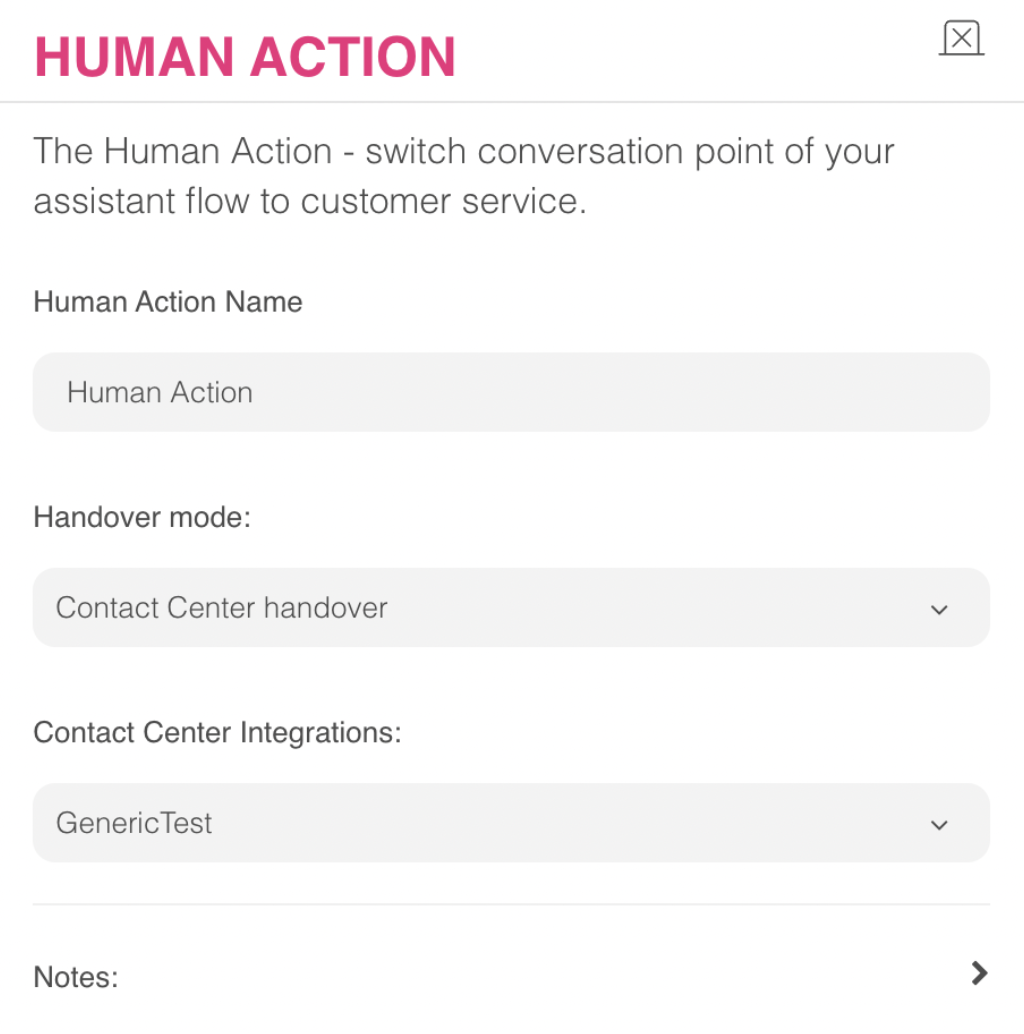
You can use Human Action to hand over the conversation to the live agent. When you navigate to your company profile page, you can define the handover configuration for each channel in the Channels section.
To use this action, follow the steps below:
1. To add the Human Action to your flow, drag and drop the Forward To Human action to your design canvas or click the Forward To Human action in the Basic Actions menu. 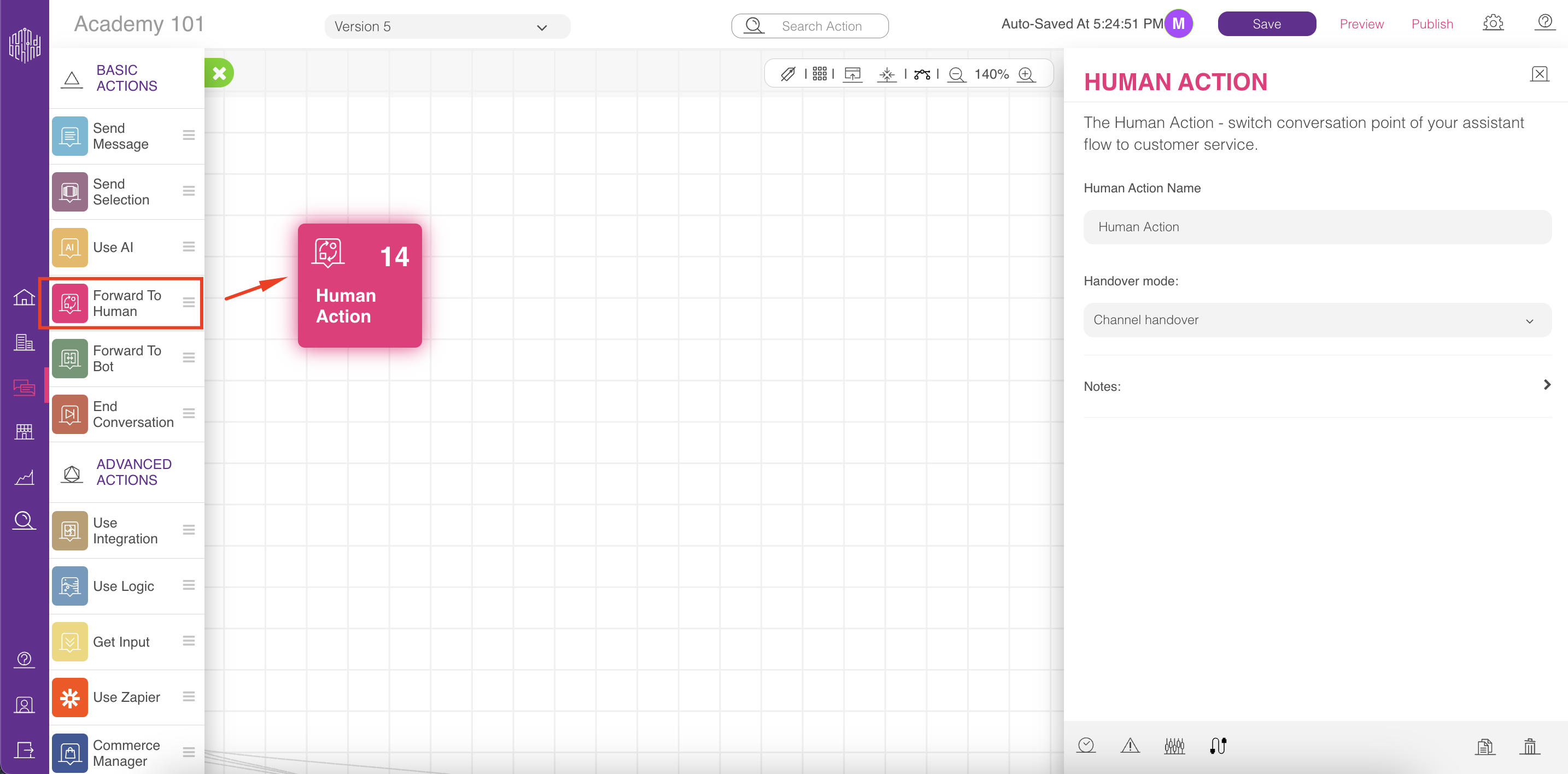
2. You can choose a name for your Human Action if you want to, and add your notes on the right menu.
3. In Handover mode, located in the right menu, you can configure the following options:
- Channel Handover
- Internal Handover
- Contact Center Handover
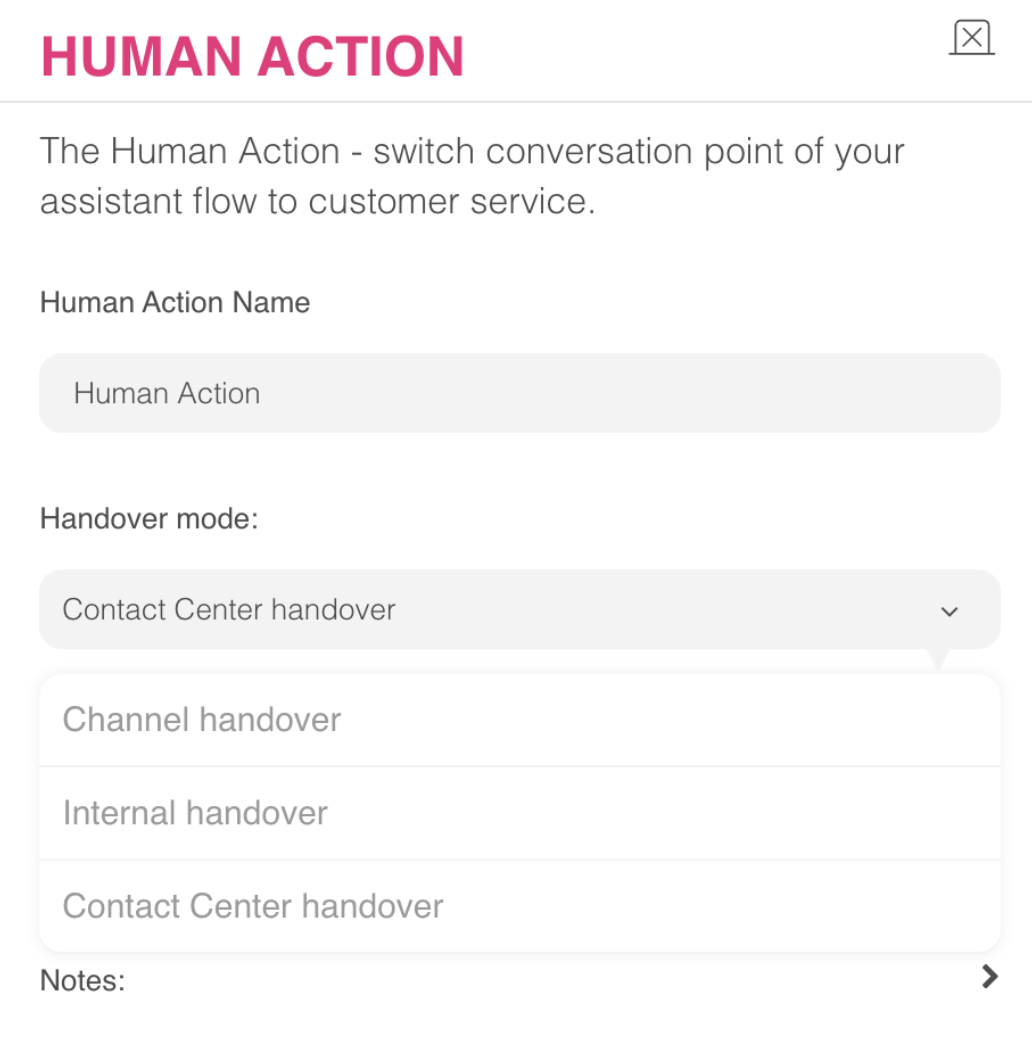
- If you want to forward the conversation to external channels that are integrated with MindBehind and support live chat, you can select the Channel Handover action.
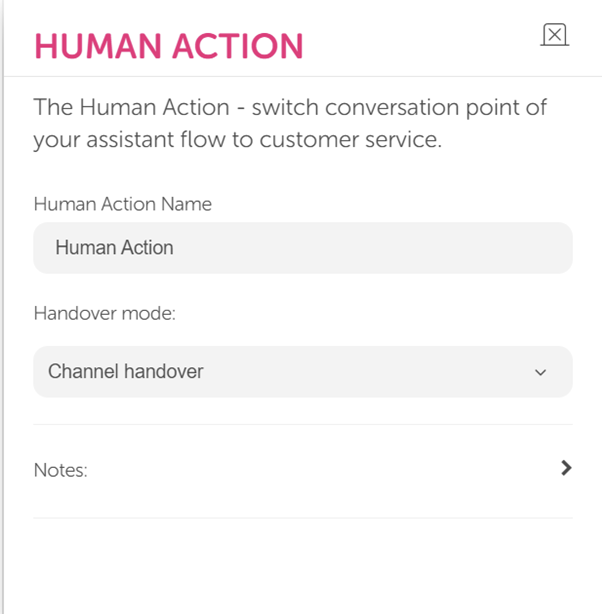
- If you select the Internal Handover option, you can forward the conversation to the department configured on MindBehind Live. Once you select the department, agents can take over the conversation on the MindBehind Live Agent panel.
- Contact Center mode enables the transfer of conversations to an external platform, such as Genesys or Freshdesk. To use this feature, you must first create a Contact Center integration from the Integration tab under the relevant company.
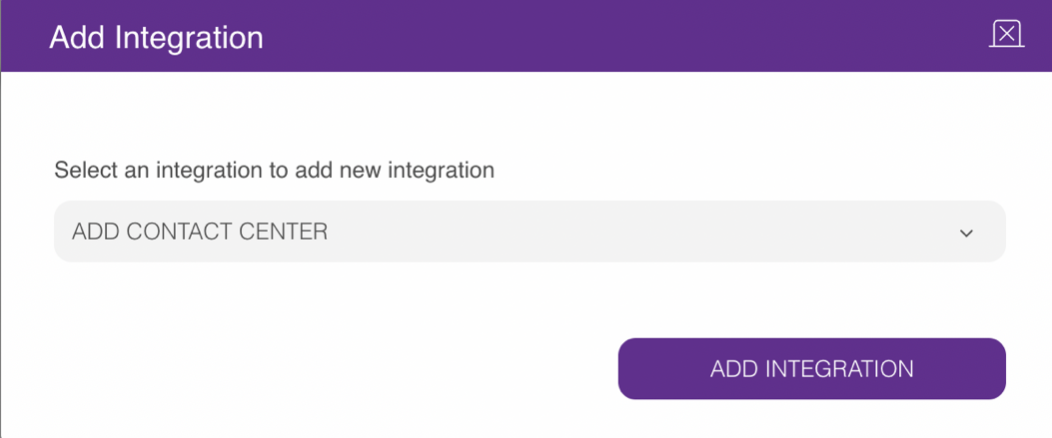 You can choose between a native integration for Genesys and a generic integration for other third-party applications. For further details, refer to the Genesys Contact Center Integration guide.
To continue with the generic integration, you can follow these steps:
1. Enter a unique name for your generic integration in the Integration Name field.
2. Enter a messaging URL that is taken from the related third-party platform in the Message Converter Service Endpoint field.
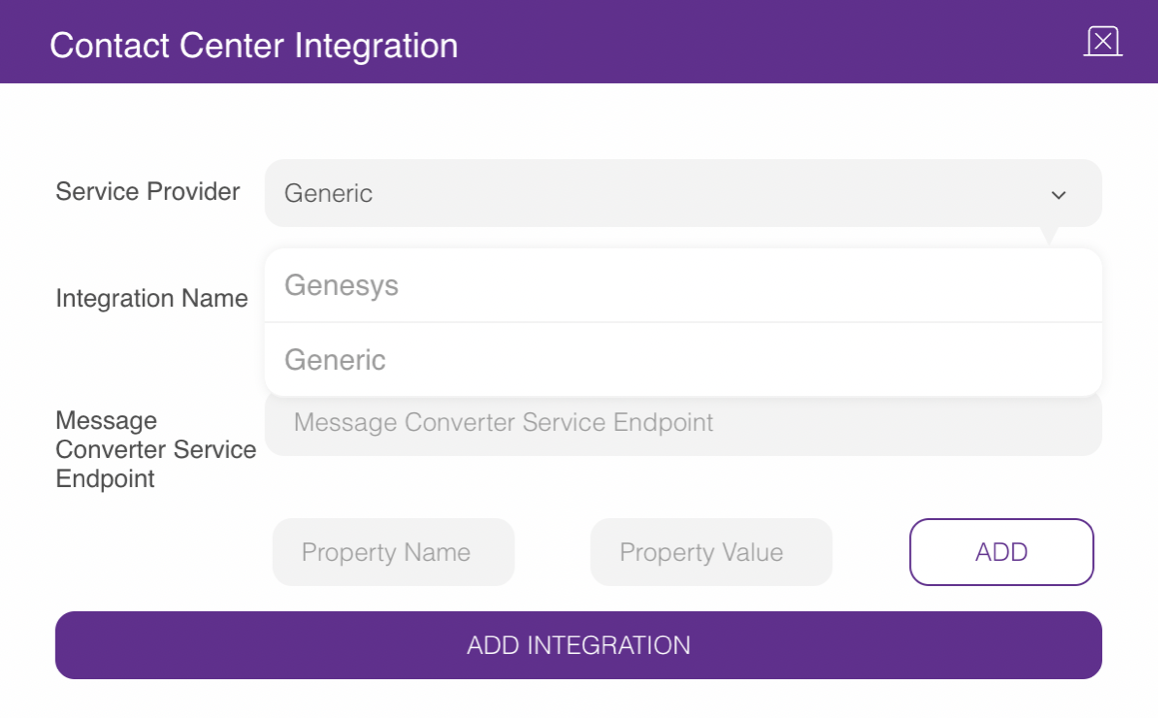
Integrating with a third-party application requires only its messaging endpoint. However, additional property name and value information can be included if needed. For example, if the third party requires an access token, the Property Name should be set as accessToken, and the Property Value should contain the token value itself.
- Property Name: A name for any property that you want to transfer to a third party.
- Property Value: The value of the property that you want to transfer to a third party.
Once a Contact Center integration is added, you can configure the Handover mode to transfer conversations to the Contact Center.