The Bot action is used to forward the message to the sub-bot to achieve re-usability and to build up simple and clear bots. This guide will help you learn how to use the bot action.
To use Bot Action in your flows, follow the steps below:
- To add the Bot Action, drag and drop the Forward to Bot action to your assistant canvas or click on it from the Basic Actions menu.
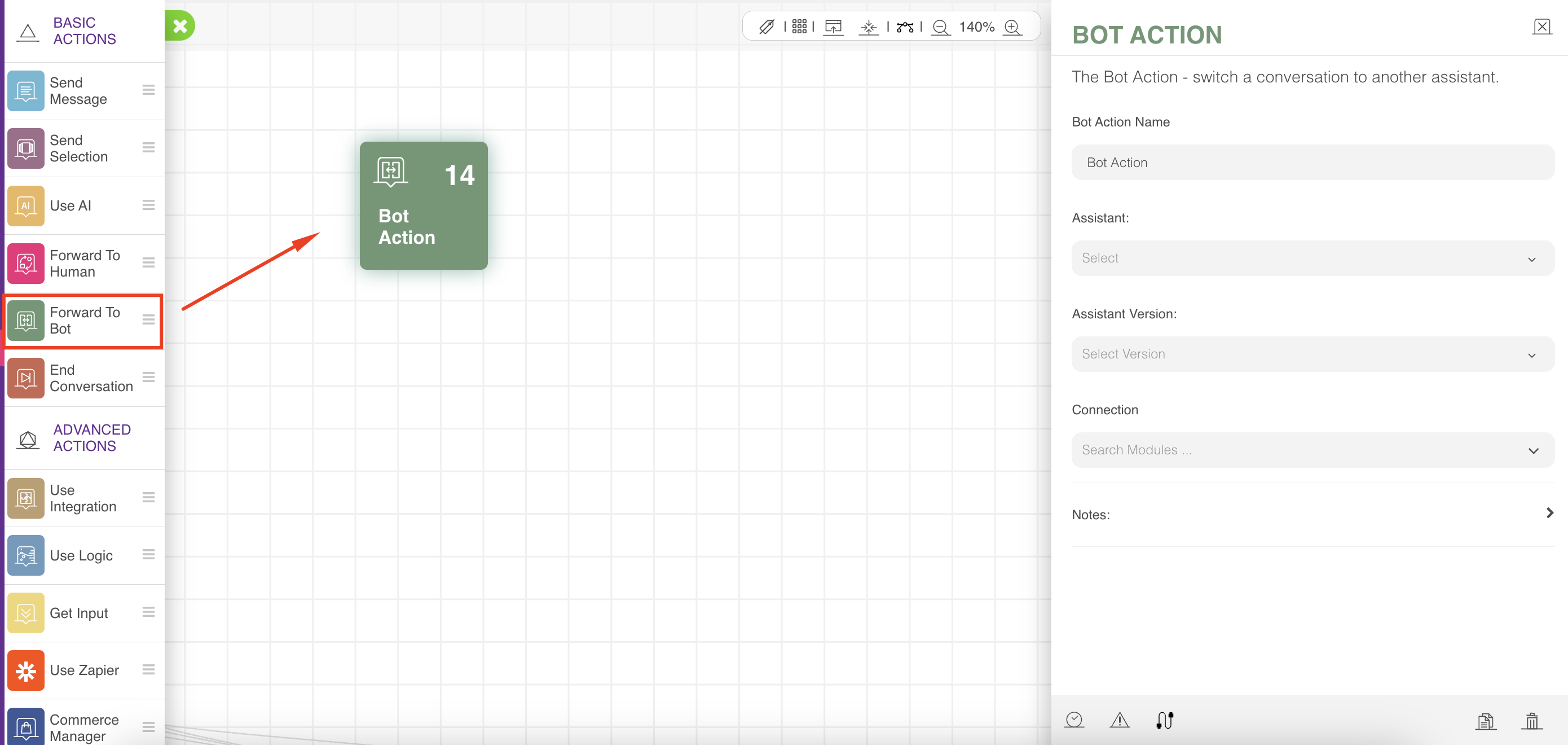
- Choose the sub-assistant and its version to which you want to forward the conversation, then the connection to the next action after the sub-assistant returns to the current assistant.
The bot will always stop the flow in the parent bot and continue the flow in the sub-bot. When the sub-bot reaches the end of its action, it will return to the main bot, and the flow will continue from there.
You can go as deep as you want in sub-bots, but when you want to return to the parent bot, you should use the end action and not the bot action again, or you may find your bot in loops that never end. Therefore, you should always delve into the bot action and return through the end action.
Defining a delay for this action will delay the forward process to sub-bots, resulting in delays in processing their actions.